Bilibili's Step-by-Step Codex Guide: From Installation to Hands-On Practice, Let AI Operate Your Computer

Codex is a desktop AI agent that directly operates your computer; the tutorial demonstrates file organization and dashboard generation.
Based on a Bilibili creator's step-by-step Codex tutorial, this article introduces the core capabilities and usage principles of this desktop-level AI agent. Unlike chatbots, Codex directly operates the user's computer to complete file organization, data extraction, report creation, and visual dashboard generation. It covers adjusting work mode, creating project folders, executing simple tasks directly, and using plan mode for complex tasks, and verifies Codex's logical validation through trap tests. Key takeaways: project-based management, plan mode, and Everyday mode—with human oversight still needed for professional decisions.
Title
Bilibili's Step-by-Step Codex Guide: From Installation to Hands-On Practice, Let AI Operate Your Computer
Meta Description
Based on a Bilibili step-by-step tutorial, this guide covers Codex's complete hands-on workflow—from installation and work mode settings to project folder management, file organization, plan mode, and visual dashboards—plus usage tips and caveats.
Article Content
In an era where AI assistants are everywhere, if your impression of Codex is still "just another chatbot," you may be missing out on a tool that can genuinely "do the work" for you. A Bilibili creator recently released a lengthy, step-by-step Codex tutorial that uses real data from a fictional coffee shop to demonstrate the entire process from installation and configuration to complex task automation. This article is based on that video, cross-verified with multiple sources, and breaks down Codex's core capabilities and usage principles.
What Exactly Is Codex: From "Chatting" to "Operating the Computer"
The video opens by highlighting the key difference: tools like Doubao and DeepSeekAd provide a conversational interface—you can type and chat, but they stop at "talking." What sets Codex apart is that it can directly operate your computer—organizing files, creating reports, reading work content, writing weekly reports, even making PPTs, operating a browser, and building complex software. The creator emphasizes in the video that these operations "don't require you to know any technical knowledge."
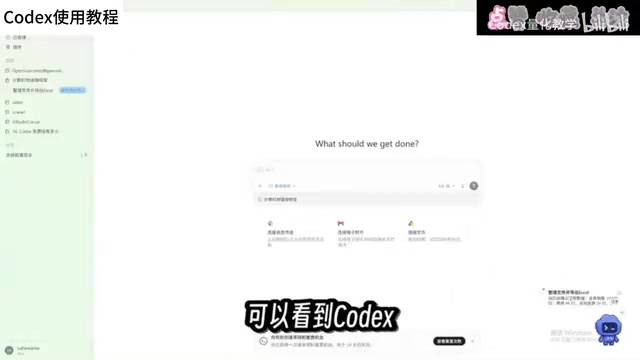
According to the Bilibili creator's demonstration and reviews from multiple tech bloggers on YouTube, Codex is positioned more as a "desktop-level AI agent" rather than a simple Q&A assistant. It's already available in the Microsoft and Apple app stores—just search and install. The interface looks similar to the web version of Doubao, with an input box in the center and a sidebar on the left, but the sidebar contains plugin, automation, and workflow modules that Doubao doesn't have.
Desktop AI Agent refers to an AI program that runs on a local operating system and has the ability to directly operate the file system, applications, and user interface—distinct from cloud-based chatbots that only provide text conversation. Its core technologies typically include: local file system access permissions, screen capture and OCR recognition, simulated mouse and keyboard operations (e.g., through UI automation frameworks), and invoking local command-line tools. Compared to general-purpose chat AI, desktop agents can complete end-to-end tasks like "open Excel → read data → generate charts → save to a specified folder," but this also brings privacy and security considerations—users need to authorize access to local files. Codex's "project folder" mechanism is precisely a design for permission isolation, limiting the agent's operating scope to a specified directory.
The First Thing After Installation: Adjust the Work Mode
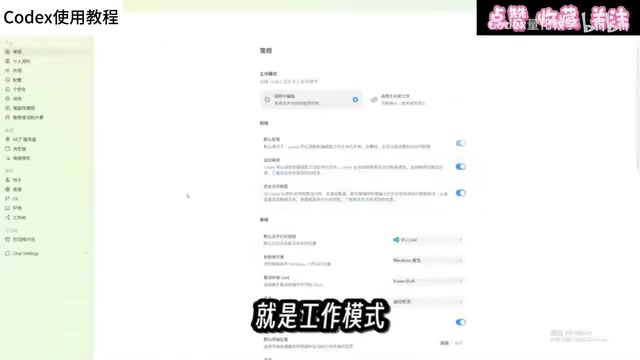
The creator's first piece of advice is very practical: right after opening Codex, go to settings and change the "work mode." This option controls how much technical detail Codex shows you. In the video, it's switched to "Everyday Work" mode—Codex's capabilities aren't reduced, but it won't throw a bunch of incomprehensible technical jargon at you, making the experience much smoother.
This detail is worth expanding on. The barrier to many AI tools isn't the features themselves, but that the default presentation isn't friendly enough for non-technical users. Codex makes "technical transparency" an adjustable setting, essentially reducing cognitive load so users from different backgrounds can find a comfortable interaction rhythm.
Project Folders: Letting Codex Know Where to Work
Since Codex works directly on your computer, it needs a clear working directory. These folders are called "projects" in Codex and are displayed in the sidebar. The creator's approach is to create different folders by task type—one project for one type of task—making it easy to find and invoke them. Below the input box, you can select the project for the current conversation, and Codex can then read all files in that folder.
For the demonstration, the creator prepared a folder called "Computer Story Coffee Shop," stuffed with sales records, invoices, and inventory lists in formats including spreadsheets, PDFs, and images—in a "complete mess."

Practice 1: File Organization and Data Extraction
The task instruction the creator sent was: organize these files, extract and compile the information and data into an Excel spreadsheet for easy reference of this shop's detailed data.
This task seems basic but actually involves file analysis, moving, content modification, and new file creation. After Codex spent a few minutes completing it, the folder was neatly organized by purpose, and a data spreadsheet was generated—sales data and product rankings categorized, with details from PDF invoices also extracted. More importantly, the creator deliberately planted "traps" in the files—missing transaction records and two anomalous invoices—and Codex flagged these errors as well.
According to feedback from the creator and some viewers, tasks like "reading local files—summarizing and organizing—generating reports" are the most frequently used Codex scenarios in daily use. Repetitive work like organizing reports and writing daily summaries can all be handed off to it.
Practice 2: Plan Mode and Visual Dashboard
For the second task, the difficulty was ramped up. The creator added a summary table via the command line and asked Codex to create a visualization file for the coffee shop based on the table's data, displaying sales, expenses, costs, inventory, and other operational metrics, along with analysis of issues that need attention.
Because the task was complex, the creator switched to "Plan Mode." This mode means: Codex won't act directly but will first plan out a detailed execution checklist, confirm task details, and then execute. In the video, Codex indeed asked several questions first; after the creator selected answers one by one, it presented a complete plan, and only after clicking submit did it actually begin executing.
There's a product design detail that's easy to overlook: when the creator typed a slash in the input box, they discovered a "pet" feature. Clicking it makes a small pet appear on the desktop that can be placed anywhere on the screen. Besides being cute, it also displays all tasks currently being executed. You can change its appearance in settings. This design turns "background task progress" into a visible desktop companion, somewhat alleviating the anxiety of waiting for AI execution.

The dashboard was ultimately generated, containing the required data and suggestions and key items listed below. The creator admitted not being a sales professional and unable to judge its practicality, but invited relevant practitioners to evaluate. A follow-up instruction was then added, requesting a "more modern, intuitive, Apple-like" theme. After Codex completed the modification, the creator commented that it "really has that Apple vibe."
Plan Mode is a common interaction mechanism in AI agent products, with the core idea of "plan first, execute later": the model doesn't immediately call tools or modify files but first generates a structured execution step checklist (possibly including clarifying questions about user intent), and only after user confirmation does it proceed step by step. This design draws on the "design review" concept from software engineering and can significantly reduce the risk of misoperations in complex tasks, especially suitable for irreversible operations involving multi-file reading and writing, data aggregation, and visualization generation. Compared to "direct execution" mode, plan mode adds interaction rounds but gains higher controllability and explainability. Some products also allow users to manually add or remove steps on the plan checklist, enabling human-machine collaborative orchestration.
Usage Principles: Three Key Points Worth Remembering
Combining the video demonstration with multi-source reviews, efficient Codex usage can be summarized in three points. First, manage folders by project, categorizing by task type, so the AI's "workspace" is clear and controllable. Second, execute simple tasks directly, and enable plan mode for complex tasks—confirm before acting to avoid rework. Third, non-technical users shouldn't be intimidated by terminology—just set the work mode to "Everyday" and describe needs in natural language.
As for accuracy, the creator's approach of planting traps for testing in the video is worth emulating—AI's ability to detect anomalies in files shows it's not just mechanically moving things but performing a degree of logical validation. However, when professional judgment is involved, practitioners still need to verify. This is also a consensus in multi-source analysis: AI agents excel at execution and organization, but the ultimate responsibility for professional decisions remains with humans.
One-line Summary
Codex is a desktop AI agent that directly operates your computer; the tutorial demonstrates file organization and dashboard generation.
Paragraph Summary
Based on a Bilibili creator's step-by-step Codex tutorial, this article systematically introduces the core capabilities and usage principles of this desktop-level AI agent. The essential difference between Codex and chatbots like Doubao and DeepSeek is its ability to directly operate the user's computer, completing practical tasks such as file organization, data extraction, report creation, and visual dashboard generation. The article details the workflow of adjusting work mode after installation, creating project folders by task type, executing simple tasks directly, and enabling plan mode for complex tasks, and verifies Codex's logical validation capability for detecting data anomalies through "trap tests." Finally, it summarizes three key usage points—project-based management, plan mode, and Everyday mode—and notes that while AI agents excel at execution and organization, professional decisions still require human oversight.
Related articles

After the Right to Vote Was Lost: The Hidden Costs to American Democracy
Exploring how restrictive state voting laws, Supreme Court erosion of the Voting Rights Act, and partisan gerrymandering affect voter participation and fair representation after Democrats failed to pass the John Lewis Voting Rights Advancement Act and the Freedom to Vote Act.

Two Critical PHP Vulnerabilities Nearly Took Down the Internet: A Warning About the Fragility of the Web's Foundation
Two critical PHP vulnerabilities nearly shook the entire internet. This article analyzes why PHP vulnerabilities have such strong leverage effects, what real-world obstacles the patch chain faces, and what lessons infrastructure-level software security governance offers.
Musk Sounds the Alarm for Europe: A Wa…
Musk Sounds the Alarm for Europe: A Wave of US Tech Replacement Is Coming
Steve Blank's blog post sparks Hacker News debate: Musk's actions are prompting Europe to reconsider its reliance on US technology. This article sorts through the core arguments, the feasibility and divisions over replacing the US tech stack, and the practical impact on developers' technology choices.