Bilibili Tutorial Deep Dive: A Complete Guide to Hermes Agent from Beginner to Practical Development

Bilibili's Hermes Agent tutorial covers the complete deployment chain from installing the OS to connecting WeChat across eight modules.
Based on a systematic Bilibili tutorial on Hermes Agent, this article outlines the core positioning, deployment logic, and advanced usage of this AI Agent framework. The tutorial positions Hermes as a personal work assistant similar to OpenCloud, emphasizes its safety reminders for file operations, and recommends installing it in a Linux (Ubuntu) virtual machine to isolate risk. It covers eight modules, including VMware installation of Ubuntu, Hermes installation and configuration, session management, tools and Skill extension, memory and context, voice and Web UI, and WeChat/QQ/Feishu integration. Memory and context are seen as the dividing line in Agent capabilities, while messaging integration enables phone-based remote control of Hermes on a computer.
A systematic Hermes Agent tutorial has recently appeared on Bilibili, claiming to take you from beginner to expert on this AI Agent framework. Although the source video's title is somewhat exaggerated, its outline does cover the complete chain from environment setup to multi-platform control. Based on the tutorial's public content, this article outlines Hermes Agent's core positioning, deployment logic, and advanced usage, and reconstructs the actual experience using screenshot information.
What Is Hermes Agent: Positioning and Competitor Comparison
The tutorial opens by defining Hermes as an AI Agent framework similar to OpenCloud (referred to in the original as "crayfish"), with the core use case of serving as a personal work assistant. Compared with OpenCloud, the instructor explicitly states that Hermes's "user experience is much better," especially because it gives timely reminders when operating on critical files, reducing the risk of accidental deletion.
This comparison is key. Once Agent-type tools gain file system operation permissions, security boundaries become the first threshold for selection. The tutorial author chooses to install Hermes in Linux (Ubuntu) rather than directly on Windows, precisely out of concern that clicking too quickly could cause important files to be accidentally deleted—the screenshot "some important files are deleted" corresponds exactly to this risk scenario.
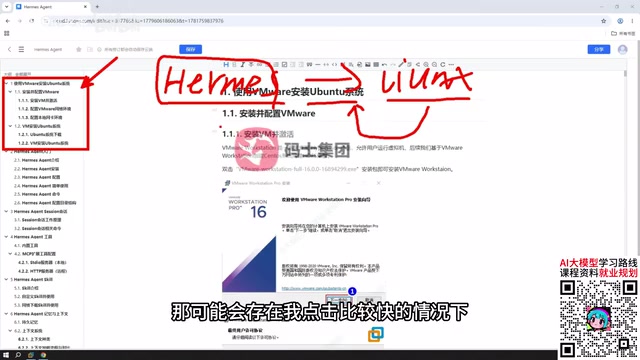
It is worth noting that Hermes is not a product like OpenCloud that ships with a visual interface out of the box. According to the tutorial, after logging in it is closer to Cloud Code's interaction form: multi-turn dialogue within a client, with no ready-made graphical panel. The screenshot "it does not have a visual interface like Open Cloud" confirms this. However, Hermes supports configuring your own Web UI, which leaves room for subsequent visual operations.
An AI Agent framework is a type of software architecture that gives large language models the ability to plan autonomously, call tools, and operate within an environment. Unlike traditional chatbots, Agent frameworks use a "perceive—decide—execute" loop to read and write files, run commands, and call external APIs, thereby completing complex multi-step tasks. Common Agent frameworks include AutoGPT, LangChain Agent, OpenCloud, and others, each with different design philosophies: some emphasize out-of-the-box visual orchestration, while others pursue extreme customizability. Hermes belongs to the latter, positioned more as a deeply configurable runtime for a personal work assistant than as a finished application for the masses. This also explains why the tutorial starts with installing Ubuntu via VMware—the isolation of the Agent framework's runtime environment is itself part of its capability boundary.
The Tutorial's Eight Modules: From Installing the OS to Connecting WeChat
The tutorial is organized in a fairly engineering-oriented way, divided into eight modules that cover almost every key step in the Agent deployment process:
- Installing the Ubuntu system with VMware: First install VMware, then use it to install Ubuntu with a graphical interface, providing an isolated runtime environment for Hermes.
- Getting started with Hermes: Installation, configuration, usage, and an introduction to the file directory structure.
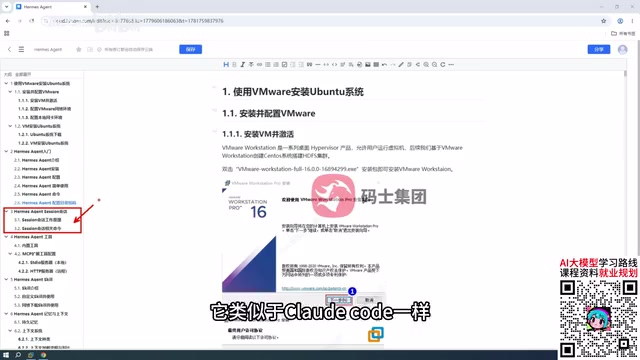
- Session (Sensing) management: Starting and maintaining multi-turn conversations, similar to Cloud Code's client interaction logic.
- Tools and Skill system: An inventory of built-in tools, plus how to extend Web tools and configure local and network Skills.
- Memory and context: Explains the differences among several internal types of context, their relationships, loading methods, and order—the tutorial calls this a "fairly critical" part.
- Voice mode and Web UI: Configure voice interaction and try building your own Web UI interface.
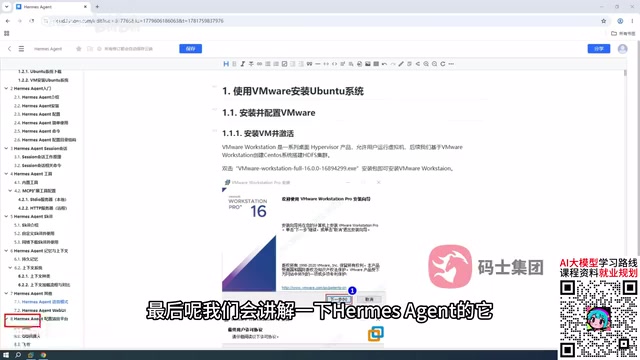
- Messaging platform integration: Configure Hermes for WeChat, QQ, and Feishu to enable remote control of Hermes on your computer from your phone.
- Comprehensive configuration: Coordinated use with other messaging platforms and terminals.
Module 7 is the most practically valuable design in the entire tutorial. Its logic is: Hermes always runs on your computer, and WeChat/QQ/Feishu are merely remote controls. You send messages on your phone, but the actual actions are still executed by Hermes on the computer, thereby achieving the effect of "using your phone to control your computer." The screenshot "it configures some other messaging platforms" shows exactly the configuration interface for this step.
Memory and Context: The Real Dividing Line in Agent Capabilities
Among the eight modules, the instructor lists "memory and context" separately as Part 6 and emphasizes its importance. According to the tutorial's breakdown, multiple types of context exist inside Hermes, with clear hierarchical relationships among them, and they are loaded in a specific order.
This touches on the core difference of Agent frameworks. Tool calling and Skill extension determine what an Agent "can do," while context management determines what it "remembers and when it recalls it." If the loading order of multiple types of context is poorly designed, at best answers will drift off topic; at worst key instructions will be forgotten. The tutorial's willingness to devote a dedicated section to explaining the loading mechanism shows that Hermes has a configurable design in this area rather than being a black box.
However, the original text does not elaborate on the specific names of context types or the details of loading order; that part requires watching the full video. From an SEO editing perspective, technical details should not be fabricated here.
In Agent frameworks, "context" usually refers to all the information the model can see during a single inference, including system prompts, conversation history, tool call results, retrieved external knowledge, and more. Because a large model's context window is limited, trade-offs in priority and loading order among multiple types of context are inevitable. Common designs include: system-level instructions (role setting and safety constraints) are loaded first and cannot be overridden; conversation history is truncated in reverse chronological order or via a sliding window; tool return results are inserted as temporary context; and long-term memory is recalled by relevance through vector retrieval. Improper loading order can lead to "instruction drift"—the model is led astray by later conversation content and forgets the original task goal. Therefore, the context management mechanism is a key indicator of an Agent framework's maturity and the dividing line between "toy-grade" and "production-grade" Agents.
Configuration and Extensions: Web UI and Messaging Platforms
The second part of the tutorial covers "how to configure it," and the screenshot "how it configures" should correspond to a demonstration of configuration files or the initialization process. Hermes's configuration path includes basic parameters, model integration, tool permissions, and other levels.

The Web UI is another extension point worth noting. Hermes has no graphical interface by default, but it supports configuring your own web-based visual interface. For users who are not accustomed to pure command-line dialogue, this can significantly lower the barrier to use. The tutorial arranges "try out the Web UI" in Part 6, indicating that this feature is already usable.
Messaging platform integration then pushes Hermes from a "desktop assistant" to an "assistant you can carry with you." The three channels of WeChat, QQ, and Feishu cover mainstream instant messaging scenarios in China. With the phone and computer connected through messaging channels, the Agent's usable radius expands from the workstation to anywhere with a network connection.
The Skill system is the core abstraction for extending capabilities in Agent frameworks. A Skill usually encapsulates domain-specific operation logic, which can be a local script, an API call wrapper, or a prompt template. At runtime, the Agent dynamically selects and invokes the corresponding Skill according to task requirements. Compared with hard-coded tool functions, the advantage of Skills is that they are pluggable and composable, and users can add capabilities without modifying the framework's source code. As for the Web UI, many Agent frameworks by default only provide command-line or API interfaces, and the community builds visual front ends through lightweight tools such as Gradio and Streamlit, integrating dialogue, configuration, logs, and other modules into a single web page. Messaging platform integration relies on the bot APIs opened by each platform (such as WeCom applications, the Feishu Open Platform, and QQ bot frameworks), deploying a message gateway on the Agent side to enable two-way communication between mobile and desktop.
Who This Tutorial Is For
Judging from its structure, the tutorial is aimed at developers or tech enthusiasts who have some hands-on ability and hope to actually put Agents to use. The prerequisite VMware + Ubuntu step filters out complete beginners, but precisely because of this, the subsequent Hermes installation, Skill configuration, and context tuning can unfold in a clean, controllable environment.
It should be noted that phrases in the source video title such as "a hundred times better than paid results" and "avoid 99% of detours" are typical traffic-driving rhetoric on content platforms, and the actual value should still be judged by the content itself. As far as the outline is concerned, the coverage of the eight modules has no obvious gaps, especially the messaging platform integration and the context mechanism, two areas that many similar tutorials tend to skip. If the video delivers depth according to the outline, this tutorial does have reference value for Hermes beginners.
One-line Summary
Bilibili's Hermes Agent tutorial covers the complete deployment chain from installing the OS to connecting WeChat across eight modules.
Paragraph Summary
Based on a systematic Bilibili tutorial on Hermes Agent, this article outlines the core positioning, deployment logic, and advanced usage of this AI Agent framework. The tutorial positions Hermes as a personal work assistant similar to OpenCloud, emphasizing its experience advantage in safety reminders for file operations, and recommends installing it in a Linux (Ubuntu) virtual machine to isolate risk. The content is divided into eight modules, covering VMware installation of Ubuntu, Hermes installation and configuration, session management, tools and Skill extension, memory and context, voice and Web UI, and integration with WeChat/QQ/Feishu messaging platforms. Among these, the memory and context mechanism is regarded as the dividing line in Agent capabilities, while messaging platform integration enables remote control of Hermes on a computer from a phone. The article also reminds readers that the source video title contains traffic-driving rhetoric, and its actual value should be judged by the content itself.
Related articles
 Tech Frontiers
Coldframe: A Honeypot Disguised as a Supermarket Freezer Controller
Coldframe is a honeypot disguised as Danfoss AK-SM 800A and Dixell XWEB freezer controllers, built as a single Python file that detects CVE-2025-41450 attempts and is identified as real devices on Shodan.
 Tech Frontiers
GRFNet: A Lightweight PyTorch Model Designed for Multichannel Time-Series Classification
GRFNet is a lightweight PyTorch model for multichannel time-series classification, originating from EEG decoding research. With only 3,847 parameters, it is based on the ROCKET architecture, combining random convolution kernels with learnable spatial filters, supports arbitrary input lengths, and will soon be evaluated on the PhysioNet dataset.
 Tech Frontiers
CUDA-Accelerated Rocket League Simulator: A Player-Made Hardcore Experiment
A Reddit post shows a "100% Accurate" Rocket League simulator accelerated with CUDA. We analyze its technical context, CUDA's value in game physics simulation, and the significance and limitations of such community projects.