Bolt.diy Local Deployment Guide: A Free, Open-Source AI Full-Stack Development Tool

Bolt.diy is a free, open-source alternative to Bolt.new for AI full-stack development with any LLM.
Bolt.diy is the official open-source version of Bolt.new, retaining full-stack development capabilities powered by WebContainers while offering zero subscription fees, free model switching, and local data privacy protection. It supports running local open-source models via Ollama or connecting to low-cost APIs like OpenRouter, with one-click Docker deployment — ideal for budget-conscious developers and enterprise teams with privacy compliance requirements.
Subscription Too Expensive? Here's the Open-Source Alternative to Bolt.new
Bolt.new is a powerful AI full-stack development tool beloved by developers, but its ever-rising subscription fees and locked-in model choices have put off many individual developers. Fortunately, the team released an open-source version — Bolt.diy — which retains all of Bolt.new's full-stack development capabilities while giving users complete control over model selection.
Background: Bolt.new and AI Full-Stack Development Tools Bolt.new is an AI full-stack development platform built by the StackBlitz team, powered by WebContainers technology — a groundbreaking approach that runs a complete Node.js environment directly in the browser. It enables AI to not only generate code but also execute, debug, and deploy it within a browser sandbox, representing a new paradigm of "AI-native IDEs." Unlike code completion tools such as GitHub Copilot, Bolt.new is designed to generate fully functional web applications from scratch, covering the entire pipeline — frontend, backend, and database configuration.
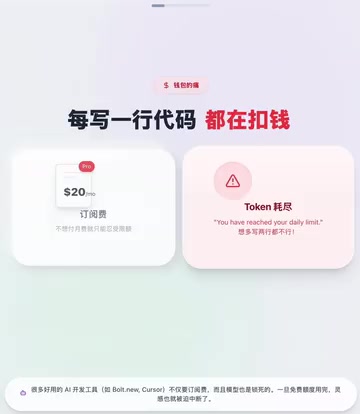
In short, Bolt.diy is a "subscription-free" version of Bolt.new. You can freely connect any large language model — OpenAI, Claude, Gemini, or even locally running open-source models. The choice is entirely yours.
Bolt.diy vs. Bolt.new: Why Choose the Open-Source Version
Core Advantages: Freedom and Low Cost
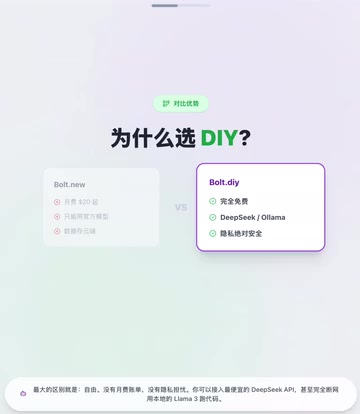
The biggest difference between Bolt.diy and the paid version lies in flexibility and cost control:
- Zero subscription fees: No monthly billing pressure, with extremely low long-term costs
- Free model switching: Connect to various affordable APIs, or run open-source models like Llama 3 and Qwen locally
- Data privacy protection: Code and prompts don't need to be uploaded to third-party clouds — everything runs locally in a closed loop
- Cross-platform compatibility: Full support for Windows, Mac, and Linux
Background: Cost Structure of LLM APIs Current mainstream LLM APIs are billed based on token consumption. For example, Claude 3.5 Sonnet costs roughly $3 per million input tokens and $15 per million output tokens. In full-stack development scenarios, which require passing extensive code context, a single conversation often consumes tens of thousands of tokens, and subscription-based platforms typically impose usage caps. OpenRouter, a third-party aggregation platform, brings together APIs from dozens of model providers under a unified interface with real-time price comparisons, making it a popular choice for cost-conscious developers.
Who Should Use Bolt.diy
For enterprise developers or teams with privacy-sensitive requirements, Bolt.diy is an ideal choice — the entire development process takes place locally, eliminating any risk of code leaks. Individual developers can also achieve a full-stack development experience comparable to the paid version at minimal cost by connecting to low-cost APIs or local models.
Background: Data Privacy Advantages of Local Deployment When using commercial AI coding tools, code snippets and prompts are typically uploaded to the provider's servers for model inference, and some terms of service even allow data to be used for model training. This poses compliance risks for projects involving trade secrets, unpublished algorithms, or regulations such as GDPR/HIPAA. Local deployment fundamentally eliminates this concern — all inference computation happens on local hardware, and data never leaves the physical boundary. This is why an increasing number of clients in finance, healthcare, government, and other industries prefer privately deployed AI development tools.
Bolt.diy Installation and Deployment Guide
One-Click Deployment with Docker
Bolt.diy has a very low installation barrier. As long as you know how to use Docker, you can deploy this full-stack development tool locally with a single command:
- Make sure Docker Desktop is installed on your machine
- Run the deployment command to pull the Bolt.diy image
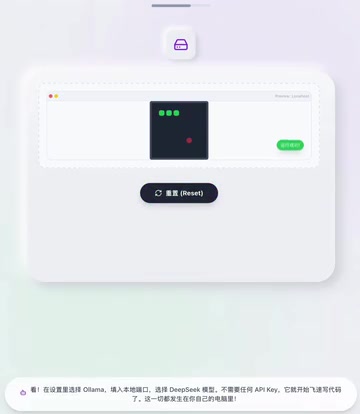
- Open the configuration page and select the model you want to connect (e.g., Ollama local models)
- Once the connection is verified, you're ready to go
The entire process takes just a few minutes, with no need to wrestle with complex environment configurations.
Background: How Docker Containerized Deployment Works Docker uses containerization technology to package an application and all its dependencies into a standardized image, solving the classic "it works on my machine" problem. Bolt.diy provides an official Docker image, meaning users don't need to manually configure Node.js versions, npm dependencies, environment variables, or other complex steps. Docker Desktop runs Linux containers via a lightweight virtual machine on Windows and Mac, while on Linux it runs natively with minimal performance overhead. For developers unfamiliar with frontend engineering environments, Docker deployment lowers the barrier from "you need to understand the Node.js ecosystem" to "you can use the command line."
Model Configuration Options Compared
When it comes to model selection, there are three mainstream approaches depending on your needs and budget:
| Approach | Representative Models | Cost | Best For |
|---|---|---|---|
| Local models | Ollama + Llama 3 | Completely free | Privacy-first, offline development |
| Third-party aggregated APIs | OpenRouter | Pay-per-use | Cost optimization |
| Official APIs | OpenAI, Anthropic | Pay-per-use | Best quality output |
Background: Ollama and Local Open-Source Models Ollama is currently the most popular framework for running large models locally, supporting one-command downloading and running of mainstream open-source models like Llama 3, Qwen, Mistral, and DeepSeekAd. Its core advantage lies in making model quantization incredibly simple — through 4-bit or 8-bit quantization, a 70B parameter model that originally requires 80GB of VRAM can be compressed to run on consumer-grade GPUs. For code generation tasks, models specifically fine-tuned for programming scenarios — such as CodeLlama and DeepSeek-Coder — perform exceptionally well and are top picks for local development.

The Power of Open Source: Putting Developers First
Bolt.diy represents a philosophy: open-source, free, and user-controlled. In an era where AI development tools are increasingly commercialized, it gives developers back their freedom of choice — to choose your AI coding partner, where your data lives, and how much you spend on development.
For developers on a budget who need AI-assisted full-stack development, Bolt.diy is one of the most worthwhile free options available today. It proves that great AI development tools don't require expensive subscriptions — the open-source community can deliver equally powerful solutions.
Key Takeaways
- Bolt.diy is the open-source version of Bolt.new, built on WebContainers technology, retaining full-stack development capabilities at zero cost
- Supports free integration with any large language model, including locally running Llama 3, DeepSeek-Coder, and other open-source models via Ollama
- Code and prompts run entirely locally, meeting GDPR/HIPAA compliance requirements and suitable for enterprise-grade privacy needs
- Deployable with a single Docker command — no complex manual environment configuration required, with full Windows/Mac/Linux support
- Zero subscription fees, with cost-effective development achievable through low-cost aggregated APIs like OpenRouter or locally quantized models
Related articles
 Tutorials
ChatGPT Plus Subscription Guide: Are GPT-5.5, image-2, and Codex Worth the Upgrade?
A detailed look at ChatGPT Plus features — GPT-5.5, image-2, and Codex — with a Plus vs Pro comparison and a complete step-by-step subscription guide for users outside the US.
 Tutorials
Harness AI Engineering in Practice: Using Claude Code to Master Enterprise-Level E-Commerce Development
Deep dive into Harness AI Engineering: master enterprise e-commerce development with Claude Code using the Rules, Skills, Wiki, and Changes framework.
 Tutorials
Cursor + Codex Dual-IDE Collaboration: A Practical Methodology for Open-Source Project Customization
A complete methodology for open-source project customization based on real-world experience, detailing the Cursor+Codex dual-IDE workflow, seven-stage process, MVP validation, and AI source code reading techniques.