BotBus: Remotely Manage Your Local AI Coding Agents from Your Phone

BotBus bridges local AI coding agents to your phone and Apple Watch for on-the-go oversight and approvals.
BotBus is a mobile management tool for developers that solves the problem of being tethered to your computer while local AI coding agents like Claude Code, Codex, and OpenCode run long autonomous tasks. By bridging local hosts with mobile devices, it lets you continue tasks, handle approvals, view files, and access a terminal from iPhone, Apple Watch, or Android — with screen control and shared web previews on macOS. It supports macOS, Linux, and Windows hosts. Its core value lies in giving the human overseer in the loop the physical freedom to move, fitting the broader trend of AI coding workflows evolving from single-machine tools to distributed management systems.
When AI Coding Agents Need On-the-Go Control
As local coding agents like Claude Code, Codex, and OpenCode become everyday tools for developers, a new pain point has emerged: these AI agents typically run on your work machine, and whenever a task hits a checkpoint requiring human confirmation, approval, or review, you have to physically return to your computer. BotBus was built precisely for this scenario — it connects your local coding agents to your phone, so you can take control no matter where you are.
The product earned 73 upvotes on Product Hunt's Developer Tools category, landing at #14, created by Rico.www. While it hasn't gone viral, the niche it targets — mobile management of local AI coding agents — addresses a genuine gap in today's AI-assisted development workflows.
What It Actually Does
BotBus positions itself as a bridge: it aggregates local coding agents running across multiple machines and brings them under a single mobile interface. According to the official description, it supports a solid lineup of agents including Codex, Claude Code, Hermes, OpenCode, and DeepSeekAd Harness, with support for coordination across multiple computers.
In terms of concrete features, BotBus offers several capabilities designed around real-world use cases:
- Continue supported tasks: When an agent reaches a point requiring human input, you can push it forward directly from your phone — no need to wait until you're back at your desk.
- Handle approvals: Coding agents typically require confirmation before executing sensitive operations (such as running commands or modifying files). BotBus lets you handle these approvals from your mobile device.
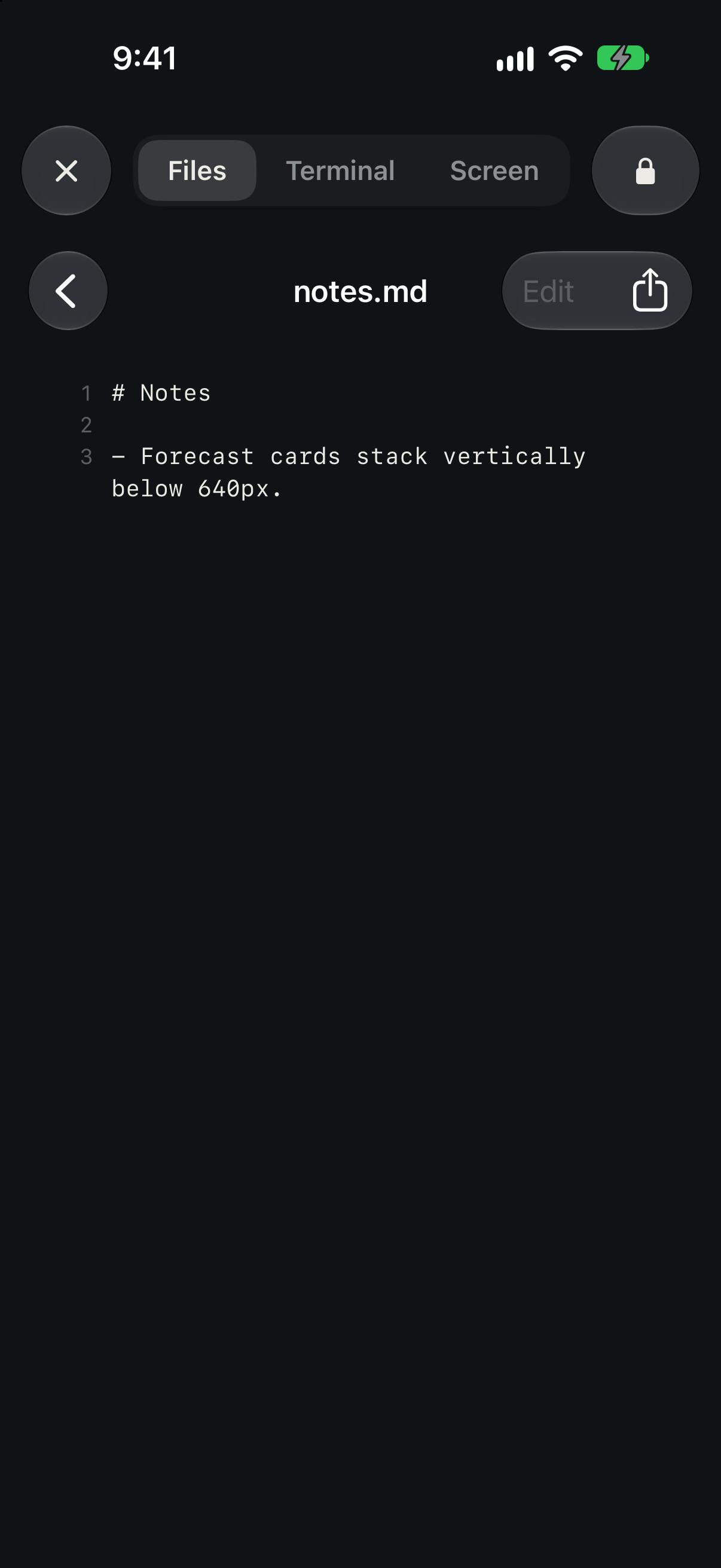
- View files and PDFs: Browse files and documents generated or processed by the agent directly on your phone.
- Terminal access: A built-in terminal on mobile lets you run command-line operations.
For macOS hosts, BotBus also offers two additional enhanced capabilities: screen control and shared web previews — giving Mac users an experience closer to a full remote desktop.
Cross-Platform Connectivity
BotBus has put real effort into platform compatibility. On the host side, it supports macOS, Linux, and Windows — covering the three major desktop environments most developers work in. On the mobile side, it supports iPhone, Apple Watch, and Android (distributed as an APK).
The inclusion of Apple Watch is an interesting touch — it suggests BotBus wants lightweight interactions like approvals and notifications to be completable from your wrist, lowering the barrier to intervention even further. Imagine an agent running a long background task: when it hits a confirmation point, your watch buzzes, you raise your wrist and tap approve. That kind of interaction meaningfully reduces context-switching costs.
That said, the official documentation is clear about two prerequisites: your computer must stay online, and specific capabilities vary by connector. In other words, BotBus is fundamentally a remote bridging solution, not a cloud-hosted agent platform — your local machine is still doing the actual work, and the depth of functionality will differ depending on which agent you're connecting to.
The Real Problem It Solves
The rise of local coding agents has created a structural tension: agents are growing increasingly autonomous, capable of executing complex tasks over extended periods, yet for safety reasons, critical steps still require human oversight. This "semi-autonomous" state ties developers to their computers — you can't fully let go, but you also don't want to hover over a screen constantly.
BotBus's value proposition is exactly about breaking that tether. It gives the human in the "human-in-the-loop" the freedom to move around. You can go to a meeting, commute, or step away from your desk, while the agent can still reach you at decision points. For developers increasingly relying on tools like Claude Code and Codex for long autonomous coding sessions, having that always-available oversight capability carries real practical value.
On a broader level, BotBus reflects the trend of AI coding tools evolving from single-machine utilities toward distributed workflows. As agents can run across devices and time spans, the management, monitoring, and interaction layers built around them will naturally emerge alongside them. BotBus can be seen as an early explorer in this wave of infrastructure.
"Human-in-the-loop" (HITL) is a core principle in AI system design — it refers to retaining human oversight and intervention at critical points within an automated process. In the context of AI coding agents, this typically manifests as the agent proactively pausing before executing high-risk operations — such as writing files, running shell commands, or calling external APIs — and requesting explicit authorization from the user. This design serves both as a safety mechanism and as a practical compromise given that current AI reliability hasn't yet reached the bar for full autonomy. Both Claude Code and Codex have built-in permission confirmation systems; developers can configure which operation types require approval and which can execute automatically. As agent tasks grow in complexity and duration, the frequency and timing of HITL interactions become increasingly unpredictable — and that's precisely the root of the problem BotBus aims to solve.
Where to Be Realistic
As a product still in its early stages, BotBus has limited community feedback at this point (only 1 review), and its real-world stability, security, and feature completeness across connectors still need broader user validation. Exposing a local development environment to mobile access inherently raises security boundary questions — capabilities like command execution, file access, and screen control can all become risk vectors if not managed carefully. This is something any team considering adoption needs to evaluate seriously.
Additionally, "capabilities vary by connector" means the experience across different agents may be inconsistent. If the agent you primarily use happens to be less well-supported, the practical benefit will be diminished. Developers who are interested should consider piloting it on non-critical projects first, validating its real value within their own workflow before becoming deeply dependent on it.
Overall, BotBus targets a real and growing need with a clear product concept and solid platform coverage. It's a noteworthy utility in the local AI coding agent ecosystem.
Bridging a local development environment to mobile devices typically relies on tunneling technology at the network layer — tools like ngrok, Cloudflare Tunnel, or custom WebSocket services that expose internal services to external devices. The security risks of such approaches concentrate around three areas: whether transmission is end-to-end encrypted, whether the authentication mechanism is robust enough (e.g., does it support two-factor authentication), and the level of protection against session hijacking. For a tool with terminal access and screen control permissions, a compromised credential would give an attacker access equivalent to physically sitting at your workstation. When evaluating BotBus, it's worth scrutinizing the specific implementation of its connection layer, whether end-to-end encryption is guaranteed, and whether fine-grained permission scope controls are available — so you're not trading away too much security for mobile convenience.
Related articles

Felix Rieseberg Personal Homepage
Felix Rieseberg's personal homepage sparks attention on Hacker News. This article covers the Slack engineer's technical background, the rise and fall of nativefier, and the value of a developer homepage as a tech calling card.

@ai-sdk/vue 3.0.306 Patch Release Syncs with [email protected] Update
@ai-sdk/vue 3.0.306 released, synced with [email protected]. A routine patch release for the Vercel AI SDK ecosystem with no public API changes; the Vue adapter layer stays version-aligned with the core package.

Gemini 4 Argon API Launches: The Era of Million-Token Output Begins
Google launches Gemini 4 Argon with sparse MoE architecture, up to 1M output tokens, and a 68.90% Vals Index score, available across API, AI Studio, and the Gemini app.