Browser MCP Login Session Persistence: The Hidden Barrier to AI Agent Automation

Browser MCP agents lose login sessions overnight — cookie dumps alone can't handle credential rotation.
A developer reported that after integrating Browser MCP with an AI Agent, the session expired overnight, burning nearly half the token budget on re-authentication each restart. The root cause: login is a one-time action, but staying logged in requires continuous state management across cookies, localStorage, CSRF tokens, rotating refresh tokens, and device fingerprints. Most Browser MCP implementations treat browser contexts as short-lived resources, defaulting to temporary directories that destroy state on teardown. The article outlines four approaches: persistent Playwright profiles, decoupling login state from task execution via long-running browser instances and CDP, designing refresh logic that handles token rotation, and using stateful commercial cloud browser platforms.
A developer posted on Reddit about a frustrating problem that many AI Agent builders will recognize: after integrating Browser MCP (Model Context Protocol) with an Agent, everything works fine during the demo — but overnight, the login session disappears. On the next run, the Agent burns nearly half its token budget just re-authenticating before it can get any real work done. This seemingly trivial session management issue cuts right to the heart of the most practical pain points in deploying browser automation agents.
The Real Problem: Session Persistence Is Harder Than Logging In
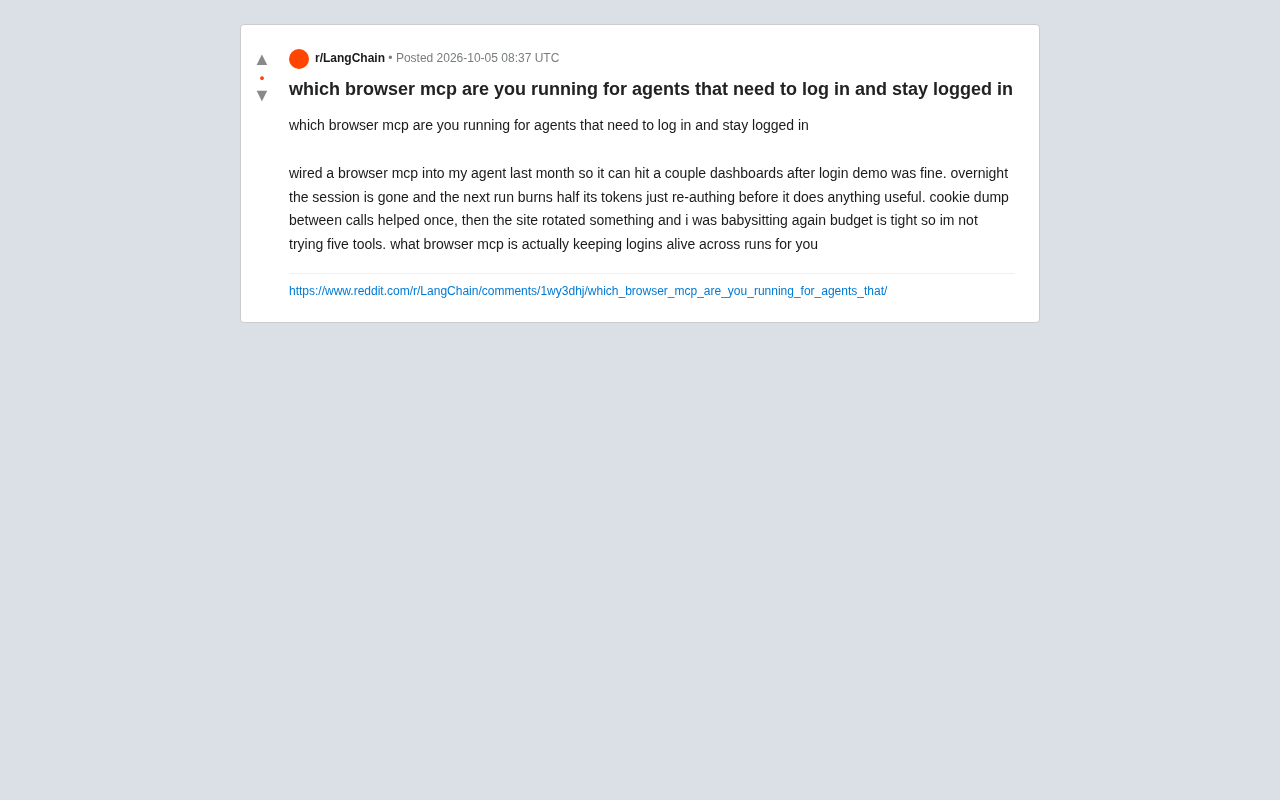
The developer's description is specific: he connected Browser MCP to an Agent and had it access several dashboards after logging in. The demo worked fine, but the session expired overnight. He tried dumping cookies between calls — that worked for a while — but once the target site rotated some credential mechanism, he was back to babysitting the whole process.
The core tension is this: logging in is a one-time action, but staying logged in is ongoing state management. A browser session is maintained by a combination of cookies, localStorage, sessionStorage, CSRF tokens, and even device fingerprints. Simply dumping and restoring cookies only covers part of that picture. Once a site enables rotating refresh tokens or session-bound validation, a static cookie snapshot becomes worthless.
For budget-conscious teams, this problem is amplified economically. Every run that starts by re-authenticating means a significant portion of compute is wasted on "opening the door" rather than "doing the work." The more frequently an Agent runs, the more that cost stands out.
A Closer Look at Browser Session Mechanisms
Modern web app login state isn't a single credential — it's a composite of layered mechanisms. Cookies are the most fundamental carrier, split into Session Cookies (cleared when the browser closes) and persistent cookies (with an explicit expiration time). localStorage and sessionStorage are HTML5 client-side storage mechanisms: the former persists across tabs, the latter only lives for the duration of the current tab. CSRF tokens (Cross-Site Request Forgery tokens) are typically re-issued by the server on each request or page load to prevent cross-site attacks — if an Agent can't carry the latest token, form submissions and API requests get rejected. More complex still is the OAuth 2.0 / OIDC rotating refresh token model: every time a refresh token is exchanged for a new access token, the old refresh token is immediately invalidated and a new one is issued. This requires the client to persist the latest token in real time — not rely on an initial snapshot. Device fingerprinting is an additional risk-control measure used by sites, generating a "device ID" from browser version, screen resolution, font lists, Canvas rendering characteristics, and more. If a new browser instance produces a fingerprint that doesn't match historical records, the site may force re-authentication or even trigger a ban.
Why Most Browser MCP Implementations Don't Solve This by Default
The mainstream Browser MCP implementations today — whether built on Playwright, Puppeteer, or cloud browser services — mostly treat browser instances as stateless or short-lived resources. That design makes perfect sense for scraping or single-task scenarios, but it's hostile to agents that need to "stay logged in for the long haul."
The problem breaks down into a few categories:
- Instance teardown destroys state: If every run spins up a fresh browser context, the previous login state simply doesn't exist anymore.
- Persistent directories aren't configured: Playwright's
persistent contextor Puppeteer'suserDataDircan persist profiles to disk, but many MCP wrappers default to temporary directories. - Credential rotation as an adversary: Target sites actively rotating tokens and detecting anomalous device fingerprints is a risk-control mechanism, not a bug — static snapshots will always lose this race.
In other words, this isn't entirely a question of which MCP tool you pick. It's a session architecture problem.
MCP (Model Context Protocol) and Browser Automation Frameworks — Some Context
MCP is an open protocol proposed by Anthropic that defines a standard interface for AI models to interact with external tools and data sources, enabling tools from different vendors to be called by LLMs in a uniform way. Browser MCP is a concrete implementation of the MCP protocol for browser control scenarios — its underlying layer typically calls headless browser frameworks like Playwright or Puppeteer, wrapping operations like "open page," "click element," and "take screenshot" into tool functions that LLMs can invoke. Playwright is Microsoft's open-source cross-browser automation library, supporting Chromium, Firefox, and WebKit. Its launchPersistentContext API allows a complete browser profile — including cookies, localStorage, IndexedDB, and more — to be persisted to a specified directory and reused across processes. Puppeteer is Google's open-source Chrome control library, with similar functionality through the userDataDir parameter. Both libraries' Incognito Context mode creates a fresh, isolated environment on every launch that is destroyed when the run ends — which is precisely one of the root causes of session loss.
Practical Approaches Worth Considering
While the original post didn't deliver a definitive answer, the problem itself points toward several pragmatic paths for developers facing the same situation.
Use a Persistent Browser Profile
The most direct fix is to persist and reuse browser context across runs. Playwright's launchPersistentContext with a fixed userDataDir can retain cookies, local storage, and some session state between runs. When evaluating Browser MCP options, prioritize ones that expose configuration for persistent context — rather than defaulting to incognito instances every time.
Decouple Login State from Task Execution
Rather than having the Agent log in every time, introduce a dedicated "session keepalive" component: a long-running browser instance (or a stateful cloud browser service) that maintains the logged-in state, with the Agent connecting to that already-authenticated session to execute tasks. This way, token budget doesn't get spent on repeated authentication.
Long-Running Browser Instances and Remote CDP Connections
One technical path to implementing a "session keepalive component" is leveraging Chrome DevTools Protocol (CDP) remote debugging. After launching Chrome with --remote-debugging-port=9222, Playwright or Puppeteer can attach to that already-running instance via the connect method rather than spawning a new process each time. This means you only need to log in once — manually or via script — and subsequent Agent runs connect to the same persistent browser process, completely bypassing the token cost of re-authentication. The tradeoff is that you need to manage a long-running process on the server side, including logic for automatic restart and session recovery after browser crashes. Some stateful cloud browser platforms (such as Browserbase, Steel, etc.) are essentially a hosted version of this infrastructure, exposing CDP WebSocket endpoints that agents can connect to on demand.
Accept Credential Rotation — Design for It
If the target site rotates refresh tokens, work with the mechanism rather than against it: capture and persist the refresh token, updating local storage whenever it rotates, rather than relying on a one-time cookie dump. This requires some reverse-engineering of the target site's authentication flow.
Prioritize Cloud Browsers with Stateful Session Capabilities
Some commercial cloud browser and browser automation platforms specifically offer "session persistence" or "authenticated session" capabilities, bundling keepalive, fingerprint management, and proxy rotation into a managed service. For teams with limited budgets who don't want to maintain their own infrastructure, these solutions can save enormous amounts of babysitting time — at the cost of a subscription fee.
Lessons for Similar Scenarios
This Reddit post is representative precisely because it touches on a classic gap between "works in the demo" and "viable in production." In a demo environment, a human logs in once and immediately executes — everything is smooth. In real deployments, the passage of time, credential rotation, and risk-control policies all expose fragile session management for what it is.
When building browser agents meant to run over long periods, instead of debating which MCP to use, answer three questions first: where is session state stored, how is it reused across runs, and what mechanisms does the target site use to invalidate it? Get those three things figured out, and tool selection becomes much simpler.
It's worth noting that the original post only raised the problem — the community hasn't converged on a single universally validated best answer. The directions offered here are technical inferences based on the nature of the problem; actual implementation still requires real-world testing against the target site's authentication mechanisms and your team's budget constraints.
Related articles

Felix Rieseberg Personal Homepage
Felix Rieseberg's personal homepage sparks attention on Hacker News. This article covers the Slack engineer's technical background, the rise and fall of nativefier, and the value of a developer homepage as a tech calling card.

@ai-sdk/vue 3.0.306 Patch Release Syncs with [email protected] Update
@ai-sdk/vue 3.0.306 released, synced with [email protected]. A routine patch release for the Vercel AI SDK ecosystem with no public API changes; the Vue adapter layer stays version-aligned with the core package.

Gemini 4 Argon API Launches: The Era of Million-Token Output Begins
Google launches Gemini 4 Argon with sparse MoE architecture, up to 1M output tokens, and a 68.90% Vals Index score, available across API, AI Studio, and the Gemini app.