Browser Use: A Practical Look at AI-Driven Browser Automation

A tweet praising Browser Use sparks a deep dive into AI-driven browser automation and its practical realities.
Sparked by a tweet calling Browser Use the best AI application yet, this article breaks down the core concepts and current realities of browser automation technology. Browser Use lets large language models perceive and control web pages like a human — no site-specific scripts required — offering far greater adaptability than traditional RPA. Since the browser is humanity's primary gateway to the internet, reliable AI-driven browser control could close the loop from understanding a request to fully executing it. Yet dynamic page loading, anti-scraping defenses, model misidentification, data security risks, and token costs mean the technology remains best suited for controlled, assistive use cases rather than fully autonomous critical workflows.
A Tweet That Started a Conversation
A short comment on Twitter recently caught attention: "browser use is the best application of AI ive seen yet." Despite its brevity, this tweet points to a direction that's gaining serious traction in real-world AI deployment — browser automation, or Browser Use.
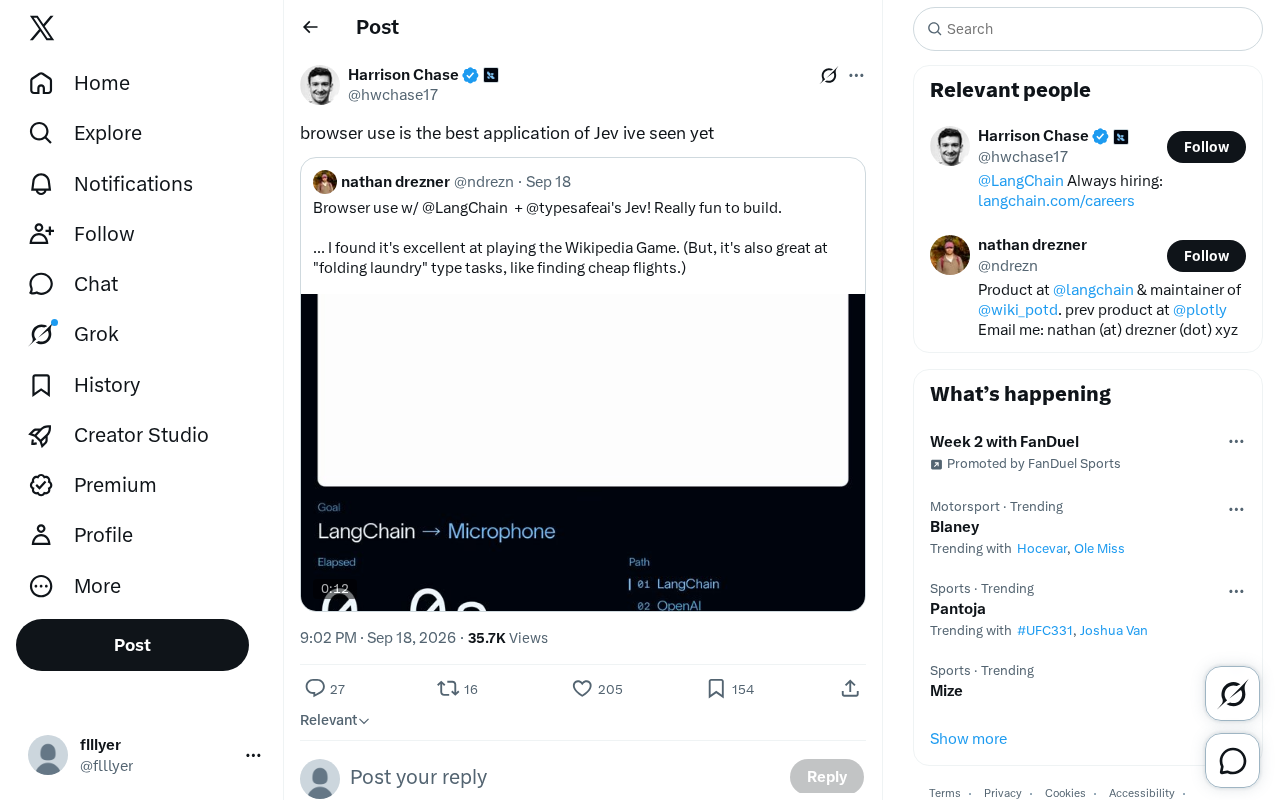
It's worth noting upfront that the original source offers limited information — just a single subjective opinion with no breakdown of features, use cases, or performance metrics. This article respects that context while using it as a springboard for a broader look at the browser automation landscape.
What Is Browser Use?
Browser Use refers to the technology that enables an AI agent to operate a web browser the way a human would. It allows large language models to understand webpage content, identify interactive elements (buttons, input fields, links, etc.), and autonomously perform actions like clicking, form filling, navigation, and data extraction.
Unlike traditional RPA (Robotic Process Automation), LLM-powered browser automation doesn't require hardcoded scripts for each individual website. Instead, the model dynamically makes decisions based on its semantic understanding of the page — giving it far greater adaptability when dealing with structurally varied websites, and bringing it much closer to the vision of a truly general-purpose agent.
For developers and everyday users alike, the appeal is clear: hand off tedious, repetitive web tasks to AI — bulk information retrieval, form submissions, data organization, cross-platform price comparison, and more.
The most notable open-source implementations include the browser-use Python library and Anthropic's Computer Use feature. browser-use works by providing both the page's DOM structure and a screenshot to a large language model, letting the model "see" the page and decide its next action — typically driving a real browser via Playwright or Puppeteer under the hood. Anthropic's Computer Use goes a step further, allowing Claude to control an entire desktop environment, with the browser being just one of many controllable applications. What both approaches share is this: the model acts as both the "eyes" (perceiving page state) and the "brain" (planning the action sequence), replacing the fixed scripts that humans previously had to record or write manually for traditional RPA.
Why "The Best Application"?
The author's glowing endorsement isn't hard to understand in the context of current industry trends. AI agent capabilities have already expanded well beyond pure text-based conversation into tool-calling and task execution. And the browser is precisely the primary gateway through which humans access information and services on the internet.
Once AI can reliably operate a browser, it closes the final gap between "understanding a request" and "actually completing the task." Compared to a chatbot that can only offer suggestions, an agent that can genuinely click and act on behalf of the user represents a fundamentally different level of practical value. That's the core reason so many people have such high hopes for browser automation.
The Real-World Challenges
Despite the promising outlook, browser automation faces a number of obstacles in practice:
- Stability: Dynamic page loading, pop-ups, and anti-scraping mechanisms can all cause agent actions to fail.
- Accuracy: The model occasionally misidentifies page elements, clicking the wrong button or filling in the wrong field.
- Security and permissions: Allowing AI to autonomously operate accounts and submit forms introduces risks around sensitive data and authorization.
- Cost: Complex tasks often require multiple rounds of page comprehension, and token consumption and response latency are non-trivial.
These factors mean browser automation is currently better suited as an assistive tool in controlled scenarios, rather than for fully unattended, mission-critical workflows.
Anti-scraping mechanisms deserve a closer look as one of the more technically nuanced barriers to adoption. Many websites deploy CAPTCHAs, behavioral fingerprinting, and IP rate-limiting to detect automated traffic. While LLM-based agents tend to operate at a more human-like pace, they can still be flagged by headless browser signatures or unusual click patterns. Additionally, single-page applications (SPAs) rely heavily on JavaScript to render content dynamically — if an agent attempts to interact with the page before it has fully loaded, it will encounter missing elements or inconsistent state errors. This demands robust "wait and retry" logic at the framework level, and in practice means success rates on complex sites are often significantly lower than on simpler, statically structured pages.
A Space Worth Watching
Even a single piece of brief user feedback like this reveals how strong the market appetite is for AI tools that can actually get things done. As a bridge connecting AI to the real web, browser automation is likely to become a key battleground in the next wave of agent application development.
For those looking to try it out, the recommendation is to start with low-risk tasks — information gathering, content organization, and similar workflows — and gradually expand usage as you validate the tool's reliability. Pay close attention to privacy settings and authorization controls, and avoid handing over sensitive operations entirely to an automated process.
Since the original source for this article was just a single sentence of commentary, the analysis above is largely grounded in general industry knowledge. Should more detailed feature demonstrations or real-world benchmark data emerge, a deeper hands-on evaluation would certainly be worthwhile.
Related articles

How Big Can Stars Really Get? The Physical Limits of the Largest Stars
Red supergiants are the largest stars by volume, with radii up to 2,000 times the Sun, engulfing the inner solar system. But there is no precise upper limit on stellar size—models predict up to 15,000 solar radii. The most massive blue stars are far smaller than red supergiants—biggest and heaviest are two different things.

Apple HomeView Smart Display Full Feature Breakdown: Wall-Mount or Desktop, $299
Apple launches HomeView, a $299 smart display with wall-mount and desktop options, 12MP camera for facial recognition, smart home control, music playback, and recipe step-by-step cooking. Full breakdown of watch faces, apps, privacy, and cooking integration.

Where Did the Promised New Studio Go? Craft Computing Answers After Five Years
Craft Computing's host responds to viewer questions: the new studio promised five years ago was shelved as construction costs soared from $30,000 to $75,000, and was replaced by a 168-square-foot garage conversion.