Build a Custom AI Chatbot with n8n: A Musk-Persona Assistant Example

Build a persona-driven AI Telegram bot with n8n using only visual nodes and a system prompt — no code required.
This article explains how to use the n8n automation platform to build a conversational AI chatbot with an "Elon Musk first-principles" persona on Telegram, requiring zero backend code. The three key steps are: writing a detailed system prompt in the AI Agent node to define the persona's reasoning style and output format; connecting a Telegram node configured to send text messages; and enabling expression mode on the Chat ID field to reference the trigger's chat ID directly, avoiding undefined errors. Once live, the bot supports multi-turn conversation memory for coherent context. Since the persona is entirely prompt-driven, swapping the prompt instantly repurposes the same workflow for any character or use case.
Why Use n8n to Build a Custom AI Chatbot
Having an AI assistant that's always available and reasons in a specific way used to require writing a lot of code. With visual automation tools like n8n, anyone can quickly build a smart Telegram bot by dragging and dropping nodes and writing prompts — no backend development required.
This tutorial walks through building an AI assistant with an "Elon Musk persona" as a concrete example. The core idea is to have the AI apply first-principles thinking, break down problems using physics and engineering logic, communicate directly, and format output for easy reading on mobile screens. The entire workflow requires zero lines of backend code — it all comes down to node configuration and system prompt design.
n8n is an open-source workflow automation platform that uses a visual, node-based approach to build automated pipelines — similar to Zapier or Make (formerly Integromat), but with support for self-hosting. Each "node" represents a discrete operation, such as receiving a Telegram message, calling the OpenAI API, or sending a reply. Users can build complex multi-step logic by dragging nodes and configuring parameters, without writing any backend code. The AI Agent node is n8n's built-in intelligent agent module, which encapsulates LLM calls, conversation history management, and tool-calling capabilities — making it the core component for building conversational bots.
Core Steps: From Prompt to Telegram Node
The soul of the entire workflow lies in the system prompt. In the AI Agent node, you paste your instructions to explicitly tell the model: apply Musk-style first-principles thinking, use physics and engineering logic, keep communication direct, and format output cleanly for mobile viewing. The more specific your prompt, the more faithfully the persona comes through.
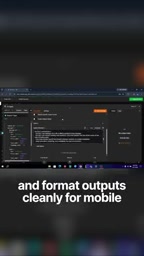
Next, add a Telegram node after the AI Agent node and set the action to Send Text Message. This step determines how the AI-generated content gets pushed to your chat window.
The Key Detail to Avoid undefined Errors
When configuring the Chat ID field, there's a common pitfall: typing it in manually or referencing the wrong variable will easily produce an undefined error. The recommended approach is to switch to expression mode and directly reference the chat ID from the Telegram trigger. This ensures the message is accurately routed back to the user who initiated the conversation, preventing delivery failures.
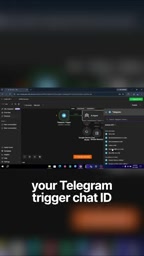
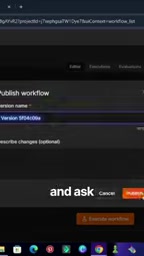
In the text field, map it to the AI Agent's output so that the bot's replies come directly from the model. Once configured, click Publish in the top-right corner to take the workflow live.
The system prompt is a "meta-instruction" sent to the large language model before the user conversation begins. It's used to define the model's role, behavioral guidelines, and output style. Unlike regular user messages, the system prompt persists throughout the entire conversation and is the primary mechanism for shaping an AI persona. First-principles thinking originates from physics methodology — it means decomposing a problem down to its most fundamental axioms or facts, then reasoning up from scratch toward a solution, rather than relying on analogy or convention. Musk has cited this thinking style as his decision-making framework in numerous interviews, which is why it serves as the core descriptor in this persona prompt.
n8n's expression mode allows fields to use JavaScript expressions to dynamically reference output data from other nodes in the workflow, using syntax like {{ $node["NodeName"].json["field"] }}. When the Telegram trigger node receives a user message, it passes the complete message object to downstream nodes, which includes the chat.id field that uniquely identifies the originating chat window. If this field is filled in as static text, it can't dynamically adapt to different users and is prone to undefined errors from typos. Switching to expression mode and referencing the trigger data directly ensures replies are always accurately sent back to the original conversation — an essential configuration for multi-user scenarios.
Real-World Results: Conversation Memory and First-Principles Breakdown
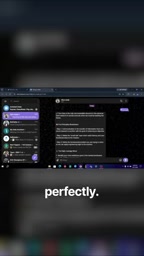
Once the workflow is published, head to Telegram and ask the bot a question — for example: "Elon, how do I solve a hard business problem?" The bot will break down the answer layer by layer using first principles, rather than offering generic advice.
Even more useful is the conversation memory capability. If you ask a follow-up question, the bot retains full context from the conversation, allowing multi-turn dialogue to flow coherently rather than starting from scratch each time. This is especially valuable when you want to dive deep into a single topic.
Reusability: Switch to Any Persona
The greatest value of this approach isn't the "Musk" persona itself — it's the reusability. The entire persona is driven entirely by the system prompt, which means you can swap the prompt content to turn the bot into any character: a customer service expert, a domain-specific advisor, a brand spokesperson persona, or the thinking style of any other public figure.
The underlying workflow structure stays the same: the AI Agent generates content, the Telegram node handles sending and receiving messages, and expression mode ensures the chat ID is correctly bound. Swap in a new prompt, and you get an entirely new-purpose bot. This "configuration as product" philosophy is the core advantage of no-code automation tools.
Summary
Building a custom AI chatbot with n8n is far more approachable than it might seem. The key elements come down to three things: a carefully designed system prompt, a correctly configured Telegram node, and using expression mode to avoid chat ID errors. Once you've mastered this template, what kind of bot you build is limited only by your imagination and your prompts.
Related articles

Chain of Thought Isn't Just for AI: How Humans Can Use CoT to Improve Thinking Quality
Chain of Thought isn't just a prompt trick for large models. Starting from a Hacker News discussion, this article analyzes why CoT works for human thinking too, breaks down actionable ways to transfer it, and highlights the key differences between human CoT and machine CoT.
Cloudflare Teams Up with OpenAI: Closi…
Cloudflare Teams Up with OpenAI: Closing the Loop from Vulnerability Discovery to Defense with AI
Cloudflare uses OpenAI Daybreak to investigate security vulnerabilities and generate reviewable remediation plans, while developers use Codex to boost coding efficiency and quality.

Orca Multi-Agent Orchestration in Practice: A Guide to Parallel Collaboration with Claude and Codex
Orca is Stable AI's free open-source agent workbench supporting 34 agents like Claude Code and Codex in parallel. Learn its Git worktree isolation, multi-model orchestration, and mobile management.