Build a Personal Real-Time AI Voice Assistant with Zero Code: Connecting Calendar, Sheets, and Notion

Neural Nine showcases a personalized real-time voice assistant that reads and writes across calendar, spreadsheets, Notion, and email.
The Neural Nine channel demonstrated a fully personalized real-time voice assistant, Mike, which uses voice to read and write calendar events, log time in Google Sheets, check off and add Notion to-dos, and read email summaries. Unlike consumer assistants like Siri and Alexa, it can actually write to external apps and accept user feedback on data field formats. The article breaks down its technical path into three layers: real-time voice pipeline (low-latency STT/TTS), intent understanding and tool routing (large-model function calling), and external API integration (OAuth and interface wrapping). The author notes that the barrier to building personalized assistants has dropped significantly, with core work shifting from API integration to prompt design and tool descriptions, while the repeated statements in the Notion announcement highlight the need for fallback logic for streaming output in real-time voice scenarios.
Capabilities from the Demo: A Voice Assistant That Actually "Does Things"
While most voice assistants are still stuck at "check the weather, play music," the Neural Nine channel demonstrated a fully personalized real-time voice assistant: it can not only answer calendar questions but also directly write new events, modify Google Sheet time records, check off Notion to-dos, and even read email summaries. The entire interaction happens through real-time voice—no manual tapping, no switching apps.
From the demo script, the user first asks "what's on my schedule today," and the assistant accurately reports two meeting times. The user then requests "add a call with Alex at 19:30," and the assistant confirms it's been added. Next, the user asks it to log work hours in a Google Sheet, and the assistant not only writes the data but also responds to the user's follow-up about format—the user suggests "maybe we just want the time, not the date, or add a date field," showing the assistant can understand and handle subtle adjustments to field format.
This "read-write integrated" capability is the core difference from consumer assistants like Siri and Alexa. The latter mostly only read, or their write capabilities are limited to their own ecosystems. This assistant, however, treats calendars, spreadsheets, and Notion as operable external tools to call upon.
Cross-App Orchestration: Three Scenarios Reveal the Technical Path
Scenario 1: Reading and Writing the Calendar
The assistant first reads today's events, then adds new events based on voice commands. This requires two capabilities: natural language understanding (parsing elements like "19:30," "with Alex," "call") and write permission for the calendar API. The user confirms "the new event is visible in the calendar," showing the write is real, not simulated.
You might not have noticed: after adding the event, the assistant doesn't ask redundant follow-up questions but directly gives a confirmation, with an interaction rhythm close to a human assistant.
Scenario 2: Google Sheet Format Adaptation
The time-tracking scenario exposes a real pain point: voice input naturally lacks structured fields. The user first asks to "check the format and enter it correctly," and the assistant completes a record from 15:30 to 16:30. The user then suggests an optimization—keep only the time, or add an extra date field.
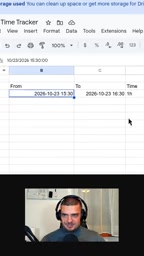
This dialogue shows the assistant isn't hardcoded to a single template but can accept user feedback on data structure. For developers, this means the tool-calling layer needs to preserve parameter configurability rather than hardcoding fields.
Scenario 3: Notion To-Dos and Email Reading
The Notion section had a small hiccup in the demo: the assistant repeated "you have two to-do's" several times before listing "done" and "writing a book." The user asks to "check off both items and add a 'record video' to-do," and the assistant confirms both are checked and the new to-do is added.

Email reading is relatively simple: the assistant reports "one email from Florian Deedov (Neural Nine), subject: hello." This is a read-only operation, with a lower technical bar than write tasks.
Technical Breakdown: The Three-Layer Architecture of a Real-Time Voice Assistant
Although the video doesn't show code details, a typical architecture can be inferred from the functional behavior:
The first layer is the real-time voice pipeline. "Real-time" means speech recognition (STT) and speech synthesis (TTS) must connect with low latency, otherwise the conversation breaks. In the demo, the user and assistant go back and forth for multiple rounds with no noticeable waiting, indicating the pipeline is optimized.
The second layer is intent understanding and tool routing. When the user says "log it in Google Sheet," the assistant needs to determine this is a spreadsheet write, not a calendar operation; when they say "check off to-dos," it routes to Notion. This is typically done by a large language model performing intent classification and parameter extraction, then handing structured instructions to the corresponding tool functions.
The third layer is external API integration. Calendar, Google Sheet, Notion, and email each require authentication and interface wrapping. All operations in the demo are truly reflected in the user interface, indicating the integration is end-to-end connected.
An easily overlooked detail is error handling: the repeated statements during the Notion announcement may be traces of the model self-correcting in streaming output. Such flaws are more noticeable in real-time voice scenarios than in text scenarios, and are where individual developers need to reserve fallback logic.
Function Calling is the key mechanism by which large language models convert natural language instructions into structured tool calls. When generating a response, the model can output a call request conforming to a predefined JSON Schema, containing the tool name and parameters. For example, when the user says "add a call with Alex at 19:30," the model generates structured data like {"tool": "calendar.create_event", "time": "19:30", "title": "call with Alex"}, and external code then executes the actual API call. This mechanism lets developers avoid training dedicated intent classifiers—they only need to describe tool purposes and parameter formats in natural language, and the model can autonomously route during conversation. The assistant's ability to distinguish calendar writes from spreadsheet logging in the demo relies precisely on function calling's semantic understanding of tool descriptions.
Streaming refers to the model returning tokens as it generates, rather than waiting for the complete response before outputting it all at once. In real-time voice scenarios, streaming lets TTS start speaking as early as possible, significantly reducing first-token latency and making the conversation rhythm closer to human. But streaming also has a side effect: the model may "self-correct" during generation, causing repetitions or contradictions in already-output content. The repeated "you have two to-do's" in the Notion announcement is likely the model re-confirming its earlier wording during streaming. Developers usually need to add buffering or post-processing logic before TTS to filter out obvious duplicate fragments.
Implications for Individual Developers
The value of this project isn't in how cutting-edge the model is, but in proving that the barrier to building a "personalized assistant" has dropped significantly. In the past, building an assistant spanning calendar, spreadsheets, notes, and email required handling four OAuth flows and four sets of API docs; now, with the function-calling capabilities of large models, the core work shifts to prompt design and tool descriptions.
Another insight is the meaning of "personalization." The assistant in the video is named Mike, focused on the Neural Nine channel scenario, with customized tone and responsibilities. Consumer assistants pursue generality, while a personal assistant can serve just one person's workflow—which actually makes it handier for specific tasks.
Judging from the demo's completeness, this solution can already cover daily schedule management, work-hour logging, and task list maintenance. If iterated further, the format follow-up dialogue hints at a direction: let the assistant proactively ask about field preferences rather than waiting for user corrections.
The full demo can be watched on the Neural Nine YouTube channel; at the end, the author summarizes: "We built our own personal real-time voice assistant, fully personalized."
OAuth 2.0 is the standard protocol by which platforms like Google and Notion authorize third-party apps to access user data. Taking Google Calendar as an example, developers must register an app in the Google Cloud Console, obtain a client ID and secret, then guide users to a consent page to approve specific scopes (such as calendar read-write permission), and finally exchange the authorization code for an access token. Each platform has its own authorization flow and token refresh mechanism; integrating four apps used to mean maintaining four sets of OAuth logic. Today, with large-model function calling, developers still need to complete OAuth integration, but can focus more on tool descriptions and prompt design, because the model can automatically select tools and fill parameters based on natural language descriptions, reducing the development cost of the intent-parsing layer.
One-line Summary
Neural Nine demonstrates a personalized real-time voice assistant that can read and write across calendar, spreadsheets, Notion, and email.
Paragraph Summary
The Neural Nine channel demonstrated a fully personalized real-time voice assistant, Mike, which uses voice to read and write calendar events, log time in Google Sheets, check off and add Notion to-dos, and read email summaries. Unlike consumer assistants like Siri and Alexa, it can actually write to external apps and accept user feedback on data field formats. The article breaks down its technical path into three layers: real-time voice pipeline (low-latency STT/TTS), intent understanding and tool routing (large-model function calling), and external API integration (OAuth and interface wrapping). The author notes that the barrier to building personalized assistants has dropped significantly, with core work shifting from API integration to prompt design and tool descriptions, while the repeated statements in the Notion announcement highlight the need for fallback logic for streaming output in real-time voice scenarios.
Related articles
Codex and AI Coding Agents in Practice: A Complete Guide from Prompts to MCP
A Codex-centered guide to agentic coding: Task-Context-Output prompts, AGENTS.md project memory, plan mode, skills, characterization vs. spec tests, permissions and config.toml, MCP tool calls, plus secrets safety and context management.

GPT-6 Security Model and the AI Attack-Defense Escalation: This Week in AI
This week in AI: OpenAI's GPT-6 Saber found 948 Linux kernel root-escalation paths; Cursor deploys full apps from one sentence; Binance details a social engineering attack; C++26 fails ISO vote.
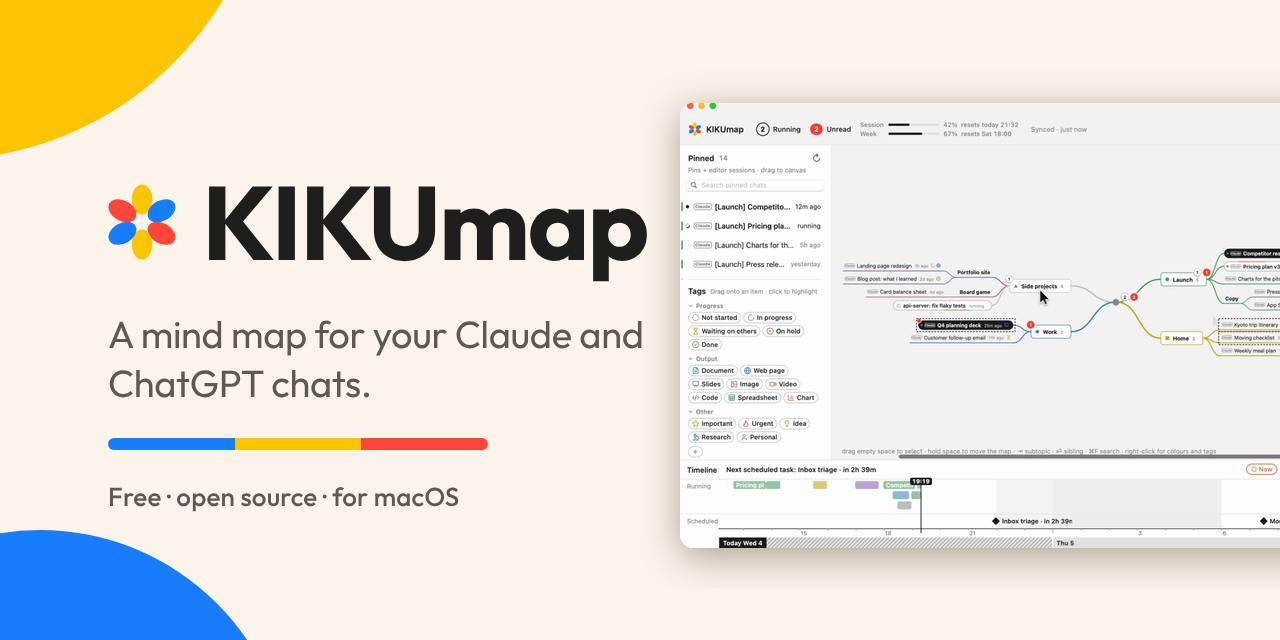
KIKUmap: Manage Your Claude and ChatGPT Conversations with Mind Maps
KIKUmap is a macOS menu bar app that visualizes Claude and ChatGPT conversations as mind maps with real-time status. Free and open source.