Build an AI Coding Agent from Scratch: Create Your Own Command-Line Assistant with Gemini

Build a Gemini-powered command-line coding agent from scratch to deeply understand tool calling and agent loops.
Boot.dev's Lane Wagner designed a hands-on course that guides developers through building a Claude Code-style command-line coding agent from scratch using the Google Gemini Flash API. The course's true goal is not to produce a production-ready tool, but to give developers a genuine understanding of how AI agents work under the hood. It reveals the key difference between agents and chatbots — agents autonomously gather project context via tool calls and execute tasks in a loop. The entire agent is built on just four tool functions (list directory, read file, write file, execute Python), with safety guardrails and string-based error returns that enable the LLM to self-correct across loop iterations.
Why Build a Coding Agent from Scratch
Boot.dev's Lane Wagner has put together a hands-on course unlike most others: instead of teaching you how to use existing AI tools, it walks you through building your own coding agent from scratch using Google's Gemini Flash API. This agent is similar to OpenAI's Codex or Anthropic's Claude Code — except it runs in the command line rather than inside an editor's graphical interface.
The course author offers a sharp analogy: the current AI landscape is a "gold rush," and rather than rushing in to mine gold yourself (i.e., blindly doing vibe coding), you're better off "selling shovels" — meaning, building the tools themselves. But the real goal isn't profit; it's the same reason programmers study binary tree logic: to understand how the tools we use every day actually work under the hood, so we can wield them more effectively.
The project builds an agent that can autonomously modify code — not just a thin GPT wrapper. It can scan the filesystem, modify files, run code to get feedback, determine what worked and what didn't, and then attempt to fix bugs or implement new features on its own.
What Makes an Agent Different from a Regular Chatbot
What separates a coding agent from a standard ChatGPT interaction? The key lies in context and looping.
When you use ChatGPT in the browser to work on code, you have to constantly copy-paste snippets and manually explain the expected behavior. A coding agent (like Cursor or Claude Code) can scan your project directory, read files, run code, and update file contents — it autonomously gathers context about the current state of things, which is the fundamental reason it's so much more powerful when working on real projects.
The course defines the agent's core characteristic clearly: what makes it an agent is its ability to execute tasks in a loop. Rather than accepting a single prompt and returning one response, an agent can repeatedly prompt itself and iterate — performing multiple rounds of actions in response to a single user input. The mechanism it uses to generate this feedback loop is what's known as "tool calling."
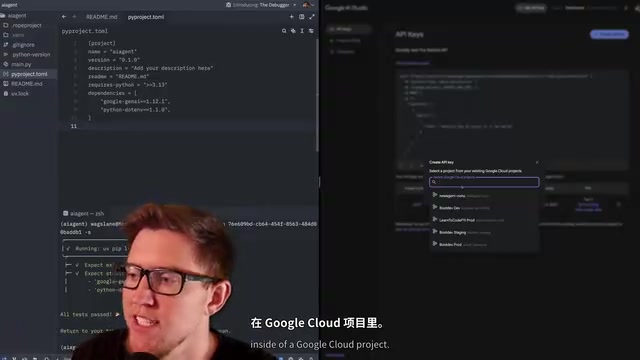
The author also shows Boot — Boot.dev's own chatbot — as a live example. Boot uses a Socratic teaching style to guide students, and it's "agentified." When a user asks about the platform's game mechanics, Boot first calls a function that retrieves the relevant game documentation, reads the content, and then responds. That's tool calling in action.
Tool Calling (also known as Function Calling) is a core extension capability of modern LLM APIs, first standardized by OpenAI in their API in 2023, with Google, Anthropic, and other major providers following suit. The mechanism works like this: when sending a request, the developer includes a "function specification" (covering the function name, parameter names and types, and a description of its purpose). When generating a response, if the model determines it needs to call a particular function, it outputs a structured JSON expression of that intent rather than free-form text. The developer's code detects this structured response, actually executes the corresponding function locally, feeds the result back into the conversation context, and the model continues reasoning from there. This mechanism allows the model to "perceive the outside world" — but the model itself always remains isolated in the cloud with no direct access to the local environment. All side effects are handled by the calling code, which is the technical root of what the course means when it calls the LLM a "decision engine."
Four Tool Calls: The Agent's Complete Toolkit
The entire agent is powered solely by Google Gemini and exposes four tool calls. The author emphasizes that with just these four tools, what the agent can accomplish is already quite remarkable:
- List directory files: Essentially gives it the ability to run
ls - Read file contents: Lets it retrieve any information it needs from the directory
- Overwrite file contents: Enables it to update and modify files
- Execute Python code: The most critical capability of all
With these four tools, when you tell it "I have a bug where a string isn't being split correctly — go fix it," the agent will inspect the application's directory structure, locate the likely problematic file, make changes, run the program to verify, and if it doesn't work, modify and run again — looping until it believes the problem is solved or determines it has failed.
Technical Prerequisites
Before starting the project, you'll need: Python 3.10 or higher; UV, a modern project and package manager (Boot.dev has migrated all its Python projects from pip and venv to UV); and a Unix-like shell environment (Windows users are strongly encouraged to use WSL).
Understanding LLMs, Tokens, and the Gemini API
The course chose Gemini for two reasons: it offers a free tier, and it's an excellent base model that can handle a significant amount of work within the free quota. The entire project stays within Gemini's free usage limits.
Understanding tokens is crucial. Nearly all AI API billing is based on token usage. One token is roughly equivalent to four characters — divide the total character count of your prompt by four to get a rough estimate of actual token consumption. In live demos, the author notes that even spaces count toward the token total, which is an easy detail to overlook.
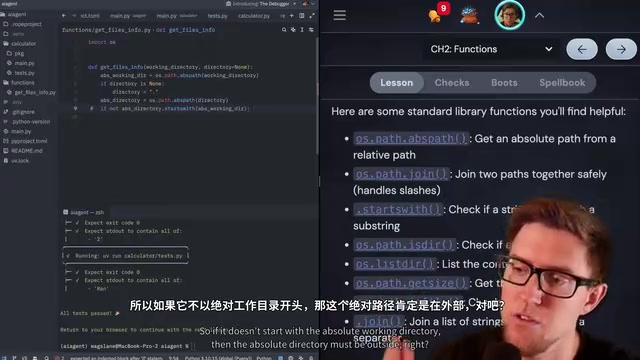
On the implementation side, the code evolves from a hardcoded prompt to accepting dynamic prompts via command-line arguments (sys.argv), then introduces a message list to store conversation context. This leads to a core insight: a conversation with an LLM is fundamentally an array of alternating user and model messages. When using the API, you must maintain this history yourself — otherwise the model has no memory of past exchanges. This is very different from the ChatGPT web experience, where context is preserved automatically.
Tokens are the basic unit of LLM processing and pricing, but token efficiency varies significantly across languages. In English text, one token corresponds to roughly four characters on average, while non-Latin scripts like Chinese and Japanese often consume one to two tokens per character — meaning a Chinese-language prompt with equivalent information content often costs more than its English counterpart. Understanding tokens also helps you grasp context window limitations. Gemini Flash 1.5 has a one-million-token context window, meaning you can fit multiple files from a large codebase into a single request. However, the longer the context, the higher the cost and latency per request. In an agent loop, every iteration resends the complete message history to the API — as conversation turns accumulate, token consumption grows linearly. This is precisely why production-grade agents need context compression or summarization.
Safety Guardrails for File Operation Functions
When building the four tool functions, one design principle runs throughout: safety guardrails. Every function checks whether the target path is outside the working directory, and if it is, returns an error string instead of proceeding.
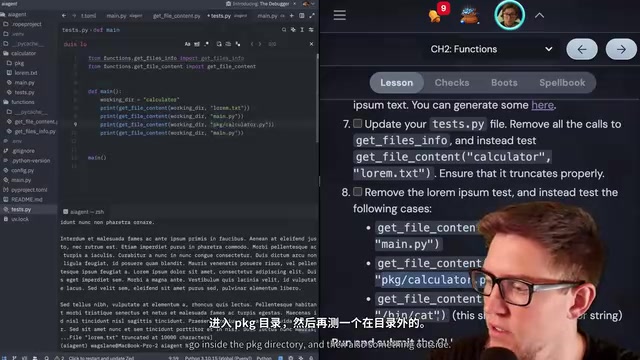
You may notice that these functions return strings on error rather than raising exceptions. The reason is straightforward: the LLM is calling these functions, and we want the LLM to receive clear error messages so it can correct its approach in the next agent loop — determining whether it called something incorrectly or whether something else went wrong.
Throughout the build, the author consistently uses standard library path-handling functions (like os.path.dirname and os.path.join) rather than manual string parsing. These functions properly handle cross-platform differences (Windows and Linux handle paths differently) and various edge cases.
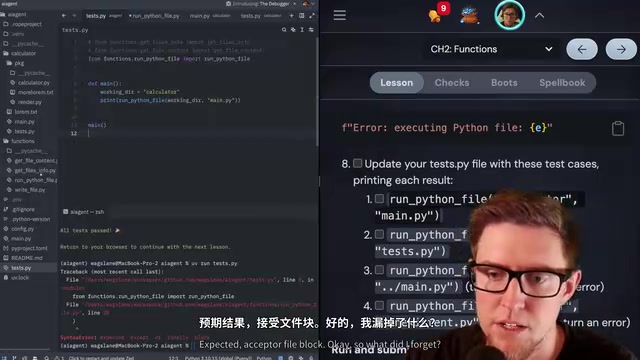
Regarding the most dangerous capability — executing Python code — the course emphasizes the security risks explicitly: even when scope is restricted to a specific directory, the LLM could create new Python files whose code itself could then break out of the working directory. This is deliberately a toy teaching project and should not be used as a daily replacement for production-grade tools like Codex or Claude. A 30-second timeout is also added to code execution to prevent infinite loops from consuming CPU.
How System Prompts and Function Declarations Work
Here the course reveals something that might surprise people: LLMs don't actually call functions directly. AI providers have no way to access our local runtime environment — all interaction is purely text.
The real flow is: first, you tell the LLM via text what functions are available and how to use them (this is done through structured declarations built with types.FunctionDeclaration); then the LLM responds in a structured way, saying something like "I want to call the write_file function with this path and this content"; finally, your program actually executes that function. The LLM is only the decision engine — it decides which tool to call, and the agent carries out the actual call.
The system prompt is a special, higher-authority type of prompt. Nearly all major LLM providers allow it to be set via API, and it carries more weight than a standard user prompt. The author demonstrates the classic "prompt injection" experiment — setting a system prompt that instructs the model to only respond with "I am a robot," then trying to override it with "ignore all previous instructions." In the early days of LLMs this kind of trick worked, but providers have invested heavily in training models to better adhere to system prompts.
From Single Calls to a Full Agent Loop
An agent has two components: tool calling and a loop. The earlier implementation could only make a single tool call. To make it truly agentic, it needs to autonomously chain operations continuously until the user's request is fulfilled.
This introduces a third message role. Previously only user and model were handled; now a tool role is added — model represents the model's intent to call a tool, and tool is the function execution result fed back to the model. The conversation context becomes: user request → model wants to call a tool → tool returns result → model calls again → result returned again… and so on, until the final model-role message returns a plain-text reply.
In practice, the generate_content call is placed inside a loop capped at 20 iterations. Each iteration passes the complete messages list, letting the LLM determine the next step based on current state. The exit condition is a response with a text attribute (a plain-text reply).
The final "stress test" is impressive: the author deliberately breaks the calculator's addition operator precedence, causing 3 + 7 * 2 to produce the wrong result of 20. After running the agent, it autonomously scans the directory, reads the files, locates the bug, modifies the code, runs the tests to verify, and successfully fixes the issue. Along the way, the author refines the system prompt to teach the agent to scan the directory and run tests before declaring "everything looks good" — which is the key mindset behind building project-agnostic agents.
The Agentic Loop is the engineering implementation of the ReAct (Reasoning + Acting) architecture, proposed by Google Research in 2022. Its core idea is to have the model alternate between "reasoning" (analyzing current state, planning the next step) and "acting" (calling tools to retrieve external information), feeding action results back into the reasoning step to form a closed loop. The flow described in the course — "user → model wants to call a tool → tool returns result → model calls again…" — is a direct embodiment of this pattern. Capping the loop at 20 iterations is a necessary engineering safeguard: in some situations, LLMs can get stuck repeatedly calling the same tool without making progress (commonly called a "tool loop"), and a hard iteration limit prevents infinite API quota and compute consumption. Mainstream agent frameworks like LangChain and LlamaIndex both implement similar looping and exit mechanisms under the hood.
The Real Value of This Course
The goal of this project was never to train an LLM or build a perfect production tool. It's to give developers a deep understanding of how AI agents work at the foundational level. As the course repeatedly emphasizes: there's nothing wrong with leveraging AI tools in your work — but understanding how they work is critically important.
If your competition consists not just of skilled developers, but of skilled developers who are also proficient with AI tools, then understanding how these technologies work becomes a key competitive advantage. Building an agent from scratch sharpens both your Python and functional programming skills (the course makes heavy use of higher-order functions), and it gives you genuine clarity about what's happening under the hood when you use tools like Cursor or Claude Code.
Related articles

DeepCell: One-Click AI Generation of Documents, Spreadsheets, and Slides
DeepCell tops Product Hunt with one-click generation of documents, spreadsheets, and slides, using the .deepcell format for linked updates, designed for System 2 tasks like modeling and sales reviews.

Doneas: 15-Minute Daily Accountability Calls That Keep Indie Developers From Procrastinating
Doneas is a daily accountability tool for indie developers: plan tasks on Monday, join a 15-minute call with five builders each day, and log deliveries on a public progress page. This article analyzes its core mechanics, effectiveness, and potential issues around retention and matching.

Fastlane 2.0: Fully Automated AI Ad Campaigns, From Creative to Optimization
Fastlane 2.0 is an AI ad automation tool: enter your website and it learns your brand, generates video and image ads, and runs and optimizes them on Meta, TikTok, Instagram, and YouTube.