Building a Business Central AI Agent with Copilot Studio and MCP

Build AI agents with Copilot Studio and MCP servers to automate Business Central purchase order confirmations.
The article presents a case from an Abakir webinar: using Copilot Studio and MCP servers to build an AI agent called The Vendor Whisperer for Business Central, which automatically reads vendor emails and PDF order confirmations and updates the purchase management journal. It first distinguishes automation, chatbots, and agents, then breaks down Copilot Studio's orchestrator, triggers, and tools, highlighting how MCP exposes Business Central's standard APIs and uses Dynamic Tool Mode to work around tool count limits. Finally, it discusses LLM hallucination reliability concerns and proposes three best practices: extremely specific instructions, least privilege, and human-in-the-loop, emphasizing that while the demo takes a weekend, production deployment still requires substantial engineering.
In a recent webinar hosted by Abakir, Nikolaj Sjørman, Head of the Power Platform division, and Business Central consultant Mads Stalkers Christiansen jointly demonstrated an impressive case: how to build an AI agent for Business Central that automatically handles purchase order confirmations using Copilot Studio and MCP servers. Named "The Vendor Whisperer," this agent can automatically read order confirmation emails and PDF attachments from vendors, extract key data, and directly update the purchase management journal in Business Central.
The Real Pain Points of Purchase Order Processing
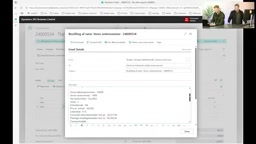
The case originated from a real customer's struggle. As a purchaser, after sending purchase orders to vendors, you need to wait for them to reply confirming quantities, prices, and delivery dates. These replies often arrive as emails with PDF-format order confirmations attached. The purchaser has to manually open each email, read the PDF content, and then update the purchase management journal in Business Central line by line.
This process becomes especially time-consuming when order volumes are high. As noted in the webinar, when a purchaser needs to follow up on multiple purchase orders simultaneously, each order requires waiting for vendor replies followed by manual verification and data entry—this repetitive labor consumes a significant amount of time that could otherwise be spent on more valuable work.
The Essential Differences Between Automation, Chatbots, and Agents
The webinar clearly delineated the boundaries of three categories of automation tools. Nikolaj summed up the differences in one sentence: automation follows rules, chatbots answer questions, agents execute actions.
Automation flows are initiated by triggers and execute fixed actions according to preset rules, without involving AI decision-making. It's suited for predictable "hard processes," such as automatically sending a welcome email when a new customer record is created in the system, or pushing a task list at a scheduled time every Monday morning.
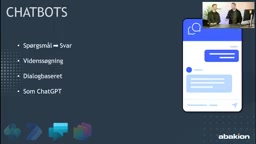
Chatbots are knowledge-driven. They receive questions, retrieve information, organize language, and return answers, but they don't modify data in any system. The traditional customer service chat window is a typical example—users ask questions, and the bot retrieves from a knowledge base before responding.
Agents operate on two levels. Task-based agents still interact through a chat window but can perform actual operations, such as creating a new case in a ticketing system. Autonomous agents go further, running automatically when specific events occur without human triggering—as demonstrated by the "Vendor Whisperer," which runs automatically when an order confirmation email arrives in a designated mailbox.
LLM hallucination is the most questioned risk source when agents enter ERP scenarios. Hallucination refers to a model generating seemingly plausible but factually incorrect content when lacking a basis—for example, fabricating a non-existent purchase order number or adding an extra digit to a quantity field. In chat scenarios, hallucination usually just means an inaccurate answer; but in ERP, it could directly contaminate master data or trigger incorrect inventory or payment actions. There are three main mitigation approaches: first, using structured output and JSON Schema to constrain the model's output format, reducing room for improvisation; second, using retrieval-augmented generation (RAG) or MCP queries to make the model answer based on real data rather than relying on parameter memory; third, adding deterministic validation on key fields—for example, the order number must be verifiable in Business Central, and the quantity must fall within a reasonable range of the original order. If validation fails, the process is blocked and escalated to a human.
Copilot Studio's Three Core Building Blocks
Copilot Studio's agent construction revolves around three core components: the orchestrator, triggers, and tools.
The orchestrator is the agent's "brain," where you define the agent's identity, description, instructions, and guardrail rules. The Vendor Whisperer demonstrated in the webinar was given a clear role definition: automatically process vendor order confirmations. The instructions section included detailed step-by-step descriptions, from reading PDFs, finding vendors, matching order line items, to updating journal lines—each step was explicitly listed. Guardrail rules ensure the agent doesn't operate beyond its boundaries.
Interestingly, the webinar candidly acknowledged that these instructions themselves were generated with the help of AI tools—first describing requirements in human language, then having Claude or ChatGPT optimize them into a format AI can understand more easily.
Triggers determine when the agent starts autonomously. In the Vendor Whisperer case, the trigger was a new email arriving in a specific mailbox folder. Copilot Studio supports over 1,500 Power Platform connectors, meaning trigger signals can be captured from virtually any enterprise system.
Tools give the agent actual operational capabilities. The Vendor Whisperer was equipped with three tools: an MCP server connector, a send email tool, and a text-to-JSON tool. The send email tool demonstrates the flexibility of AI agents—developers only need to describe the email format requirements, and the agent can automatically generate formatted emails containing HTML and inline CSS.
Connector and tool count limits provide the context for understanding the engineering trade-offs in this case. The Power Platform ecosystem has over 1,500 official and custom connectors covering SharePoint, Dataverse, SAP, Salesforce, and other systems, which Copilot Studio can directly invoke as agent tools. But each tool consumes the model's context window and significantly increases the probability of the model making wrong judgments about "which tool to call." When the number of tools reaches dozens, the orchestrator's selection accuracy drops, so Microsoft caps the number of tools a single agent can mount at approximately 70. Each API page in Business Central provides four tools by default—read, create, modify, and delete—and hundreds of pages can easily exceed the limit. This is the practical motivation behind Dynamic Tool Mode: it converges N specific tools into three generic tools—Search, Describe, and Invoke—using a two-stage call pattern of first retrieving then executing, trading less context for access to all resources, at the cost of an additional round of model inference per operation.
MCP Server: The Key to Business Central Integration
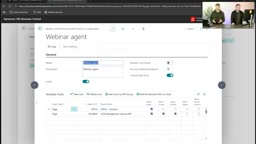
MCP (Model Context Protocol) server is the technical highlight of this demonstration. Traditionally, Power Platform connectors require defining read and write operations individually for specific data tables. MCP servers allow Business Central's standard APIs to be exposed directly to agents, enabling them to understand the entire data model.
MCP configuration in Business Central is quite intuitive. Each page provides four tools by default: read, create, modify, and delete. However, Copilot Studio has a limit on the number of tools available to agents (approximately 70), so Business Central offers Dynamic Tool Mode. When enabled, the system no longer lists each API individually but instead provides access to all resources through three generic tools—Search, Describe, and Invoke—while the "Discover Additional Objects" option can grant agents permission to read non-standard API pages.
The webinar also mentioned a lesser-known capability: Perform Bound Action. Beyond CRUD operations, this fifth type of operation allows agents to "press buttons" in Business Central, such as executing posting or release operations.
For those wanting to get started quickly, the webinar provided the simplest path: grant read permissions for all standard APIs in Business Central, activate MCP integration, and then you can start conversing with your data in Copilot Studio.
MCP (Model Context Protocol) is a standardized protocol proposed and open-sourced by Anthropic at the end of 2024, aimed at enabling large language models to connect to external data sources and tools in a unified way. Before MCP, each system integration required writing a separate set of adapter code, creating an N×M fragmented integration relationship between models and the external world. MCP abstracts this layer into a client-server structure: the model side acts as the client, the business system side provides the MCP server, and both parties interact through standardized Resources, Tools, and Prompts. This is why MCP is often compared to "USB-C for the AI world." In the Business Central scenario, Microsoft wraps standard APIs into MCP servers, so agents don't need to understand underlying OData endpoints or field structures—they simply declare what they want to read or change, and the protocol layer translates it into actual calls to Business Central. This is precisely why it requires less configuration than traditional Power Platform connectors.
Reliability Controversy and Best Practices

A core controversy in the webinar centered on agent reliability. Some attendees raised the question of whether AI agents should be trusted to execute operations in ERP systems given the hallucination problem with LLMs.
The speakers' response was: the key isn't whether the agent will make mistakes, but how to minimize risk through design. Core strategies span three levels: instructions must be extremely specific and clear, explicitly listing permitted and prohibited operations; tool permissions must be strictly controlled, granting only the minimum permissions necessary to complete specific tasks; and human-in-the-loop capabilities should be fully utilized, requiring human confirmation before critical operations.
In fact, the webinar revealed that the Vendor Whisperer was built in just one weekend. But this version was candidly described as a "Happy Go Lucky" demo—handling only cases where everything goes as expected. Production environments also need to account for multiple PDF attachments, mismatched order numbers, format anomalies, and other edge cases, and may require training models through AI Builder to adapt to different vendors' document formats.
Regarding agent scale, the speakers recommended avoiding loading too many tasks onto a single agent. The larger the agent, the more prone it is to confusion and hallucination. The solution is to split into specialized sub-agents orchestrated by a main agent. This not only improves each agent's focus but also facilitates reuse across multiple processes.
It's worth noting that human-in-the-loop here is not simply a "popup confirmation" but a tiered trust design. In practice, it's typically divided by the reversibility and impact scope of operations: read-only queries and draft generation can be fully automated; reversible writes like modifying document fields or creating records can execute first with a change summary provided, allowing manual undo; while irreversible operations that affect financial data—such as posting, releasing, or deleting—should force the process to halt and wait for human approval. Copilot Studio implements this step through approval nodes (Approvals) integrated with Power Automate, and the approval result is passed back to the agent as a variable, letting it continue or terminate subsequent steps. This is also the most common compliance requirement when enterprises connect AI agents to ERP—audit logs need to record the responsibility boundary between every automated operation and human approval.
Key Takeaways
- Three types of tools each have their place: automation handles rule-based processes, chatbots handle knowledge Q&A, and agents execute tasks requiring judgment and action. Choosing the right tool matters more than chasing the latest technology.
- MCP servers simplify ERP integration: compared to traditional table-by-table connector approaches, MCP lets agents understand Business Central's complete data model, and Dynamic Tool Mode circumvents tool count limits.
- Zero code doesn't mean zero design: all of Vendor Whisperer's logic is implemented through natural language instructions, with no code written. But carefully designed instructions, strict permission controls, and guardrail rules are the safeguards for reliable operation.
- Production deployment requires additional engineering: the demo version can be completed in a weekend, but facing diverse real-world document formats, edge cases, and security requirements, substantial error handling, AI model training, and testing work is still needed.
- Human-in-the-loop is the cornerstone of trust: setting up human review steps before critical operations (such as posting or modifying orders) ensures both safety and transforms employees from executors to supervisors.
One-line Summary
Building AI agents with Copilot Studio and MCP servers to automatically handle Business Central purchase order confirmations.
Paragraph Summary
The article presents a case from an Abakir webinar: using Copilot Studio and MCP servers to build an AI agent called The Vendor Whisperer for Business Central, which automatically reads vendor emails and PDF order confirmations and updates the purchase management journal. The article first distinguishes the boundaries among automation, chatbots, and agents, then breaks down Copilot Studio's three core components—orchestrator, triggers, and tools—with emphasis on how MCP exposes Business Central's standard APIs to agents and uses Dynamic Tool Mode to circumvent tool count limits. Finally, it discusses the reliability controversy caused by LLM hallucination and proposes three best practices: extremely specific instructions, least privilege, and human-in-the-loop, emphasizing that while the demo can be completed in a weekend, production deployment still requires substantial engineering work.
Related articles

Chain of Thought Isn't Just for AI: How Humans Can Use CoT to Improve Thinking Quality
Chain of Thought isn't just a prompt trick for large models. Starting from a Hacker News discussion, this article analyzes why CoT works for human thinking too, breaks down actionable ways to transfer it, and highlights the key differences between human CoT and machine CoT.
Cloudflare Teams Up with OpenAI: Closi…
Cloudflare Teams Up with OpenAI: Closing the Loop from Vulnerability Discovery to Defense with AI
Cloudflare uses OpenAI Daybreak to investigate security vulnerabilities and generate reviewable remediation plans, while developers use Codex to boost coding efficiency and quality.

Orca Multi-Agent Orchestration in Practice: A Guide to Parallel Collaboration with Claude and Codex
Orca is Stable AI's free open-source agent workbench supporting 34 agents like Claude Code and Codex in parallel. Learn its Git worktree isolation, multi-model orchestration, and mobile management.