Building a Customer Support Ticket Triage App with ToolJet MCP and Jev

A triage solution with separation of powers: ToolJet MCP generates the app, Jev applies structured labels, and humans make the final review.
The article introduces the Support Ticket Sorter app showcased on the official ToolJet blog: ToolJet MCP lets a coding agent directly generate the app skeleton, while TypeSafe's Jev decision model returns topic, urgency, clarity, escalation recommendation, confidence, and a brief reason for each ticket. Humans then confirm or override team assignment, priority, and notes in the console UI. The core design separates classification from decision; AI only provides suggestions and does not automatically reply, refund, or change accounts. Routing rules are explicit: unclear topic, confidence below 60%, or clarity ≤ 1 sends a ticket to the human review queue. The generated result was 1 page, 4 tables, 21 queries, 29 components, 0 code files, and 2 rounds of fixes. A failure once occurred because query parameters were not declared, causing the run id to be undefined. The article also covers using Workflows for actions outside the queue and enterprise-grade governance capabilities.
One of the biggest headaches for customer support teams is an inbox piling up with messages that no one can triage in time, causing genuinely urgent requests to get buried. A reusable approach is to let AI first apply structured labels to each ticket, then let humans make the final decision. The official ToolJet blog showcases a "Support Ticket Sorter" app generated by a coding agent—using ToolJet MCP to build the app skeleton and TypeSafe's decision model Jev to handle triage judgments, turning 100 synthetic tickets into a reviewable processing queue.
What Problem This Ticket Sorter Solves
Traditional ticket triage relies on humans reading each item one by one—slow, inconsistent in standards, and hard to accumulate classification results. The core design of this app separates "classification" from "decision": Jev reads the message and returns a structured result including topic, urgency, clarity, escalation recommendation, confidence, and a brief reason; humans then confirm or modify the team assignment, priority, and add notes in the UI, and finally save the decision.
The original article emphasizes one boundary in particular: the app does not automatically send replies, does not initiate refunds, and does not automatically change accounts. AI only provides suggestions; the final judgment always stays with humans. This constraint is critical for heavily regulated scenarios such as customer support, finance, and telecommunications.
How the Triage Flow Works
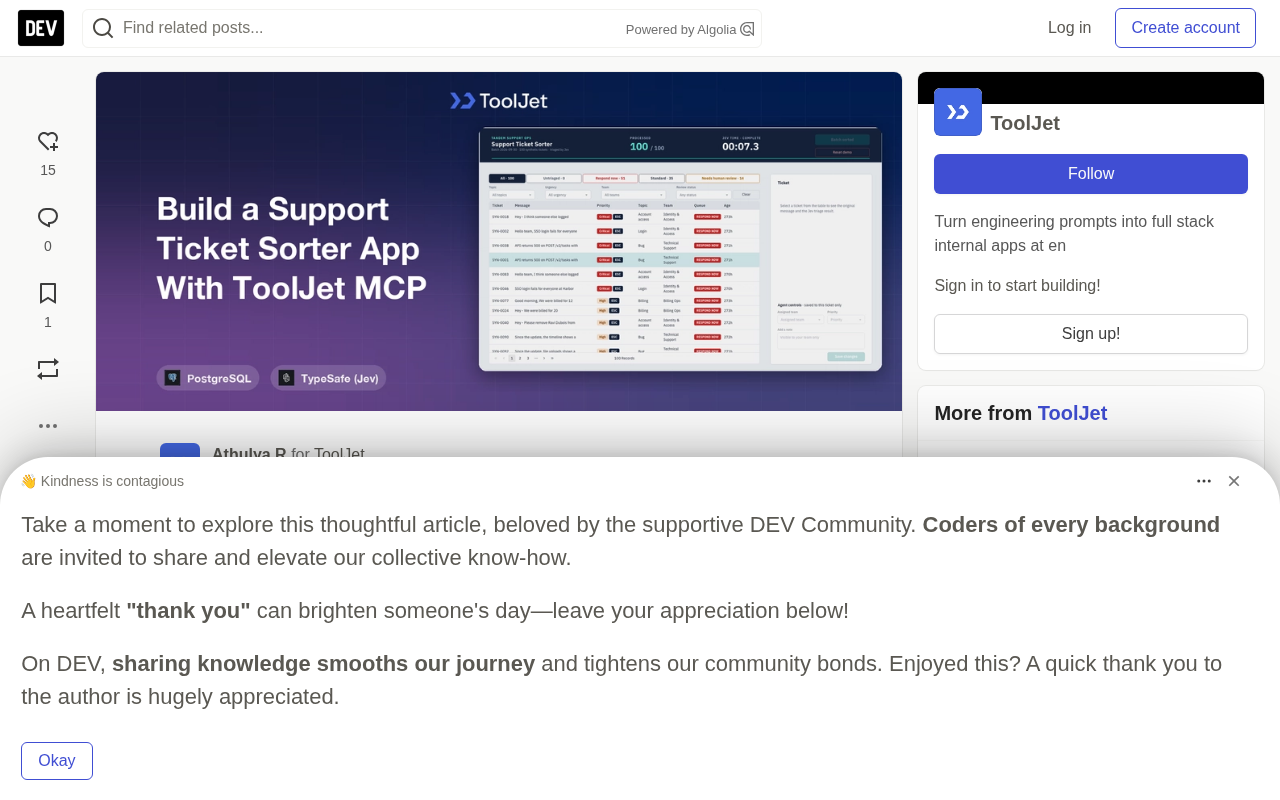
The entire app is a dense console interface with a top navigation bar, queue tabs, filters, a ticket table, and a right-side detail panel. The main action is the "Sort" button, which fills the queue from the batch when clicked, and reviewers can switch between All, Untriaged, Respond now, Standard, and Needs human review.
Clicking any row opens both the customer's original message and Jev's structured result at the same time, and reviewers can adjust the team or priority, add notes, and save. The interface also has a real-time processing counter and a Jev timer to track completed and saved decisions, keeping reviewers informed of progress at all times.
The routing rules are clearly visible: when the topic is unclear, topic confidence is below 60%, or the clarity score is less than or equal to 1, the ticket is routed to the human review queue. Jev's raw values and human override values are preserved side by side.
Preparation Before Building
The app is built on two foundational components. ToolJet MCP connects the coding agent to the ToolJet workspace, letting the agent directly create tables, queries, and UI components; TypeSafe is a decision model platform whose data source allows apps to ask typed questions to Jev and receive structured answers—such as an option, a score, or a yes/no judgment with confidence.
During configuration, the TypeSafe data source needs to be added to the workspace and named typesafe, because that is the name referenced in the build prompt. The division of labor between build time and runtime is clear: at build time, MCP generates the app; at runtime, the app calls Jev in real time through the typesafe data source.
MCP (Model Context Protocol) is an open protocol standard proposed and open-sourced by Anthropic at the end of 2024 to standardize how large language models connect to external tools and data sources. In the traditional model, every AI application has to write separate adapter code to access databases, file systems, or third-party services, resulting in a large amount of duplicated integration work. MCP uses a unified client-server abstraction so models can discover and invoke tools just like calling standard interfaces. ToolJet MCP is the implementation of this protocol on the ToolJet low-code platform, enabling coding agents to directly read workspace structures, create data tables and queries, and generate UI components without relying on humans to drag and configure step by step in a GUI. Understanding this helps grasp the key point of this case: the app skeleton is not handwritten, but the result of the agent interacting with the ToolJet workspace through MCP, and the fact that there are 0 code files is precisely due to this protocol-layer integration capability.
TypeSafe and Jev: TypeSafe is a model platform for large-model decision-making, with the core idea of constraining the LLM's free-text output into typed structured results. Jev is the decision model runtime on the platform; the app submits typed questions to it through the data source, and Jev returns options, scores, or boolean judgments with confidence rather than a passage of natural language that needs additional parsing. In this design, thresholds such as "topic confidence below 60%" or "clarity score ≤ 1" can be reliably evaluated by the program because the returned values are already numbers or enums, not vague wording. Compared with having the model output JSON directly and then validating it yourself, typed decisions move the constraints forward to the model layer, reducing the risk of runtime parsing failures—which is also the premise that allows this case to hard-code triage rules into the routing logic.
What Prompt Was Used to Generate the App
The original article discloses the complete build prompt, whose core constraints include: a single page, a dense dark console style, a navy top bar with teal buttons, using only native components, and no animations or gradients; using the existing PostgreSQL instead of ToolJet DB, creating four tables stk_tickets, stk_triage, stk_notes, and stk_runs; seeding 100 fictional SaaS customer support tickets covering billing, login, bugs, feature requests, and account access issues; and triaging each ticket through Jev.
The runtime requirements are equally specific: 12 parallel workers perform triage, results are first kept in memory, written to PostgreSQL in batches every 50 tickets with one final write at the end, the dashboard is reloaded after each batch save, and at the end the run is closed and the dashboard is synchronously reloaded. For permissions, three groups were created: Support Sorter - Agents, Leads, and Viewers. Only Agents and administrators can perform sorting, Jev, saving, and note operations; Reset is limited to administrators; Leads and Viewers are read-only.
Generated Results and a Real Fix
According to the original article's data, ToolJet MCP ultimately generated 1 page, 4 PostgreSQL tables, 21 queries, and 29 components, with 0 code files to maintain and 2 rounds of fixes.
There was a failure when Sort was clicked for the first time: the queue did not fill and the detail panel was blank. The cause was that query parameters were not declared in each query's options, causing parameter interpolation to resolve to empty strings and the run id to become undefined. After adding parameter declarations to all queries, the run and the panel returned to normal. This detail is worth recording because it shows that even when an app is AI-generated, basic conventions such as parameter declarations still need to be explicitly satisfied.
Who Should Use This Queue Pattern
Any team that needs to handle a steady inflow of customer messages can reuse this structure: SaaS and software support, e-commerce and marketplace support, fintech and banking support, telecom and utilities, and IT or HR service desks. The same "inbox to queue" layout also applies to other scenarios where AI suggestions assist human decision-making, such as user feedback triage or internal request routing.
On permissions, this app uses three ToolJet groups to divide responsibilities, and rule enforcement happens at the query level itself; blocked users receive a server-side rejection rather than just having a button hidden. The original article notes that these groups currently have no members.
Using Workflows to Handle Actions Outside the Queue
Ticket sorters often need some background actions. ToolJet Workflows handles these with a visual node editor and can be triggered by an app, a webhook, or a scheduled plan, with notifications, multi-system updates, and approvals running server-side rather than depending on someone's browser.
Specifically for triggers: you can add a Run Workflow query in the query panel, pass parameters, and bind it to event handlers such as button clicks or form submissions; you can also trigger it via webhook so external systems can start the workflow through an HTTP request; and you can run it on an interval or cron expression. At the logic level, it supports If-Else branches and Loop iteration, data source nodes can read and write databases, REST or GraphQL APIs, and SaaS tools, and JavaScript and Python nodes are used for server-side data transformation and business logic. The sub-workflow mechanism allows shared steps such as logging and notifications to be reused in a single child process.
A natural use case is: when a ticket is saved into Needs human review, hand it off to a workflow—post the ticket summary in Slack, email the owner via Gmail, and write the handoff note back to stk_notes, all without leaving the queue.
The Difference Between Workflow and Query: A query is usually bound to a UI component and triggered browser-side by a user action or page load, with a lifecycle tied to the current session; a Workflow is an independent server-side process that can be called by the app through a Run Workflow query or triggered externally by a webhook or cron schedule. The practical significance of this distinction is that actions such as notifications, approvals, and multi-system writes should not depend on a reviewer keeping the page open. Once the logic is placed in a Workflow, the process will still complete even if the triggerer goes offline. At the same time, Workflows support If-Else, Loop, sub-workflows, and JavaScript/Python nodes, making them suitable for carrying more complex business orchestration than a single query. In this case, sending Slack and Gmail notifications and writing back to stk_notes after a ticket enters human review is exactly the typical "outside the queue" action, and handing it to a Workflow rather than a UI query is more robust.
Enterprise-Grade Governance Capabilities
Tickets, notes, and reviewer override decisions often involve customer context and internal judgment. ToolJet provides corresponding governance capabilities at the platform layer: support for SAML, OIDC, or LDAP single sign-on and SCIM automated account provisioning; role-based access control that can be refined down to apps, data sources, and each query; audit logs recording every login, edit, and approval decision; support for self-hosting on Docker or Kubernetes for air-gapped deployment; multiplayer collaborative editing with version management and Git sync; and ToolJet AI can also run within your own deployment environment rather than as a shared service.
Summary
The value of this case is not in "automatically handling tickets with AI," but in demonstrating a practical form of human-machine division of labor: AI reads messages, applies labels, and gives suggestions and reasons; humans confirm and override; and the final decisions are saved in a structured way. 100 messages become a queue with real-time counters, queue tabs, filters, a detail panel, and saved edits. ToolJet MCP handles the app structure, Jev handles judgment, and humans make the call—the clear boundaries among these three are why this approach can keep running sustainably.
One-line Summary
A triage solution with separation of powers: ToolJet MCP generates the app, Jev applies structured labels, and humans make the final review.
Paragraph Summary
The article introduces the Support Ticket Sorter app showcased on the official ToolJet blog: ToolJet MCP lets a coding agent directly generate the app skeleton, while TypeSafe's Jev decision model returns topic, urgency, clarity, escalation recommendation, confidence, and a brief reason for each ticket. Humans then confirm or override team assignment, priority, and notes in the console UI. The core design separates classification from decision; AI only provides suggestions and does not automatically reply, refund, or change accounts. Routing rules are explicit: unclear topic, confidence below 60%, or clarity ≤ 1 sends a ticket to the human review queue. The generated result was 1 page, 4 tables, 21 queries, 29 components, 0 code files, and 2 rounds of fixes. A failure once occurred because query parameters were not declared, causing the run id to be undefined. The article also covers using Workflows for actions outside the queue and enterprise-grade governance capabilities.
Related articles

Felix Rieseberg Personal Homepage
Felix Rieseberg's personal homepage sparks attention on Hacker News. This article covers the Slack engineer's technical background, the rise and fall of nativefier, and the value of a developer homepage as a tech calling card.

@ai-sdk/vue 3.0.306 Patch Release Syncs with [email protected] Update
@ai-sdk/vue 3.0.306 released, synced with [email protected]. A routine patch release for the Vercel AI SDK ecosystem with no public API changes; the Vue adapter layer stays version-aligned with the core package.

Gemini 4 Argon API Launches: The Era of Million-Token Output Begins
Google launches Gemini 4 Argon with sparse MoE architecture, up to 1M output tokens, and a 68.90% Vals Index score, available across API, AI Studio, and the Gemini app.