Building a Minimalist Self-Hosted Dashboard with Glance: The Single-Page Design Philosophy in Practice

Building a minimalist single-page self-hosted dashboard with Glance, powered by AI-assisted YAML configuration.
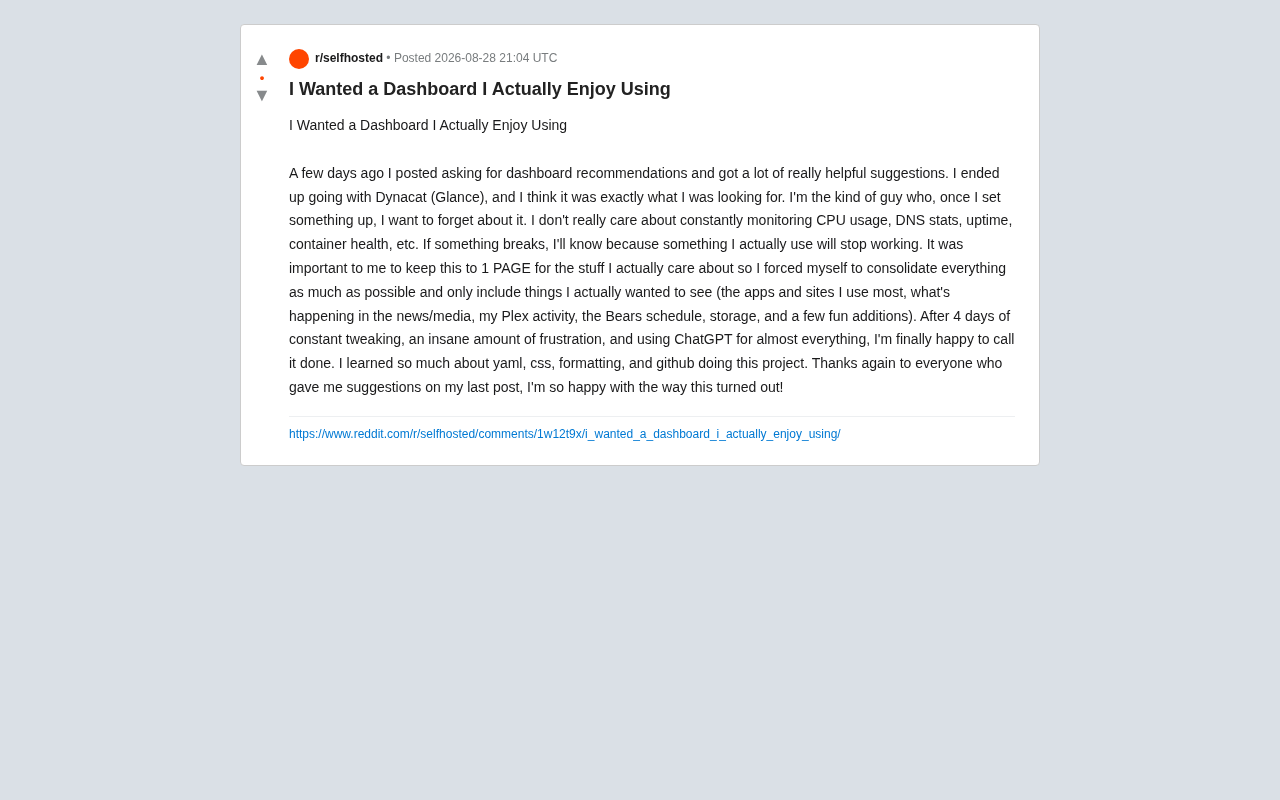
A Reddit user's journey building a minimalist self-hosted dashboard with Glance showcases the power of single-page design philosophy and AI-assisted configuration. By enforcing a strict single-page constraint and focusing only on essential information, the project demonstrates how restraint outperforms feature-chasing. With ChatGPT helping bridge the YAML and CSS learning curve, even beginners can create highly customized, lightweight dashboards that embody the "set it and forget it" ethos.
The Origin: A Self-Hosted Dashboard You "Set Up and Forget"
In the self-hosting community, dashboards are a perennial topic. Self-hosting refers to running internet services and applications on hardware you own or control, rather than relying on third-party cloud providers like Google, AWS, or Microsoft Azure. The rise of this movement is closely tied to growing data privacy awareness, rising cloud subscription costs, and the geek culture's pursuit of technological sovereignty. Common self-hosting use cases include private cloud storage (Nextcloud), media servers (Plex/Jellyfin), password managers (Vaultwarden), ad blocking (Pi-hole/AdGuard Home), and more. The self-hosting community centers around Reddit's r/selfhosted, with over 400,000 members, serving as a key channel for open-source projects to gather early user feedback.
Nearly every enthusiast goes through the same phase: after spinning up more and more services, there's an urgent need for a unified portal to manage and monitor them all. Recently, a Reddit user shared his dashboard-building experience, and it resonated with quite a few people.
His requirements were crystal clear — "I'm the kind of person who, once something is configured, wants to completely forget about it." He openly admitted he didn't care about CPU usage, DNS statistics, system uptime, or container health metrics. His logic was refreshingly simple: if a service actually goes down, he'll naturally notice because "something I'm actively using stops working." He doesn't need to stare at a bunch of flashy charts.
This "anti-monitoring" mindset actually represents a significant pragmatist faction within the self-hosting community. In professional operations, a monitoring stack like Prometheus + Grafana is standard equipment. But for home users, over-monitoring can actually create Alert Fatigue — when you receive dozens of irrelevant notifications every day, truly important alerts are easily overlooked. A dashboard shouldn't become a new burden; it should be a tool that genuinely improves daily efficiency.
Why Glance: A Minimalist Open-Source Dashboard
After community recommendations, this user ultimately chose Glance. Glance is an open-source dashboard project that has gained considerable popularity in the self-hosting community in recent years, with its core features being "lightweight" and "highly customizable."
Glance's Technical Architecture
Glance is maintained by the developer glanceapp on GitHub, with its backend written in Go. Go's advantage lies in compiling down to a single binary file with no complex runtime dependencies (unlike Node.js projects that require installing node_modules, or Python projects that need virtual environment management). Go is extremely popular in self-hosted tool development — well-known projects like Traefik (reverse proxy) and Caddy (web server) are both written in Go, because it natively supports cross-compilation, making it easy to generate executables for ARM architectures (Raspberry Pi, Synology NAS) and x86 architectures (traditional PC servers).
Glance's Core Advantages
Glance is driven by YAML configuration files, where users define on-page components (widgets) by editing the config. Each widget is essentially an independent data-fetching and rendering unit, with support for custom CSS to override default styles. It comes with a rich set of built-in widget types: RSS feeds, weather, calendar, bookmarks, monitoring, custom API data, and more.
Compared to similar tools, Glance is positioned more toward "information aggregation" than "service management." In the self-hosted dashboard space, mainstream tools each have their own focus: Homarr offers drag-and-drop visual editing and Docker container management integration, suited for users who need direct service control; Dashy excels with rich themes and icon libraries, supporting status checks and authentication integration; Homepage is also YAML-config-driven and comes with extensive built-in service API integrations (such as Radarr, Sonarr, and other *arr media automation tools), capable of displaying real-time service data directly on the dashboard. By contrast, Glance is more like a Personal Portal — it doesn't try to be a service management center, but instead focuses on information aggregation and quick access. This design philosophy makes its configuration simpler and its operation lighter — which perfectly aligns with the needs of minimalism-seeking users.
More importantly, Glance is fully open-source with extremely low resource consumption (typically under 50MB of memory), easily running on a Raspberry Pi or low-spec NAS. For users pursuing the "set it up once, run it invisibly for the long term" approach, it's an ideal choice.
The Single-Page Design Philosophy: Restraint as the Highest Art
During the build process, this user set a hard rule for himself: everything must fit on a single page.
This seemingly simple constraint is actually where the project demonstrates the most skill. The single-page design concept has a solid theoretical foundation in user experience (UX): Miller's Law in cognitive psychology states that human working memory can only process 7±2 chunks of information at a time; and Hick's Law shows that the more options available, the longer it takes for a user to make a decision. Constraining a dashboard to a single page essentially eliminates navigation costs — delivering maximum functional value within the minimum interface area. This shares the same design philosophy as Google's homepage.
He forced himself to continuously subtract, keeping only the information he truly wanted to see:
- Frequently used apps and websites: Entry points for the most visited services
- News and media updates: A window to the outside world
- Plex activity: Playback status of the home media server. Plex is one of the most well-known media server applications in the self-hosting space, allowing users to stream locally stored movies, TV shows, music, and photos to various devices across their home network. Plex automatically fetches media metadata (posters, synopses, ratings, etc.), providing a Netflix-like browsing experience. Glance retrieves current playback activity data through Plex's Tautulli API or Plex's native API, displaying real-time information like "who's watching what" on the dashboard.
- Chicago Bears schedule: A personal interest that gives the dashboard a human touch
- Storage status: The only system metric retained
- Fun widgets: Adding a bit of joy to daily use
This "single-page philosophy" is worth adopting for all dashboard enthusiasts. The reason many people's dashboards end up abandoned is precisely because they're crammed with too many unused elements, leading to information overload and high maintenance costs. In information architecture design, this is known as Feature Creep — continuously adding features until the product drifts away from its core value. A truly useful dashboard should give you everything you need the instant you open it — no scrolling, no tab switching required.
AI-Assisted Configuration: Lowering the Learning Curve for YAML and CSS
It's worth noting that this user openly admitted that "ChatGPT was used in almost every step of the process." After four days of continuous debugging and troubleshooting, he completed the project and learned a great deal about YAML, CSS, formatting, and GitHub along the way.
YAML's Learning Curve and AI's Value
YAML (YAML Ain't Markup Language) is a data serialization format designed with readability as its core goal, widely used in configuration files for DevOps tools like Docker Compose, Kubernetes, and Ansible. However, YAML's indentation-sensitive nature (using spaces rather than tabs, where indentation levels determine data structure) is the biggest pain point for beginners — a single extra space or wrong indentation can cause the entire configuration file to fail parsing, and error messages are often unintuitive. The traditional solution is to use online validation tools like YAML Lint, but these can only identify syntax errors, not explain semantic-level issues.
This is precisely why AI assistance is particularly valuable in YAML editing scenarios. This is a very typical modern technology learning case. In the past, a non-professional developer wanting to configure a highly customized dashboard from scratch could be deterred just by figuring out YAML indentation rules and CSS style overrides (involving concepts like selector specificity, the box model, Flexbox layout, etc.). Now, AI assistants can serve as an "on-demand personal tutor":
- Help you troubleshoot YAML indentation errors and explain why specific positions require specific indentation
- Generate custom CSS style code, including responsive layout adaptations
- Explain Glance configuration options, providing best practices informed by official documentation
- Guide Git operations and file management, helping establish version control habits
This "AI + open-source tools" combination is dramatically lowering the barrier to self-hosting and personal website building. It represents a new learning paradigm — Just-in-Time Learning: users don't need to systematically master an entire technology before starting to practice; instead, they acquire the knowledge they need on the spot when they encounter problems during practice. This empowers more hobbyists without deep programming backgrounds to achieve results comparable to professional developers.
Key Takeaways from Building a Glance Dashboard
Clarifying Needs Matters More Than Chasing Features
The key to this user's success was that he thought clearly about "what he actually wanted" from the very beginning. It wasn't about copying what others have, but starting from his own actual usage habits. In product design methodology, this corresponds to User Story thinking: first define "As a XX user, I want XX, so that XX," then make feature decisions accordingly.
Restraint Is a Design Skill
Confining content to a single page and forcing yourself to subtract requires tremendous discipline. Piling on features is easy; cutting back is hard. Former Apple Chief Design Officer Jony Ive once said: "Simplicity is not the absence of clutter — that's a consequence of simplicity. Simplicity is somehow essentially describing the purpose and place of an object and product." Every component excluded from the dashboard represents a conscious design decision.
AI Makes Personalized Customization No Longer an Expert-Only Privilege
With AI tools, a beginner can master the basics of YAML and CSS within a few days and complete a highly customized Glance dashboard project. This model is changing the user profile of open-source software — in the past, using open-source self-hosted tools typically required basic Linux command-line skills and configuration file editing experience; now, AI is becoming a "translation layer," converting users' natural language requirements into concrete technical implementations.
Conclusion
This seemingly ordinary dashboard-building story reflects two technology trends: first, the self-hosting community's return to the philosophy of "minimal and sufficient" — in line with the broader tech world's recent reflections on Digital Minimalism; and second, AI tools are becoming a powerful lever for ordinary hobbyists to learn and create.
Being able to "satisfyingly declare it finished" didn't rely on complex features, but on just the right amount of restraint and a clear understanding of one's own needs. For those looking to build their own dashboard, Glance is a lightweight, flexible, and approachable starting point. Its GitHub repository provides comprehensive documentation and configuration examples, and with one-click Docker deployment, even zero-experience users can complete a basic setup in half an hour — the rest is just spending time polishing your own single page of information.
Related articles

My precious RAM: RAM Stick Bitten Off Motherboard Sparks Discussion
Reddit's "My precious RAM" post documents a RAM stick bitten off a motherboard. We reconstruct the incident, analyze why it went viral, and share hardware installation tips.
Diving into PostgreSQL Internals: A Free, Open-Source Guide to Database Principles
*The Internals of PostgreSQL* is a free online book covering process architecture, storage layout, query processing, MVCC concurrency control, and WAL logging—ideal for DBAs and backend engineers who want to understand database internals.

Hinton Warns Again: We Might Be Better Off Without AI
Geoffrey Hinton's remark that we might be better off without AI sparks Hacker News debate. This article analyzes the two layers of meaning, the shift in tech community attitudes, and counterarguments questioning the "better off" baseline—plus what it means for AI practitioners.