Building a Momentum Algorithmic Trading System from Scratch with Python: Massive, SnapTrade, and Alpaca in Practice

Build a full momentum paper trading pipeline in Python with Massive, SnapTrade, and Alpaca — no real money needed.
Created by Nick McCollum, this course walks developers through building a complete momentum investing paper trading system using Python and Django — with no real money involved. The system uses a "12 minus 1 momentum" strategy to rank stocks, with Massive supplying bulk market data, SnapTrade handling OAuth-based broker connectivity, and Alpaca executing simulated trades. The engineering covers Django dual-app data modeling, enum-constrained order states, rate-limit-aware API clients, and a full signal-to-fill pipeline — including real mistakes and fixes from the development process.
Want to build a complete algorithmic trading system from scratch without risking real money? This hands-on Python course by Nick McCollum, with assistance from Katie Charbonneau, charts a clear path: build a momentum investing paper trading system in Python from the ground up, connecting market data, strategy calculation, and broker execution into one complete pipeline.
The core logic of the system is straightforward — pull stock market data from Massive, calculate 12-month momentum scores across a 50-stock universe, auto-generate trading signals, and route orders through SnapTrade to an Alpaca paper trading account for execution. No real money is involved at any point, making this ideal for any developer who wants to learn the engineering side of quantitative trading.
Three Key Services: Data, Broker Connectivity, and Execution
The project relies on three external services, each with a well-defined role.
Massive provides stock market data. Its free tier has strict rate limits — only 5 requests per minute. This constraint directly shaped the system architecture: the course builds a client with caching and rate-limiting logic specifically to handle this, and leverages Massive's grouped daily endpoint to fetch OHLCV data for all US stocks in a single trading day with one request — compressing bulk data retrieval for 50 stocks down to just two API calls.
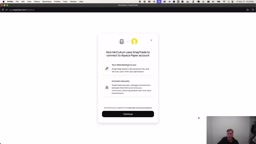
SnapTrade handles secure broker connectivity and order execution. It uses an OAuth flow to link the application to a brokerage account and assigns an order ID to each order. The course intentionally names the order ID field external_order_id rather than alpaca_order_id, so the same data model can later be extended to other brokers like Interactive Brokers.
Alpaca is the actual stock broker, providing the paper trading account. Note that its website is alpaca.markets, not alpaca.com. New paper accounts come with $100,000 in virtual funds, letting users go through the full order-to-fill workflow without touching real money.
OAuth (Open Authorization) is an industry-standard authorization protocol that allows third-party applications to gain limited access to a target service without ever obtaining the user's account credentials. SnapTrade uses an OAuth flow to connect trading applications to brokerage accounts: once the user completes authorization through the SnapTrade interface, the application only holds a restricted access token — the broker's login credentials are never exposed to the application layer. This approach has become mainstream in open banking and fintech. Its advantages include revocable permissions, fine-grained access control (e.g., allowing order placement but not withdrawals), and a much smaller attack surface compared to directly exposing account passwords — even if a token is compromised. For systems that need to connect to multiple brokers simultaneously, SnapTrade as an aggregation middleware also eliminates the engineering cost of maintaining separate OAuth logic for each broker.
The Strategy Core: 12 Minus 1 Momentum
The strategy implemented in this system draws inspiration from Wes Gray and Jack Vogel's book Quantitative Momentum. The core idea: rank all stocks in the universe by momentum, buy the highest-momentum names, and short the lowest-momentum names when necessary, seeking to capture excess returns.
The approach used here is what the industry calls "12 minus 1 momentum" — looking at price returns over the past 12 months, but excluding the most recent 30 days. The course makes this window a configurable variable in settings.py, meaning you can easily switch to a different momentum period after forking the project.
In the demo, after recalculating momentum scores, the top 10 are mostly AI and tech stocks — Google, AMD, Intel, Nvidia, Tesla, and others — reflecting the recent AI rally; Intel, for instance, was up 98.5% over the year. The bottom 10 include names like UnitedHealth (down 45%), Adobe, and Salesforce — dragged down by "AI anxiety." The system's final action is straightforward: invest $100 in each of the top 10 momentum stocks.
The "12 minus 1 momentum" strategy is also known in academic literature as "intermediate momentum" or "cross-sectional momentum." The reason for excluding the most recent month is that a large body of empirical research shows short-term reversal effects in the 2–4 week window — stocks that have surged sharply tend to mean-revert in the following month. Using the full 12-month window without this exclusion would let that noise pollute signal quality. By stripping out the last 30 days, the strategy retains only the medium-to-long-term trend component, improving the signal-to-noise ratio. Jegadeesh and Titman's seminal 1993 paper first systematically validated the momentum effect, while Wes Gray and Jack Vogel's Quantitative Momentum further engineered this signal by adding a momentum "consistency" dimension (the Frog-in-the-Pan concept) to distinguish between smooth, steady gains and volatile momentum sources. The course draws on this work for good reason.
Engineering Implementation: Full-Stack Django
The project's backend foundation is Django — Python's most popular web framework. The development environment uses uv as the package manager, with dependencies listed in requirements.txt. The setup process is highly systematic.
Data Modeling
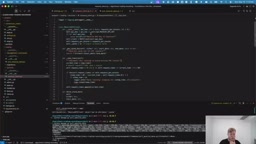
The project is split into two Django apps: trading and portfolio. The trading app defines models including Stock, PriceData, MomentumScore, TradingSignal, and RebalanceEvent; the portfolio app includes Portfolio, Position, Trade, and PerformanceMetric.
Each model is carefully configured with field types, database indexes, unique constraints, and default ordering. TradingSignal uses choices (enums) to constrain signal types to only buy, sell, or hold, while the Trade model uses enums to manage order states: pending, submitted, filled, partially_filled, canceled, and rejected. These details are what separate production-grade applications from toy projects.
Django Admin and Management Commands
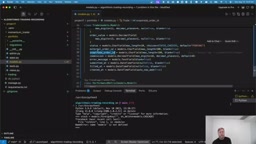
The course makes heavy use of Django's built-in Admin panel for managing data models and relies extensively on Django management commands as CLI tools for rapid iteration of backend logic. Whether pulling data from Massive (pull_massive_data) or seeding the database (backfill_data), logic is validated this way before being wired to the frontend.
Environment variable management uses python-decouple, storing the Massive API key and SnapTrade client ID and secret in a .env file to avoid hardcoding sensitive information.
The Complete Loop: From Signal to Fill
With data, strategy, and broker connectivity all in place, the system can run the entire loop. The user first connects a SnapTrade Alpaca paper trading portfolio from the frontend, then navigates to the trading signals page to generate signals — the system produces 10 buy signals based on current momentum data. Clicking the buy button on a signal — say, buying $100 of Walmart or AMD — causes SnapTrade to submit a notional market order (by dollar amount rather than share count) to Alpaca.
It's worth noting that the exact number of shares is calculated on the Alpaca side based on the real-time price at execution — the application itself doesn't handle this step. After the order is placed, you can see the trade in Alpaca's UI under the order list. The course specifically warns that Alpaca's interface handles the display of notional trades somewhat unintuively — the $100 amount is buried in the order details and easy to overlook.
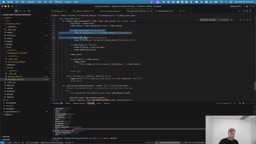
The system also includes a strategy engine to handle rebalancing logic, checking weekly or monthly whether positions need to be rebalanced. The course author openly acknowledges that the run_backtest method is currently just a placeholder and invites students to write the backtesting logic themselves as a homework assignment, with PRs welcome.
Notional ordering (ordering by dollar amount) is an alternative to shares-based ordering (specifying a number of shares). Traditional brokers typically require investors to specify how many shares to buy, but notional ordering lets you simply say "I want $100 of this stock" — the broker converts that to shares at the real-time price at execution, often resulting in fractional shares. This is extremely useful for equal-weight allocation with small capital amounts: no need to manually calculate how many shares each stock's price allows you to buy, and it avoids the actual allocation distortion that comes from varying share prices across holdings. Alpaca supports notional orders and allows fractional share holdings, which is one of the reasons it was chosen as the execution layer. As the article notes, this feature's display in Alpaca's interface is indeed unintuitive — you have to drill into the order details to see the dollar amount — a real gotcha in practice.
Who It's For and What You'll Learn
The value of this course lies not just in "building a trading system," but in its thorough demonstration of a real engineering project's construction methodology: how to design architecture around third-party API rate limits, how to do data modeling, how to use caching and throttling to protect fragile external dependencies, how to use enums to constrain state machines, and how to securely connect to a broker via OAuth.
The author also deliberately preserves real errors and fixes from the coding process (such as writing a method in the wrong app or mixing up import paths), and the companion repository retains the full commit history, giving learners a view into the real pitfalls and corrections of engineering in practice. For developers who want to apply their Python skills to quantitative trading, or who want to understand how a full-stack data pipeline actually gets built, this is a genuinely solid hands-on resource.
Related articles

Chain of Thought Isn't Just for AI: How Humans Can Use CoT to Improve Thinking Quality
Chain of Thought isn't just a prompt trick for large models. Starting from a Hacker News discussion, this article analyzes why CoT works for human thinking too, breaks down actionable ways to transfer it, and highlights the key differences between human CoT and machine CoT.
Cloudflare Teams Up with OpenAI: Closi…
Cloudflare Teams Up with OpenAI: Closing the Loop from Vulnerability Discovery to Defense with AI
Cloudflare uses OpenAI Daybreak to investigate security vulnerabilities and generate reviewable remediation plans, while developers use Codex to boost coding efficiency and quality.

Orca Multi-Agent Orchestration in Practice: A Guide to Parallel Collaboration with Claude and Codex
Orca is Stable AI's free open-source agent workbench supporting 34 agents like Claude Code and Codex in parallel. Learn its Git worktree isolation, multi-model orchestration, and mobile management.