Building a Phone Store POS System from Scratch with AI: A Laravel Hands-On Guide
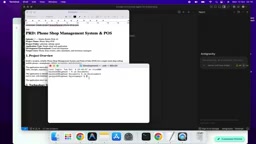
Creator builds a phone store POS system from scratch with AI coding tools, stressing skills over tools.
A YouTube creator used AI coding tools like Google Antigravity to build a POS management system for a mobile phone retail store from scratch, with a stack of Laravel 12, MySQL, and Tailwind CSS. The system implements role-based access control, giving owners, cashiers, and inventory managers separate permission views. The creator's core view is that the key to AI coding lies in clearly defining requirements, writing effective prompts, and quickly fixing AI-generated code, not in which tool is used. His workflow starts with a ChatGPT-generated PRD, then hands execution to AI tools and uses screenshot feedback to let the AI fix errors itself. The project is still in phase one, with payment gateway, security review, and deployment to follow.
A YouTube creator built a POS management system for a mobile phone retail store from scratch using AI coding tools, demonstrating the full process from requirements definition to feature implementation. This project not only showcases the real capabilities of AI-assisted programming but also sparks a discussion about whether tools or skills matter more.
Project Overview: A POS System Tailored for Phone Stores
The core focus of this system is to serve a single mobile phone retail store, helping the owner manage daily sales, inventory, and staff permissions. Based on the demo, the system includes a login portal, owner dashboard, cashier workstation, inventory manager panel, and multiple role-based views, with typical POS functional modules.
The creator showed the complete system interface at the beginning of the video, including product image display, shopping cart checkout, subtotal and total calculations. Notably, the product images were automatically generated by an AI tool (nano banana) rather than manually uploaded, which made it convenient to quickly set up a demo environment.
A POS (Point of Sale) system is the core software used in retail stores to complete transaction settlements. It typically covers product scanning or selection, shopping cart management, amount calculation, payment processing, receipt printing, and integration with inventory, membership, and reporting modules. Modern POS systems have evolved from early standalone cash registers into management systems that combine sales, inventory, staff permissions, and business analytics.
For mobile phone retail stores, a POS also needs to handle IMEI/serial number tracking, trade-ins, accessory bundling, and similar scenarios. The system described in this article focuses on daily store operations, dividing cashiering, inventory, and supplier management functions through role-based views. It is a typical lightweight self-built POS solution, suitable for single stores or small-scale chains.
Role Permission Design: The Core Logic of Delegated Management
The most prominent design highlight of the system is its complete Role-Based Access Control (RBAC). After the owner logs in, they can see all menus and features, while a cashier can only access sales-related interfaces and cannot touch sensitive modules like inventory management or supplier settings.
This design is very practical in real store operations — cashiers focus on checkout and returns, inventory managers handle product intake and adjustments. Each fulfills their own duties while naturally creating audit isolation. The creator repeatedly emphasized in the video that this permission isolation is the foundation of system security.
RBAC (Role-Based Access Control) is a mainstream permission management model. Its core idea is: instead of granting permissions directly to users, you first define "roles," bind permissions to roles, and then assign roles to users. This way, when a store adds new employees or adjusts positions, you only need to change their roles without modifying permission configurations one by one.
RBAC typically involves three key concepts: User, Role, and Permission. In this project's scenario, owner, cashier, and inventory manager are the three roles, each corresponding to a set of accessible menus and operations (such as "create sales order," "adjust inventory," "modify supplier"). More complex RBAC also supports role inheritance and fine-grained permission control (such as distinguishing "view only" from "editable"). Compared to the ACL model where permissions are configured individually for each user, RBAC is easier to maintain in small and medium-sized systems and better fits the clearly divided roles in retail store organizations.
Technology Stack: Laravel + MySQL + Tailwind CSS
In terms of technology stack, the project uses Laravel 12 as the backend framework, MySQL as the database, and Tailwind CSS for frontend styling. The creator specifically mentioned that he did not use popular BaaS services like Supabase, but instead returned to a traditional MySQL solution.
His view is: not every project needs Supabase. MySQL is completely sufficient, and it can later be smoothly migrated to PostgreSQL. For small projects with limited budgets, this approach can be deployed on shared hosting or a VPS, making costs more controllable. It should be noted that since Laravel depends on a PHP environment, Vercel is not suitable for deploying this type of project.
The difference between Laravel and BaaS: Laravel is an open-source web application framework based on PHP, providing integrated backend capabilities such as routing, ORM (Eloquent), authentication, queues, and migrations. Developers need to prepare the server and database environment themselves. Supabase, on the other hand, is a BaaS (Backend as a Service) that packages databases, authentication, storage, real-time subscriptions, and more into managed services. Developers call them directly through SDKs without managing servers.
The core trade-off between the two lies in control and cost: BaaS is quick to start and requires no operations maintenance, but has issues such as vendor lock-in, usage-based billing that may rise with scale, and data stored with a third party. Self-hosted solutions like Laravel + MySQL require maintaining your own server, but give you complete control over data, deployment location, and long-term costs, and can be migrated to any host that supports PHP. For small store systems with limited budgets, sensitive data, or the desire for long-term independent operation, self-hosted solutions are often more cost-effective.
The AI Coding Tool Debate: Do Tools Matter or Do Skills Matter?
A rather controversial point in the video is the creator's view that the current trend in AI coding of "discussing which tool is best" is somewhat off track. He used Google's Antigravity as his main development tool, but also said that Claude Code, Codex, Lovable, Casa, and other tools each have their own strengths.

"It's all about the skill, not really the tool you use."
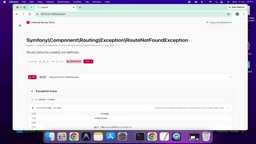
He believes that no matter which AI coding assistant is used, the core ability lies in whether the developer can clearly define requirements, write effective prompts, and quickly locate and fix problems in AI-generated code. In the video, there was indeed an error in the sales module, and the creator successfully fixed it by feeding a screenshot back to the AI tool. This itself validates the "human-AI collaboration" working model.
Prompt Engineering refers to carefully designing instructions input to large models to obtain more accurate and expected outputs. In AI-assisted programming, effective prompts usually include: a clear goal (what feature to implement), context (technology stack, existing code structure), constraints (which dependencies not to introduce, what standards to follow), and acceptance criteria (what counts as complete).
In addition to single prompts, a common practice is "requirements document referencing" — first providing the complete PRD as context to the AI so that every code generation is anchored to the same baseline, reducing inconsistency. When AI-generated code has errors, feeding the error message or interface screenshot back as a new prompt allows the model to diagnose and fix itself, forming an iterative loop of "generation — validation — feedback." Prompt engineering is not a universal trick; its ceiling depends on the developer's depth of understanding of the problem itself. This is also the technical basis for the view that "skills matter more than tools."
Practical Problems and Solutions During Development
The project was not smooth sailing. During the demo, there were errors in the sales function, some images were not generated, and pagination was missing. The creator's approach is worth referencing: paste the error screenshot back into the AI conversation and let the tool diagnose and fix it itself.
Another practice worth noting: he used ChatGPT in advance to generate a complete Product Requirements Document (PRD), then referenced that file in the AI coding tool to ensure every code generation revolved around a unified requirements baseline. This approach can effectively reduce the probability of AI "going off track."
Limitations and Future Plans
The current version is still in its first phase. The payment gateway has not yet been integrated, and some internal links and image storage permissions need further debugging. The creator plans to complete payment functionality, conduct security reviews, and demonstrate how to deploy the system to shared hosting and VPS in follow-up videos.
In addition, he said he will try reimplementing similar functionality using Python, React Native, and other technology stacks to explore differences in AI-assisted development efficiency across different technical routes.
Takeaways for Developers
The value of this project lies not only in demonstrating a runnable POS system, but also in presenting a real workflow for AI-assisted development: requirements document first, prompt engineering, error feedback loops, and flexible switching between multiple tools. For developers who want to try AI coding, rather than agonizing over which tool is stronger, it is better to first break down the business requirements at hand clearly — tools will iterate, but structured thinking ability will always be the core competitive advantage.
Related articles

Transitioning from Traditional Development to LLM Application Development: Avoiding the Three Hurdles 90% of Courses Don't Teach
Traditional backend developers transitioning to LLM application development face three real hurdles—model capability boundaries, requirement judgment, and effect evaluation—not math. This article breaks down the core engineering skills 90% of courses don't teach and offers a practical transition path.

LLM WIKI in Practice: Making Agents Truly Understand Enterprise Business — Building a Troubleshooting Agent from Scratch
Inaccurate agent responses stem from a lack of business understanding. Based on a real order customer service troubleshooting agent case, this article explains how LLM WIKI builds a business knowledge base from codebases, uses incremental updates, and connects to agents via MCP server to achieve business understanding and troubleshooting with zero documentation.

A Computer Science PhD's Take: AI Career Planning for New Graduates — Algorithm vs. Application Development
A CS PhD advises new graduates on AI careers: try algorithm roles first but don't fixate; application development has more openings. Focus on LLM fine-tuning/deployment and agent frameworks (MetaGPT, LangChain), and watch AI + industry implementation to broaden job paths.