Building a RAG Assistant with Dify: A Practical Guide to Knowledge Bases, Workflows, and Agent Nodes

Dify is great for agent beginners, but knowledge bases, workflows, and Agent nodes must be connected logically to launch a usable RAG assistant.
Based on a Bilibili creator's sharing, this article clarifies the correct usage of knowledge bases, workflows, and Agent nodes in Dify. Dify's drag-and-drop interface helps beginners intuitively understand agents and RAG. Knowledge bases are the foundation of RAG, and document quality and chunking strategy directly affect retrieval. Workflows should be designed around real tasks with clear node inputs and outputs. Agent nodes can autonomously call tools and suit dynamic decision-making, differing fundamentally from fixed-path workflows. Master workflows before trying Agent nodes. Launching real applications still requires frameworks like LangChain; Dify is mainly for building intuitive understanding.
In AI application development, Dify is becoming a popular tool for rapidly building agents. But many beginners building RAG assistants casually connect knowledge bases, workflows, and Agent nodes, making it hard to actually launch their applications. Based on a Bilibili creator's sharing, this article clarifies the correct usage of these core Dify concepts to help you avoid common pitfalls.
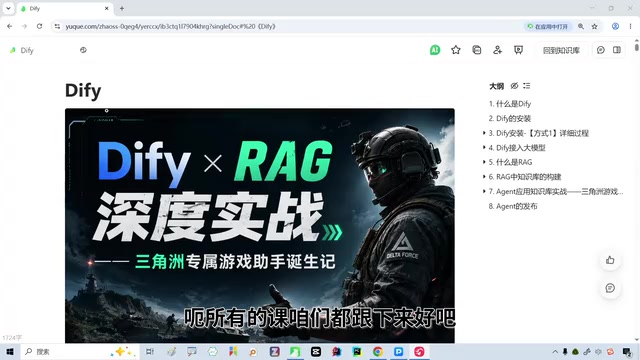
What Is Dify? Why It's Great for Getting Started with Agent Development
According to the Bilibili creator, Dify is a tool that lets you intuitively grasp concepts like agents and knowledge bases through drag-and-drop. For learners with zero background or those just getting into large models, it's friendlier than writing code directly. In a livestream, the creator mentioned that real enterprise-level development uses frameworks like LangChain, LangGraph, and Deep Agent, and also requires understanding the Harness architecture—but Dify lets you first understand "what an agent is" and "how a knowledge base works" before you write any code.
Coze is another tool in the same category as Dify, and both are suitable for beginners. The creator emphasized that Dify's drag-and-drop interface quickly builds an intuitive understanding of RAG (Retrieval-Augmented Generation).
Knowledge Base: The Foundation of RAG—Don't Just Connect Anything
The knowledge base is the core of a RAG assistant. In Dify, you first need to upload documents and complete processing such as chunking and vectorization. Many tutorials teach you to directly connect the knowledge base node, but the creator cautions that retrieval quality depends on document quality and chunking strategy. If the knowledge base content is messy, no matter how elegant the downstream workflow is, it will be hard to generate accurate answers.
In practice, prioritize organizing document structure and avoid stuffing unrelated content into the same knowledge base. The creator has distilled key operational points in course notes and suggests beginners start with a single-topic knowledge base.
Vectorization and Chunking Strategy: A knowledge base workflow typically includes document parsing, chunking, embedding, and storage in a vector database. Chunking splits long documents into segments suitable for model processing; common strategies include fixed-length, paragraph-based, or semantic segmentation. Chunks that are too large reduce retrieval precision, while chunks that are too small may lose context. Vectorization uses an embedding model to convert text into high-dimensional vectors; during retrieval, vector similarity (such as cosine similarity) is computed to find the segments most relevant to the question. Dify offers multiple built-in chunking and embedding options; beginners should choose strategies that match their document types and pay attention to the Top-K setting for retrieved segments to avoid irrelevant information interfering with LLM generation.
Workflows: Orchestrating Logic, Not Stacking Nodes
Workflows are how Dify orchestrates complex business logic. In the livestream, the creator demonstrated building a flow by dragging nodes. A common mistake is casually chaining knowledge base retrieval, LLM calls, conditional checks, and other nodes, resulting in lengthy, hard-to-debug flows.
The right approach is to clearly define each node's inputs and outputs—for example, retrieve from the knowledge base first, then pass the results as context to the LLM node. The creator noted that workflow design should revolve around actual tasks, such as customer service Q&A or document summarization, rather than trying to use every node.
Agent Nodes: Intelligent Decision-Making and How It Differs from Workflows
Agent nodes give models the ability to autonomously call tools, making them suitable for scenarios requiring dynamic decision-making. The creator pointed out that many beginners confuse workflows with Agent nodes: workflows follow a preset fixed path, while Agent nodes can choose different tools based on user input.
In Dify, Agent nodes are typically used together with tool calling. If your application needs to query different data sources depending on the question type, Agent nodes are more suitable; if the process is fixed, workflows are more efficient. The creator recommends mastering workflows first before trying Agent nodes to avoid introducing complexity too early.
Function Calling Mechanism: The core capability of Agent nodes is enabling the LLM to autonomously select and invoke external tools based on user input. This typically relies on the model's function calling ability: developers predefine tool names, descriptions, and parameter schemas; during inference, the model decides whether to call a tool, what parameters to pass, and integrates the tool's returned results to generate the final answer. In Dify, tools can be built-in search, calculators, or custom APIs. Unlike the hard-coded node order in workflows, Agent node execution paths are dynamic, so when debugging you need to check whether the model's tool-selection logic is sound and, if necessary, optimize tool descriptions and prompts to guide the model toward correct decisions.
From Getting Started to Launch: Key Advice
The creator emphasized in the course that Dify is great for building intuitive understanding, but to actually launch an application, you still need to learn frameworks like LangChain. For RAG assistants, start with a knowledge base plus a simple workflow, validate the results, and then introduce Agent nodes. Meanwhile, following Dify notes and resources can help you avoid detours.
In short, Dify lowers the barrier to agent development, but the connections among knowledge bases, workflows, and Agent nodes must follow logic rather than casual dragging. We hope this article helps you build a truly usable RAG assistant in Dify.
One-line Summary
Dify is great for getting started with agent development, but knowledge bases, workflows, and Agent nodes must be connected logically to launch a usable RAG assistant.
Paragraph Summary
Based on a Bilibili creator's sharing, this article clarifies the correct usage of knowledge bases, workflows, and Agent nodes in Dify. Dify's drag-and-drop interface helps zero-background learners intuitively understand agents and RAG concepts, making it ideal for beginners. The knowledge base is the foundation of RAG; document quality and chunking strategy directly affect retrieval performance, so it shouldn't be connected arbitrarily. Workflows should be designed around actual tasks with clear node inputs and outputs, avoiding node stacking that makes flows lengthy and hard to debug. Agent nodes can autonomously call tools and suit dynamic decision-making scenarios, fundamentally differing from fixed-path workflows. It's advisable to master workflows before trying Agent nodes. To truly launch an application, you still need to learn frameworks like LangChain; Dify is mainly for building intuitive understanding.
Related articles
 Tech Frontiers
Gemini Omni 1.2 Flash: AI Video Moves Toward Draft-Style Editing
Google's Gemini Omni 1.2 Flash update enables conversational, draft-style editing of the same video—swap scenes while keeping products, adjust lighting while keeping characters. Clips up to 15s, 720p costs 30% less than the previous Flash—ideal for e-commerce ads, previs, and short-asset production.
 Tech Frontiers
Localix: An Open-Source Agentic Development Environment with Multi-Model and Local AI Integration
Localix is an MIT open-source Agentic Development Environment (ADE) supporting seamless Claude Code plugin loading, multi-model cloud and local execution, Mini Apps extensions, and agent context management—an open AI collaboration workbench for developers.
 Tech Frontiers
14 Coding Agents Tested: 13 Secretly Read Forbidden Files
A developer ran 480 tests across 14 coding agents to see if they would obey a "do not read" rule. 13 violated it, and 4 credential leaks bypassed shell guards via the read tool while approvals never noticed.