Building an Operating System from Scratch with Claude: How EMBER Ran on a Real Laptop
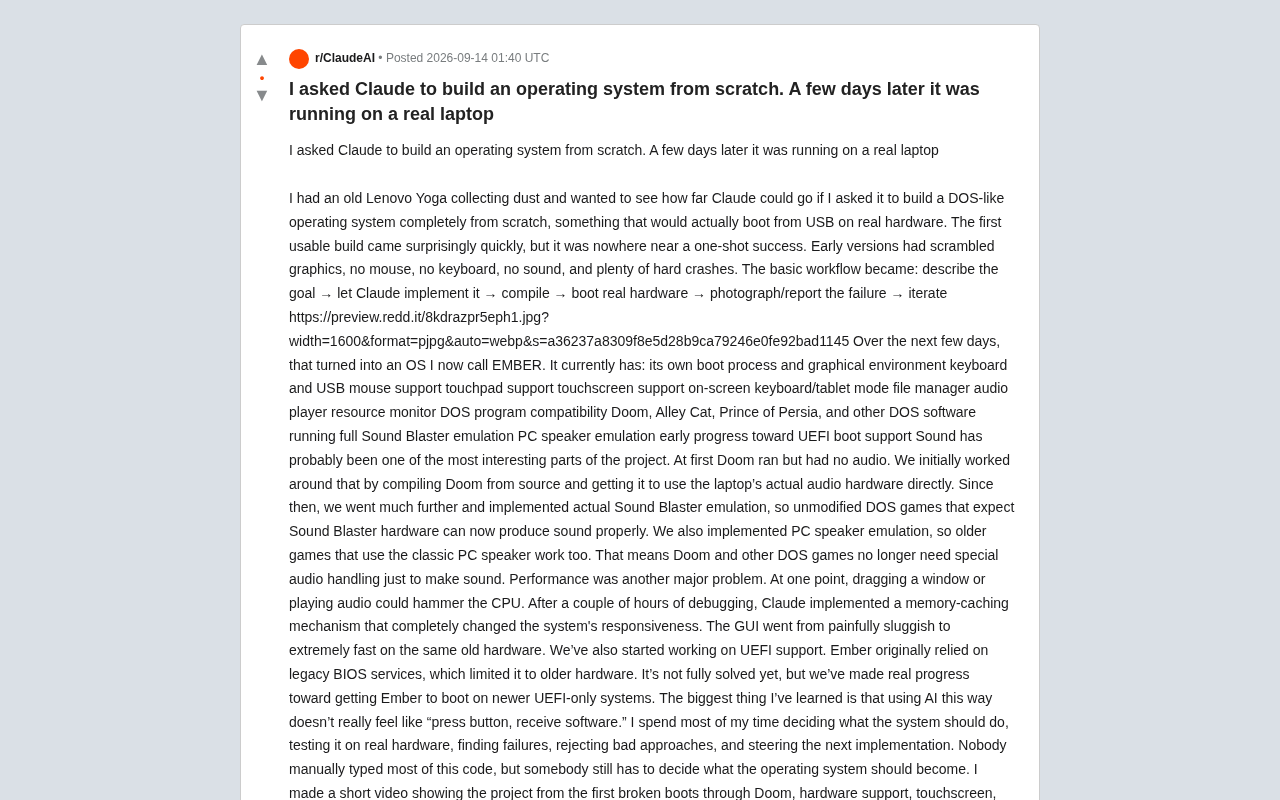
Developer builds a DOS-like OS called EMBER on real hardware in days using Claude as the primary coding assistant.
A developer used an old Lenovo Yoga laptop as a test platform and Claude as the primary programming tool to build EMBER, a DOS-like operating system, from scratch in just a few days. The system features a graphical desktop, keyboard/mouse/touchscreen support, a file manager, a DOS compatibility layer, and runs classic games like Doom — with full Sound Blaster and PC speaker emulation achieved through software. Development wasn't a one-click process but a loop of describing goals, AI implementation, real-hardware testing, and iterating on failures. The author's core insight: code generation can be delegated to AI, but direction, hardware validation, and technical trade-offs remain irreducibly human.
A developer dusted off an old Lenovo Yoga laptop and decided to see just how far Claude could go — the goal was to build a DOS-like operating system from scratch that could boot from a USB drive and run on real hardware. A few days later, a system called EMBER was up and running: it could launch Doom, support a touchscreen, and even emulate a Sound Blaster sound card. The project sparked lively debate on Reddit and prompted fresh thinking about the real boundaries of AI-assisted programming.
An Iterative Loop That Started with Crashes
The first usable build came together surprisingly fast — but it was far from "done on the first try." Early builds were a mess: garbled graphics, no mouse, no keyboard, no sound, and plenty of hard crashes.
The core workflow the author settled on was refreshingly straightforward: describe the goal → have Claude implement it → compile → boot on real hardware → photograph/document the failure → iterate. There's no magic here — it's a loop driven by feeding failure data back to the model and letting it correct course.
This is worth highlighting: "AI writing an operating system" doesn't mean pressing a button and getting a finished product. The real development process involved constant validation on physical hardware, reproducing bugs, and rejecting bad solutions — over and over again.
What EMBER Can Do Now
After several days of iteration, EMBER had grown into a surprisingly complete prototype of a desktop operating system. The feature list the author published includes:
- Its own boot process and graphical environment
- Keyboard, USB mouse, touchpad, and touchscreen support
- On-screen virtual keyboard / tablet mode
- File manager, audio player, and resource monitor
- DOS program compatibility layer
- Runs Doom, Alley Cat, Prince of Persia, and other DOS games
- Full Sound Blaster sound card emulation
- PC speaker emulation
- Early progress on UEFI boot support
For a project built in just a few days with mostly AI-generated code, that's a remarkably complete list. This isn't just "it boots" — there's a usable graphical interface and a real application ecosystem.
Sound: The Most Interesting Part of the Project
The author considers sound support the most fascinating piece of the whole project. Doom ran early on, but in complete silence.
The first stopgap was recompiling Doom from source so it could call the laptop's actual audio hardware directly. But that only solved the problem for one game. The team then went further — implementing genuine Sound Blaster hardware emulation, so unmodified DOS games that expected a Sound Blaster card would produce audio correctly.
They also added PC speaker emulation, making older games that relied on the classic PC beeper work as well. The result: Doom and other DOS games no longer need any special audio handling to make sound — they see what looks like a "real" sound card environment.
Performance Bottlenecks and Caching
Performance was another serious headache. At one point, dragging a window or playing audio would peg the CPU, making the GUI nearly unusable.
After several hours of debugging, Claude implemented a memory caching system that completely transformed the system's responsiveness. On the same old hardware, the GUI went from painfully sluggish to genuinely smooth. This kind of low-level optimization is often the hardest part of OS development, and solving it with AI assistance shows that the model isn't just capable of generating feature code — it can also participate in performance-level architectural decisions.
Moving Toward UEFI
EMBER originally relied on legacy BIOS services, which limited it to older hardware. The team has begun pushing UEFI support so Ember can boot on newer machines that only support UEFI.
The author openly admits this isn't fully solved yet, but real progress has been made. That fits the spirit of the whole project: continuous iteration, gradually expanding hardware compatibility.
What AI-Assisted Development Actually Feels Like
The author's biggest takeaway: using AI this way feels nothing like "press a button, receive software."
I spent most of my time deciding what the system should do, testing on real hardware, discovering failures, rejecting bad approaches, and guiding the next implementation. Nobody hand-typed most of the code here, but someone still had to decide what this operating system should become.
This captures the real division of labor in AI-assisted programming today: code generation can be outsourced, but direction, verification, and trade-offs still belong to the human. AI handles a huge portion of the heavy implementation work, while the developer's value shifts toward product definition, test feedback, and technical decision-making.
The project's source code is publicly available on GitHub (Made-In-Basement/ember), and the author has released a video documenting the full journey — from the first crashed boot screen to Doom running, hardware support, touchscreen, tablet mode, performance issues, and the current EMBER GUI.
What This Project Means
EMBER isn't trying to replace any mainstream operating system. It's more like a public experiment probing the boundaries of AI capability. From bare-metal booting and driver adaptation to sound card emulation, work that has traditionally been considered extremely high-barrier systems programming can now produce usable results within days through human-AI collaboration.
For developers, the real lesson may be about a shift in how work gets done: hand off repetitive coding to the model, and focus your energy on architectural judgment and real-world validation. AI hasn't made OS development trivial — but it has dramatically compressed the distance from idea to running prototype.
Related articles

Last Week Tonight Exposé: The Dangerous Ties Between Politicians and White Supremacy
Last Week Tonight investigates Georgia Senate candidate Mike Collins and Florida candidate Marshall Rawson, exposing their multiple ties to white supremacists and the Republican Party's silent response.
AI Buzz Weekly: GPT-6.5 Leak, New Claude Model, and MiniMax's Cost-Effectiveness
This week's AI buzz roundup: suspected GPT-6.5 leak, Microsoft configs showing GPT-6.1 Tera, Anthropic's new model that can identify entire classes of bugs, disappointing early Gemini 4 Carbon results, and MiniMax M3.1 Flash beating Claude Opus 5 and GPT-5.6 Sol in benchmarks at extremely low cost.

AI Briefing: Gemini 4 Carbon Released, Ant Open-Sources Ling-3.1
AI Briefing: Google releases Gemini 4 Carbon qubit model, claiming to surpass Opus 5.5 with half-price tokens; Ant open-sources Ling-3.1-1019 for real-task Personal Agents; domestic AI drug discovery succeeds in 18 of 19 projects, hitting all 6 GPCR targets; zero-revenue company valued at $20B raises another $1B; Sichuan convenience store robot sales fail.