Building with Gemini: How a Solo Developer Created the Cross-Platform Text-to-Speech App Frateca

Solo developer builds cross-platform text-to-speech app Frateca entirely using Google Gemini.
A solo developer used Google Gemini to build Frateca, a cross-platform text-to-speech app supporting web pages, PDFs, Substack/Medium articles, and image OCR. Built with React Native (Expo) and Node.js, the app demonstrates a new indie development paradigm where AI serves as both coding assistant and core product capability provider, enabling one person to ship a production-grade app across iOS, Android, and web.
A Solo Developer's AI Creation Story
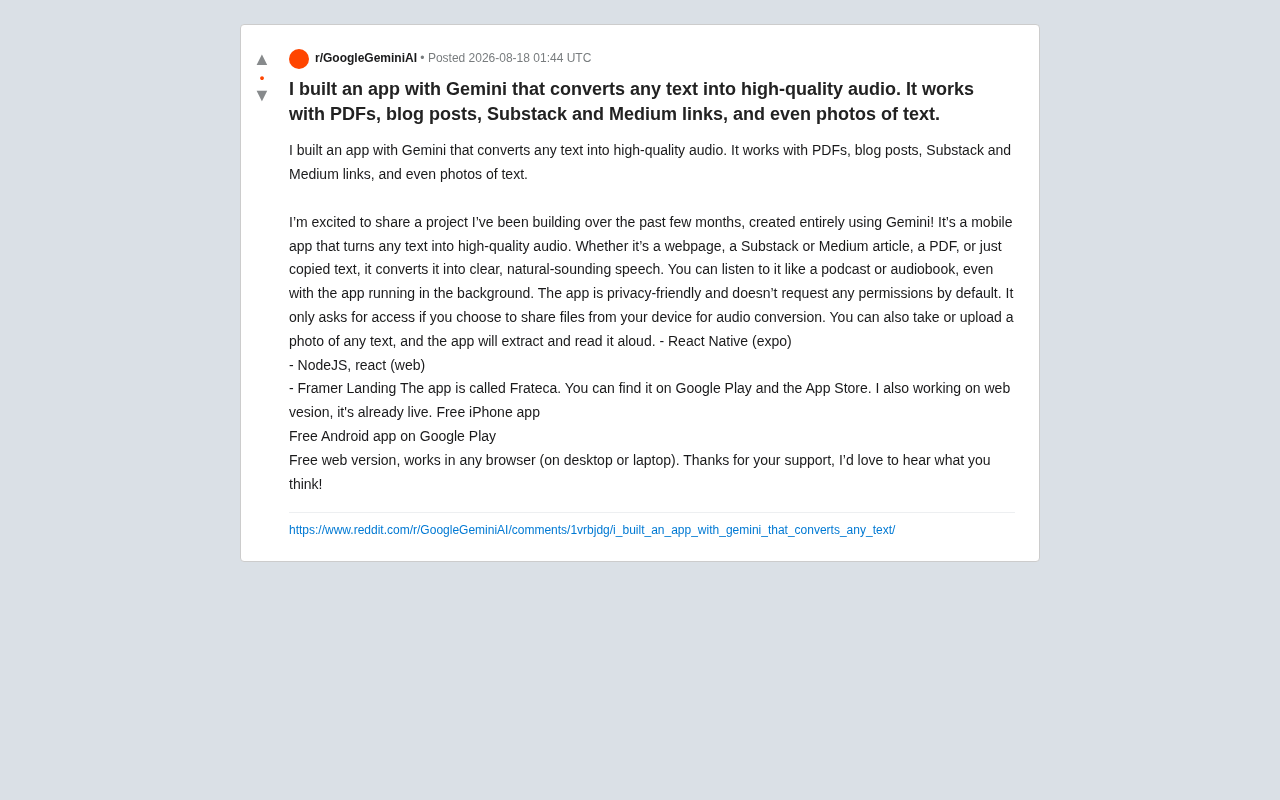
Recently, a developer shared on Reddit a mobile application he built over the course of several months, created entirely with the help of Google Gemini — Frateca. The app's core capability sounds straightforward enough: converting any text into high-quality, natural-sounding speech. But what truly deserves attention is the trend it represents — with AI-assisted programming, solo developers can now rapidly build complete, production-grade, cross-platform applications.
According to the developer, Frateca supports web pages, Substack and Medium articles, PDF documents, and even directly pasted text snippets. Going a step further, users can take or upload a photo containing text, and the app will automatically extract and read it aloud. This means it integrates three core capabilities: text parsing, OCR recognition, and text-to-speech (TTS).
Text-to-speech technology has undergone a massive evolution — from early rule-based concatenative synthesis to today's deep learning-powered neural network synthesis. Early TTS systems stitched together pre-recorded phoneme segments, producing noticeably robotic-sounding speech. After 2016, with the emergence of neural network models like WaveNet and Tacotron, TTS quality took a quantum leap — generated speech now approaches human-level naturalness in prosody, intonation, and fluency. Today's mainstream cloud TTS services (such as Google Cloud TTS, Amazon Polly, and ElevenLabs) widely adopt these neural network architectures, supporting multiple languages, voice profiles, and even emotional expression control. This technological advancement is the foundation that enables apps like Frateca to deliver a "high-quality, naturally fluent" speech experience.
Frateca's Key Features: From Reading to Listening
Broad Compatibility Across Input Sources
Frateca's greatest practical value lies in the diversity of its input sources. For users who regularly read long-form content on platforms like Substack and Medium, converting articles to audio means they can "read with their ears" during commutes, workouts, or household chores.
- Web pages and blog links: Simply paste a URL to extract the main content;
- PDF documents: Ideal for processing e-books, research papers, and reports;
- Substack / Medium articles: Purpose-built adapters for these content platforms;
- Image-to-speech: Photo-based text recognition — particularly handy for processing printed materials.
Building dedicated adapters for these two platforms goes well beyond simple web scraping — Substack and Medium each employ unique front-end rendering approaches. Medium uses a custom rich-text editor output, with article DOM structures containing heavily nested tags and style classes; Substack uses a hybrid format blending email templates with web typography. Body text extraction requires filtering out navigation bars, sidebars, comment sections, and other non-content elements while precisely preserving headings, paragraphs, quotes, and lists. Open-source tools like Mozilla's Readability.js and Postlight Mercury Parser are classic solutions in this space, while large language models like Gemini can also achieve smarter content extraction by understanding page semantics.
Behind the image-to-speech feature lies the latest evolution in OCR technology. Traditional OCR engines like Tesseract rely on image preprocessing and pattern-matching algorithms, often producing errors when faced with complex layouts, handwriting, or low-quality images. With the rise of multimodal large models (such as GPT-4V and Gemini Pro Vision), OCR capabilities have been redefined — these models can not only recognize text in images but also understand semantic context and page layout, delivering recognition accuracy and robustness far beyond traditional solutions. Developers no longer need to integrate a separate OCR engine; they can simply upload images via API and receive structured text output, dramatically simplifying the development workflow.
Converted audio can be listened to just like a podcast or audiobook, with support for background playback — a critical experience metric for determining whether an audio app is truly "usable."
Privacy-Friendly Minimal Permission Design
The developer specifically emphasized Frateca's privacy strategy: the app requests zero system permissions by default. Only when users actively choose to share files from their device for audio conversion does the app request the corresponding access permissions.
This design follows a core principle in information security — the Principle of Least Privilege, first proposed by Jerome Saltzer in 1975. This principle dictates that every module in a system should only receive the minimum set of permissions necessary to perform its function. In the mobile app space, both Apple's App Store and Google Play have strengthened their review policies in recent years regarding the reasonableness of permission requests — excessive permission requests can not only lead to review rejections but also significantly reduce users' willingness to install. Research data shows that apps requesting more than 5 permissions see their install conversion rates drop by approximately 30%. Therefore, Frateca's "zero permissions by default" strategy is both a mark of respect for user privacy and a smart decision to boost app store conversion rates — an important way for independent apps to build user trust.
Tech Stack Breakdown: The Pragmatic React Native + Node.js Combination
Based on publicly shared information, Frateca uses a fairly mainstream and mature technology stack:
- React Native (Expo): For building the iOS and Android mobile apps, with Expo further lowering the barrier for cross-platform development and packaging;
- Node.js + React: Powering the backend services and frontend interface for the web version;
- Framer: Used for creating the product landing page.
React Native is a cross-platform mobile application development framework open-sourced by Meta in 2015, allowing developers to write native apps that run on both iOS and Android using JavaScript and React syntax. Unlike WebView-based hybrid approaches (such as Cordova), React Native invokes platform-native components through a bridge mechanism, delivering performance and user experience closer to native apps. Expo is a toolchain and service platform built on top of React Native that wraps many commonly used native modules (such as camera, file system, and push notifications) and provides cloud builds, OTA updates, and more — enabling developers to develop, debug, and publish apps without configuring Xcode or Android Studio.
This tech stack choice reflects a typical solo developer mindset — cover as many platforms as possible with the least technical overhead. For independent developers, Expo lowers the cross-platform development entry barrier from "needing to master two native development environments" to "just knowing JavaScript." With a single React Native codebase adapted for both mobile platforms, supplemented by a web version, Frateca achieves full coverage across iPhone, Android, and browser — all currently offered for free.
What Role Did Gemini Play in AI-Assisted Development?
The developer explicitly stated that the app was "created entirely using Gemini." Google Gemini is a multimodal large language model family released by Google DeepMind in late 2023, available in three scale tiers: Ultra, Pro, and Nano. Unlike OpenAI's GPT series, Gemini was designed from the ground up to natively support multimodal input (text, images, audio, video), rather than achieving this through post-hoc module integration. On the developer ecosystem front, Gemini provides API services through Google AI Studio and Vertex AI, while also being deeply integrated into Android Studio as a coding assistant.
For solo developers, Gemini's core appeal lies in its "dual identity": as a coding assistant, it can generate code, explain errors, and optimize performance; as a product capability layer, its multimodal API can directly provide applications with image understanding, text generation, speech processing, and other capabilities. Google also offers relatively generous free tiers for the Gemini API, creating a significant cost advantage for budget-conscious independent developers.
While the post didn't detail the specifics of the collaboration, based on the app's features, we can reasonably infer that Gemini played a key role in the following areas:
Coding Assistance and Accelerated Debugging
For projects involving React Native and Node.js — which require handling cross-platform compatibility, state management, and API integration — AI coding assistants can significantly accelerate development. From generating component code and debugging errors to writing text parsing and OCR integration logic, large language models provide substantial, tangible help.
AI-assisted programming has rapidly become a standard tool in software development. According to GitHub's 2024 data, Copilot users write code an average of 55% faster, with a code acceptance rate of approximately 30%. The market for AI coding tools has formed a layered landscape: the code completion layer (e.g., Copilot, Codeium), the conversational coding assistant layer (e.g., Cursor, Claude, Gemini Code Assist), and the automated development agent layer (e.g., Devin, OpenHands). The developer's claim of "creating entirely with Gemini" most likely means he used Gemini as a full-lifecycle conversational programming partner — from architecture design discussions to specific code implementation to bug debugging — forming a continuous, conversational human-AI collaborative development workflow.
Direct Integration of Multimodal AI Capabilities
Interestingly, Gemini isn't just a programming assistant — it also possesses powerful multimodal understanding capabilities. Features like image-to-text (OCR) and web content extraction may have been implemented by directly calling Gemini's multimodal API. This also explains how a solo developer was able to build a relatively feature-complete product within just a few months — AI served as both the development tool and the core capability provider for the product itself.
A New Paradigm for Solo Development in the AI Era
The significance of the Frateca case extends far beyond a single TTS application. It reflects the profound changes currently taking place in software development:
A dramatic lowering of the development barrier. In the past, building an app spanning iOS, Android, and Web with integrated AI capabilities typically required a small team and months — if not longer — of development time. Today, with AI tools like Gemini, a single developer can complete the entire journey from concept to app store listing within a few months.
Leveraged integration of capabilities. AI doesn't just write code — it directly provides the product with capabilities like OCR and speech synthesis. The developer's role is shifting from "personally implementing every feature" to "orchestrating and integrating various AI capabilities." This shift mirrors the paradigm migration of the cloud computing era, when developers moved from "running their own servers" to "calling cloud services" — core capabilities are abstracted into callable APIs, and developer value increasingly lies in product design, user experience, and capability orchestration.
Accelerated validation and iteration. Free launches on both mobile platforms with a simultaneous web version — the developer clearly adopted a "ship fast, collect feedback" iteration strategy, which becomes even more viable with the boost of AI-assisted development.
Practical Considerations Worth Watching
Of course, as an independently developed AI-assisted application, Frateca also faces some issues that warrant ongoing observation:
- Speech quality consistency: TTS naturalness is the lifeline of apps like this, and the actual performance of "high-quality audio" still needs user validation. The current TTS landscape is fiercely competitive — specialized services like ElevenLabs and Play.ht have pushed voice naturalness to near-human levels, and Frateca needs to meet users' baseline quality expectations;
- Text parsing accuracy: The accuracy of web content extraction, PDF layout reconstruction, and image OCR recognition directly determines the listening experience. PDF documents in particular, due to their format diversity (scanned versions, multi-column layouts, embedded charts, etc.), present parsing challenges that are often underestimated;
- Long-term business model: Currently free across all three platforms, the question of how to cover long-term operational costs — especially AI API usage fees — is a common challenge for indie developers. Taking TTS APIs as an example, mainstream services typically charge per character, and costs can escalate rapidly in scenarios where large numbers of users convert long-form content.
Conclusion
Frateca is a vivid snapshot of the solo developer in the AI era: one person, powered by Gemini, building a privacy-friendly, feature-complete text-to-speech application that covers three platforms. Regardless of whether this product ultimately stands out in the fiercely competitive TTS market, the development paradigm it demonstrates — AI as both assistant and engine — deserves serious consideration from every technology professional. And for users looking to reduce their reading burden and transform text into "listen-anytime" content, it's a free tool well worth trying.
Related articles

DeepCell: One-Click AI Generation of Documents, Spreadsheets, and Slides
DeepCell tops Product Hunt with one-click generation of documents, spreadsheets, and slides, using the .deepcell format for linked updates, designed for System 2 tasks like modeling and sales reviews.

Doneas: 15-Minute Daily Accountability Calls That Keep Indie Developers From Procrastinating
Doneas is a daily accountability tool for indie developers: plan tasks on Monday, join a 15-minute call with five builders each day, and log deliveries on a public progress page. This article analyzes its core mechanics, effectiveness, and potential issues around retention and matching.

Fastlane 2.0: Fully Automated AI Ad Campaigns, From Creative to Optimization
Fastlane 2.0 is an AI ad automation tool: enter your website and it learns your brand, generates video and image ads, and runs and optimizes them on Meta, TikTok, Instagram, and YouTube.