Building Your First AI Agent Workflow in n8n: A Beginner's Guide

Build a zero-code AI agent in n8n in 4 steps: trigger, brain, tools, and output.
This beginner-friendly n8n tutorial shows how to build a complete AI agent workflow using just a free API key. It breaks the process into four steps: configuring a trigger node, setting up an AI Agent node with memory, attaching tools like web search to enable real action, and adding an output node for structured delivery. The guide emphasizes that tools are what distinguish a chatbot from a true agent, while memory ensures context continuity across multi-step tasks.
Why Choose n8n for Building AI Agents
n8n is a low-code workflow automation tool that, thanks to its visual node editor, lets users with little to no programming experience quickly assemble AI agents capable of executing tasks autonomously. Compared to traditional scripting, n8n's core advantage is "what you see is what you get" — every functional module is a node on the canvas, and connecting them with lines creates a complete automated workflow.
This tutorial is based on a hands-on demo that breaks down, from scratch, how to build your first AI workflow for free. The entire process requires no paid subscription — just a free API key is all you need to get it running.
Step 1: Configure the Trigger Node
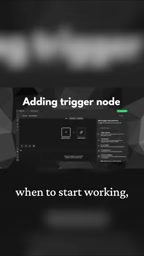
Once you're inside n8n and have created your workspace, the first thing to add is a Trigger Node. The trigger node determines when the agent starts working — it's the entry point of the entire workflow.
There are three common trigger types: running on a fixed schedule, launching automatically when a new email arrives, or simply starting with a manual click. For initial testing, a manual click trigger is recommended so you can debug at any time. For production use, scheduled or event-based triggers enable fully unattended automation.
Step 2: Add the AI Agent Node as the "Brain"
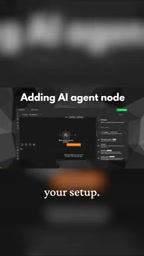
After the trigger, the centerpiece is the AI Agent Node — the brain of the entire system. This step involves three things:
- Connect a free API key: Gives the agent access to an underlying language model;
- Define a clear Role: Tells the model its identity and responsibilities — the more specific the role description, the more predictable the output;
- Attach a Memory Node: Allows the agent to retain context across multi-step tasks instead of "forgetting" at every step.
The memory node is what separates a "one-off conversation" from "continuous task execution." Without memory, the model can only respond to each request in isolation. With memory, it can chain multiple steps into a coherent reasoning sequence.
Step 3: Equip the Model with "Tools" — From Chat to Action
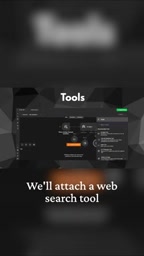
This is the dividing line between a "chatbot" and a true "AI agent." The demo makes a point of emphasizing: a standalone AI model can only chat. To turn it into an agent that actually does things, you must equip it with Tools.

Web Search Tool
The tutorial integrates a web search tool, enabling the agent to retrieve real-time external information. This addresses the pain point of large language models having a knowledge cutoff and being unaware of recent events — when a task requires querying live data, the agent will proactively call the search tool to fetch it.
Output Node
Finally, an Output Node is attached to format and deliver the processed results. It ensures the agent's final output is structured, readable, and usable — not a messy block of raw text.
Running It Live: Watch the Agent Break Down Tasks Autonomously
With everything set up, you can run a live test. During the demo, the agent's working logic becomes clearly visible: it autonomously breaks the task into multiple sub-steps, executes each one independently, and then consolidates everything into a final output.
This is the fundamental difference between an AI Agent and a standard AI Q&A. Regular Q&A is a simple "one question, one answer" exchange, whereas an agent has a closed-loop capability to plan, call tools, and integrate results. The memory node ensures continuity between steps, the tool nodes provide the means to interact with the outside world, and the output node handles the final delivery.
The autonomous task decomposition happening under the hood is powered by a capability known as "Planning." Upon receiving a goal, the agent first generates an internal execution plan — deciding which tools to call, in what order, and what the expected output of each step should be — then carries it out sequentially. The memory node acts as "working memory" in this process, temporarily storing intermediate results from previous steps so the model can reference them in later steps without re-reasoning from scratch. This design closely mirrors how humans tackle complex tasks by outlining first and then completing each item — and it's the fundamental reason AI Agents outperform single Prompt calls on complex tasks.
Summary: The Core Building Blocks
This hands-on example distills a universal AI Agent construction pattern:
- Trigger — determines when to start;
- Agent + Memory — forms a context-aware brain;
- Tools — grant the ability to act and perceive;
- Output — handles result delivery.
This structure is clean, low-barrier, and perfect as a first lesson in AI automation. Once you've internalized how these four core nodes work together, you'll be ready to expand into more complex multi-tool, multi-step agent applications on n8n.
Background Notes
The "free API key" referenced here typically refers to free-tier keys offered by platforms like Google Gemini, Groq, or OpenRouter. Groq, for example, offers a free plan that supports calling open-source models like LLaMA 3 and Mixtral — it's extremely fast and requires no credit card to sign up. In n8n, you simply paste the key into the "Credential" configuration field of the AI Agent node, and the node will automatically establish a connection to the corresponding model service. Different models vary in instruction-following capability, context length, and response speed. Beginners are encouraged to start with Gemini Flash or LLaMA 3.1 8B, both of which are more than capable of handling most entry-level agent tasks within the free tier.
From a technical standpoint, "tools" are essentially external functions or API endpoints that an LLM can proactively invoke — a mechanism commonly referred to as Function Calling or Tool Use. When the model determines that the current task requires a particular tool, it generates a structured invocation instruction (specifying the tool name and parameters), which the n8n runtime captures and executes, then returns the result to the model for continued reasoning. This "model decision → tool execution → result feedback" loop is the core idea behind mainstream agent frameworks like ReAct (Reasoning + Acting). n8n encapsulates this complex scheduling logic inside the node itself, so users don't need to write any invocation code manually — simply connecting the tool node to the agent node is all it takes to complete the integration.
Related articles

Chain of Thought Isn't Just for AI: How Humans Can Use CoT to Improve Thinking Quality
Chain of Thought isn't just a prompt trick for large models. Starting from a Hacker News discussion, this article analyzes why CoT works for human thinking too, breaks down actionable ways to transfer it, and highlights the key differences between human CoT and machine CoT.
Cloudflare Teams Up with OpenAI: Closi…
Cloudflare Teams Up with OpenAI: Closing the Loop from Vulnerability Discovery to Defense with AI
Cloudflare uses OpenAI Daybreak to investigate security vulnerabilities and generate reviewable remediation plans, while developers use Codex to boost coding efficiency and quality.

Orca Multi-Agent Orchestration in Practice: A Guide to Parallel Collaboration with Claude and Codex
Orca is Stable AI's free open-source agent workbench supporting 34 agents like Claude Code and Codex in parallel. Learn its Git worktree isolation, multi-model orchestration, and mobile management.