Building Your Own DeepResearch Workflow from Scratch: A Practical Supplier Due Diligence Template

Turn recurring supplier due diligence research into a reusable, versionable DeepResearch workflow template.
Using supplier onboarding due diligence as an example, the article shows how to build a custom DeepResearch workflow on the Valyu platform. A workflow consists of a prompt, input variables, research strategy, report format, deliverable, tools, and version number; it is private to the organization and can be created, edited, and versioned. The platform auto-detects variables from `{variable}` placeholders, and key names must match exactly. Saving a template doesn't run it — you trigger it via Run or `deepresearch.create()`; preview resolves parameters without billing. Versions lock instructions, not answers, and new versions require a changelog. You can't pass free-form query, researchStrategy, or reportFormat alongside a workflow. The author verified report and DOCX generation through a real run and summarized common pitfalls.
Search tools are proliferating, but most people are still stuck at the stage of "just asking in natural language every time." What truly benefits a team is turning recurring research tasks into reusable, versionable workflow templates. On day 13 of its 30-day search series, Valyu presented a complete real-world case study: how to build a custom DeepResearch workflow for "supplier onboarding due diligence" and call it via the TypeScript API.
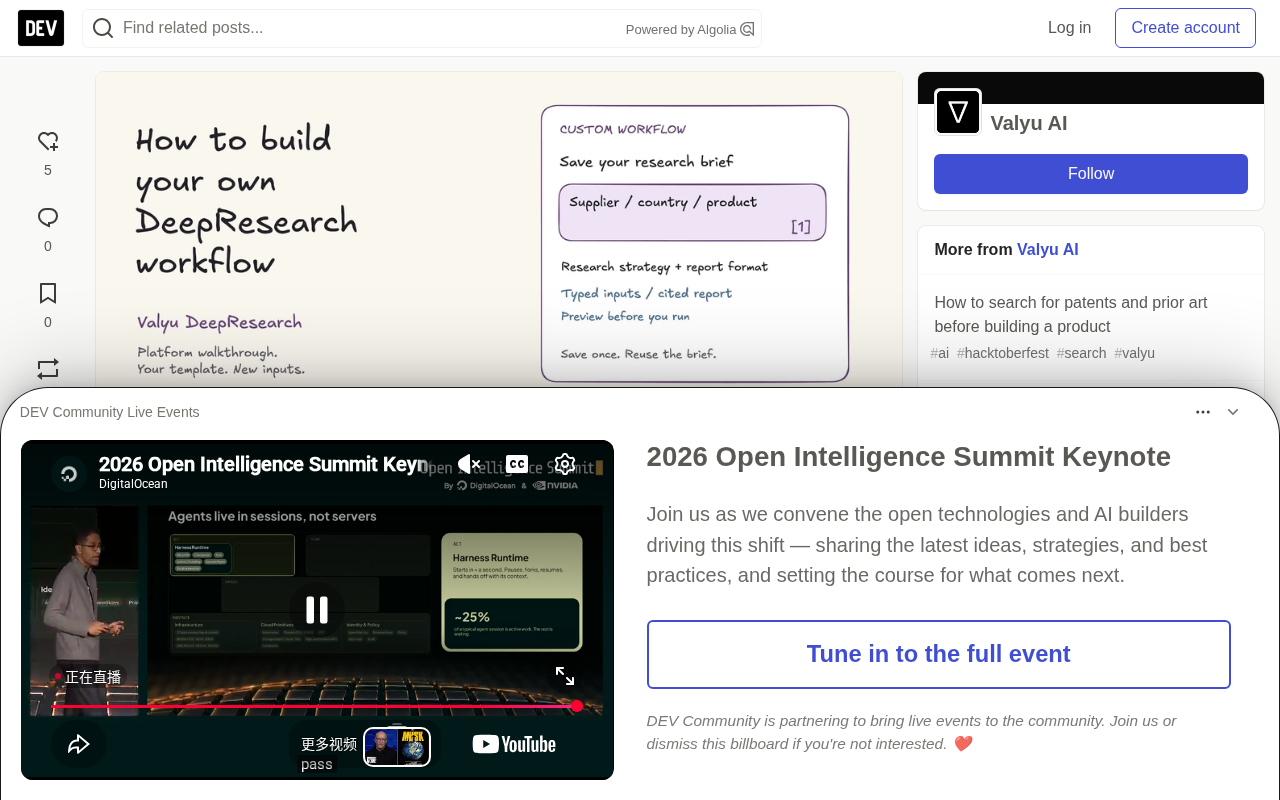
Why You Need Reusable Research Workflows
When procurement teams face a new supplier, the question structure is often fixed: Who is this company's actual legal entity? Does it really manufacture the products we need? What publicly reported risks are worth investigating? What changes is the supplier name, country, and product category — what stays the same is the research framework and deliverable format.
Valyu defines this situation as an ideal scenario for workflows. Custom workflows are private to the organization, can be created, edited, and versioned — unlike the platform's built-in read-only templates. Their core components include:
- Prompt (task statement): Specifies what to research
- Variables: Input fields that can be substituted at runtime
- Research strategy: Guides where to look and how to verify
- Report format: Defines the output structure
- Deliverable: Such as a Markdown report or Word document
- Tools: Code execution must be enabled to generate DOCX/XLSX/PPTX
- Version: Identifies which set of instructions a given run uses
This distinction is critical: the strategy is "research instructions," not an enforced allowlist. If you need to restrict search scope, use request-level search configuration. Similarly, a cutoff date in the prompt does not generate a historical snapshot of the underlying data.
DeepResearch here refers to a research mode driven by large models that can autonomously plan retrieval paths and cross-verify sources — distinct from single-turn Q&A-style search. Traditional search returns a list of links or a short answer, whereas DeepResearch conducts multiple rounds of retrieval around a task statement: first locating authoritative sources, then cross-referencing regulatory filings with dated reports, and finally organizing the evidence into a structured report with citations.
Because it executes a multi-step, long-running process, the cost and time are far higher than an ordinary query — which is precisely why "solidifying the research framework" has value. If you re-describe in natural language every time that "you need to check the legal entity, verify product fit, and distinguish facts from analysis," the LLM's interpretation may vary slightly each time, and the deliverable format will be inconsistent. Workflow templates lock these instructions down once and for all, so that different people running the same task at different times get a consistent methodology — with input variables only responsible for substituting the specific supplier information.
In Practice: Building a Supplier Onboarding Research Template
The demo case turns a "supplier due diligence brief" into an organizational workflow. The four input variables are supplier name, country, product, and review date. The prompt requires: determining the correct legal entity and product fit, identifying publicly reported operational, financial, regulatory, and supply chain issues, citing evidence, distinguishing facts from analysis, and listing questions the buyer should confirm directly with the supplier.
The research strategy requires starting with official company pages, annual reports, and regulatory disclosures, then verifying specific issues using government and regulatory publications, and finally tracking recent developments using dated, reliable reports. Here is a principle worth remembering: a lack of search results does not mean a lack of risk — missing information must be preserved, not concealed.
The report format requires five sections: supplier identity and product fit, operational footprint and supply chain dependencies, an evidence table, conflicts or missing information, and questions for the supplier to answer. The evidence table is practical because the next colleague can open the sources, verify the claims, and decide what still needs to be answered directly by the supplier.
The platform automatically detects variable rows from {variable} placeholders. Note carefully that key names must exactly match the placeholders — {review_date} requires a variable named review_date, not date or reviewDate.
Running, Previewing, and Version Management
Saving a workflow only creates a reusable template — it does not automatically start research. After clicking "Run" in the interface and filling in input values, the platform displays "what will be pre-filled," including research mode, strategy, report format, and deliverable; clicking "Run" again is what actually starts the asynchronous research task.
An easily overlooked mechanism is the preview endpoint: it resolves the template without starting research or consuming research credits. For teams that need to confirm parameters before batch execution, this design effectively prevents waste caused by configuration errors.
The boundaries of version management are equally worth emphasizing. The documentation states that template versions are immutable, and publishing a new version requires filling in a changelog. But a version locks the instructions, not the answers — source records, available evidence, and generated wording may still vary between runs. In the demo, after the first run the team modified the report format (assigning an internal owning team to each verification question), saved it as version 2, while the TypeScript example explicitly pinned version 1.
Preview Endpoint is built on a "compile first, execute later" design philosophy. The {variable} placeholders and various instructions in a template need to be resolved into the complete parameters of a real research task — preview does exactly this resolution step and returns the result to the caller as-is for confirmation, without triggering any crawling, retrieval, or model calls.
For teams, this mechanism addresses two problems: cost and repeatability. Research credits are typically billed per task, and a single configuration error (such as a misspelled variable name or a report format that didn't take effect) can waste an entire run; using preview to verify parameters before batch execution blocks such errors before billing. Additionally, preview results can serve as a written record of "what strategy this run will adopt," making post-hoc auditing easier.
Calling Workflows with TypeScript
The API side requires a key belonging to the organization that owns the workflow. The example uses Node 22+ and [email protected], and by default only executes a preview — the --run flag is required to start a billed research task.
When calling deepresearch.create(), use workflowId, workflowParams, and optionally workflowVersion. There is an important constraint: do not also pass free-form query, researchStrategy, or reportFormat in the same request — these instructions are provided by the workflow itself, and passing them again causes field conflicts.
The script first prints the task ID and then waits for the result, saving the Markdown report and JSON response when complete. If the wait times out or fails, check that task's status first rather than immediately re-initiating. Word files have a separate delivery status in the result.
The Asynchronous Task Model is the prerequisite for understanding this API call. After deepresearch.create() sends a request, the server does not return the final report in the same HTTP response — it immediately returns a task ID, and the actual research is queued and executed in the background. The script prints the task ID first and then polls for the result, precisely to accommodate this pattern.
This design imposes two operational disciplines: first, a wait timeout does not mean the task has failed — it may simply still be in progress, and you should query the status with the task ID rather than immediately re-sending, which would create a new billed task and could yield two duplicate reports; second, different deliverables may complete at different times — the Markdown report and the DOCX file each have separate delivery statuses in the result object, and you cannot assume the Office file has been generated just because you received the text.
Verifying Results and Common Pitfalls
The author provides specific verification notes: platform operations completed workflow creation, one Standard task with a DOCX deliverable, and the saving of version 2; the TypeScript example passed strict compilation and seven local SDK/HTTP fixture tests covering paths such as version pinning, preview-only execution, and no re-submission on failure — but the fixture tests did not execute an additional billed research run.
The actual run returned a report with citations and a completed DOCX. One valuable detail: the brief flagged "which entity will sign and invoice" as unconfirmed, which gives procurement a clear next step — directly request the legal name and registration information of the contracting entity, rather than assuming the parent company is the counterparty.
Common issues cluster around a few areas: unfilled placeholders, rejected dates or numbers, private workflow not found (key belongs to a different organization), new versions failing to save due to a missing changelog, and Office file generation without code execution enabled.
Practical Recommendations
Pick a recurring research task that someone will genuinely review, write the questions and evidence requirements once, create variable fields, then run it on a real example. Use the first result to improve the template, and record the changes in a new version. The value of this process is not in automation itself, but in solidifying research standards into a team asset.
One-line Summary
Turn recurring supplier due diligence research into a reusable, versionable DeepResearch workflow template.
Paragraph Summary
Using "supplier onboarding due diligence" as an example, the article shows how to build a custom DeepResearch workflow on the Valyu platform. A workflow consists of a prompt, input variables, research strategy, report format, deliverable, tools, and version number; it can be created, edited, and versioned, and is private to the organization. The platform automatically detects variables from {variable} placeholders, and key names must exactly match the placeholders. Saving a template does not automatically run it — you must trigger it via the interface's Run button or the API's deepresearch.create(); the preview endpoint resolves template parameters without billing. A version locks instructions, not answers, and publishing a new version requires a changelog. When calling, you cannot simultaneously pass free-form query, researchStrategy, or reportFormat, as they conflict with the template's instructions. The author verified report and DOCX deliverable generation through a real run, and summarized common issues such as unfilled placeholders, organization mismatches, and missing changelogs.
Related articles

ChatGPT Space Launches: Team Collaboration and New Pages Features Explained
ChatGPT Space is OpenAI's new team collaboration feature with Pages, real-time collaboration, and Slack/Google Drive sync. We break down its privacy design, multi-platform integration, and the full workflow from conversation to document.

Migrating Apache Spark UDFs to GPU Acceleration with AI Agents
NVIDIA developer blog explains how AI Agents rewrite Apache Spark UDFs for GPU acceleration, covering migration criteria, agent rewriting and verification workflows, plus pitfalls like result consistency and CPU-GPU transfer overhead.

Zed Editor v0.40.4-rc2 Released: Usage Credits Now Available Without Upgrading
Zed editor releases v0.40.4-rc2, allowing users to use usage credits for AI features without upgrading to a paid plan, lowering the trial barrier.