Building Your Own Smart Home Climate Control System: A Complete Guide to the Home Assistant Open-Source Solution

Build a privacy-first smart home climate system using Home Assistant, ESPHome, and VPN for fully local control.
This guide walks through building a complete self-hosted smart home climate control system using Home Assistant as the central hub, ESPHome/Zigbee sensors for temperature monitoring, and DIY ESP32-based thermostats as Nest alternatives. It covers secure remote access via WireGuard/Tailscale VPN and advanced data visualization with InfluxDB + Grafana, all while keeping data fully local.
From Homelab to Smart Home
For tech enthusiasts who already run a Homelab at home hosting various self-hosted services, extending into smart home territory is a natural progression. Homelab culture is rooted in the pursuit of data sovereignty and technological autonomy—users run their own servers at home, hosting everything from file sync (Nextcloud), media streaming (Jellyfin), to password management (Vaultwarden), replacing dependence on commercial cloud platforms. Reddit's r/selfhosted community boasts over 400,000 members and is one of the most active self-hosting discussion communities globally. This movement's rise is closely linked to the frequent privacy scandals and service shutdowns by major tech companies in recent years.
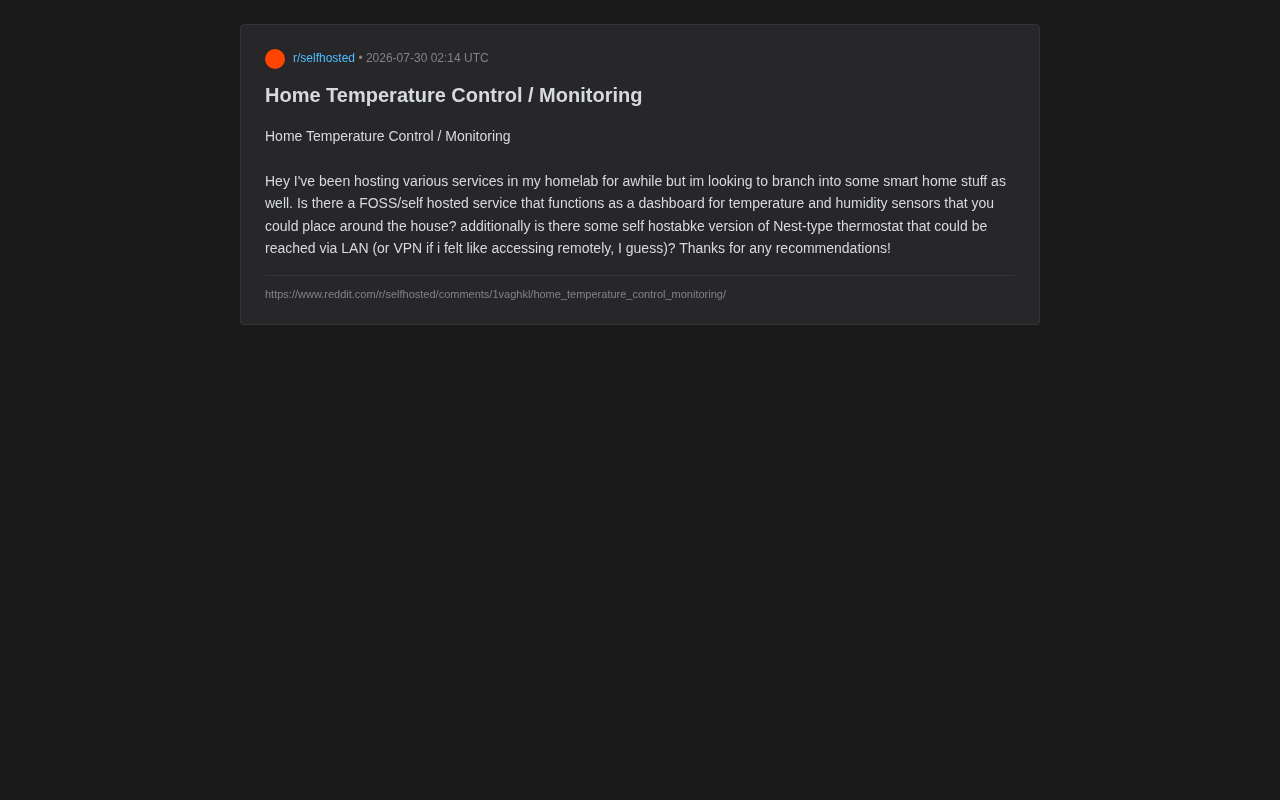
Recently in that community, a user raised a typical request: Is there an open-source, self-hostable service that can serve as a dashboard for temperature and humidity sensors? And is there a self-hosted alternative to the Nest thermostat that can be accessed via LAN or VPN?
This question seems simple but touches on the core contradiction in the smart home space—the trade-off between convenience and data sovereignty. Commercial smart home products (like Google Nest, Amazon Ecobee) work out of the box but universally depend on cloud services. Users' home environment data gets uploaded to manufacturer servers, and once a manufacturer discontinues service or changes policies, devices can become "bricks." Google's "product graveyard" (Killed by Google) has recorded over 290 discontinued services—this risk is far from hypothetical. Self-hosted solutions, on the other hand, hand control entirely back to the user.
Home Assistant: The Core Hub of Open-Source Smart Home
Why It's the Top Choice for DIY Climate Control
In the open-source smart home ecosystem, Home Assistant is virtually the unavoidable answer. It's an open-source home automation platform written in Python, focused on local control and privacy protection. The project started in 2013 and currently has over 70,000 stars on GitHub, making it one of the most active open-source IoT projects globally. For both temperature/humidity monitoring dashboards and DIY thermostat control, Home Assistant can serve as a one-stop solution.
Home Assistant supports thousands of devices and integrations, whether they're sensors communicating via Zigbee or Z-Wave wireless protocols, or WiFi-based ESP series microcontrollers. Zigbee and Z-Wave are two low-power wireless communication protocols designed specifically for IoT devices, fundamentally different from WiFi—WiFi has high bandwidth but high power consumption, making it unsuitable for battery-powered small sensors. Zigbee operates on the 2.4GHz band using a mesh network topology, where each device serves as both an endpoint and a potential relay node, extending network coverage as more devices are added. Z-Wave operates on the 800-900MHz Sub-GHz band, offering better wall penetration. Both require a Coordinator as the network hub, with common hardware options including the Sonoff Zigbee 3.0 USB Dongle Plus or ConBee II.
More importantly, Home Assistant naturally fits the Homelab user's tech stack—it can be deployed via Docker containers or run on a Raspberry Pi, NUC, or existing home server.
Implementing the Temperature and Humidity Monitoring Dashboard
For the requirement of "a dashboard for temperature and humidity sensors placed throughout the house," Home Assistant provides a powerful Dashboard (Lovelace UI) feature. Users can visualize readings from multiple sensors as cards, charts, heat maps, and more.
For hardware selection, community-recommended low-cost options include:
- ESPHome + DHT22/BME280 sensors: The ESP8266 and ESP32 are low-cost WiFi/Bluetooth microcontroller chips developed by Espressif Systems. A single chip costs just a few dollars yet offers full wireless communication capabilities and rich GPIO interfaces. ESPHome is a firmware framework designed specifically for these chips—users only need to write simple YAML configuration files (no traditional C/C++ programming required) to define sensor readings, automation logic, and network communication. Once flashed with ESPHome firmware, devices are automatically discovered and added by Home Assistant, with data transmission occurring entirely within the local network at latencies typically below 100 milliseconds. DHT22 is a common digital temperature/humidity sensor with accuracy of ±0.5°C / ±2% RH; BME280 is more precise (±1% RH) and additionally supports barometric pressure measurement. Per-node cost can be kept at the few-dollar level.
- Zigbee sensors (e.g., Aqara, Sonoff): Paired with Zigbee2MQTT (an open-source project that bridges Zigbee devices to Home Assistant via the MQTT protocol, completely eliminating dependence on proprietary manufacturer gateways), these enable wireless, low-power distributed deployment suitable for placing in multiple rooms. These sensors typically run on coin cell batteries with a lifespan of one to two years.
- Xiaomi/Mijia Bluetooth temperature and humidity sensors: Extremely cost-effective, these can be integrated into Home Assistant via a Bluetooth proxy.
DIY Thermostat: Open-Source Alternatives to Nest
Two Viable Smart Thermostat Approaches
Regarding a "Nest alternative accessible via LAN," there are two categories of implementation approaches.
The first is bringing existing commercial thermostats under local control. Some thermostat brands (like certain Ecobee models) offer local APIs or can be locally controlled through Home Assistant integrations, freeing them from cloud dependency.
The second is a fully DIY self-built approach. The most notable option here is the ESPHome ecosystem. Users can build upon an ESP32 development board combined with a relay module to retrofit traditional mechanical or electronic thermostats into fully locally-controlled, LAN-accessible smart thermostats. The ESP32 adds Bluetooth support, a dual-core processor, and more memory compared to the ESP8266, enabling it to handle more complex control logic. The biggest advantage of this approach is zero cloud dependency, low cost, and complete user control. Home Assistant also includes a built-in Generic Thermostat integration that can combine any temperature sensor and switch into a virtual thermostat, implementing PID control or simple threshold control.
Security Best Practices for Remote Access
The idea of "using a VPN for remote access" is an excellent security practice. Compared to directly exposing Home Assistant to the public internet, accessing your home network through a VPN (such as WireGuard or Tailscale) is far more secure.
WireGuard is a modern VPN protocol released by Jason Donenfeld in 2018. Compared to traditional OpenVPN and IPSec, its codebase is only about 4,000 lines (OpenVPN exceeds 100,000 lines), resulting in a minimal attack surface and significantly better performance than its predecessors. WireGuard uses Curve25519 for key exchange and ChaCha20 for symmetric encryption, with a design philosophy of "less is more."
Tailscale is a zero-configuration network service built on top of WireGuard, particularly well-suited for Homelab users. It leverages NAT traversal technology (based on DERP relay servers and the STUN protocol), allowing devices behind different NATs to establish direct peer-to-peer encrypted connections without opening ports on routers or configuring port forwarding. This means even if your ISP assigns a CGNAT address (no public IP), you can still securely access home services remotely. Configuration is simple and allows you to securely access your smart home services from anywhere without opening any public-facing ports. This satisfies both the convenience of remote temperature adjustment and data viewing while minimizing the attack surface.
Complete Tech Stack: Architecture Recommendations and Ecosystem Integration
Recommended Self-Hosted Climate Control System Architecture
Overall, an ideal self-hosted smart climate control system can be built as follows:
- Central platform: Home Assistant (Docker deployment on existing Homelab server)
- Sensor layer: ESPHome devices or wireless temperature/humidity sensors managed by Zigbee2MQTT
- Actuator layer: ESP32-retrofitted DIY thermostat or locally-controlled commercial thermostat
- Data visualization: Home Assistant's native Dashboard, or for advanced users, InfluxDB + Grafana for long-term data storage and trend analysis. InfluxDB is a database optimized specifically for time-series data, using a TSM (Time-Structured Merge Tree) storage engine with extremely high performance for write-intensive workloads. It includes built-in data retention policies and downsampling capabilities that can automatically compress old data from second-level precision to hourly or daily precision to save storage space. Grafana is an open-source visualization and analytics platform offering rich chart types and powerful alerting capabilities, enabling more flexible long-term trend analysis than Home Assistant's native UI—for example, comparing indoor temperatures across different seasons or analyzing HVAC energy consumption patterns.
- Remote access: Tailscale / WireGuard VPN secure tunnel
Data Sovereignty: The Core Value of Self-Hosted Solutions
The core value of this solution lies not only in its functionality but also in embodying the self-hosting community's fundamental principle—data stays at home, control stays with you. All temperature/humidity data, user activity patterns, and home energy consumption patterns remain on local servers and never become a commercial company's data asset. Against the backdrop of the EU's GDPR and increasingly strict data protection regulations worldwide, this self-controlled approach also provides users with compliance certainty.
For users who already have Homelab operations experience, the learning curve for integrating smart home systems isn't steep. Home Assistant's active community and comprehensive documentation, combined with ESPHome's low-barrier hardware solutions, make building a professional-grade home climate control system from scratch easier than ever.
Conclusion
Starting from this Reddit user's question, we can see that self-hosted smart home has formed a mature open-source ecosystem. Home Assistant as the hub, ESPHome as the hardware bridge, and VPN as the secure tunnel—combining these three enables building a fully self-controlled temperature monitoring and thermostat control system. For Homelab enthusiasts who value privacy and pursue technological autonomy, this is undoubtedly a superior choice over commercial products.
Related articles

Databricks Genie: The AI Analytics Assistant That Tripled a Marketing Team's Data Usage
Databricks' AI analytics assistant Genie tripled marketing team data usage. Discover how this conversational NL2SQL tool lowers the data access barrier and what it means for enterprise AI adoption.

How The Oregon Trail Became a Cultural Icon for Generations
How The Oregon Trail grew from educational software into a multigenerational cultural icon — through classrooms, "You have died of dysentery," and shared childhood memories.

Health Benefits Platform Thatch Hits $1B Valuation as Healthcare Costs Surge
Thatch raises $108M and hits a $1B valuation, backed by a16z, Index Ventures, and General Catalyst, as surging U.S. healthcare costs drive demand for flexible benefits platforms.