ByteDance Merges TRAE Work and TRAE Code: One Entry Point for Building Websites and Writing Code

ByteDance merges TRAE Work and TRAE Code into the new TRAE, connecting the full workflow of office work and programming.
ByteDance merged its TRAE Work (office-oriented) and TRAE Code (programming-focused) into a brand-new TRAE, allowing users to complete everything from requirement breakdown, page prototype generation to code debugging and delivery within the same entry point and task chain. The merged workflow starts with Agent mode, where describing requirements in natural language breaks down tasks, generates solutions, and produces prototypes; when fine adjustments are needed, users can switch to IDE mode at any time without rebuilding the engineering environment. The product also supports cross-device collaboration—start a task on your computer and check progress on your phone. Existing users' chat records, account data, and credits will be automatically migrated, and TRAE Work will cease service after the transition period ends on October 23. The article argues that this integration reflects the industry trend of AI programming tools blurring the boundary between "code" and "non-code" work.
Title
ByteDance Merges TRAE Work and TRAE Code: One Entry Point for Building Websites and Writing Code
Meta Description
ByteDance merges TRAE Work and TRAE Code into the new TRAE, unifying office work and programming under one entry point. Agent mode breaks down requirements and generates solutions, IDE mode fine-tunes code, seamless switching within the same project, migration completed by October 23.
Article Content
AI programming tools are evolving from "specialists" to "generalists." ByteDance's TRAE recently completed a significant product integration—merging two previously separate product lines for office scenarios and programming scenarios into one. Users can now go from front-end page building to code debugging within the same entry point and the same task chain. For developers who frequently switch between document tools and IDEs on small projects, this change is worth paying attention to.
What Exactly Did ByteDance Merge This Time?
According to a report from Bilibili's AI Daily program, ByteDance merged TRAE Work (focused on office work and content generation) and TRAE Code (focused on writing code) into a brand-new TRAE. Previously, these two products each handled their own domain: one was responsible for documents, proposals, and other office-oriented outputs, while the other specifically served code writing. After the merger, users no longer need to copy and paste back and forth between two tools—task context can seamlessly continue between office mode and programming mode.
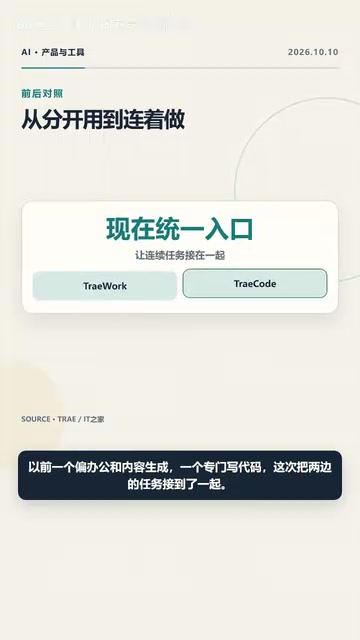
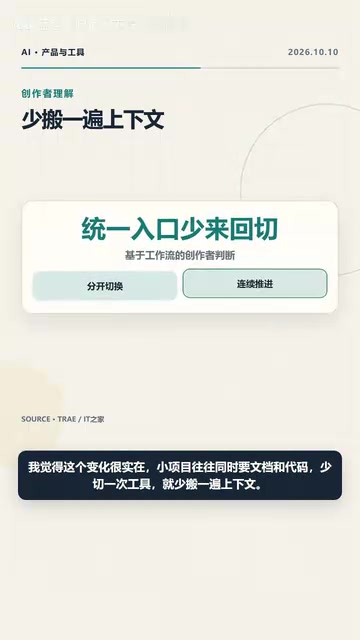
The core logic behind this integration isn't complicated, but it hits a very real pain point. Anyone who has worked on a small project knows that an event registration website often requires both organizing rule documents and writing form code, plus testing and delivery documentation. The traditional approach is to sort out requirements in a note-taking app, write code in an IDE, and shuttle context back and forth in between. TRAE has now connected the tasks on both sides, compressing the tool-switching steps.
Dual-Mode Collaboration: Agent Breaks Down Requirements, IDE Refines Details
TRAE's post-merger workflow is designed quite clearly. The entire process starts with Agent mode—you describe requirements in natural language, and the Agent helps you break down tasks, generate solutions, and even directly produce clickable page prototypes. When the project enters a stage requiring fine adjustments, such as modifying layouts, handling interaction logic, or troubleshooting errors, users can switch to IDE mode at any time and continue working on the same project without needing to rebuild the engineering environment.
The official example of building an event registration website illustrates this task chain: organizing registration rules, designing page structure, writing form logic, executing tests, and finally generating delivery documentation—all advancing along the same task chain. This "get it running first, then polish" rhythm significantly improves efficiency for prototype validation and small project delivery.
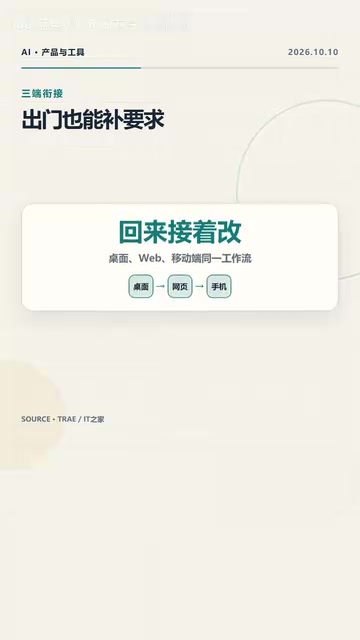
Cross-device collaboration is another highlight of this integration. You can start a task on your computer, check progress on your phone when you go out, and continue editing when you return to your computer. The web version has also been incorporated into this workflow, further lowering the barrier to resuming work at any time.
What Are Agent Mode and IDE Mode?
Agent mode refers to an autonomous task execution approach driven by large language models: users simply describe goals in natural language, and the AI can automatically break down steps, plan solutions, invoke tools, and produce results (such as generating page prototypes or writing scripts). It emphasizes "intent-driven" interaction—users don't need to focus on implementation details.
IDE mode refers to the working approach of an Integrated Development Environment, typically characterized by a code editor, terminal, and debugger centralized in one interface, where users read, write, modify, and run code at a line-by-line level. It emphasizes "precise control," suitable for handling layout fine-tuning, interaction logic, error troubleshooting, and other steps requiring direct human intervention.
TRAE brings both into the same task chain, essentially providing seamless switching between "letting AI run freely" and "doing it yourself"—this is a typical design of current AI programming tools evolving from single completion toward full-workflow collaboration.
Migration Arrangements and Transition Period
For existing TRAE Work users, the official migration plan is clear: chat records, account data, and commercial credits will be automatically migrated, with rollouts happening in batches. Users who haven't received a notification just need to wait patiently for the update.

The key date to note is: after the transition period ends on October 23, TRAE Work will cease service. Users currently using the product need to complete arrangements and migration before then to avoid work disruption.
Why This Change Is Worth Noticing
From an industry perspective, TRAE's integration reflects a larger trend: AI programming tools are blurring the boundary between "code" and "non-code" work. In the past, office collaboration software and development tools were two separate ecosystems, each with their own interaction paradigms. But as Agent capabilities strengthen, the barriers between requirement gathering, solution design, code implementation, and test validation are being broken down.
ByteDance merging TRAE Work and TRAE Code appears on the surface to be a product line adjustment, but in essence it's competing for the complete workflow entry point "from idea to finished product." For target users, if you've always wanted to build your own small website but didn't want to face a screen full of code right away, TRAE offers a path that starts from a single requirement and gradually iterates to a demonstrable finished product. This low-barrier entry point may be more appealing to non-professional developers than pure code completion tools.
The "Full-Workflow" Trend in AI Programming Tools
Early AI programming tools were mostly code completion (like GitHub Copilot) or conversational Q&A, essentially still "assisting code writing," with the upstream (requirement gathering, solution design) and downstream (testing, delivery documentation) still manually connected by humans.
In the past year or two, the industry has clearly evolved toward "full-workflow Agents": tools are beginning to cover the complete chain from requirement understanding, architecture design, code generation to test validation. The direct consequence of this evolution is that the functional boundaries between office collaboration products (documents, kanban, prototyping tools) and development tools have become blurred. TRAE's merger is precisely a manifestation of this trend—it no longer positions itself as a "code writing assistant" but as an "execution environment from idea to finished product." For non-professional developers, this means the barrier to entry is further lowered; for professional developers, it means the starting point of the workflow may be taken over by AI from the requirement stage onward.
One-line Summary
ByteDance merges TRAE Work and TRAE Code into the new TRAE, connecting the full workflow of office work and programming.
Paragraph Summary
ByteDance merged its TRAE Work (office-oriented) and TRAE Code (programming-focused) into a brand-new TRAE, allowing users to complete everything from requirement breakdown, page prototype generation to code debugging and delivery within the same entry point and task chain. The merged workflow starts with Agent mode, where describing requirements in natural language breaks down tasks, generates solutions, and produces prototypes; when fine adjustments are needed, users can switch to IDE mode at any time without rebuilding the engineering environment. The product also supports cross-device collaboration—start a task on your computer and check progress on your phone. Existing users' chat records, account data, and credits will be automatically migrated, and TRAE Work will cease service after the transition period ends on October 23. The article argues that this integration reflects the industry trend of AI programming tools blurring the boundary between "code" and "non-code" work.
Related articles

How Big Can Stars Really Get? The Physical Limits of the Largest Stars
Red supergiants are the largest stars by volume, with radii up to 2,000 times the Sun, engulfing the inner solar system. But there is no precise upper limit on stellar size—models predict up to 15,000 solar radii. The most massive blue stars are far smaller than red supergiants—biggest and heaviest are two different things.

Apple HomeView Smart Display Full Feature Breakdown: Wall-Mount or Desktop, $299
Apple launches HomeView, a $299 smart display with wall-mount and desktop options, 12MP camera for facial recognition, smart home control, music playback, and recipe step-by-step cooking. Full breakdown of watch faces, apps, privacy, and cooking integration.

Where Did the Promised New Studio Go? Craft Computing Answers After Five Years
Craft Computing's host responds to viewer questions: the new studio promised five years ago was shelved as construction costs soared from $30,000 to $75,000, and was replaced by a 168-square-foot garage conversion.