Calendarly: Pin Your Calendar and Tasks to Your iPhone Lock Screen

Calendarly draws schedule tasks into iPhone lock screen wallpaper, refreshed on schedule via Shortcuts, exploring the lock screen information layer.
Calendarly is a productivity tool that renders calendars, reminders, Todoist tasks, notes, and countdowns onto iPhone lock screen wallpaper, letting users see the day's schedule at a glance without unlocking their phone. It uses Apple Shortcuts to automatically redraw the wallpaper on schedule without background processes, though initial setup has a learning curve. The product bypasses lock screen widget size constraints to carry more information, while requiring a balance between readability and aesthetics. It received 78 upvotes and ranked #9 on Product Hunt, hitting the needs of users who frequently check their schedules, and represents a productivity tool approach of "transforming system interfaces rather than building new apps."
Lock Screen as Dashboard: What Pain Point Does Calendarly Solve?
Do you also have to unlock your phone, open the calendar app, and then switch to your task management tool every morning just to see what's on your plate today? Calendarly, ranked #9 on Product Hunt, aims to eliminate that whole sequence—it draws your calendar, reminders, Todoist tasks, notes, and countdowns directly into your iPhone lock screen wallpaper, and uses Shortcuts automation to redraw it on a schedule.
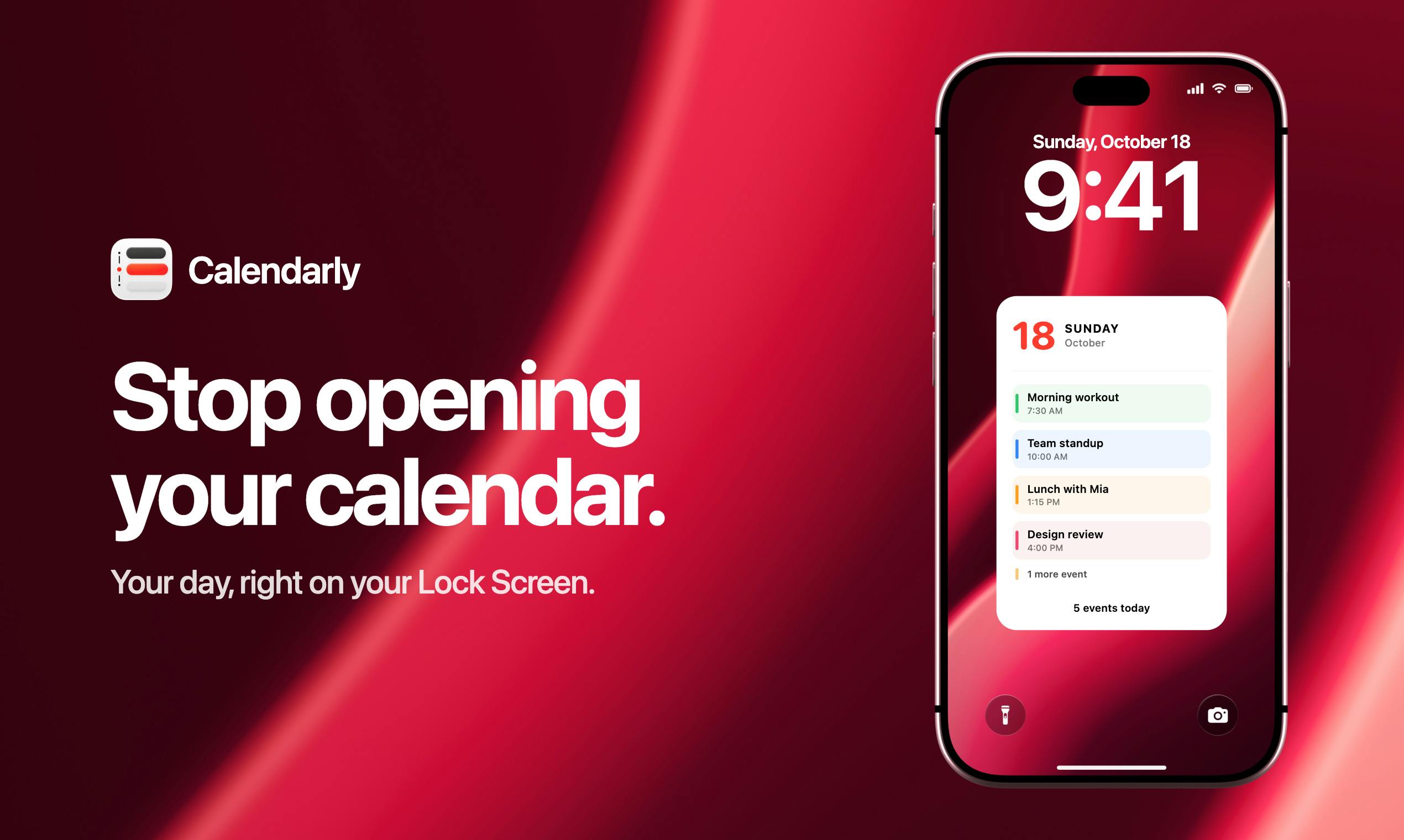
The product's approach is clever: instead of building another standalone app, it turns the lock screen into an information aggregation layer. For people who check their schedule frequently, seeing the day's plans at a glance saves the friction of repeatedly unlocking their phone.
Product Mechanics: Wallpaper Generation + Shortcuts Automation
Calendarly's core is a lightweight pipeline: read data source → render as wallpaper → set as lock screen → refresh on schedule. It supports five types of information—calendar, system reminders, Todoist tasks, notes, and countdowns—covering the common data used in personal productivity scenarios.
Automation relies on Apple's Shortcuts, which means users need to configure a time-triggered shortcut themselves to have the wallpaper redrawn on schedule. This is both an advantage and a barrier: the advantage is that it fully leverages system capabilities with no background processes required; the barrier is that users unfamiliar with Shortcuts face a learning curve during initial setup.
Looking at Product Hunt data, Calendarly received 78 upvotes and 5 comments, ranking #9 for the day, indicating it hits a real need for some users, though discussion buzz isn't particularly high.
Shortcuts is an automation tool Apple integrated into the system after acquiring Workflow in 2018. Users can drag and drop action blocks to chain together automation workflows, such as "get calendar events → render image → set as wallpaper." It supports time triggers, location triggers, app-open triggers, and more, and can be set to run at a fixed time daily in "Personal Automation." Because Shortcuts runs within the system sandbox, developers can implement scheduled tasks without keeping the app running in the background—this is the key reason Calendarly chose it. However, the Shortcuts configuration interface still presents a barrier for non-technical users, especially when it comes to variable passing and image size adaptation, where errors are easy to make.
Design Trade-offs: The Boundaries of Lock Screen Information Density
The iPhone lock screen itself has limited space and must coexist with the time, widgets, and notification stacking. By drawing information into the wallpaper, Calendarly effectively bypasses widget size constraints and can theoretically fit more content. But as information increases, the wallpaper's readability and aesthetics are challenged—dark wallpaper with light text, light wallpaper with dark text—users must weigh these themselves.
The product is independently developed by Dmytro Katyukha and positioned in the productivity and task management category. The value of such utility products often depends on details: whether the refresh frequency is reasonable, whether data source syncing is timely, and whether the wallpaper templates are sufficiently restrained.
iOS lock screen widgets are a feature Apple introduced in iOS 16, allowing users to place up to five widgets on the lock screen (including one rectangular widget above the time and a row of circular or rectangular widgets below). These widgets are provided by apps through the WidgetKit framework, and the system limits their refresh frequency and rendering methods to balance power consumption and information updates. Calendarly bypasses widgets and draws information directly into the wallpaper, effectively breaking through WidgetKit's size and layout constraints—but at the cost of losing system-level dynamic refresh capability. The wallpaper can only be redrawn manually or on a schedule via Shortcuts, and cannot intelligently update in the background like widgets.
Who Should Use Calendarly
If you rely heavily on your schedule every day, habitually use Todoist for task management, and are willing to spend a few minutes configuring Shortcuts, Calendarly can provide a low-distraction information entry point. Conversely, if you have extremely high standards for lock screen aesthetics or don't commonly use Apple ecosystem reminders, this tool's appeal will be diminished.
It's more of an experiment in the "lock screen information layer": how much personal data can system-level interfaces carry beyond apps? For developers interested in AI applications and productivity tools, this approach is worth learning from—you don't necessarily need to build a new app; transforming existing interfaces is also a product path.
Related articles

AI Coding Enters the Team Collaboration Era: Interpreting Three Major Moves from Meta, GitHub, and Mistral
Meta acquires Conductor, GitHub Copilot Fusion becomes available, Mistral opens Large 4 weights—three moves show AI coding shifting from code generation to organizing development workflows. This article explains task orchestration, model collaboration, and cost control for developers.

Building a RAG Assistant with Dify: A Practical Guide to Knowledge Bases, Workflows, and Agent Nodes
How should knowledge bases, workflows, and Agent nodes connect in a Dify RAG assistant? We break down the division of labor and wiring logic for a shippable app.
 Tech Frontiers
The AI Industry Doesn't Lack Marketing—It Lacks Good Products
AI faces market selloffs and public skepticism—is marketing really the problem? This analysis of market signals and product experience argues the core困境 is incomplete products and a gap between promises and experience; the only way to change perceptions is to ship better products.