Can't Delete Google AI Chat History? How to Permanently Fix Gemini Conversations That Keep Reappearing

How to permanently delete Gemini AI chats that keep reappearing after deletion via Google Activity settings.
Deleted Google Gemini AI conversations reappearing? The issue stems from cloud-synced activity records, not local storage. This article explains why local deletion fails, and provides three solutions: deleting from Google's My Activity page, disabling Gemini Apps Activity auto-save, and managing multi-device sync — plus insights on data sovereignty in the AI era.
A Puzzling Problem: Why Do Deleted Conversations Keep Coming Back?
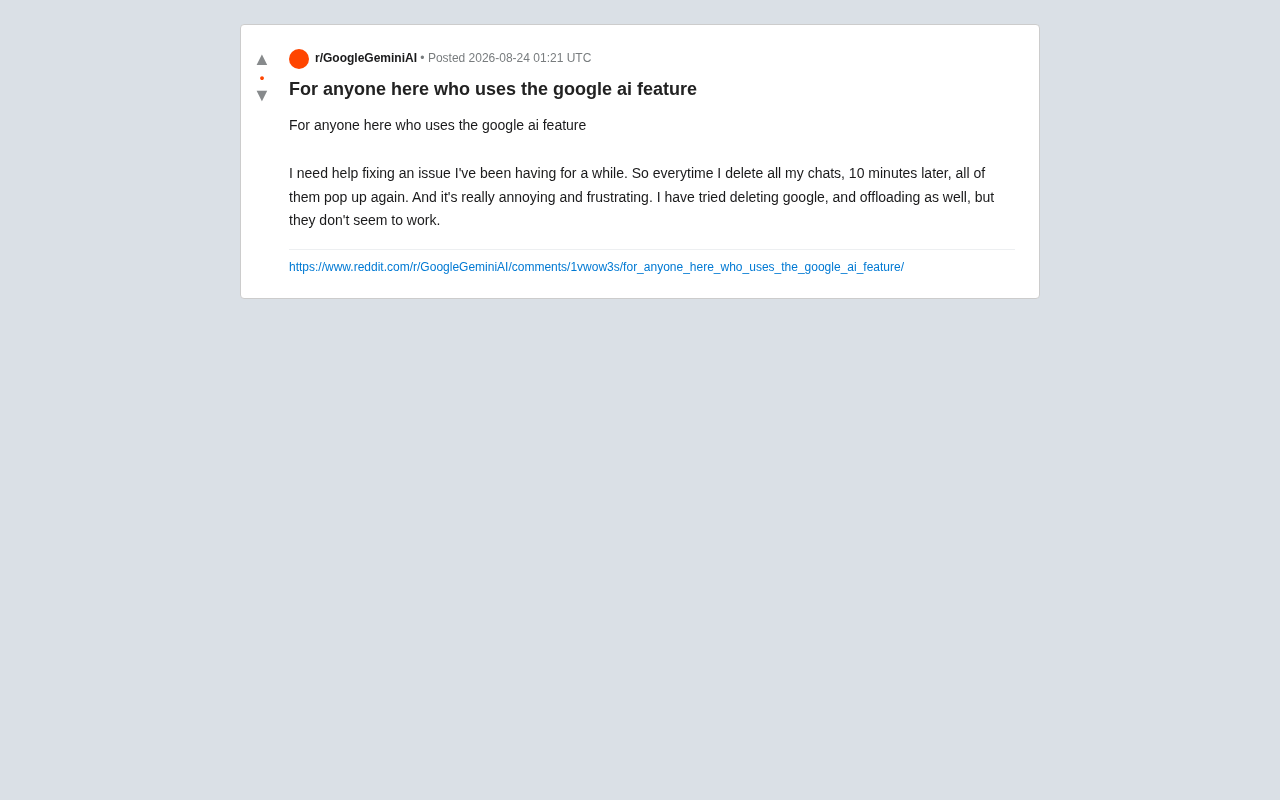
Recently on Reddit, users reported a highly relatable frustration: after deleting all their chat history in Google AI (Gemini), the conversations reappear within about 10 minutes. Users tried conventional fixes like deleting the app and offloading, but nothing worked.
This seemingly simple operational issue actually touches on core mechanisms of cloud-based AI services — specifically data synchronization and activity record management. This article will analyze the root causes from a technical perspective and provide practical solutions.
Root Cause: The Conflict Between Local Deletion and Cloud Syncing
Data Is Stored in the Cloud, Not Locally
Many users mistakenly assume AI chat records are only stored locally on their phone, so uninstalling the app or clearing the cache should permanently delete them. In reality, Google's AI services (including Gemini) associate conversation data with your Google Account and store it on cloud servers.
From a technical architecture standpoint, Google's cloud sync is built on its globally distributed infrastructure, Google Cloud Platform, using an Eventual Consistency model. User data isn't stored on a single server — instead, it's redundantly replicated across multiple data centers worldwide using distributed database technologies like Spanner. This means that when a user initiates a delete request at one node, that request must propagate to all replica nodes before the data is truly erased. While this architecture is designed to ensure high availability and disaster recovery, it also inherently increases the complexity of permanently deleting data.
So when you delete chat records on your device, if you've only cleared the local cache, the cloud data remains intact. Once the app reconnects to your account and syncs, those "deleted" conversations reappear — this is exactly what's behind the "reappearing after 10 minutes" phenomenon users observe.
In mobile app architecture, the local cache and cloud persistent storage are two entirely different data layers. The local cache is typically stored in the device's sandbox directory and serves to speed up app loading and reduce network requests — users can clear it via "Clear Cache" or by uninstalling the app. Cloud persistent storage, on the other hand, is bound to the user's account through authentication protocols like OAuth 2.0, and its data lifecycle is independent of any single device. The iOS "offloading" feature only removes the app binary to free up space and even preserves local documents and data, let alone cloud storage. This explains why all the local operations users tried were ineffective.
Gemini Apps Activity Is the Culprit
Google provides a feature called Gemini Apps Activity for Gemini. By default, this feature is turned on and automatically saves your interactions with AI to improve service quality and model training.
Gemini Apps Activity is part of Google's broader "My Activity" data management ecosystem. Since Google launched "My Activity" in 2016, it has unified all user interactions across its ecosystem — search history, YouTube watch history, Maps navigation, voice assistant conversations, and more — under a single activity record management system. Gemini, as Google's latest large language model product line (rebranded from Bard), has its conversation records integrated into this same system. This activity data is used not only to personalize the service experience but may also feed into model optimization processes like RLHF (Reinforcement Learning from Human Feedback), helping Google improve AI response quality. Because the data serves multiple purposes, the system takes a relatively conservative approach to deletion logic.
As long as this activity recording feature remains enabled, the system will continuously log and sync your conversations. Simply deleting a session from the app interface often just hides it from the current view — the underlying activity records remain operational, causing data to keep "coming back to life."
Three Solutions to Permanently Delete Google AI Chat History
Solution 1: Delete Thoroughly from Google Activity Records
To truly delete these conversations, you need to go to Google Account's activity management page:
- Open a browser and visit myactivity.google.com
- Find the Gemini Apps or Gemini Apps Activity section
- Delete the corresponding activity records — you can choose to delete a specific time range or all records
Deleting at the activity record level removes data at the source, rather than merely clearing the local display.
Solution 2: Turn Off Gemini's Auto-Save Feature
If you want to fundamentally prevent conversations from being saved repeatedly, you can disable the Gemini Apps Activity feature entirely:
- Go to Gemini settings and find the Activity option
- Turn off the auto-save toggle
- Optionally set an auto-delete period (e.g., auto-clear after 3 months, 18 months, or 36 months)
The three auto-delete period options Google offers reflect a balance between user convenience and privacy protection. A shorter retention period (such as 3 months) better protects privacy but limits the AI's ability to provide personalized service based on conversation history. A longer period allows the system to better understand user preferences and usage patterns. This tiered design draws on Data Lifecycle Management (DLM) principles, which are common practice in enterprise data governance. It's worth noting that even with auto-delete configured, data may still be used for model improvement during the retention period. Users with immediate privacy concerns should still perform manual deletion.
Note that once turned off, Google will no longer save new conversation records, but this also means you won't be able to sync chat history across different devices.
Solution 3: Check Multi-Device Sync Status
If you're logged into the same Google Account on multiple devices (phone, tablet, computer), a delete operation on one device may be "overwritten" by sync data from another device. Recommendations:
- Confirm all devices are operating under the same account logic
- Perform deletion from the web interface to avoid sync conflicts between devices
A Deeper Reflection: Data Sovereignty in the AI Era
This seemingly trivial "can't delete" problem actually reflects a much larger issue — in an era of ubiquitous cloud-based AI services, how much control do users really have over their own data?
As AI assistants become everyday tools, every conversation we have with them may be recorded, stored, and even used for model training. There's often a cognitive gap between what the "delete" button on the user interface suggests and the actual state of backend data. This gap doesn't just cause usability frustrations — it raises deeper concerns about privacy transparency.
Users' right to delete their own data is explicitly guaranteed by several international regulations. Article 17 of the EU's General Data Protection Regulation (GDPR) establishes the "Right to Erasure" (also known as the "Right to Be Forgotten"), requiring data controllers to promptly delete personal data upon user request. California's Consumer Privacy Act (CCPA) grants similar deletion rights. However, in the AI domain, data deletion faces unique challenges: if a user's conversation data has already been used for model training, the model weights may still implicitly contain related information even after the original records are deleted. This gives rise to "Machine Unlearning," a cutting-edge research direction. Companies like Google are exploring how to remove the influence of specific user data from trained models without completely retraining them. This technical challenge makes "true deletion" unprecedentedly complex in the AI era.
For everyday users, understanding the fundamental logic that "local deletion ≠ cloud deletion" is crucial. For service providers, making data management more intuitive and giving users genuine deletion rights is key to earning trust.
Summary: The Right Approach Solves the Problem
Returning to the original Reddit user's frustration, the solution is actually straightforward: the problem isn't with the app itself, but with the cloud activity record sync mechanism. By going to Google's activity management page to perform a thorough deletion, or by turning off the auto-save feature, you can put an end to conversations that haunt you.
As AI applications become increasingly woven into daily life, mastering these data management skills will become ever more important. It's not just about user experience — it's an essential capability for protecting personal privacy in the digital age.
Key Takeaways
Related articles

Vibe Coding Full-Stack in Practice: AI Programming from Beginner to Enterprise Deployment
From Cursor to Claude Code, this Bilibili AI programming course uses four progressive projects to cover full-stack development, open-source secondary development, and team collaboration. The article analyzes the shock to frontend roles, the efficiency shift from 50 people to 5, and the methodology required for enterprise-grade projects.

David Blaine's Global Quest for Real Magic: From South Africa to Japan and India
David Blaine travels to South Africa, Japan, and India in his Do Not Attempt special, documenting Spinning drivers, black mamba rescuers, iaijutsu masters, and ascetics—exploring the boundary between magic and real human极限 challenges.

Is a Touchscreen MacBook Coming? Vergecast Reveals Apple Executive's Response
Vergecast podcast reveals a conversation between a reporter and Apple executive John Ternus about a touchscreen MacBook and Apple Pencil support. Ternus says iPad is the best device for a stylus, while the reporter bets MacBook will eventually support Apple Pencil.