Caplio: Mac Screenshot OCR Search Tool and Local Private Image Library Manager
Caplio turns scattered Mac screenshots into a searchable, private local image library using on-device OCR.
Caplio is a lightweight Mac menu bar app that automatically indexes screenshots and images using local OCR text recognition, making them searchable by content. It offers timeline browsing, keyword search, category organization, and drag-and-drop reuse — all while keeping data entirely on-device with no cloud uploads. Ideal for designers, developers, and privacy-conscious knowledge workers.
In our daily workflow, we habitually take screenshots with keyboard shortcuts and save various image assets, but these files often end up scattered across the desktop, downloads folder, and random corners of the system. When we actually need a specific image, searching through the entire hard drive turns up nothing — a pain point nearly every Mac user has experienced. Caplio, a productivity tool that recently launched on Product Hunt, aims to solve exactly this problem.
What Is Caplio
Caplio positions itself as a lightweight Mac image asset manager, specifically designed for screenshot and everyday image management scenarios. Its core philosophy is straightforward: transform scattered screenshots and images into a private, searchable local image library.
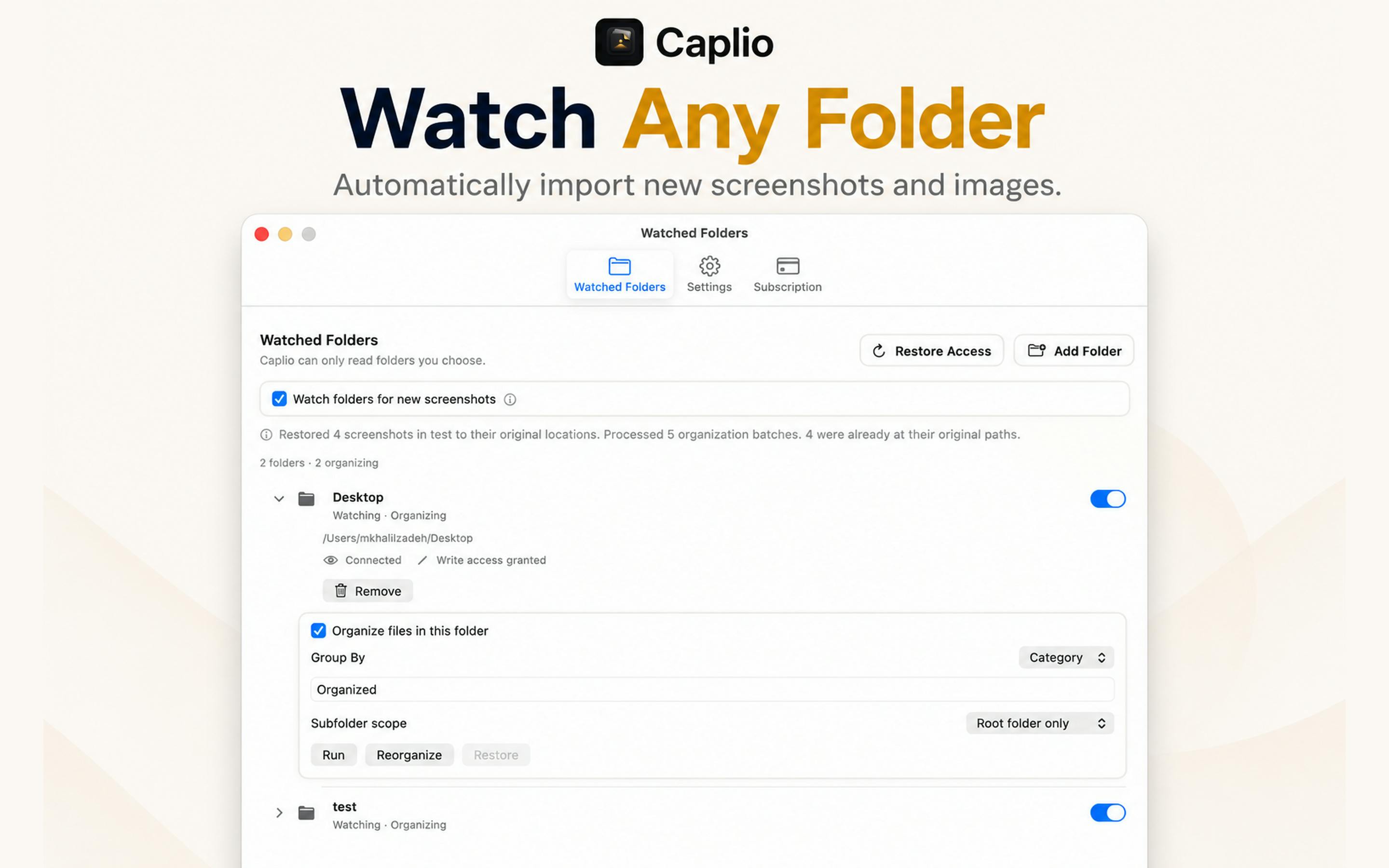
The workflow is remarkably simple — just add the folders you want to manage, and Caplio will automatically monitor and index images in those directories, extracting text content from images using local OCR technology. This means that even a screenshot packed with text can be found later by searching for any keyword it contains.
It's worth noting that macOS's default screenshot mechanism (Command+Shift+3/4/5) saves files to the desktop or a designated folder with timestamp-based names like "Screenshot 2025-01-15 at 3.42.07 PM." This naming convention contains zero semantic information about the content. When screenshots accumulate to hundreds or even thousands, locating a target image by filename and thumbnail alone becomes nearly impossible. While macOS's built-in Spotlight search started supporting Live Text search within images after macOS Monterey, its indexing scope and search experience target general-purpose use cases and aren't specifically optimized for screenshot management — lacking workflow features like timeline browsing, categorical organization, and drag-and-drop reuse. Caplio targets precisely this gap.
On Product Hunt, Caplio is categorized under Productivity, Photography, and Menu Bar Apps. It currently has 67 upvotes, ranking 17th, and was independently built by developer R Aghababa.
Core Feature Breakdown
Automatic Indexing and Local OCR Text Recognition
Caplio's most valuable capability is automated text recognition. Traditional image folders can only be navigated by filename and modification date, and default screenshot names offer virtually zero search value.
Caplio uses on-device OCR (Optical Character Recognition) to scan text in every image, bringing image content into the searchable domain. OCR technology itself is nothing new — it's a mature technology that converts text in images into editable, searchable text. Traditional solutions typically rely on cloud server processing power, such as Google Cloud Vision API or Amazon Textract. However, with Apple's introduction of VisionKit framework's Live Text capabilities in macOS Ventura and the continued enhancement of the Vision framework's text recognition abilities, developers can now call system-level APIs to perform high-quality text recognition entirely on-device, without sending image data to any external server. This technological evolution provides the underlying technical foundation for local-first applications like Caplio.
When you search for a term, it matches not only filenames but also the actual text displayed within images. For users who frequently capture chat logs, web content, code snippets, or documents, this dramatically reduces the time cost of subsequent retrieval.
Multiple Browsing and Organization Methods
On the management interface, Caplio offers three primary browsing modes:
- Timeline: Browse chronologically, ideal for fuzzy memory scenarios like "I remember taking that screenshot last week";
- Search: Perform keyword lookups powered by OCR recognition results for precise image targeting;
- Category: Automatically organize files by category, reducing the burden of manual sorting.
These three modes complement each other, covering everything from precise search to casual browsing.
Seamless Drag-and-Drop Reuse
The "last mile" after finding an image has also been thoughtfully addressed. Caplio allows users to drag any image directly into other applications without needing to export and then re-import. This fluid "find and use" experience is exactly how a screenshot asset management tool should work.
As a Menu Bar App, Caplio resides in the menu bar at the top of the screen without occupying Dock space. A single click on its icon provides instant access, and it hides away when you're done. Menu bar apps are a distinctive application category in the macOS ecosystem, with a design philosophy emphasizing "available when needed, gone when not" — particularly suited for utility apps requiring frequent but brief interactions, such as clipboard manager Paste, window manager Rectangle, and calendar tool Fantastical. By adopting this form factor, Caplio enables users to quickly search and retrieve screenshots without switching to a separate window, integrating more naturally and seamlessly into daily workflows.
Privacy-First Design Philosophy
One of Caplio's defining characteristics is its privacy-first product stance. The team explicitly emphasizes: no uploads, no cloud OCR — all your images always stay on your local Mac.
This is particularly noteworthy in an era where AI tools overwhelmingly rely on cloud processing. Many similar image recognition or organization tools upload data to servers for processing, which poses privacy risks for users whose screenshots contain sensitive information such as work documents, financial records, or private conversations. Caplio performs all OCR and indexing computations on-device, ensuring both data security and eliminating latency issues caused by network dependency.
This "Local-first" architecture has been gaining increasing attention in recent years. User concern for data privacy continues to intensify, and privacy regulations like the EU's GDPR and California's CCPA are driving the entire tech industry toward data minimization. In the consumer software space, more and more products are adopting local-first architecture — data is stored and processed on user devices by default, with cloud serving only as an optional sync channel. This concept was systematically articulated by the Ink & Switch research lab in their 2019 paper Local-first software, emphasizing data ownership, offline availability, and long-term accessibility. Caplio's privacy-first design is a concrete manifestation of this industry trend.
With the proliferation of Apple Silicon's Neural Engine, on-device performance for tasks like OCR is more than sufficient. Apple Silicon (including M1, M2, M3, and M4 series chips) features a dedicated Neural Engine specifically designed to accelerate machine learning and AI inference tasks. The M1 chip's Neural Engine, for example, has 16 cores capable of performing 11 trillion operations per second. This means tasks like OCR text recognition and image classification — which previously required cloud GPU clusters for efficient processing — can now be completed locally on a Mac with minimal latency. Apple's Core ML framework enables developers to easily deploy machine learning models on-device, fully leveraging the Neural Engine's computing power. Caplio rides this hardware trend to make fully local processing a reality.
Who Should Use Caplio
Based on its feature design, Caplio is particularly well-suited for these Mac user groups:
- Designers and content creators: Those who need to frequently collect reference images and inspiration assets for quick retrieval;
- Knowledge workers: People who habitually capture web pages, documents, and meeting content via screenshots;
- Developers: Those who capture error messages, code snippets, and UI references and need quick search capabilities later;
- Privacy-conscious users: Those who prefer not to have their personal image data flowing to the cloud.
Commentary and Reflections
Caplio isn't a functionally disruptive product — it solves a "small but real" pain point. The market already has heavier-weight image asset management tools like Eagle and Pixave, but Caplio differentiates itself through its lightweight positioning and screenshot-specific optimization, combined with local OCR and privacy protection, forming a unique product value proposition.
From a competitive landscape perspective, Eagle is currently one of the most popular design asset management tools on the market, supporting over 90 file formats with rich organizational features including tags, folders, and color filtering, priced at $29.95 (one-time purchase) with both Mac and Windows support. Pixave was once a highly regarded image management app on the Mac platform, supporting iCloud sync and smart folders, though its update frequency has declined in recent years. Compared to these feature-rich heavyweight tools, Caplio has chosen a different path — rather than pursuing comprehensive functionality, it focuses on screenshots, a high-frequency but long-overlooked niche, entering the market with a lighter product form and lower barrier to entry.
For Mac users whose desktops are already drowning in chaotically named screenshots, Caplio offers an organizational approach worth trying: instead of spending time manually categorizing, let the tool auto-index and replace rummaging with searching.
As a new tool built by an independent developer, Caplio's long-term maintenance, feature iteration, and recognition accuracy still need to be validated by the market. However, given its clear product positioning and privacy-first philosophy, it addresses a real user demand for local, controllable data management.
Key Takeaways
Related articles

Chain of Thought Isn't Just for AI: How Humans Can Use CoT to Improve Thinking Quality
Chain of Thought isn't just a prompt trick for large models. Starting from a Hacker News discussion, this article analyzes why CoT works for human thinking too, breaks down actionable ways to transfer it, and highlights the key differences between human CoT and machine CoT.
Cloudflare Teams Up with OpenAI: Closi…
Cloudflare Teams Up with OpenAI: Closing the Loop from Vulnerability Discovery to Defense with AI
Cloudflare uses OpenAI Daybreak to investigate security vulnerabilities and generate reviewable remediation plans, while developers use Codex to boost coding efficiency and quality.

Orca Multi-Agent Orchestration in Practice: A Guide to Parallel Collaboration with Claude and Codex
Orca is Stable AI's free open-source agent workbench supporting 34 agents like Claude Code and Codex in parallel. Learn its Git worktree isolation, multi-model orchestration, and mobile management.