ccusage: One Command to Calculate Your True AI Coding Costs

ccusage is an open-source tool that reveals your true AI coding assistant token costs.
Many developers overlook the real API costs when using AI coding assistants. ccusage is an open-source CLI tool written in Rust that reads local log files to aggregate AI coding expenses by model, project, and time dimension. Supporting mainstream tools like Claude Code, Cursor, and Cline, the project has earned 14,000+ GitHub stars and spawned an ecosystem including monitoring dashboards, visualizations, and retrospective features—helping developers achieve cost transparency and optimization.
Your AI Coding Bill Might Be Way More Than You Think
Many developers have gotten used to writing code with AI programming assistants—Claude Code, Codex CLI, Cursor, Cline… Dozens of conversations every day, and productivity has genuinely improved. But there's one issue most people overlook: how much are you actually spending?
We're not talking about fixed monthly subscription fees here—we're talking about the real money generated by API calls. How many tokens does each conversation consume? Which project burns the most cash? Which model has the worst cost-performance ratio? The tools themselves won't proactively tell you any of this.
To understand why bills spiral out of control, you need to understand the underlying token billing mechanism. Tokens are the basic unit that large language models use to process text—for Chinese, one character typically corresponds to 1-2 tokens; for English, one token equals roughly 4 characters. In modern AI coding scenarios, costs are determined by both input tokens (the code and instructions you send) and output tokens (the content the model generates), with output tokens typically costing 2-3x more than input tokens. Take Claude 3.5 Sonnet as an example: input costs about $3/million tokens, output about $15/million tokens. When an AI tool needs to read your entire codebase as context, a single call's input tokens can easily exceed 100,000—this is exactly why bills quietly spiral out of control.

Waiting until the end of the month to check your bill, only to discover thousands of dollars have quietly disappeared—this is the real experience of many heavy AI coding users.
What Is ccusage: A Cost Analysis Tool Built for AI Coding
ccusage is an open-source CLI tool written in Rust, specifically designed to analyze token consumption and costs from AI programming assistants. Its core concept is simple: read your local log files and automatically aggregate spending data by model, project, and time dimension, giving you a clear picture of your AI expenditures.
Choosing Rust as the development language wasn't accidental. Rust is a systems programming language renowned for memory safety and high performance, with significant advantages for CLI tools: it compiles to a single binary with no runtime dependencies, starts extremely fast for frequent invocations, and uses minimal memory when processing large numbers of log files. In recent years, Rust has established a strong trend of replacing traditional scripting languages in the developer tools space (e.g., ripgrep, fd, bat), and ccusage is a prime example of this wave.

Core Features at a Glance
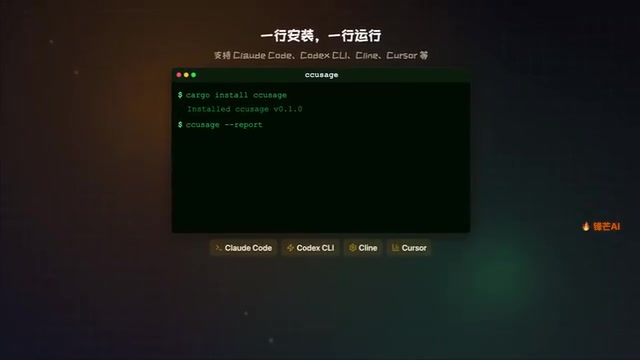
- One command to install, one command to run: Extremely low barrier to entry
- Multi-tool support: Compatible with Claude Code, Codex CLI, Cline, Cursor, and virtually all mainstream AI coding tools
- Multi-dimensional reports: Daily, weekly, monthly, and graphical reports all included
- Local analysis: No data uploaded, privacy and security guaranteed
Why Do Developers Need an AI Coding Cost Management Tool?
Cost Awareness Is the First Step to Optimization
A hidden problem with AI coding is cost opacity. When you use high-end models like GPT-4 or Claude 3.5 Sonnet, a single conversation's token consumption can reach tens or even hundreds of thousands. If you're using them across multiple projects simultaneously, your daily spending might far exceed expectations.
ccusage achieves fully local data processing thanks to the fact that mainstream AI coding tools generally store conversation logs locally. Claude Code stores logs in the .claude folder under the user's home directory, Cursor uses SQLite databases to record conversation history, and Cline's logs are typically stored in VS Code's extension data directory. These log files contain complete request-response content, along with metadata like model names and token usage. The core value of ccusage lies in parsing these differently-formatted log files and aggregating scattered raw data into a unified view—without uploading any information to third-party servers.
ccusage solves exactly this pain point: it aggregates spending data scattered across various tool logs and gives you a clear panoramic view. You can see:
- Which project consumes the most tokens
- Which model has the highest call frequency
- How daily/weekly spending trends change over time
The Ecosystem Growing Around ccusage
ccusage has already earned over 14,000 stars on GitHub, demonstrating that cost management is a genuine need in the developer community. In open-source communities, GitHub star counts aren't just indicators of popularity—they're signal thresholds that trigger contributors to join. When a tool reaches the 10,000+ star level, it typically means core functionality has been validated by a large number of real users, the community begins spontaneously contributing plugins and peripheral tools, and the tool enters various "awesome lists" gaining sustained exposure. This network effect is highly similar to the growth paths of the early npm ecosystem and the VS Code extension marketplace.
More notably, an entire ecosystem has grown around ccusage:
- Menu bar monitoring: Real-time view of current spending status
- Visualization dashboard: Chart-based display of spending trends
- Narrative retrospectives: Help you review AI-assisted coding efficiency and ROI

Practical Use Cases and Recommendations for ccusage
When Should You Use ccusage?
- When your monthly API bill exceeds expectations: Run ccusage first to see where the money went
- When developing multiple projects in parallel: Distinguish AI consumption across projects and allocate budgets rationally
- When evaluating model choices: Compare token consumption and output quality across different models to find the optimal cost-performance solution
Strategies for Optimizing AI Coding Costs
With data backing you up, you can make more rational decisions. Understanding the current model pricing tiers helps formulate optimization strategies: top-tier flagship models (Claude 3.5 Sonnet, GPT-4o, etc.) have strong reasoning capabilities but are expensive; mid-tier lightweight models (Claude 3 Haiku, GPT-4o-mini, etc.) cost roughly 1/10 to 1/20 of flagship models and are suitable for high-frequency, low-complexity tasks like code completion and simple Q&A; at the bottom are locally-deployed open-source models with near-zero marginal costs but requiring your own compute resources.
A sensible optimization strategy is "routing by tier"—use cheap models for routine completions and flagship models for architecture design and complex debugging. The data ccusage provides is precisely the prerequisite for implementing this strategy: you need to know how much you're spending on each model before you can make informed switching decisions.
- Switch simple tasks to cheaper models (like Claude Haiku or GPT-4o-mini)
- Optimize prompts to reduce unnecessary token consumption
- Set daily/weekly budget caps to prevent runaway costs
Conclusion: AI Coding Is Efficient, but Keep Your Books Straight
When you're spending your own money, you need to keep track of it yourself. AI coding tools boost efficiency, but the price of that efficiency shouldn't be a muddled account. The value of tools like ccusage lies in: letting you maintain clear cost awareness while enjoying the benefits of AI.
I recommend every heavy AI coding user run ccusage at least once to see their real bill—the results might surprise you.
Related articles
 Product Reviews
The Programmer's Desk Setup Guide: Building a Workspace That Feels Like Home
Discover how programmers build productive, comfortable workspaces. From multi-monitor setups to ergonomic design, explore the desk philosophy that drives focus and flow.
 Product Reviews
Qoder vs Cursor Real-World Comparison: Which $20/Month AI IDE Is Better?
Hands-on comparison of Qoder vs Cursor AI IDEs: Agent autonomy, human interaction count, and architecture decisions. Qoder needed only 2 interactions vs Cursor's 8.
 Product Reviews
Cursor Cloud Agent Demo: Eliminating Bottlenecks Across the Entire Software Development Lifecycle
Deep analysis of Cursor's Cloud Agent demo showing how cloud VMs, automated test artifacts, and a full-chain control plane systematically eliminate human bottlenecks across the software development lifecycle.