Chalk: An AI Teaching Assistant for On-Screen Learning on Mac, Anytime, Anywhere
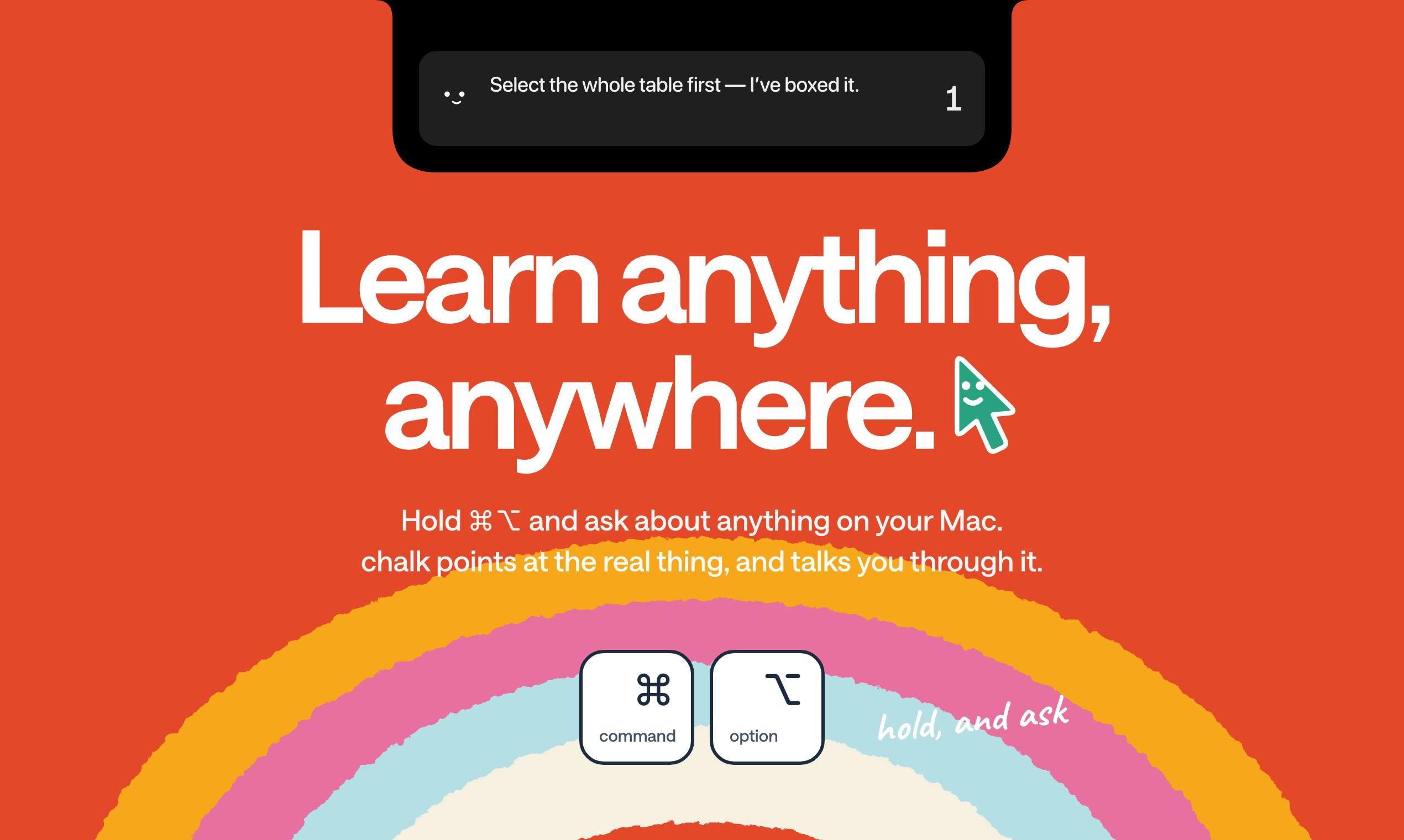
Chalk uses screen annotation plus voice to turn AI learning tools from "Q&A" into "hand-holding demonstrations."
Chalk is a Mac-based AI learning tool that uses the ⌘⌥ shortcut to read screen context, answer by voice, and annotate real buttons for step-by-step guidance. It also turns learning goals into whiteboards, hands-on lessons, or staged projects, and helps organize slide notes—emphasizing doing over reading. Outputs open in any browser and it's free to start, though pricing isn't disclosed. It has 70 votes and ranks #7 on Product Hunt.
From "Screenshot Questions" to "Hands-On Learning": What Chalk Is Doing
Most AI learning tools follow the "you ask, it answers" approach—generating a wall of text and leaving you to digest it on your own. Chalk, a recent arrival on Product Hunt, takes a different path: it focuses on "showing you how."
On a Mac, just hold ⌘⌥ to ask a question about anything on your screen. Chalk answers by voice and directly highlights the real button locations in the interface, guiding you step by step. You can also simply say what you want to learn, and it will draw out a whiteboard for you, plan a series of hands-on lessons (not just reading materials), or walk you through a complete project in stages. It can also organize lecture notes from your slides. Whiteboards and lessons can be opened in any browser, and it's free to start.
The product currently has 70 votes and 8 comments on Product Hunt, ranking #7, categorized under Mac, Education, and Artificial Intelligence.
Core Interaction: Turning the "Screen" into a Teaching Scene
Chalk's most recognizable design is the ⌘⌥ shortcut. Traditional AI assistants require users to "describe clearly" their questions, which is itself a barrier for people unfamiliar with software—you often don't know what a feature is called, which is precisely why you need someone to point it out to you.
Chalk's approach skips verbal description: it directly reads the current screen context, answers the question, then uses visual annotations to point to specific controls, combined with voice narration to form a "see—hear—do" loop. For scenarios like teaching elderly relatives to use a computer or onboarding new hires to internal systems, this "point-at-the-screen" teaching style is closer to the experience of real human tutoring than pure text answers.
The materials don't disclose which applications it specifically supports or how accurate the annotations are—these two points will directly determine actual usability and are worth watching.
Screen reading and visual annotation rely on operating-system-level Accessibility APIs and screen capture capabilities. macOS's accessibility interfaces were originally designed for accessibility scenarios; they allow apps to read window hierarchies, control types, and positions—this is precisely the prerequisite for Chalk to "know where the buttons are." Screen capture then provides pixel-level context. The advantage of this technical approach is that annotations can align with real controls rather than screenshot coordinates; the cost is that it requires users to grant high permissions, and control accessibility varies greatly across applications—some apps (especially professional software with custom-drawn interfaces or Electron apps) expose limited semantic information, which directly affects annotation accuracy. This also explains why "which apps are supported and how accurate it is" is the key unknown determining practicality in the materials.
Whiteboards and Lessons: Shifting from "Reading" to "Doing"
Beyond instant Q&A, Chalk also offers two longer-term learning paths.
One is whiteboards: you state the topic you want to learn, and it draws a structured whiteboard diagram to help build an overall cognitive framework. The other is lessons: it plans a series of lesson units that require you to do hands-on work, rather than dumping a pile of reading materials on you. For skills like programming, design tools, and office software—where you "understand it when you see it but can't do it yourself"—hands-on lesson design is clearly more on target.
There's also a project mode that breaks a big goal into stages and advances step by step. Essentially, this redefines "learning" from content consumption to task execution—AI handles decomposition and accompaniment, while the user does the actual hands-on work.
"Hands-on lessons" correspond to the active learning philosophy in educational design: compared to reading or listening to lectures, having learners execute tasks and receive immediate feedback typically yields better knowledge retention and transfer. In the context of AI products, this usually means breaking target skills into verifiable small tasks, providing operational hints, and adjusting subsequent difficulty based on user completion—a lightweight adaptive learning path. By contrast, whiteboard-style structured diagrams serve a role close to "advance organizers"—building a concept map before diving into details to reduce cognitive load. Combining the two amounts to giving the framework first and then the practice, which is also the main methodological divide between Chalk and purely conversational learning tools.
Cross-Platform and Free-to-Start Positioning
Chalk's client is on Mac, but whiteboard and lesson outputs can be opened in any browser. This combination is quite pragmatic: heavy interaction (screen reading, annotation, voice) bound to the desktop gets the deepest capabilities, while consumption and sharing of learning outcomes aren't locked into an ecosystem.
"Free to start" implies there's a free quota or free tier, but the materials don't give specific pricing or quotas, making it impossible to judge the long-term cost structure. For educational tools, this is often the key variable determining retention.
"Free to start" is a common customer acquisition strategy for SaaS and consumer AI tools, typically using a freemium model: lowering the trial barrier with free quotas or feature-limited free tiers, then converting to paid through usage, premium features, or team editions. For products that depend on model calls and voice synthesis, inference costs scale with user volume, so free quotas are often measured in number of uses, duration, or generation count. Judging whether such a product is viable long-term usually comes down to three variables: whether the free quota covers daily use, the unit price after exceeding it, and whether there's seat-based or project-based bundled pricing. The materials don't disclose these three points, meaning the long-term cost can't currently be assessed—a common state for early-stage products.
A Few Observations
First, Chalk is betting on "multimodal teaching" rather than "stronger text generation." The combination of screen reading, annotation, and voice turns AI from an answering machine into a training partner—a direction that's still relatively scarce in the AI application layer.
Second, its ambitions are considerable: instant Q&A, whiteboards, lessons, projects, and lecture note organization cover the full spectrum from fragmented help-seeking to systematic learning. The broader the feature surface, the more each area's depth needs verification.
Third, the result of 70 votes and 8 comments shows it has caught the attention of some early users, but the sample is still small, and product maturity needs to be tested through real use.
For users who want to learn new tools but struggle to "get through tutorials," Chalk's combination of "hands-on lessons + screen annotation" is worth a try—especially since it's free to start, with low trial-and-error cost.
One-line Summary
Chalk uses screen annotation plus voice to turn AI learning tools from "Q&A" into "hand-holding demonstrations."
Paragraph Summary
Chalk is a Mac-based AI learning tool whose core is using the ⌘⌥ shortcut to read the current screen context, answer by voice, and directly annotate real button locations, guiding users step by step to form a "see—hear—do" loop. Beyond instant Q&A, it can also transform learning goals into structured whiteboards, hands-on lesson units, or staged projects, and supports organizing lecture notes from slides, emphasizing "doing" over "reading." Whiteboard and lesson outputs can be opened in any browser, with the desktop handling deep interaction and the consumption end not locked into an ecosystem. The product is free to start, but pricing and quotas aren't disclosed. It has 70 votes, 8 comments, and ranks #7 on Product Hunt, placing it at an early stage.
Related articles
 Tech Frontiers
Gemini Omni 1.2 Flash: AI Video Moves Toward Draft-Style Editing
Google's Gemini Omni 1.2 Flash update enables conversational, draft-style editing of the same video—swap scenes while keeping products, adjust lighting while keeping characters. Clips up to 15s, 720p costs 30% less than the previous Flash—ideal for e-commerce ads, previs, and short-asset production.

Codex Tutorial: One-Command Install and Run Your First Task
Codex tutorial: one-command install and run your first task. Covers the four Codex forms, sandbox and approval guardrails, AGENTS.md and MCP configs, cloud network policy, and the iron rule of human review—everything you need to get started with this autonomous coding agent.
 Tech Frontiers
Localix: An Open-Source Agentic Development Environment with Multi-Model and Local AI Integration
Localix is an MIT open-source Agentic Development Environment (ADE) supporting seamless Claude Code plugin loading, multi-model cloud and local execution, Mini Apps extensions, and agent context management—an open AI collaboration workbench for developers.