Chalked Review: An AI Reply Layer for Mac That Understands Your Context

Chalked is a Mac AI reply assistant that generates context-aware suggestions while keeping humans in the loop.
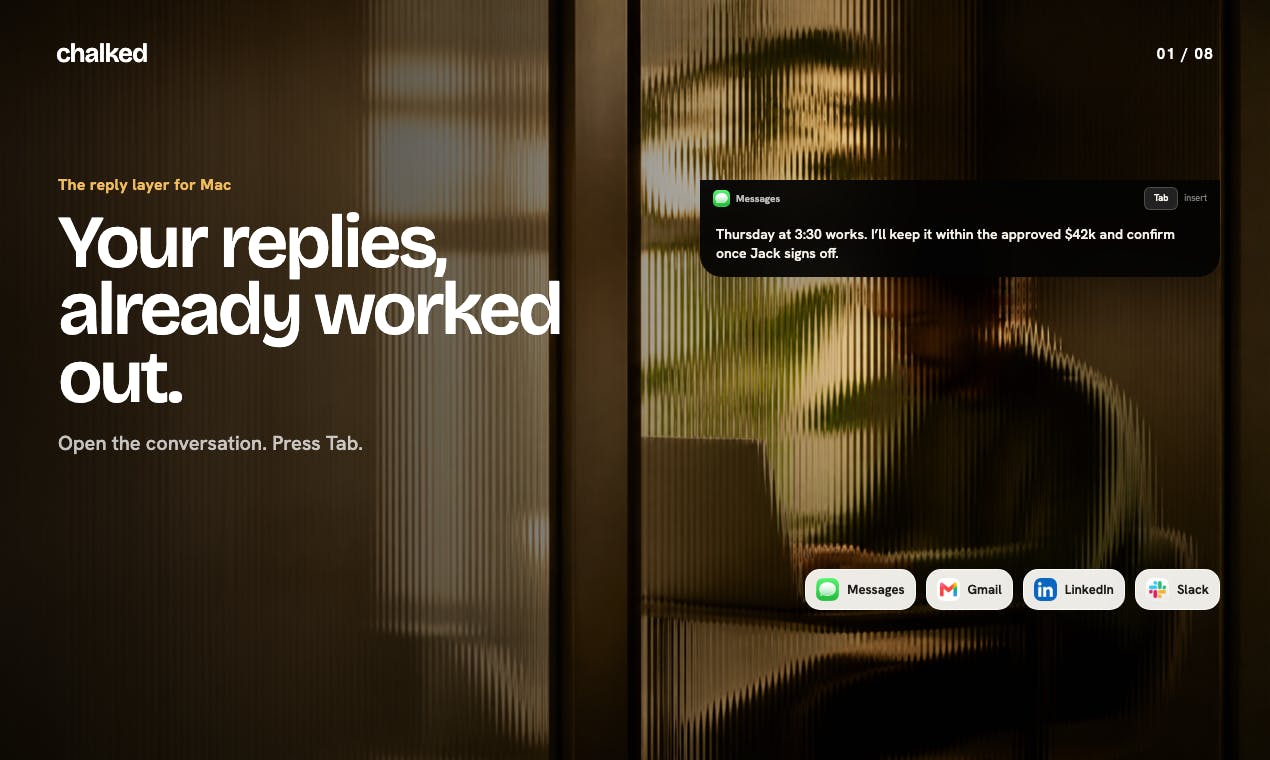
Chalked is an AI communication assistant for Mac that grounds reply suggestions in real context — including conversation threads, live calendar data, and relevant work background — rather than generic prompts. It uses a keyboard-first design, supports voice-based intent adjustment, and firmly maintains a "nothing auto-sends" policy. The system also accumulates personalization over time by learning from replies users accept or edit, making suggestions increasingly tailored to each user's style.
When AI Replies Go Beyond Text Completion
Most AI writing tools follow the same basic logic: give it a prompt, get some text. But they tend to sidestep a fundamental question — a truly useful reply requires understanding the full context of what you're dealing with. Your schedule, your previous conversations, the full thread you're currently in — all of these are essential ingredients for a response that actually fits.
Chalked targets exactly that gap. This Mac app launched on Product Hunt, earning 75 upvotes and ranking 14th on its launch day. It positions itself as "the reply layer for Mac," aiming to reimagine how we handle everyday communication on the desktop.
Three Context Sources: Replies Built from Real Information
Chalked's biggest differentiator is that its replies aren't generated in a vacuum — they're grounded in three real information sources:
- The visible conversation thread: the full context of what you're currently reading
- Live calendar: your actual schedule, so replies can reflect your real availability
- Sourced working context: relevant background tied to your current work
When you open a supported conversation window, Chalked "prepares what you'd actually say." That's a meaningful distinction from assistants that churn out generic filler — it's trying to simulate you, as a specific person, responding in a specific situation.
Keyboard-First Interaction Design
Chalked's workflow leans fully into Mac users' keyboard habits, keeping the entire flow tight and efficient:
- Press Tab to insert the suggested reply
- Hold fn to use your voice to adjust the "intended outcome"
- Then review and send — always you
This design puts AI firmly in the "assistant" seat, not the driver's seat. The voice feature is entirely optional; you can run the full workflow with just a keyboard.
"Nothing Auto-Sends": Restraint as a Product Principle
"Nothing auto-sends" — this is a principle Chalked emphasizes repeatedly, and it stands out in an era where automation tools keep pushing toward less human involvement.
Many AI communication tools, in pursuit of efficiency, compress human involvement or even send messages on the user's behalf. But the risks are real: a poorly worded auto-reply can damage important personal or professional relationships.
Chalked puts the final call back in the user's hands. The AI prepares, suggests, and accelerates — but the act of sending must always be human. This isn't just about communication quality; it's a statement of respect for user trust.
"Human-in-the-Loop" (HITL) is a core principle in AI system design — it means keeping a human review or decision step at critical points in an automated workflow. The concept originated in high-stakes fields like aviation and healthcare, but as AI decision-making systems have proliferated, it's gained traction in consumer products too. For communication tools specifically, HITL is especially important: language is ambiguous, tone is nuanced, and the same sentence carries entirely different meanings across different relationships and contexts — areas where humans still far outperform AI. Chalked treating "no auto-send" as a product principle rather than a feature toggle reflects a clear-eyed understanding of AI's current limits: AI can dramatically speed up drafting, but it's too early for it to make communication judgment calls on our behalf.
Smarter Over Time: Personalization That Accumulates
Chalked also introduces a mechanism worth noting — accepted or edited replies can be converted into "inspectable evidence."
Every time you adopt a suggestion or tweak a reply, that action becomes training material: your preferred phrasing style, your go-to expressions, your communication habits in specific situations all get preserved. As a result, "subsequent replies start from a smarter baseline."
This creates a positive feedback loop: the more you use Chalked, the better it understands your communication style, and the closer its suggestions get to sounding like you. Compared to generic assistants that start from scratch every time, this kind of "personalization accumulation" is a more durable long-term advantage.
The "inspectable evidence" design detail deserves a closer look. Many AI tools treat personalization as a black box — the system learns in the background, users don't know what it's picked up, and there's no way to correct it when it goes in the wrong direction. Chalked's emphasis on "inspectable" means users should be able to view, understand, and even intervene in those accumulated preferences, rather than passively accepting an increasingly opaque system. This kind of transparency isn't common in AI products, but it matters especially for professional communication — you need to know what the system has "remembered" before you can comfortably hand over the shaping of your communication style. From a competitive standpoint, this personalization mechanism also creates meaningful switching costs: once the system has accumulated enough of your preferences, moving to another tool means starting over with an assistant that doesn't know you at all.
Product Take: The Competitive Edge of Focus
Chalked's thinking is admirably clear. Rather than trying to be a sprawling AI platform, it focuses on "replies" — a high-frequency, concrete use case — and delivers differentiated value through deep integration of local context.
Several design choices stand out:
- Context-driven: replies are grounded in real information, not generic generation
- Human-in-the-loop: human review is non-negotiable; auto-send is off the table
- Progressive learning: personalizes from user behavior over time
- Keyboard-first: fits the efficiency habits of professional Mac users
That said, as a newly launched product, some questions remain to be answered: Which apps fall under "supported conversations"? How is local data privacy handled? How long does personalization take to meaningfully kick in? These need real-world use to validate.
But regardless, Chalked points to a product direction worth watching. In the AI-assisted communication space, "helping people say their own thing better" may prove to be a more sustainable path than "saying things for them."
Related articles

Remote Compose: A New Document-Driven Paradigm for Cross-Platform UI on Android
Remote Compose transmits compact binary documents instead of screen pixels, enabling efficient UI rendering on remote surfaces like Wear OS and widgets. This article covers its document creation API, expression animations, size optimization techniques, and Wear OS progress.

How Crashlytics Eliminates Android Memory and Responsiveness Issues
Through the Chroma Clip case study, this article explains how Firebase Crashlytics uses Application Exit Info, Profiling Manager, GWP ASAN, and ARM MTE to pinpoint ANRs, OOMs, memory limit terminations, and native memory corruption—solving the challenge of stack traces that don't point to the real culprit.

Googlebook's First Developer Case Studies: How Notability and Logitech Built Desktop-Class Android Experiences
Notability and Logitech share first-hand experience building for Googlebook: using Jetpack Compose, Navigation 3, and Jetpack Ink for desktop-class Android, plus how the peripheral customization API bridges hardware and OS.