Googlebook's First Developer Case Studies: How Notability and Logitech Built Desktop-Class Android Experiences

Notability and Logitech share Googlebook native app dev experience: forget device types, focus on screen and input.
Based on a Googlebook developer event, the article documents talks by Notability's Ryan and Logitech's Joe. Notability builds its entire UI on Jetpack Compose, using Navigation 3 to adapt layouts by window space across phones, tablets, foldables, and Googlebook; desktop experience relies on keyboard-first, input-aware UI, Continue On, and multi-input handling. Jetpack Ink cuts custom ink brush development from months to a week. Logitech's Options Plus uses the Peripheral Customization API to map mouse buttons to Circle to Search and Magic Pointer. The key takeaway: stop categorizing by device type and focus on screen size and input modalities.
Googlebook's launch marks a key step in Android's move toward desktop-class devices. At a recent developer event, Ryan, Notability's Android lead, and Joe from Logitech shared how their teams built truly native, desktop-class apps for this new platform from the ground up. Their experience reveals a core trend: developers should no longer think in terms of device types, but instead focus on screen size and input modality.
Notability: Achieving "Write Once, Adapt Everywhere" with Jetpack Compose
Notability is a note-taking app with millions of students and professional users, long established on iOS and desktop. From the very start of the project, its Android version had a clear goal: not to simply port the iOS app, but to build a truly native app that meets Android users' expectations while maintaining feature parity.
Fully Embracing Jetpack Compose and Navigation 3
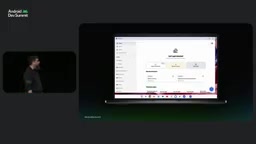
Ryan emphasized that Notability's entire UI is built on Jetpack Compose. This allows them to natively support the full range of hardware—from low-end phones to high-performance tablets, computers, XR, and even cars—with a single codebase. Navigation 3 solved the core challenge of layout adaptation. At the code level, Notability sets up an entry point for the side summary panel and adds it to the back stack. A custom scene strategy then decides the layout based on screen space: on tablets or Googlebook, the panel slides in from the right; on phones or foldables where space is insufficient, it automatically becomes a bottom sheet.
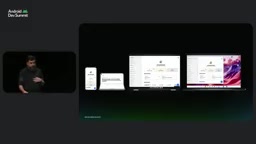
This adaptation logic based on window size rather than device type lets Notability's UI automatically adapt to various scenarios. On phones, tool buttons reposition to areas easily reachable by thumb; on tablets, the navigation panel sits on the side to use the larger space; on foldables, the folding characteristics enable unique layouts, such as splitting quiz answers and progress across screens. On Googlebook, the app supports smooth window resizing like any desktop window app, allowing free resizing for side-by-side operation.
Jetpack Compose is Google's modern declarative UI toolkit for Android, written in Kotlin, replacing the traditional imperative UI system based on Views and XML. Its core advantage: the UI is state-driven, and when state changes the framework automatically recomposes only the minimal necessary parts, making it naturally suited to different screen sizes. Compose provides APIs like WindowSizeClass that let developers make layout decisions based on window width/height breakpoints (compact / medium / expanded) rather than device type—this is precisely the technical foundation of Notability's "write once, adapt everywhere" approach.
Navigation 3 is the latest major version of the Android navigation library. It gives ownership of the back stack to developers, allowing navigation state to be observed and modified as an ordinary list. This design makes it possible to "set up a separate entry point for the side panel and add it to the back stack": the panel stays persistent as a sidebar on wide screens, degrades to a bottom sheet on narrow screens, and back-button behavior remains consistent throughout. Navigation 3 also supports multi-scene strategies, letting the same destination render in different forms based on available window space.
The Key to Desktop-Class Experience: Keyboard-First and Multi-Input Support
While adaptive UI already covers most of the desktop experience, reaching a "truly outstanding" level requires extra effort. Ryan offered several key recommendations:
- Keyboard-first: Desktop users are less touch-sensitive than phone users, so keyboard shortcuts and an easily accessible shortcut list entry point are essential.
- Input-aware UI adjustments: When a keyboard and mouse are detected, Notability adjusts its home UI to prioritize tools better suited to desktop users, rather than the stylus features on tablets.
- Multi-device handoff: The "Continue On" feature introduced in Android 17 allows apps to switch seamlessly between devices. By syncing note IDs and progress, Notability uses a simple app intent to hand off a note from phone to Googlebook, letting users continue where they left off.
- Multi-input mode handling: Beyond keyboard shortcuts, developers must consider different trackpad zoom and scroll behaviors, right-click menus, and differentiated recognition of three inputs on touchscreens—finger, stylus, and trackpad cursor.
Jetpack Ink: Cutting Ink Development from Months to a Week
For a handwriting-centric app like Notability, ink latency and effects are critical. Ryan revealed that building custom brushes used to require handling complex threading, rendering, and buffer management, potentially taking months. With Jetpack Ink, this process is greatly simplified.
Jetpack Ink provides a low-latency ink construction system. Notability leverages its "wet ink layer" (ink being drawn) and "dry ink layer" (saved ink) concepts; what used to require manual handling of thread handoff, redraws, and flicker prevention now only requires passing a custom curve-fitting model through its custom progress shape view. Ryan demonstrated rainbow and sparkle-effect brushes drawn with a finger, noting that thanks to Jetpack Ink and its custom brush builder, developing such brushes has gone from months to less than a week.
Jetpack Ink is Google's ink framework for Android handwriting and drawing scenarios, centered on a low-latency rendering pipeline. In traditional handwriting implementations, input events, stroke prediction, curve fitting, and final rasterization belong to different threads, and developers must manually manage buffers and redraws—any misstep causes latency or flicker. Jetpack Ink separates the "wet ink layer" (strokes being drawn, not yet committed) from the "dry ink layer" (persisted strokes): the wet layer follows a predictive low-latency path, while the dry layer handles stable rendering and storage. Developers only need to provide a custom progress shape or curve-fitting model, and the framework handles thread handoff and flicker prevention. This is significant for note-taking apps—ink latency directly determines writing feel, and Jetpack Ink lowers this barrier from "months of engineering" to "a one-week integration."
Kotlin Multiplatform and a Custom Text Editor
On code sharing, Notability initially considered C++ or Objective-C, but ultimately found that Kotlin Multiplatform was not only easier for iOS engineers to pick up, but also offered better performance and faster development. They are still actively evaluating it, but hold it in high regard.
Additionally, Ryan revealed a "secret sauce": the Android platform lacks good solutions for building large-document text editors. Notability built its own complex system capable of handling collaborative editing of thousands of pages of text simultaneously. Its core mechanism routes keystrokes through two paths: one for immediate local best-guess display, and another for fast syncing to the backend for collaborative validation, with readjustment if conflicts arise. This system represents a huge investment, and Notability is considering open-sourcing it and seeking community collaboration.
Logitech: Redefining Peripheral Customization with Options Plus
Logitech has over 40 years of peripheral manufacturing experience and a strong reputation for Chrome OS compatibility. With the launch of Googlebook, Logitech released the Options Plus app in tandem, letting users configure their mice and keyboards in the new desktop environment.
Bridging Hardware, Software, and Operating System Boundaries
Logitech's Joe noted that peripheral customization involves both hardware firmware and the operating system. In the past, Android apps were limited by the sandbox environment and struggled to deeply configure peripheral features. Googlebook's "Peripheral Customization API" changes this. The API is currently in a whitelist phase but is planned to open to all developers with an Android update (26Q4).
Through this API, developers can define three core components: device (identified by vendor ID and product ID), trigger (key or button), and action (app or system function). Joe showed a simplified code snippet: mapping the middle mouse button to the system voice assistant. The actual code is more complex, but the concept is intuitive.
In a live demo, Joe set the MX Master 4's thumb button to "Circle to Search" and the function button to "Magic Pointer." In the browser, he pressed the thumb button to circle the keyboard, and Google immediately displayed relevant information; then he switched the function button, pointed at a device and clicked to trigger a search. This design, integrating the entire workflow into one-handed operation, significantly improves accessibility and productivity.
Peripheral Customization API is a system-level interface introduced by Googlebook that addresses Android's long-standing sandbox limitation: ordinary apps cannot directly read or write peripheral firmware or intercept global key presses. The API defines a three-party model—device (identified by vendor ID + product ID), trigger (physical key or button), and action (launching an app, invoking a system function, or executing custom logic). Apps bind triggers to actions via declarative configuration, and the system executes them uniformly at the input dispatch layer, bypassing the sandbox without breaking security boundaries. The API is currently in a whitelist phase and is planned to open to all developers with the Android 26Q4 update, meaning peripheral vendors and third-party apps will be able to achieve customization depth approaching Windows/macOS driver-level software on desktop-class Android.
Fast Pair Discovery and Consistent UI Design
Logitech also leverages a feature called "Fast Pair discovery": when a compatible Logitech mouse is nearby, the OS triggers a standard notification prompting the user that a companion app is available, and tapping it jumps to the Play Store for installation.
In terms of UI design, Options Plus spans Windows, Mac, and Googlebook. Logitech's goal is for the app to feel platform-specific while remaining consistent across platforms. Since Googlebook users tend toward desktop-style usage, Options Plus also presents as a desktop app on Googlebook, with good support for window resizing, touch, and mouse/keyboard operation.
Key Takeaway: Forget Device Types, Focus on Screen and Input
Ryan concluded his talk by saying developers should stop categorizing devices as "phone, foldable, XR, desktop, tablet, car, TV," and instead ask two questions: What screen size is currently available? What input modalities does the user have? Then deliver the best experience for those conditions. Jetpack Compose and Navigation 3 make supporting these simple, and Google's continuous stream of new APIs (like Jetpack Ink and on-device Gemini) lets developers focus on building core experiences and unique value.
According to Notability and Logitech, Googlebook's launch ecosystem already shows a clear path toward Android desktopization. Whether for note-taking apps or peripheral management, the key to success lies in truly understanding desktop interaction logic, rather than simply scaling up a phone app.
One-line Summary
Notability and Logitech share Googlebook native app development experience: forget device types, focus on screen size and input modality.
Paragraph Summary
Based on a Googlebook developer event, the article documents talks by Notability's Android lead Ryan and Logitech's Joe. Notability builds its entire UI on Jetpack Compose, using Navigation 3 to dynamically switch between sidebar and bottom sheet based on window space, achieving one-codebase adaptation across phones, tablets, foldables, and Googlebook; the desktop experience relies on keyboard-first design, input-aware UI, Continue On handoff, and multi-input handling. Jetpack Ink compresses custom ink brush development from months to a week. Logitech's Options Plus uses the Googlebook Peripheral Customization API to map mouse buttons to actions like Circle to Search and Magic Pointer, and uses Fast Pair discovery to lower installation barriers. The core conclusion is that developers should stop categorizing by device type and instead answer "how big is the screen, and what input methods are available."
Related articles

Mistral Large 4 Open-Sources a Trillion Parameters, Microsoft Offers Voluntary Severance to 60,000 Employees
Mistral Large 4 open-sources a trillion-parameter multimodal model with a coding agent score of 48; SanDisk earnings show AI inference reshaping NAND demand; Google Gemini adds in-app file editing, OpenAI raises Codex quotas, and Microsoft offers voluntary severance to 60,000 employees.
Mistral Large 4 Opens Its Weights: AI Morning Brief Roundup of Models and Ecosystem Trends
Mistral Large 4 opens its weights, a 1-trillion-parameter MoE architecture that can run locally on MacStudio; Meta's test-generation technology enters production; top tax benchmark pass rate only 10.8%; Canadian government takes a stake in Cohere; Doubao Work opens third-party model calls. This AI Morning Brief rounds up model, ecosystem, capital, and policy developments.
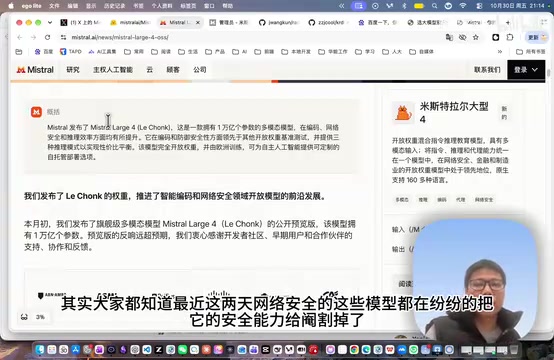
Mistral Large 4 Goes Open Source: A 1T-Parameter European Qwen Challenging DeepSeek
Mistral Large 4 is now open source: 1T total parameters, 52B activated, focused on coding and cybersecurity, with ~610G NVFP4 weights. We analyze its comparison with DeepSeek V4 Flash, API pricing, demo realism, and local deployment value.