ChatGPT Desktop App's SSH Agent Forwarding: Convenience Comes with Risk

ChatGPT desktop app accused of silently forwarding the local SSH agent, sparking debate on AI tool trust boundaries.
The article centers on a Hacker News discussion: the ChatGPT desktop app was found forwarding the local SSH agent to remote machines without the user's knowledge. The SSH agent holds private keys for passwordless login; forwarding is a standard SSH feature, but when enabled automatically by a desktop app, users lack awareness and authorization. The article notes that the classic risk of agent forwarding is that a compromised remote host or malicious process can use the forwarded agent to connect back to the user's other servers, forming a lateral movement pivot; when an AI app does this in the background, the attack surface expands from manual SSH sessions to the app's own communication channel. This reflects the trend of AI coding assistants moving from editor autocomplete to system-level integration, with each step requiring more user trust. The author recommends sensitive operations default to off or prompt explicitly, and users should audit permissions, assess remote host trustworthiness, and follow official docs and changelogs.
According to a discussion on Hacker News, the ChatGPT desktop app has a little-mentioned behavior: it forwards the local SSH agent to remote machines. This discovery has sparked debate about the security boundaries of AI tools—when an AI assistant is deeply integrated into the development environment, what exactly is it doing in the background?
What Happened: SSH Agent Silently Forwarded
The SSH agent is a key component developers use daily for passwordless login to remote servers. It holds private keys and allows users to reuse authentication credentials across multiple SSH sessions. The ChatGPT desktop app, however, appears to extend this agent capability to remote machines without the user's knowledge.
From a technical standpoint, SSH agent forwarding is itself a standard SSH protocol feature that developers can enable manually with the -A flag. The problem is that when this behavior is performed automatically by a desktop application, users often lack awareness and authorization. Commenters on Hacker News expressed concern: why does an AI chat app need to touch the SSH agent?
How the SSH agent works: The SSH agent is a background process that persists in the user's local session (such as OpenSSH's ssh-agent). On startup, it points to a Unix domain socket via the environment variable SSH_AUTH_SOCK, and clients (ssh, git, etc.) request signatures through that socket, while the private key itself never leaves the agent process's memory. Forwarding (agent forwarding) establishes a reverse channel over the SSH connection: the remote host's sshd creates its own SSH_AUTH_SOCK and relays signature requests from remote processes back to the local agent over the encrypted tunnel. So the remote machine gets "the ability to use the key" rather than the key itself—but as long as the connection persists, any process holding that socket can request signatures, and there is no way to distinguish which remote user a request comes from. This also explains why forwarding risks are hard to avoid through file permissions.
The Expanded Attack Surface Behind the Convenience
The classic risk of SSH agent forwarding is that a root user or privileged process on the remote machine can use the forwarded agent to connect back to your other servers. In other words, you've lent your key to the remote host, and whether that remote host is trustworthy or has been compromised directly determines whether your other infrastructure is secure.
When the ChatGPT desktop app does this on its own initiative, the attack surface expands from "the SSH sessions you manually operate" to "the AI application's background behavior." If a malicious process exists on the remote end, or if the AI application's own communication channel is hijacked, agent forwarding can become a pivot point for lateral movement. This is not to say that the ChatGPT desktop app necessarily has a vulnerability, but rather that this kind of integration behavior requires more transparent disclosure and more granular user control.
Lateral movement and agent hijacking: In the penetration testing context, obtaining a forwarded agent socket is a classic post-exploitation privilege escalation technique. An attacker only needs to set SSH_AUTH_SOCK to point to the victim's socket and can then use ssh -A to hop from host to host and log into other hosts reachable by the victim, all without cracking any private key. Since OpenSSH 8.9, a confirmation prompt has been added by default for signature requests (ssh-add -c can also be enabled manually), but many GUI applications and third-party agent implementations do not follow this mechanism. It is worth noting that forwarding only takes effect for TCP-reachable targets, so "least-privilege network segmentation" remains a more fundamental mitigation than agent configuration.
The Trust Boundary Between AI Tools and Developer Environments
This discussion reflects a larger trend: AI coding assistants are moving from "autocomplete in the editor" to "OS-level integration." They need to read files, execute commands, access the network, and now they are touching the SSH authentication system. Each step of integration brings improved capabilities while also requiring users to concede more trust.
A reasonable approach is this: AI tools should default to off or provide explicit prompts when it comes to sensitive operations involving credentials, keys, and remote authentication, rather than enabling them silently. Developers also need to develop the habit of auditing the permissions of AI tools—just as they would audit the permissions of an open-source dependency.
The permission model of desktop AI applications: Unlike browser sandboxes or mobile permission manifests, desktop applications typically run as the current user and inherit full access to the file system and environment variables, including SSH_AUTH_SOCK, ~/.ssh, and cloud provider credential files. Mechanisms such as macOS's TCC and Windows's AppContainer mainly cover categories like camera, microphone, and contacts, and have no dedicated controls for agent sockets. This means that whether "an AI application can touch the SSH agent" in practice depends on the application's own implementation choices rather than mandatory OS constraints. Directions being discussed in the industry include: running tool calls in a separate low-privilege process, using an explicit authorization proxy for sensitive sockets, and declaring credential-type access in application manifests.
What Users Should Do
For developers using the ChatGPT desktop app, it is advisable to check whether the application has indeed enabled SSH agent forwarding and to assess whether the remote machines you connect to are fully trustworthy. If you do not need this feature, look for an option to disable it or use the application in an isolated environment. At the same time, paying attention to official documentation and changelogs regarding permissions and integrations provides first-hand evidence for judging risk.
The efficiency gains brought by AI tools are real, but security boundaries need to be safeguarded jointly by users and vendors. Transparent disclosure of behavior and configurable permission switches should become standard features of AI desktop applications.
One-line Summary
ChatGPT desktop app is accused of silently forwarding the local SSH agent, sparking discussion about the trust boundary of AI tools.
Paragraph Summary
The article centers on a discussion on Hacker News: the ChatGPT desktop app was found to forward the local SSH agent to remote machines without the user's knowledge. The SSH agent holds private keys and is used for passwordless login; forwarding itself is a standard SSH feature, but when enabled automatically by a desktop application, users lack awareness and authorization. The article points out that the classic risk of agent forwarding is that if the remote host is compromised or has a malicious process, it can use the forwarded agent to connect back to the user's other servers, forming a pivot for lateral movement; when this behavior is performed in the background by an AI application, the attack surface expands from manual SSH sessions to the application's own communication channel. This reflects the trend of AI coding assistants moving from editor autocomplete to system-level integration, with each step of integration requiring users to concede more trust. The author recommends that sensitive operations should default to off or provide explicit prompts, and that users should proactively audit permissions, assess the trustworthiness of remote hosts, and pay attention to official documentation and changelogs.
Related articles
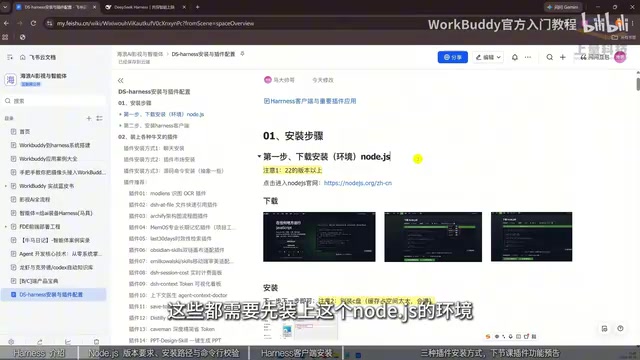
DeepSeek Harness Installation and Hands-On Tutorial: Getting Started with AI Agents from Scratch
DeepSeek Harness client installation and hands-on tutorial: from Node.js environment setup to Harness installation, plus three plugin installation methods—a step-by-step guide to building an AI assistant that can read and write local files and supports multi-agent collaboration.
Getting Started with LangChain: From Model Invocation to Building Agent Memory Systems
What is LangChain? This article starts from model invocation and explains how it solves three major LLM limitations: limited knowledge, inability to interact with external systems, and stateless memory. It also provides an official documentation learning path and practical Agent development directions.
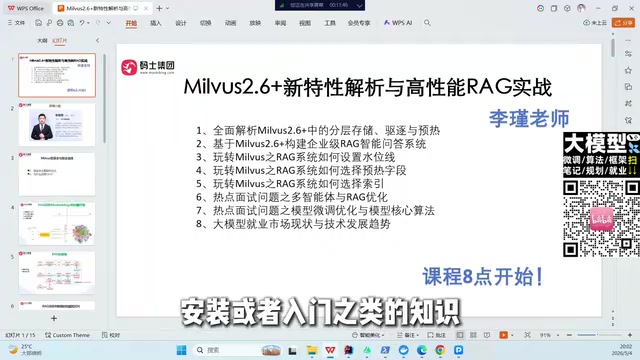
Milvus 2.6 in Practice: High-Performance RAG from Vector Principles to Enterprise Q&A
Based on Li Jin's course, this article details Milvus 2.6 vector database architecture, similarity retrieval principles, and high-performance RAG project practice, covering tiered storage, eviction policies, warm-up mechanisms, and 2026 AI large model job trends.