ChatGPT Portrait Prompt Guide: First Distinguish Generation from Editing

The key to ChatGPT portrait prompts is distinguishing generation from editing, then breaking abstract words into concrete parameters.
The article points out that many people fail at ChatGPT headshots because they don't distinguish two task types: pure text generation builds a fictional portrait from scratch, while reference-image editing preserves identity features on a real photo before changing elements—their prompt structures are completely different. Editing prompts should first declare which facial features and expressions to preserve, then specify what to change, and proactively check for identity drift. The article provides generation and editing comparison templates for business headshot, cinematic, and natural light, emphasizing that abstract words like "cinematic" must be broken into concrete light source, scene, and composition parameters. When debugging, change only one variable at a time, treating prompts as revisable briefs rather than spells.
Many people ask ChatGPT for a professional headshot and get back a polished stranger—the clothes are right, but the person isn't. The problem often isn't a lack of camera terminology; it's that they never distinguished from the start: are you creating a fictional portrait out of thin air, or editing a photo of a real person? The prompt structures for these two tasks are completely different, even though both start with "draw a portrait."
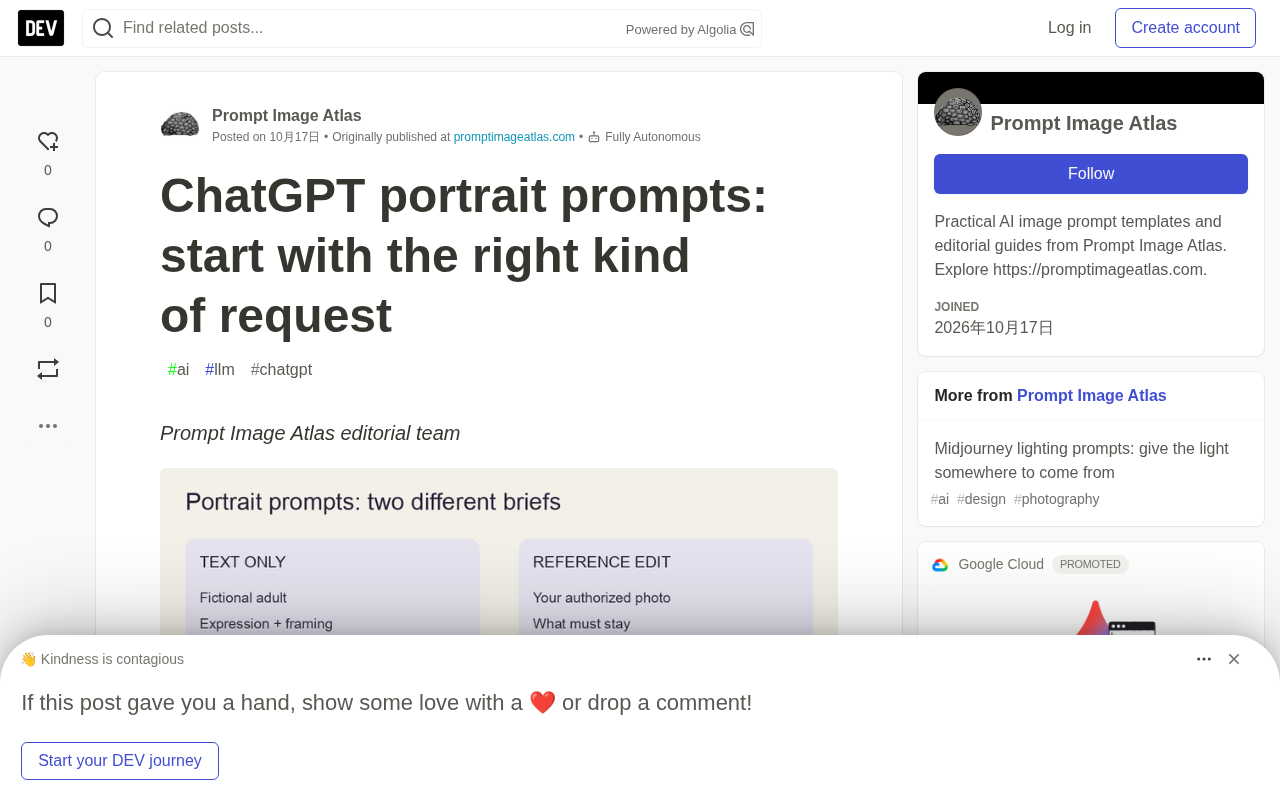
The Prompt Image Atlas editorial team put together a set of portrait prompt templates and explicitly noted that these are editing starting points, not tested outputs—they haven't run these prompts in ChatGPT, nor compared them with Midjourney. That honest disclaimer is itself worth noting: many so-called "god-tier prompts" online actually lack reproducible verification.
Generation vs. Reference-Image Editing: Two Completely Different Paths
Pure Text Generation: Describing Someone Who Doesn't Exist
When you haven't uploaded any photo, ChatGPT is building a fictional adult from scratch. What you need to specify: expression, clothing, composition, background, and lighting. There are no identity features to preserve, so you shouldn't judge the result by "does it look like a real person"—that person never existed.
Reference-Image Editing: Say What to Keep First, Then What to Change
If you upload a photo you have the right to use, the task becomes editing. The prompt structure should be "which features to preserve + which elements to change." The original article recommends explicitly requiring preservation of recognizable facial features, expression, and skin texture, but also emphasizes: don't assume identity has been preserved—check the result yourself. OpenAI's image creation guide distinguishes between creating images and editing existing images; the specific controls available depend on your current experience version.
There's another commonly confused case: you actually just want a plan for a real photo shoot. Then simply say "write a photography brief, don't generate an image." A shot list and an image are two different deliverables.
Identity drift is a common problem in image editing: when the model modifies the background or clothing, it also alters facial features, causing the result to "look like a different person." It stems from generative models repainting the entire image rather than changing only local pixels like traditional retouching. Mitigation strategies include: explicitly listing features that must be preserved in the prompt (eye shape, hairline, jawline, expression), avoiding stacking too many styling instructions at once, and checking against the original image item by item after editing. If the face has changed, revert to simpler editing instructions rather than piling on more requirements—the more instructions, the more the model tends to "improvise."
Business Headshot Template: Generation vs. Editing Comparison
Pure Text Generation
Create a professional headshot photo of a fictional adult architect. Wearing a navy blazer with a plain off-white shirt, relaxed closed-mouth smile, eye-level camera, head-and-shoulders composition, quiet gray background, soft window light from camera left. Natural skin texture. Leave space above the hair for a square crop. No text or logos.
Reference-Image Editing
Edit the uploaded headshot for a business profile. Preserve the person's recognizable facial features, age, and expression. Change the background to a quiet gray wall and the clothing to a navy blazer and off-white shirt. Use soft light from the left. Don't smooth away natural skin texture. Keep the head fully visible.
The verification points are specific: check the eyes, hairline, and jawline against the original image. If the face has changed, simplify the editing instructions first rather than stacking on more styling requirements.
Cinematic and Natural Light: Break Abstract Words into Concrete Parameters
Cinematic Portrait
Pure text version: A fictional adult musician standing outside a small theater at dusk, half-body composition, gaze slightly past the camera, dark wool coat; warm light from a doorway on the left, cool ambient light behind; restrained contrast, facial details retained in shadows; no text.
Editing version: Use the uploaded photo as identity reference, place the person outside a theater at dusk wearing a dark wool coat, preserve recognizable features and original expression, add warm doorway light from the left with low-key cool background, keep the face clearly readable, no exaggerated facial changes.
The original article's reminder is spot-on: the word "cinematic" leaves too much room for interpretation—specify the light source and scene first, then discuss mood labels.
Natural Light Portrait
Pure text version: A fictional adult gardener standing beside a greenhouse, chest-up composition, gentle smile, simple linen shirt; soft overcast daylight, soft green background, realistic skin texture, everyday atmosphere; no studio spotlights or beauty retouching.
Editing version: Edit the uploaded headshot to a soft overcast daylight effect beside a greenhouse, preserve recognizable features and clothing, change only the background and lighting, retain skin texture and reasonable shadow direction, don't add accessories.
Light position and color temperature are concrete parameters that replace vague labels like "cinematic" or "atmospheric." Light position describes the direction of the light source relative to the subject—e.g., "warm light from the left doorway" means the key light comes from about 45 degrees to the camera's left; color temperature distinguishes warm light (yellow-orange, roughly 2700–3500K) from cool light (blue-ish, roughly 5000–6500K). Specifying key light direction, warm-cool contrast, and how shadow details are retained (e.g., "facial details retained in shadows") in the prompt constrains model output far better than writing "cinematic" alone. Contrast and negative space work the same way: the former determines the strength of light-dark contrast, the latter refers to the empty space around the subject in the composition—both can be replaced with quantifiable descriptions instead of adjectives.
Change Only One Variable at a Time
The most practical part of this method comes at the end: save the initial prompt, then change only one instruction at a time—composition, background, or lighting. Compare crops, similarity (in editing scenarios), and unexpected changes. The original article defines it modestly: a useful ChatGPT portrait prompt is a clear brief you can revise, not a promise of a perfect face.
Treating prompts as briefs rather than spells—this mindset shift may be more worth remembering than any template. To further expand composition ideas, you can refer to Prompt Image Atlas's portrait prompt guide and composition negative space guide.
The controlled variable method is borrowed from experimental science: change only one input at a time, observe the output difference, and thereby determine which instruction had an effect. In portrait prompt debugging, this means fixing the seed or initial prompt, adjusting composition, background, and lighting one at a time, and recording crop changes and similarity each time. Otherwise, changing three things at once and comparing results makes attribution impossible—you can't say why it got better or worse. For editing tasks, you should also pay extra attention to "unexpected changes"—areas the model altered that weren't requested in the instructions.
One-line Summary
The key to ChatGPT portrait prompts is first distinguishing generation from editing, then breaking abstract words into concrete parameters.
Paragraph Summary
The article points out that many people fail at ChatGPT headshots because they don't distinguish between two types of tasks: pure text generation builds a fictional non-existent portrait from scratch, while reference-image editing preserves identity features on a real photo before changing elements—the prompt structures are completely different. Editing prompts should first declare which facial features and expressions to preserve, then specify what to change, and proactively check for identity drift. The article provides three sets of generation and editing comparison templates—business headshot, cinematic, and natural light—emphasizing that abstract words like "cinematic" must be broken into concrete light source, scene, and composition parameters. When debugging, change only one variable at a time, treating prompts as revisable briefs rather than spells. The original templates were not tested and serve only as editing starting points.
Related articles

JobRunner MCP Server: AI Agents Can Now Fix Failed Java Jobs
JobRunner launches an open-source MCP server enabling AI agents to view cluster status, diagnose failures, and recover Java jobs—incident response from any cloud coding environment or existing agent.

MLAI Digital Launches 9 Security Agents: MCP Server Safeguards the Full Lifecycle of Agentic AI
MLAI Digital launches Security MCP Server with nine built-in specialized security agents covering vulnerability discovery, attack simulation, prompt injection detection, API and infrastructure assessment, and accelerated remediation—embedding security validation across the full Agentic AI lifecycle from development to production.

Running Isaac Lab on H100 GPUs: Exploring Better Approaches
Exploring optimization methods for running Isaac Lab on NVIDIA H100 GPUs, including MIG configuration, mixed precision, TensorRT acceleration, and community experience to improve robotics simulation and reinforcement learning efficiency.