ChatGPT Space: A Shared AI Canvas That's Reshaping the Way Teams Work

ChatGPT Space upgrades AI from a personal chat tool to a shared team canvas with persistent, collaborative context.
ChatGPT Space is a new team collaboration feature from OpenAI, positioned as an AI-centric shared canvas. Teams can continuously feed in links, files, and ideas to build a living shared context, then use ChatGPT to transform those materials into plans, documents, or lightweight apps. Unlike Notion AI or Microsoft Copilot — which layer AI onto existing tools — Space takes an AI-first architecture. It launched on Product Hunt with 94 upvotes and a fifth-place ranking across Design, Productivity, and AI categories. Key open questions remain around permissions, tool integration, and real-time collaboration depth.
What Is ChatGPT Space
ChatGPT Space is a brand-new collaborative feature from OpenAI, positioned at its core as a shared canvas for creation, planning, and collaboration. It aims to solve a long-standing pain point: when teams use AI to move work forward, context tends to scatter across individual conversations, files, and links — making it difficult to consolidate and share.
According to the official description, users can continuously add links, files, and ideas into a Space to build a "living source of context," then work alongside ChatGPT to transform these scattered materials into plans, documents, apps, and more — keeping the entire team on the same page.
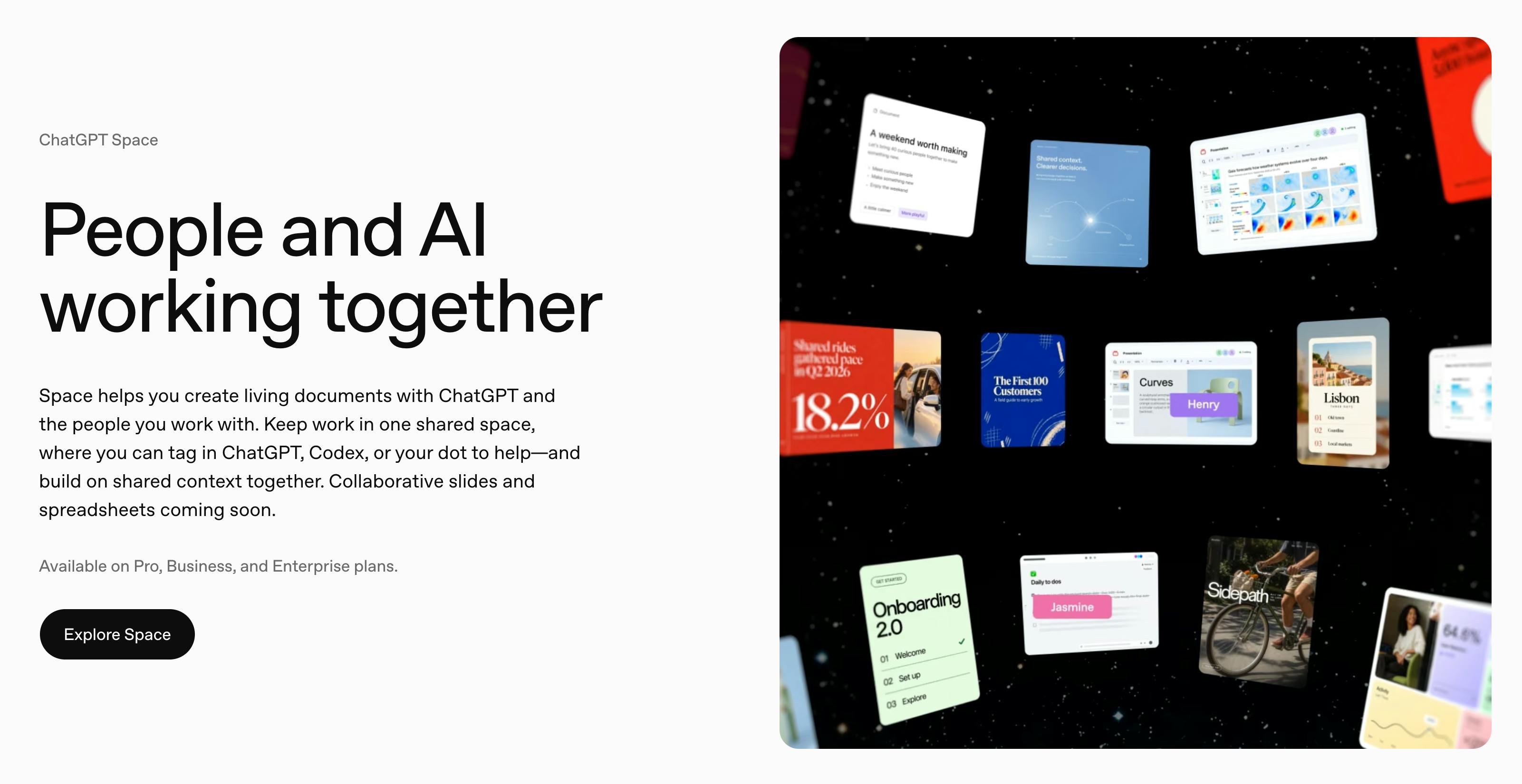
After launching on Product Hunt, the product earned 94 upvotes and ranked fifth, categorized under Design Tools, Productivity, and Artificial Intelligence. Its positioning is quite clear — it's both a creative tool and a platform for team collaboration and efficiency.
From One-on-One Conversations to Team-Wide Sharing
Historically, using ChatGPT has been a largely "one-on-one" experience: you ask, it answers, and the context stays locked inside a single session. The moment team collaboration enters the picture, information transfer becomes clunky — you end up copying and pasting conversation snippets or forwarding screenshots in group chats.
ChatGPT Space's approach is to upgrade AI from a personal assistant to a team's "shared workspace." Its key value lies in persistent, shared context. Every piece of material you add to a Space becomes a common knowledge foundation for both the team and ChatGPT. That means members no longer need to brief the AI individually on background information, and the AI's outputs are grounded in a shared understanding.
This design philosophy echoes tools like Notion AI and Google's collaborative document suite, but ChatGPT Space differs in that it places AI at the center of collaboration rather than as a supplementary sidebar feature. Materials, discussions, and generated outputs all revolve around the AI, forming a closed loop.
Looking at the evolution of product formats, ChatGPT Space is clearly in direct competition with existing "AI workspace" products on the market. Notion AI embeds generative AI into the document editing workflow, focusing on knowledge base integration and generation. Microsoft Copilot is deeply tied to the Office suite, leveraging an organization's existing data assets to provide assistance. Both strategies treat AI as an "enhancement layer" stacked on top of existing collaboration tools. ChatGPT Space takes the opposite approach — it starts from AI conversation as its origin point and pulls documents, links, and outputs into a single AI-centric space. This "AI-first" collaborative architecture is philosophically more radical, but it also means users need to adopt new working habits, and migration costs are non-trivial. For teams already deeply invested in Notion or Confluence, whether they're willing to introduce yet another standalone AI canvas into their toolchain will be the key variable driving adoption.
Core Capability: Transforming Raw Materials into Results
Space emphasizes not just "storing" information but, more critically, "transforming" it. The output formats highlighted by the official product include:
- Plans: Organizing scattered ideas into actionable proposals
- Docs: Generating structured documents based on existing materials
- Apps: Turning concepts directly into runnable lightweight applications
This reflects OpenAI's recent product direction — moving ChatGPT from "answering questions" to "completing tasks." When you drop links, files, and initial ideas into the same space, the AI has enough context to produce quality results, rather than offering generic responses in an information vacuum.
For teams that collaborate frequently, this workflow — where input becomes context and output becomes deliverable — has the potential to significantly reduce the overhead of communication and organization.
The capability to "turn concepts into runnable lightweight applications" is backed by OpenAI's previously released Canvas feature and GPT-4o's code execution and generation abilities. Canvas mode lets users edit code or documents in real time alongside the conversation, with the AI making targeted edits to content rather than outputting a completely replaced version each time. Space extends this capability to a shared team dimension, meaning multiple members can iterate on the same code draft in tandem with the AI. That said, "runnable lightweight applications" currently refers more to lightweight scripts or interactive prototypes than to full-scale production-grade software — users need to maintain realistic expectations and avoid conflating Space with a fully featured low-code development platform.
Positioning and Potential Use Cases
Based on its three-way classification on Product Hunt (Design Tools / Productivity / Artificial Intelligence), several typical use cases emerge:
- Product and design teams: Collecting reference links and requirements docs, jointly refining product plans
- Content creation teams: Aggregating source materials, collaboratively generating articles, scripts, or creative briefs
- Small startup teams: Rapidly translating ideas into prototypes or documentation in a lightweight way
What these scenarios share is information density, frequent collaboration, and the need for continuous iteration. Space's "living context" model aligns well with exactly these demands.
Key Questions Worth Watching
As a newly launched feature, publicly available information is still limited. Several critical questions remain to be seen:
First is permissions and data security. A shared team canvas means sensitive materials will be stored centrally — enterprise users will inevitably scrutinize access control and privacy protections.
Second is integration with existing tools. Most teams are already deeply reliant on tools like Slack, Notion, and Figma. Whether Space can slot smoothly into existing workflows will determine its real-world adoption rate.
Third is depth of collaboration. What the experience of true real-time co-editing looks like — simultaneous editing, comments, version control — remains unclear for now, and this is often the deciding factor in whether collaboration tools retain users.
On the data security front, some useful background context: OpenAI currently offers ChatGPT Enterprise, which promises not to use customer inputs for model training and provides SOC 2 compliance certification. As a new feature, whether Space's data processing terms follow the Enterprise privacy policy and whether it supports data residency options are not just nice-to-haves for teams in regulated industries like healthcare, finance, and legal — they're baseline entry requirements. Furthermore, content in a shared canvas involving multiple collaborators introduces needs around data ownership and access auditing. These are questions that enterprise collaboration tools must answer at the IT procurement stage, and they represent the threshold Space must cross to evolve from "an attractive new feature" to "a trustworthy team infrastructure."
Closing Thoughts
ChatGPT Space represents a clear signal of AI products evolving from "personal tools" toward "team collaboration platforms." It places AI at the center of the collaborative process, using shared context to connect creativity, planning, and output. For teams accustomed to a fragmented approach to using AI, this is a genuinely compelling new option. Whether it delivers on its promise will depend on how the feature matures and how it holds up in real-world use — but the direction itself is worth watching.
(This article is based on publicly available product information from Product Hunt. Specific features are subject to official announcements.)
Related articles

Workbuddy for Absolute Beginners: How a Desktop AI Agent Fits Into Real Workflows
A beginner's guide to the Workbuddy desktop AI agent: installation, claiming credits, file management, and building automated workflows—compared with CodeX for fit and cost, helping professionals shift from AI question-askers to AI managers.

OpenAI's New Agent Stack: Computer Use, Decisions API, and Ultra-Fast Workflows
OpenAI Dev Day unveiled a new agent stack: Computer Use outperforms humans, Decisions API delivers ultra-low-latency classification via Luna, Agents API opens the same Computer Use capabilities, and GPT-6.1 Sol costs only one-seventh of Astra. Core updates, benchmark data, and developer insights.

Liang Wenfeng Open-Sources DeepInfo Inference Framework, Takes On U.S. Ban
DeepSeek open-sources its DeepInfo inference framework after its models, featuring GPU/CPU cross-pipelining, small-model prediction with large-model verification, and full Huawei Ascend and NVIDIA chip support—facing the U.S. federal ban head-on. This article analyzes its significance for AI deployment and open-source strategy.