Claude Catches a Compromised Mac Mini: How AI Monitoring Detected a Crypto Mining Trojan

Claude Code caught a crypto miner on Ben Thompson's Mac Mini before any security software did.
Prominent tech analyst Ben Thompson recently revealed that his Mac Mini was compromised through an exposed port 5900 (VNC screen sharing), allowing attackers to plant a cryptocurrency miner. The breach wasn't caught by antivirus software — it was flagged by Claude Code, the AI agent he uses for workflow monitoring, during a routine restart. Unlike signature-based security tools, Claude Code identified the anomaly through contextual understanding of system processes and resource usage. The incident serves as a practical warning to disable unnecessary remote access ports, while also highlighting a broader trend: AI agents embedded in everyday workflows are extending their value in unexpected ways, from coding assistance to actively sensing threats in the environments they inhabit.
How It Happened: AI Triggers an Alert During a Routine Restart
Well-known tech analyst and Stratechery founder Ben Thompson recently documented a dramatic security incident in a blog post: his Mac Mini had been silently compromised — and the one that caught it was the AI tool he uses every day, Claude Code.
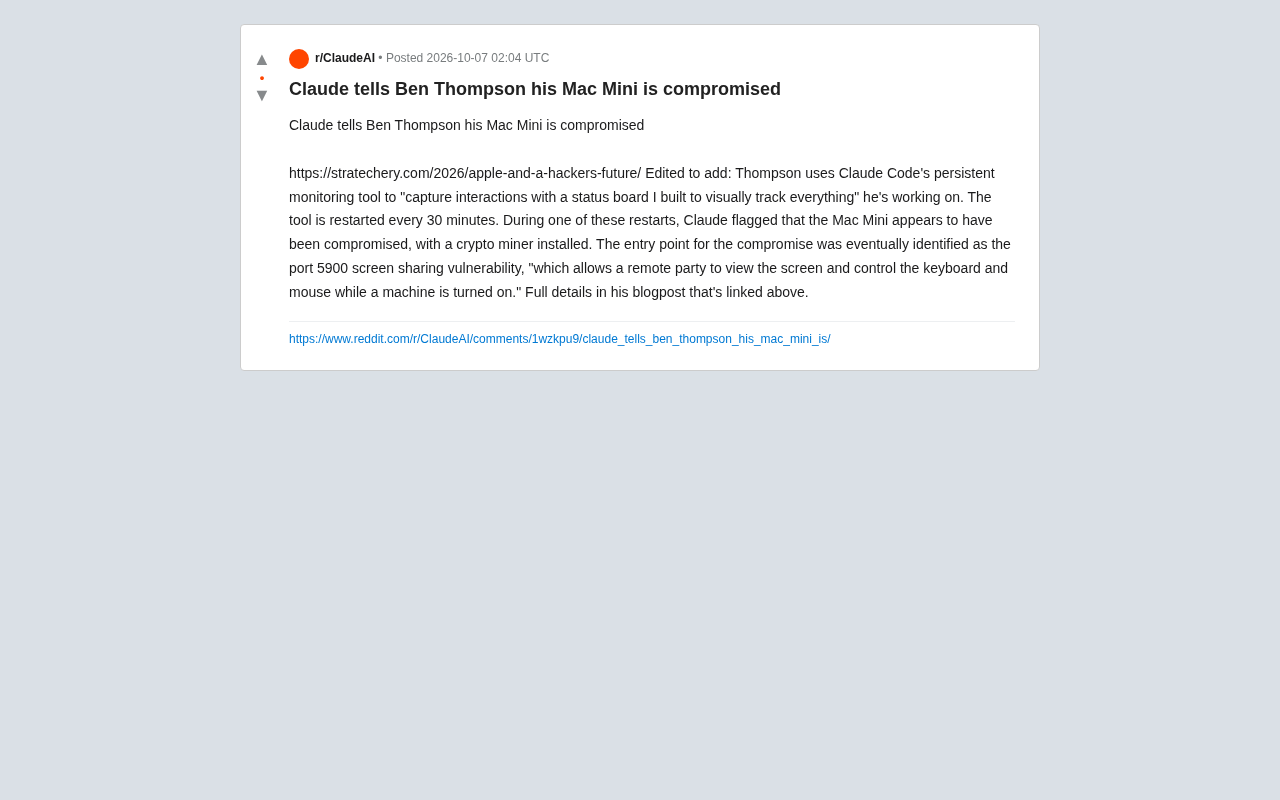
According to Thompson, he uses Claude Code's continuous monitoring capability alongside a custom-built "status board" to visually track all his ongoing work. The monitoring tool was configured to automatically restart every 30 minutes. During one of those routine restarts, Claude flagged an anomaly — the Mac Mini appeared to have been breached and infected with a cryptocurrency miner.
This scenario has sparked discussion because it reveals an unexpected value of AI tools embedded in real-world workflows: when an AI is given continuous awareness of the system environment, it can detect abnormal states before the human user even notices.
The Attack Vector: An Overlooked Screen Sharing Vulnerability on Port 5900
After investigation, the entry point was traced back to a screen sharing vulnerability on port 5900. According to Thompson, the flaw "allowed a remote party to view the screen and control the keyboard and mouse while the machine was powered on."
Port 5900 is the default port for VNC (Virtual Network Computing), which corresponds to the "Screen Sharing" feature in macOS. Once this port is exposed to the internet without sufficient access controls or strong password protection, an attacker can potentially take over the device remotely. After gaining control, the intruder planted a mining program to exploit the victim's hardware for profit — a fairly classic attack pattern.
What makes this type of attack so stealthy is that mining malware typically doesn't destroy data or display ransom messages. It simply siphons off CPU/GPU resources quietly. For everyday users, the only signs might be a slower machine, a fan running at high speed, or increased heat — easy to dismiss as "aging hardware" or "too many apps running," rather than a security breach.
VNC (Virtual Network Computing) is a graphical remote desktop technology based on the RFB (Remote Framebuffer) protocol. Dating back to the 1990s, it remains widely built into major operating systems today. macOS's "Screen Sharing" is essentially Apple's native implementation of the VNC protocol. Due to its long history and widespread deployment, VNC ports are prime targets for network scanning tools like Shodan and Masscan. Attackers routinely run automated scripts to scan public IP ranges, and the moment port 5900 is found open, they attempt brute-force password attacks or exploit known authentication bypass vulnerabilities. For home devices, a router's NAT normally acts as a layer of isolation — but if a user manually sets up port forwarding to "access home from anywhere," they effectively tear down that barrier themselves.
Why Did AI Catch It First?
Traditional security defenses rely on antivirus software, firewall rules, and signature database matching — tools well-suited for identifying known threats. What makes Thompson's case unusual is that the anomaly wasn't detected by dedicated security software, but by a general-purpose AI agent being used for workflow monitoring.
The reason Claude Code was able to spot the problem lies in its contextual understanding of system state. Rather than comparing against virus signatures, it was observing the machine's processes, resource usage, and behavioral patterns as a whole. When it encountered an anomalous process inconsistent with normal work activity, it was able to proactively flag: "This machine looks like it's been compromised." This kind of understanding-based judgment — as opposed to signature matching — is precisely what allows it to catch novel or stealthy threats that haven't yet made it into any signature database.
From a broader perspective, this signals an evolution in security monitoring paradigms: when an AI agent takes up long-term residence in a user's work environment, it naturally becomes a pair of "always-watching eyes." Security is no longer a siloed module running in isolation — it can be woven into the everyday flow of human-AI collaboration.
Claude Code is Anthropic's AI coding agent designed for developers. It can autonomously execute commands, read files, and invoke system tools in a local terminal environment, while maintaining memory of task context across multiple interactions. Unlike traditional question-and-answer AI assistants, agent mode allows it to run continuously, actively observe the environment, and interrupt its current task to issue warnings when necessary — which is structurally why it was able to "incidentally" detect an anomalous process during a routine restart sequence. The security potential of AI agents with tool-calling and environment-sensing capabilities has already attracted academic attention: rather than relying on predefined rules, they identify deviations by understanding a "normal baseline," making them theoretically capable of detecting zero-day attacks or behavioral anomalies — precisely the blind spot of traditional signature-based endpoint security software.
Practical Warnings for Everyday Users
Setting aside the AI angle, this incident is a real and actionable security reminder.
Disable unnecessary remote access ports. If you don't need remote screen sharing, go to macOS's System Settings → General → Sharing and confirm that "Screen Sharing" is turned off. The fewer services you expose, the smaller your attack surface.
Don't let high-risk ports sit exposed on the public internet. Ports like 5900, if forwarded directly through your router, carry extreme risk. If you do need remote access, route it through a VPN or encrypted tunnel — never leave it bare on the internet.
Watch for unusual resource consumption. Unexplained heat, fans running at high speed for extended periods, or mysteriously elevated CPU usage can all be signs of a crypto miner. It's worth using Activity Monitor to investigate suspicious processes.
Use the tools you have to observe your system. This is the most instructive takeaway from Thompson's case — even without a professional security background, continuous monitoring combined with AI assistance can surface problems that would be nearly invisible to the naked eye.
A Signal Worth Noting
This incident caught the community's attention not simply because it involved a prominent tech commentator. It reads more like a small preview of what's coming: as AI agents become deeply embedded in human workflows, the boundaries of their value are quietly expanding — from coding assistance and information organization, to actively sensing and safeguarding the environment they run in.
Of course, this cuts both ways. When an AI can see everything on your machine, it can help you catch intruders — but it also means you're granting it substantial visibility into your system. Security and trust have always been two sides of the same coin. The story of Thompson's Mac Mini puts that tension squarely on the table.
Related articles

@ai-sdk/vue 3.0.306 Patch Release Syncs with [email protected] Update
@ai-sdk/vue 3.0.306 released, synced with [email protected]. A routine patch release for the Vercel AI SDK ecosystem with no public API changes; the Vue adapter layer stays version-aligned with the core package.

Gemini 4 Argon API Launches: The Era of Million-Token Output Begins
Google launches Gemini 4 Argon with sparse MoE architecture, up to 1M output tokens, and a 68.90% Vals Index score, available across API, AI Studio, and the Gemini app.

DukaanAI: Turning Product Photos into Inventory Lists with Open-Source AI
DukaanAI is an AI inventory tool for small retailers that turns product photos into inventory entries using the open-source Gemma 3 model, with local inference, editable fields, and CSV export.