Claude Code Adds Mods and AGENTS.md Support: A Deep Dive
Claude Code opens up programmatic customization via AGENTS.md support and a new Mods plugin system.
Anthropic shipped a wave of customization-focused updates to Claude Code within roughly one month. AGENTS.md support solves cross-agent rule reuse, letting different tools share a single project instruction file. The Mods system is the more strategically significant addition — built on Function Hooks, it lets developers inject custom logic into context assembly, tool calls, and UI rendering, with AGENTS.md support itself serving as the first built-in Mod. Projects Beta targets multi-agent parallel coordination, the desktop app gains background operation and session resume, Sonnet 4.5 extends the context window to 1 million tokens, and new Skills Doctor and Plugin Eval tools help developers measure the cost and benefit of customizations. Taken together, the update signals Claude Code evolving from a single tool into a programmable AI workflow platform.
Anthropic has quietly rolled out a set of foundational customization capabilities for Claude Code across a series of recent releases. This update spans AGENTS.md compatibility, the Mods plugin system, a redesigned Projects experience, background computer use, a Diff panel, and a Skills evaluation tool. According to a roundup from a Bilibili content creator, these features landed within roughly a one-month update window. The most significant part isn't any single feature — it's the direction that Mods points toward: letting developers use code to customize how Claude Code behaves.
AGENTS.md Support: Solving Cross-Agent Compatibility
Claude Code can now read AGENTS.md files directly from your project. This file is typically used to tell coding agents how to operate: how to run tests, which package manager to use, which folders contain generated files, and so on. The feature shipped with version 2.1.277.
The default logic works like this: if a project doesn't have its own Claude-specific instruction file (like CLAUDE.md), Claude Code will fall back to AGENTS.md. If CLAUDE.md already exists, it takes precedence. You can also modify this behavior in Configure Project Instructions — including loading both files simultaneously, so shared project guidance and Claude-specific instructions coexist.
The practical value here is reducing duplicate maintenance. When you're switching between different coding agents on the same project, sharing a single rules file means you don't have to maintain multiple redundant copies. One caveat to note: at launch, this support is not available on Bedrock, Vertex, or Foundry.
A practical tip: keep the shared file concise — include only the commands and conventions agents actually need — and verify the output separately, because "can read the file" doesn't mean "will perfectly execute every instruction."
Mods: The Mechanism That Actually Matters
If AGENTS.md is an immediate compatibility improvement, Mods is the part of this update with the most long-term potential.
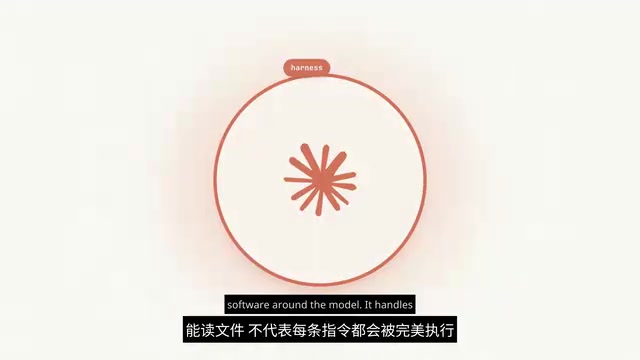
To understand it, you first need the concept of a Harness — the software layer surrounding the model that handles context assembly, tool invocation, and session rendering. Anthropic defines Mods as "a plugin that uses Function Hooks," letting developers inject code to intercept and modify these behaviors.
Anthropic's early demos include modifying UI components and filtering tool outputs before they're passed back to the model. This also explains why AGENTS.md support makes for such a natural first example: it's essentially a built-in Mod that decides which project instructions get sent to the model. The documentation notes that developers will eventually be able to build their own versions of this instruction-loading behavior.
The public repository currently includes four built-in Mods: an Agent Preloader, a Diff Panel, Telemetry, and an organization security Mod. Developers who want to build custom Mods will need to enable the Function Host first, and the API may change between versions. In short: the built-in capabilities are live, but the broader customization system is still in development.
For teams running specialized coding workflows, this direction is especially worth watching. An ideal use case: a Mod that automatically assembles the right instructions for each part of a large project, without cramming every team's rules into every task's context window.
Diff Panel: Real-Time Visibility Into Edits
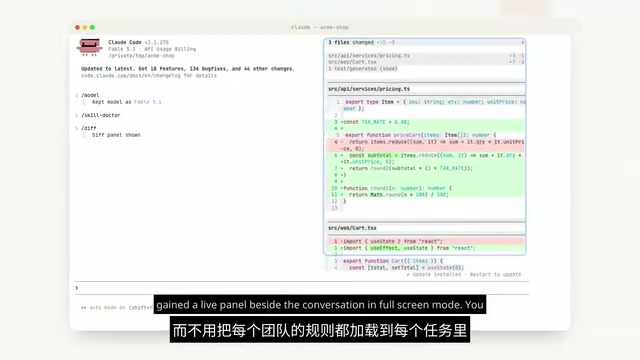
The Diff Mod corresponds to a practical update in version 2.1.260. In full-screen mode, a live panel appears alongside the chat, showing file changes and line-count deltas as Claude edits files or runs commands — updated in real time. You can also select specific lines to append to your next message.
Requirements: a Git repository and a terminal at least 110 columns wide. When Claude modifies the wrong function, you can point directly to the specific change, explain what needs adjusting, while keeping the conversation visible.
Function Hooks is a software design pattern that allows external code to "hook into" specific points in a system's execution flow and alter default behavior, without modifying the core code itself. In the context of Claude Code, this means developers can inject custom logic at any stage of the chain — user input → model processing → tool calls → result rendering. For example, filtering, redacting, or reformatting tool call results before they're returned to the model. This maps closely to patterns developers already know: browser extensions, Webpack plugins, Git Hooks. The core system exposes extension points; the ecosystem fills them in. Mods brings this philosophy to AI coding assistants, enabling organizations to customize security policies, context management, or UI behavior — without forking the entire toolchain.
Projects Redesign and Background Computer Use
Projects has launched a redesigned Beta, initially available to a subset of Pro and Max subscribers using Claude Sessions. These users temporarily cannot access Projects on Web or Desktop. Parallel threads will consume credits faster.
The core value of Projects is coordinating multiple agents working simultaneously. Give it a feature request that involves both API changes and frontend updates, and how well it handles the handoffs between agents will determine whether it's actually usable.

On the desktop side, background computer use is now live. On macOS 15 or later, Claude can work inside approved apps while you continue using your computer — still in Beta for Pro and Max subscribers. It's particularly useful for tasks that can only be done in native apps with no CLI interface. Setup requires approving which apps Claude can access, keeping the desktop app running, and keeping your machine awake.
Another desktop improvement: you can now use /resume inside the app to pick up a session that started in Terminal, with the full conversation and context preserved.
Claude Sessions are persistent units in Claude Code that manage conversation state and context. Unlike stateless API calls, a Session retains context, tool call history, and intermediate state across multiple interactions, enabling long multi-step tasks to run coherently. Projects relies on Sessions to coordinate parallel agents — each agent has its own Session while sharing project-level context configuration. Sessions also consume token quota: the longer the retained context, the higher the cost per call. This is why "parallel threads consume credits faster" — multiple Sessions running in parallel means multiple contexts being billed simultaneously, not a single conversation growing linearly.
Model Updates and Evaluation Tools
On the model side, Sonnet 4.5 has been released and is supported in Claude Code starting with version 2.1.257, with a context window of 1 million tokens. Standard settings will automatically select the new model, but there's a Gateway exception — its alias still points to the previous version, requiring you to specify the model name manually. Before switching, confirm your access and usage requirements, as depending on your plan, this may draw from separate usage credits.
Alongside these customization capabilities, two evaluation tools are worth highlighting:
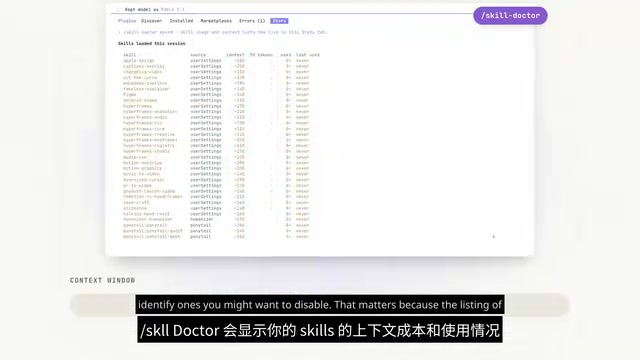
- Skills Doctor: Shows context cost and usage for each Skill, helping you identify which ones to disable. This matters because even Skills that are never invoked still consume context just by appearing in the "available tools" list.
- Plugin Eval (version 2.1.269): You provide test cases and scoring checks, and it runs them with your plugin — defaulting to a second run without the plugin for comparison. Since these are real model calls, they consume usage credits.
A practical recommendation: before adding complex workflows to your configuration, pick a few tasks you repeat frequently, define what "good output" looks like, then check whether the plugin's improvement justifies the added cost.
Skills in Claude Code refer to pre-configured tool or capability modules — things like code search, file read/write, and terminal command execution. Skills Doctor matters because of a counterintuitive mechanism: even if a Skill is never actually invoked during a task, simply listing it as "available" takes up token space in the context window as a tool definition. The more complex and numerous the tool definitions, the higher the baseline cost of every request — and the less space remains for actual code and conversation. Skills Doctor's usage visualization helps developers identify Skills that are nominally enabled but never triggered, so they can trim the tool list and reduce hidden per-call overhead.
Wrapping Up
In this round of updates, Mods and AGENTS.md carry the most signal. The former gives a concrete example of what modifying the Harness can look like; the latter solves an immediate cross-agent compatibility problem. As the customization API stabilizes, what the community builds on top of it will be the more interesting story to watch. For developers who use Claude Code heavily day-to-day, it's worth reflecting on your own workflows: do you need Mods for deep customization, or would Projects handling multi-task coordination be the bigger win?
Related articles
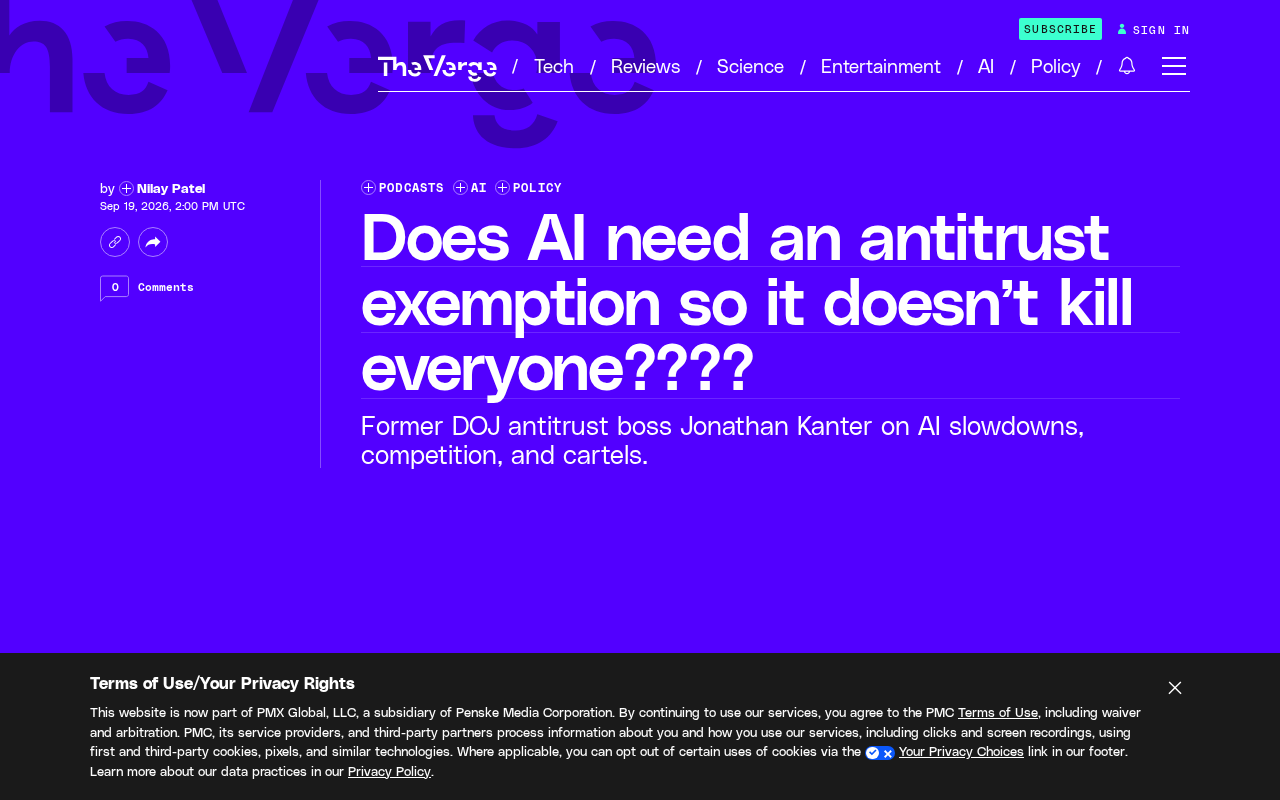
Does AI Need Antitrust Immunity to 'Avoid Destroying Humanity'? A Warning from the Former DOJ Antitrust Chief
Former DOJ Antitrust Chief Jonathan Kanter warns on the Decoder podcast: should AI companies get antitrust immunity for 'safety'? A deep dive into the risks.
Qwen Image 2.1 Early Access: A New Benchmark for Open-Source Image Generation?
Reddit user Sandlers shares an early look at Qwen Image 2.1, praising its realism over ZIT and high-res coherence, while noting slow speeds and throttling on ModelScope.

DraftKings Uses AI to Target the Most Likely Losers: The Ethics Debate Behind the Algorithm
DraftKings reportedly uses AI to identify and target the most loss-prone gamblers. A technology that could protect addicts is being weaponized for precision marketing — raising urgent AI ethics questions.