Claude Code Agent Views Hands-On: Parallel Development Experience & Pitfall Guide
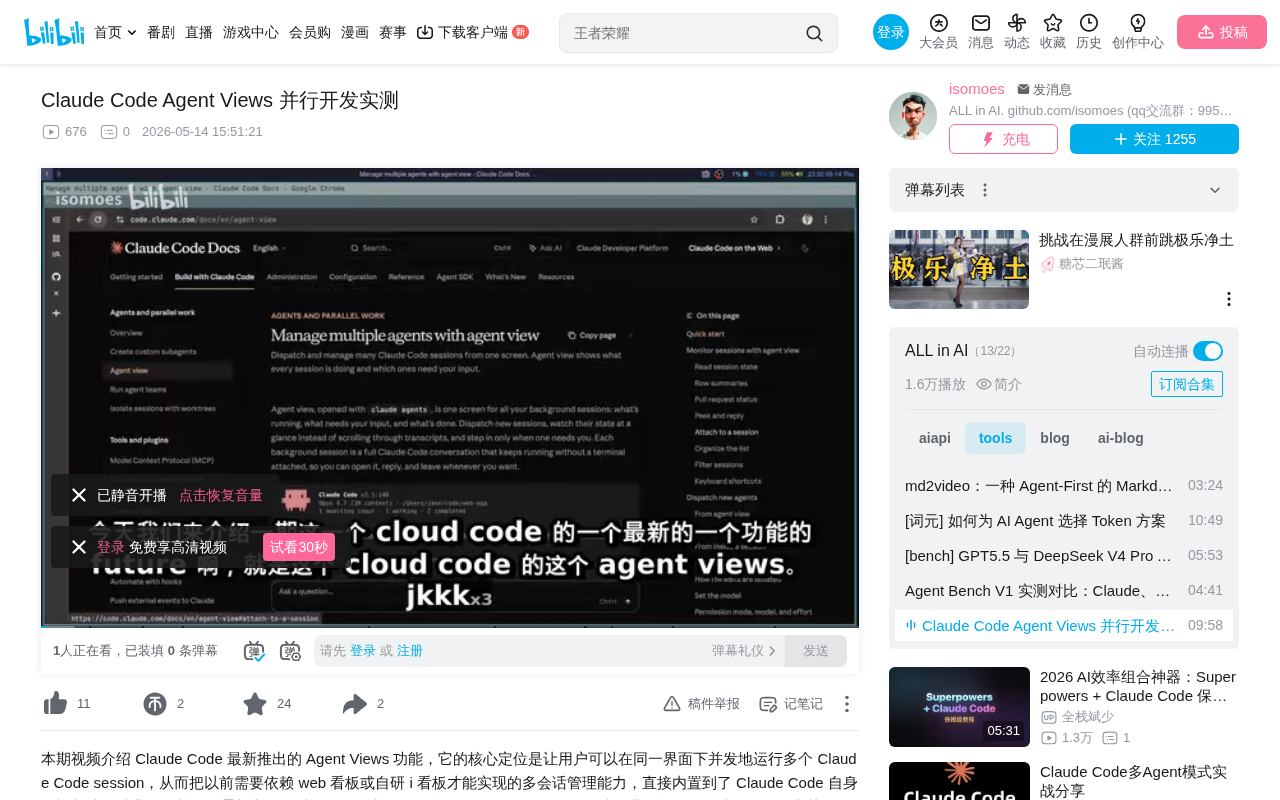
Claude Code Agent Views enables multi-Agent parallel development with Space compact mode solving the review bottleneck
Claude Code launches Agent Views supporting both cross-project and same-project multi-branch parallel development modes, built on Git Worktree for isolation. Its standout feature is Space Compact Mode, which uses information layering to shift review focus from code details to functional goals, effectively alleviating the human review bottleneck in multi-Agent scenarios. Key caveats include local execution requirements, API rate limiting, and the need to promptly merge Worktree changes back to the main branch.
Claude Code recently launched the Agent Views feature, enabling developers to run multiple Agent Sessions simultaneously for truly parallel development. This feature not only supports advancing multiple projects at once but also cleverly addresses the human review bottleneck in multi-Agent scenarios through thoughtful UI design. This article combines hands-on testing experience to provide an in-depth analysis of Agent Views' usage, core highlights, and important caveats.
What is Agent Views?
Agent Views is Claude Code's newly released parallel development feature that allows users to open multiple Agent Sessions simultaneously, with each Session independently executing different development tasks. It's positioned similarly to the web dashboards or self-built multi-Session management tools that were popular in the community, but with significantly optimized interaction experience.
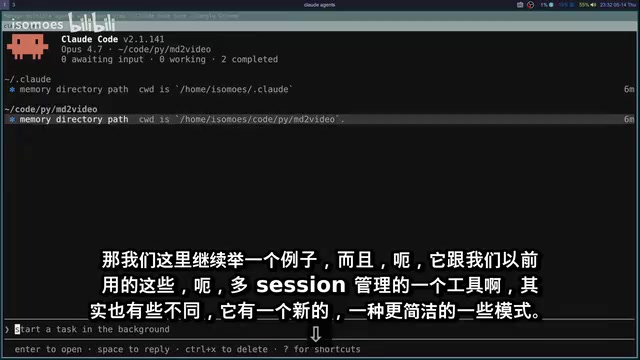
Specifically, Agent Views supports two main parallel modes:
- Cross-project parallel: Open multiple sessions simultaneously under different project paths to advance multiple independent projects.
- Same-project multi-branch parallel: Within the same project, create multiple working trees based on Git Worktree to develop multiple independent features in parallel, or even implement the same feature with different tech stacks, ultimately selecting the best solution to merge back into the main branch.
The combination of these two modes fully unleashes Claude Code's parallel coding capabilities.
Understanding Git Worktree: The Foundation of Parallel Development
To fully understand how Agent Views works, it's necessary to understand the underlying Git Worktree mechanism. Git Worktree is a native feature introduced in Git 2.5 that allows users to check out multiple working directories from the same repository, with each working directory corresponding to a different branch. In the traditional approach, developers who need to work on two branches simultaneously typically need to clone two copies of the repository, which not only wastes disk space but also creates redundancy in the Git object database. The Worktree mechanism shares the same .git directory, with each working tree having its own independent HEAD, index, and working area. This allows simultaneous compilation, testing, and modification on different branches without interference. This mechanism is naturally suited for multi-Agent parallel development scenarios—each Agent operates independently in its own Worktree, fundamentally avoiding file-level write conflicts.
Hands-On Experience: Multi-Project Parallel Development
In our testing, we opened Agent Sessions under two different project paths. One project was Claude's configuration file management, and the other was the MD2Video project.
The workflow is very intuitive: in one Session, we had the Agent check configuration files under the .claude working path, while simultaneously querying the number of code files in the other Session's project. When the first task takes longer, you can seamlessly switch to the second task and continue working without waiting.
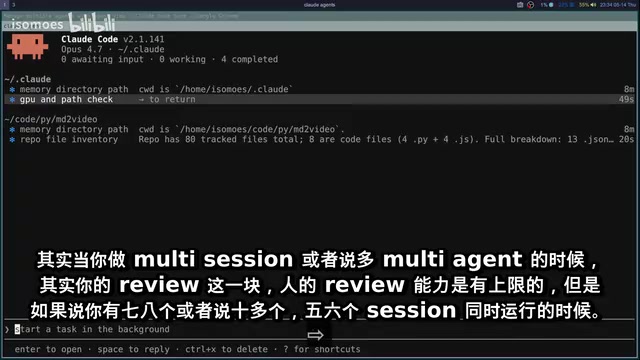
Test results showed that the Agents accurately completed their respective tasks—for example, one Session counted 80 code files in the project. The entire process was smooth with no interference between sessions.
Core Highlight: Space Compact Mode Solves the Review Bottleneck
Multi-Agent parallel development faces a fundamental problem: human review capacity has an upper limit. When running five, six, or even more than ten Sessions simultaneously, it's virtually impossible for developers to meticulously review every step of every Session. Going through each Agent's complete chat history and code modification details one by one means the review itself becomes the bottleneck of the entire multi-Agent workflow.
This bottleneck has deep roots in cognitive science. In cognitive psychology, human working memory capacity is generally considered to be between 4-7 chunks of information (the famous Miller's Law). When developers monitor multiple Agent Sessions simultaneously, the code diffs, command execution logs, error messages, and other outputs from each Session constitute a massive parallel information stream. This information overload not only reduces review quality but also leads to decision fatigue. The industry previously had two main approaches: one is reducing the need for manual review through automated testing and CI pipelines; the other is compressing information volume through summary and aggregation mechanisms.
Agent Views offers an ingenious solution to this—Space Compact Mode, which essentially belongs to the latter category of information architecture design. After pressing the spacebar, the interface switches to a streamlined view showing only two key pieces of information:
- Your input Prompt (i.e., the task objective)
- The Agent's current status (running, completed, encountered issues, etc.)
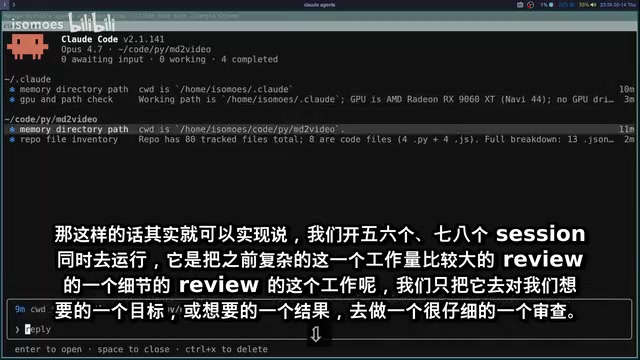
This means developers no longer need to care about which specific commands the Agent executed or which code lines were modified, but instead focus attention on whether the functional goal has been achieved. This shift in design philosophy is crucial:
From "being responsible for specific code" to "being responsible for functional outcomes."
This shift aligns with a larger paradigm migration happening in the software engineering field. Traditional software development's Code Review emphasizes reviewing every line of code change, a practice originating from the fact that human developers are prone to introducing logic errors, security vulnerabilities, and style inconsistencies. However, in AI Agent-assisted development scenarios, the review paradigm is undergoing fundamental transformation. When Agents can autonomously run tests, execute lint checks, and follow preset coding standards, the marginal benefit of line-by-line review significantly decreases. What replaces it is feature-level acceptance—focusing on whether the final output meets requirement specifications, passes integration tests, and conforms to architectural constraints. This shift is consistent with the evolution from "process control" to "outcome verification" in software engineering, and echoes the continuous delivery philosophy in DevOps.
Traditional multi-Agent systems typically display the complete chat history to users, letting them judge on their own. This isn't a problem in single-Session scenarios, but causes severe information overload in multi-Agent parallel scenarios. Agent Views' Space mode, through information layering, demotes detailed execution processes to an optional deep-dive layer while elevating task status to the default attention layer, effectively alleviating the constraint that review workload places on multi-Agent throughput.
This was the design highlight that impressed me most during testing, and it's the core differentiator between Agent Views and other multi-Agent management tools.
Usage Limitations and Caveats
Despite Agent Views' powerful capabilities, there are several important limitations to be aware of:
Local Execution Requirement
All Sessions must run locally; remote or cloud execution is not currently supported. This isn't an issue for developers working on their local machines, but if you're accustomed to remote development environments (such as connecting to remote servers via SSH, using GitHub Codespaces, or cloud IDEs like Gitpod), keep this in mind.
Rate Limiting
Multiple parallel Sessions are subject to API rate limiting constraints, with specific limits tied to your subscription plan. More Sessions isn't always better—you need to plan your parallel count based on your subscription tier.
Understanding the technical background of rate limiting helps with better parallel strategy planning. LLM API rate limiting is a standard mechanism used by service providers to control resource consumption and ensure service stability. For Claude Code, each Agent Session frequently calls Claude's API for code generation, comprehension, and reasoning during task execution, with each call consuming token quota. When multiple Sessions run in parallel, the token consumption rate multiplies accordingly. Anthropic sets different requests per minute (RPM) and tokens per minute (TPM) caps for different subscription tiers. Once limits are hit, subsequent requests are queued or rejected, causing Agent responses to slow down or even pause. Therefore, planning parallel Session counts appropriately is not just an efficiency issue but also a cost control issue. In practice, it's recommended to start with 2-3 parallel Sessions, observe how frequently rate limits are triggered, and then gradually increase.
Worktree Mechanism and File Modifications
This is the most important point to note. Each background Session in Agent Views is based on Git Worktree extensions, and each Session can only modify files within its own independent Worktree—it cannot directly modify files on the main branch.
This differs from the behavior of opening a standalone Claude Code instance to directly modify files. The isolation mechanism in parallel mode prevents conflicts from multiple Agents modifying the same file simultaneously, but it also introduces additional operational requirements:
- After the Agent completes modifications, you need to promptly merge changes from the Worktree back to the main branch and push
- If you don't manually perform the merge operation, modifications in the Worktree may be lost
- It's recommended to guide the Agent to perform the merge immediately after task completion, or do it manually yourself
It's worth noting that when multiple Agents modify related files, you may encounter Git conflicts during the merge phase. It's advisable to assign tasks so that different Sessions handle different modules or functional areas, reducing conflict probability at the architectural level.
Summary and Recommendations
After thorough documentation review and hands-on testing, Claude Code Agent Views is a parallel development tool with a very clear design philosophy. Its core value can be summarized as follows:
- True parallel capability: Supports both cross-project and same-project multi-branch parallel modes, covering the vast majority of parallel development scenarios
- Space Compact Mode is the biggest highlight: Through information layering design, it shifts the review focus from code details to functional goals, effectively improving human review efficiency in multi-Agent scenarios
- Worktree isolation mechanism requires adaptation: While ensuring parallel safety, it requires developers to develop the habit of timely merging
With Agent Views available, the usage frequency of previously relied-upon web dashboards, self-built dashboards, and other multi-Session management tools will likely decrease significantly. For developers who frequently need to advance multiple development tasks simultaneously, this feature is worth trying out as soon as possible.
Key Takeaways
- Agent Views supports both cross-project parallel and same-project multi-branch parallel modes, fully unlocking Claude Code's parallel development capability
- Space Compact Mode is the core highlight—by showing only task objectives and running status, it shifts the review focus from code details to functional outcomes, effectively alleviating the human review bottleneck in multi-Agent scenarios
- Each background Session runs on Git Worktree and can only modify files in its independent working tree; changes must be merged back to the main branch promptly, or modifications may be lost
- Usage limitations include local execution requirements, API rate limiting (tied to subscription plans), and Worktree isolation mechanisms
- Agent Views is poised to replace previous web dashboards and other multi-Session management tools as the preferred solution for parallel development
Related articles
 Product Reviews
The Programmer's Desk Setup Guide: Building a Workspace That Feels Like Home
Discover how programmers build productive, comfortable workspaces. From multi-monitor setups to ergonomic design, explore the desk philosophy that drives focus and flow.
 Product Reviews
Qoder vs Cursor Real-World Comparison: Which $20/Month AI IDE Is Better?
Hands-on comparison of Qoder vs Cursor AI IDEs: Agent autonomy, human interaction count, and architecture decisions. Qoder needed only 2 interactions vs Cursor's 8.
 Product Reviews
Cursor Cloud Agent Demo: Eliminating Bottlenecks Across the Entire Software Development Lifecycle
Deep analysis of Cursor's Cloud Agent demo showing how cloud VMs, automated test artifacts, and a full-chain control plane systematically eliminate human bottlenecks across the software development lifecycle.