Claude Code /code-review Command Deep Dive: GitHub PR Inline Comments and Engineering Upgrades

Claude Code V2 1.147 pivots from code tidying to code review, entering GitHub PR collaboration workflows.
Claude Code V2 1.147 renames /simplify to /code-review, shifting product positioning from code tidying to correctness checking, and adds GitHub PR inline comment generation to enter real team collaboration scenarios. It also shores up engineering fundamentals including auto-update retry mechanisms, large file Diff performance optimization, Windows PowerShell compatibility fixes, and sandbox security enhancements. This is a foundation release aimed at becoming an engineering assistant that integrates into real development environments.
The Core Change: A Product Pivot from Simplify to Code Review
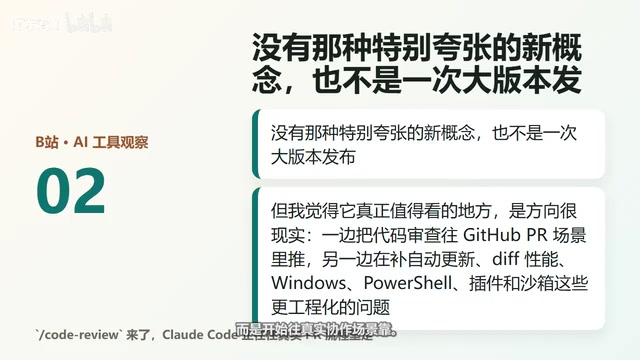
The Claude Code V2 1.147 update doesn't look explosive at first glance—no flashy new concepts, no major version release. But look closely at the direction, and you'll find it's extremely pragmatic: on one hand, pushing code review deeper into GitHub PR workflows; on the other, shoring up engineering fundamentals like auto-updates, Diff performance, Windows PowerShell plugins, and sandboxing.
The most significant change: the former /simplify command has been renamed to /code-review. With the name change comes a shift in product mindset. Before, it sounded more like "help tidy up your code." Now the goal is much more direct—help you find correctness issues in code.
More critically, this update now supports generating GitHub PR inline comments. This detail is highly significant because it signals that Claude Code isn't just staying in a chat window offering suggestions—it's starting to move toward real collaboration scenarios.
Why PR Inline Comments Are the Key Breakthrough for AI Code Review
In development teams, PR comments aren't an add-on feature—they're already the most common discussion entry point before code merges into the main branch. Claude Code's decision to cut in at this position has very clear logic.
The technical background of PR inline comments is worth expanding on. GitHub Pull Request Inline Comments are the core mechanism of code review workflows. Unlike regular comments, inline comments can pinpoint a specific line or even a range of lines in a file, allowing reviewers to comment on specific code context. GitHub's Review API allows third-party tools to programmatically submit these comments—this is the technical foundation that enables Claude Code's integration. Traditional static analysis tools (like SonarQube and CodeClimate) have long used this API for automated comments, but they rely on predefined rule sets and lack the ability to understand business semantics and contextual logic. Claude Code's entry point is precisely beyond rules—using language model comprehension to supplement the blind spots of static analysis.
Of course, this doesn't mean AI can already take over Code Review. A more accurate way to put it: Claude Code is attempting to enter the Review entry point, first helping you surface potential issues, edge cases, and implementation risks in a way that's closer to team collaboration.
This is fundamentally different from "write me some code":
- Writing code solves the output problem
- Reviewing solves the credibility problem
If an AI programming tool can only write but can't help you check, explain, and participate in collaboration, its ceiling in real projects becomes very apparent. This is what makes V2 1.147 interesting—it's not simply emphasizing "smarter," but moving toward "more capable of entering real development workflows."
Stability and Engineering: The Foundational Capabilities That Determine Tool Retention
Auto-Updates and Diff Performance Optimization
In this update, the auto-updater gained retry and error reporting mechanisms. Sounds minor, but in developer tools, these things are extremely practical—if a tool can't even update itself reliably, teams will find it frustrating to use.

There's also large file Diff rendering performance optimization. In small projects you might not notice, but in large repositories with big PRs, Diff lag, slow loading, and choppy reading directly impact review efficiency. Code Diff rendering in large codebases is a non-trivial performance problem. The standard Myers diff algorithm sees significant time complexity increases when processing thousands of lines of changes, and combined with syntax highlighting, folding logic, and other UI-layer computations, rendering delays for large PRs can reach several seconds or longer. For refactoring PRs that touch dozens of files with hundreds of lines changed in each, this lag causes reviewers to spend attention on the tool itself rather than concentrating on code logic. This performance optimization targets exactly these real-world usage scenarios. History deduplication is a similar detail—it's not flashy, but it reduces redundant information and makes the reading experience cleaner across multiple sessions.
None of these are the most exciting features to present at a launch event, but they often determine whether a tool can become a permanent part of daily development.
Windows Compatibility and Sandbox Security Enhancements
If you only try AI tools in ideal environments, these might not seem very appealing. But in real engineering environments, system terminals, permissions, plugins, and login restrictions are often where problems most easily arise.

According to the official update notes, this release fixed:
- Windows PowerShell tool issues
- Terminal flickering issues
- Enterprise login restriction issues
- Plugin system issues
- Shell Snapshot bugs
- Sandbox security enhancements
There's a design logic behind sandbox security enhancements worth understanding. The sandbox mechanism in AI programming tools refers to restricting AI code execution or file system access to an isolated environment, preventing accidental modifications to production code or leakage of sensitive information. This is especially critical for enterprise deployment, as development environments often contain API keys, database credentials, and other sensitive configurations. Sandbox implementations typically include multiple layers such as file system access whitelists, network request interception, and process privilege de-escalation. Claude Code's security enhancements this time mean its deployability in enterprise compliance scenarios is improving—for teams with strict security audit requirements, this is a real admission threshold issue, not just an experience optimization.
For Windows users, PowerShell-related fixes aren't icing on the cake—they're the difference between smooth and frustrating. PowerShell and Unix Shell differ significantly in command syntax, path handling, and permission models, and these differences easily trigger compatibility issues when AI tools invoke system commands. All these fixes point in the same direction: Claude Code is filling in the foundational experience gaps for more complex usage scenarios.
Overall Assessment: A Foundation Release with Clear Product Direction

This isn't a capability explosion release—it's more of a foundation release:
- Looking up: It's pushing
/code-reviewand GitHub PR inline comments toward being a collaboration entry point - Looking down: It's filling in foundational issues like auto-updates, performance, compatibility, and security
Put these two lines together and the signal is fairly clear—what Claude Code wants to become may not just be a code-writing chat tool, but an engineering assistant that's better suited for real development environments.
From a more macro perspective, this direction is highly relevant to the competitive landscape of the entire AI programming tools market. GitHub Copilot, Cursor, Devin, and others have already created fierce competition in the "writing code" dimension, while "entering the development workflow"—deeply integrating with CI/CD, code review, project management, and other engineering processes—remains a relatively open battlefield. Claude Code's choice to cut in through the high-frequency collaboration node of PR Review is a pragmatic product decision with differentiation potential.
Usage Recommendations: How to Experience the /code-review Command
But let's not overstate things. Based on current information, /code-review is better suited as an auxiliary check and discussion starting point—it shouldn't be treated as the final quality guarantee. Real code merging still requires humans to review context, business logic, architectural impact, and production risks.
If you're already using Claude Code, here's a concrete scenario worth trying:
- Take a real PR or a recently modified module
- Run
/code-review - See if it can identify edge cases and correctness issues
- Or generate PR comments with discussion value
The difference between AI programming tools may not just be about who writes better code, but who can better integrate into real development workflows. Claude Code's update this time is taking a substantive step in that direction.
Key Takeaways
- Claude Code renamed /simplify to /code-review, shifting product positioning from code tidying to correctness checking
- Added GitHub PR inline comment generation capability, integrating into real team collaboration scenarios via GitHub Review API
- Extensive engineering fixes including auto-updates, Diff performance, Windows compatibility, and sandbox security enhancements
- This is a foundation release rather than a capability explosion, with the direction of becoming an engineering assistant that fits into real development environments
- /code-review is currently better suited as an auxiliary checking starting point and cannot replace human judgment on business logic and architectural impact
Related articles
 Product Reviews
The Programmer's Desk Setup Guide: Building a Workspace That Feels Like Home
Discover how programmers build productive, comfortable workspaces. From multi-monitor setups to ergonomic design, explore the desk philosophy that drives focus and flow.
 Product Reviews
Qoder vs Cursor Real-World Comparison: Which $20/Month AI IDE Is Better?
Hands-on comparison of Qoder vs Cursor AI IDEs: Agent autonomy, human interaction count, and architecture decisions. Qoder needed only 2 interactions vs Cursor's 8.
 Product Reviews
Cursor Cloud Agent Demo: Eliminating Bottlenecks Across the Entire Software Development Lifecycle
Deep analysis of Cursor's Cloud Agent demo showing how cloud VMs, automated test artifacts, and a full-chain control plane systematically eliminate human bottlenecks across the software development lifecycle.