Claude Code Creator Shares 3 Battle-Tested Tips: Treat AI Like a Team

Claude Code creator shares 3 key tips: parallel agents, loop execution, and self-verification feedback loops
Claude Code creator Boris Cherny shared three core usage techniques: First, run multiple Agents in parallel handling different tasks simultaneously, treating AI as a team rather than a single assistant. Second, use Loop mechanisms to have AI execute tasks on timed cycles, achieving continuous automation. Third, build feedback loops where AI runs its own tests, discovers errors, and self-corrects until acceptance criteria are met. These three techniques represent the paradigm shift from passive code generation to proactive agentic programming.
Claude Code creator Boris Cherny recently shared his real-world Claude Code workflow in an interview. As the creator of this tool, his usage far exceeds what most people imagine—in his hands, Claude Code is no longer a simple programming assistant, but an entire AI development team.
Claude Code is a command-line AI programming tool developed by Anthropic. Unlike code completion plugins embedded in IDEs, it runs directly in the terminal, capable of understanding the context of an entire code repository, manipulating the file system, executing shell commands, and interacting with Git. Boris Cherny was previously well-known in the developer community for his book Programming TypeScript, with deep expertise in type systems and programming language design. After joining Anthropic, he led Claude Code's product design, with the core philosophy of making AI an agent that can directly participate in the complete development workflow, rather than just a Q&A-style code generator.
This article breaks down the three most valuable Claude Code techniques he shared for everyday developers—each one can significantly boost your AI programming efficiency.
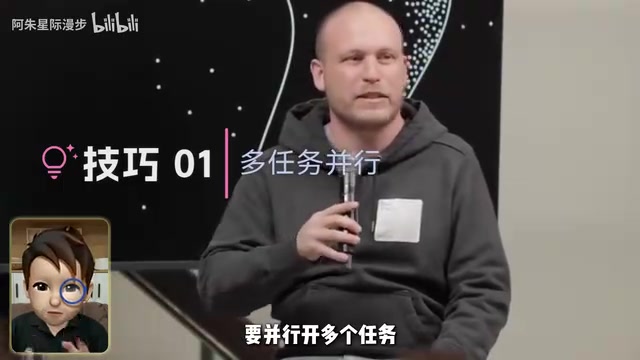
Tip 1: Parallel Multitasking—Don't Just Open One Window
Most people use Claude Code like this: open a single chat window, submit a request, wait for it to finish, then submit the next one. This serial workflow severely wastes AI's concurrency capabilities.
Boris Cherny's approach is completely different. He revealed that he now does much of his work directly on his phone—opening the Claude App, with multiple sessions running simultaneously in the Code tab on the left side, usually at least 5 to 10, with a bunch of Agents working in parallel within each session.
The Agent mentioned here is one of the core concepts in today's AI landscape. Unlike traditional chat-based AI, Agents possess autonomous planning, tool invocation, and environment interaction capabilities—they don't just answer questions, but can decompose tasks, call terminal commands, read and write files, execute code, and adjust next steps based on results. From a technical implementation perspective, the core differences between Agents and regular chatbots come down to three points: First, Agents have Tool Use / Function Calling capabilities, enabling them to execute code, access APIs, and operate file systems. Second, Agents have planning abilities, capable of autonomously decomposing complex tasks into multiple sub-steps and executing them in sequence. Third, Agents have memory and state management mechanisms, maintaining contextual coherence across multiple interaction rounds. Most mainstream Agent frameworks (such as LangChain, AutoGPT, CrewAI) are based on the ReAct (Reasoning + Acting) paradigm, having the model alternate between reasoning and action, forming a "think → act → observe → think again" loop.
The concept of multi-Agent concurrency originates from distributed systems and microservices architecture: splitting a complex system into multiple independently running units, each focused on a single responsibility, coordinating with each other through shared code repositories or messaging mechanisms. This pattern has been proven in software engineering to significantly improve throughput and fault tolerance. Now migrated to AI programming scenarios, it essentially transforms "humans managing microservices" into "humans managing AI agent clusters."
Even more impressively, he mentioned in the interview: During the day, there might be hundreds of Agents running, and at night, thousands of Agents doing deeper work. These Agents each have their own roles—some fix bugs, some write tests, some modify frontend UI, and others review and organize user feedback.
How Can Regular Developers Apply This?
You don't need to run thousands of Agents, but you can start with "running 2-3 tasks simultaneously." For example, one window has AI writing business logic, another has it writing corresponding unit tests, and a third has it optimizing existing code performance. The key mindset shift is: Treat AI like a team, not a single assistant.
Tip 2: Use Loops to Have AI Execute Tasks Cyclically
The second Claude Code technique Boris particularly recommends is Loop—having Claude Code execute tasks on a timed, cyclical basis. Think of it as setting an "alarm clock" for AI, automatically running specified work at regular intervals.

The essence of this mechanism is bringing the concept of Continuous Integration/Continuous Deployment (CI/CD) from traditional DevOps into the AI programming workflow. Traditional CI/CD pipelines (like Jenkins, GitHub Actions) automatically trigger builds, tests, and deployments by listening to code commit events. Claude Code's Loop goes further—it can not only respond to events but also proactively patrol at fixed time intervals, and with AI's understanding and decision-making capabilities, it can autonomously judge the nature of problems and take corrective action.
To understand Loop's breakthrough nature, it helps to compare it with traditional automation tools. Linux's cron jobs and Windows Task Scheduler can only execute predefined scripts—if the script doesn't cover a certain exception, the task fails. CI/CD tools are smarter, supporting conditional branches and error retries, but are fundamentally still rule-based pipelines that cannot understand the semantics of errors. Claude Code's Loop combines timed triggers with AI reasoning capabilities, so that with each loop execution, the AI can make different judgments and take different actions based on the project's actual state—for example, it can distinguish between "this is a syntax error that can be auto-fixed" and "this is an architectural design issue that requires notifying the developer," something traditional automation tools simply cannot achieve. For developers familiar with Kubernetes health check probes (Liveness Probe / Readiness Probe), the Loop concept isn't unfamiliar, but AI gives it a qualitative leap.
He gave several highly practical examples:
- Auto bug fixing: A Loop continuously monitors code tasks, automatically fixing wherever errors occur
- Auto syncing: When a project updates, automatically syncing to related dependencies and modules
- Health checks: Continuously checking the entire project's runtime status, ensuring services don't go down
- User feedback collection: Grabbing user feedback from Twitter every 30 minutes, automatically categorizing and organizing it

What Does This Mean for AI Programming Workflows?
With this scheduled task mechanism, AI is no longer a passive tool that only responds when asked—it becomes a continuously running automated system. It can optimize code while you sleep, collect information while you're in meetings, and handle tedious maintenance work while you focus on core features.
For individual developers, even just setting up a simple Loop that "checks whether the build passes every 5 minutes" can save enormous amounts of manual troubleshooting time.
Tip 3: Let AI Verify Its Own Results—Build a Feedback Loop
A core principle Boris repeatedly emphasized in the interview is: AI can't just write code and call it done—it must also run tests, discover errors, and continuously correct itself. You need to build a complete feedback loop for AI.

This philosophy aligns closely with the classic Test-Driven Development (TDD) methodology in software engineering. TDD was systematically introduced by Kent Beck in 2003 through his book Test-Driven Development: By Example, with the core philosophy that "tests are specifications." TDD's standard process is: first write a failing test case to define expected behavior (red), then write the minimum amount of code to make the test pass (green), and finally refactor to optimize code structure—the classic "Red-Green-Refactor" cycle.
Applying this philosophy to AI programming means you don't have AI write code from scratch—you first give it a clear set of acceptance criteria (equivalent to test cases), then let AI autonomously iterate through "write-test-fix" cycles. This approach is particularly well-suited for AI programming because large language model outputs are probabilistic and uncertain—the generation process is influenced by hyperparameters like temperature, and the same prompt can produce code of varying quality at different times. Single-pass generated code is rarely guaranteed to be completely correct, especially in scenarios involving complex business logic, edge case handling, and multi-module interactions. By introducing automated tests as the "judge," AI can receive objective right/wrong feedback signals rather than relying on humans to review line by line, dramatically improving the reliability of finally delivered code. This is essentially applying the concept of "reward signal-driven behavior optimization" from reinforcement learning to programming workflows in a lightweight manner.
This is also precisely the fundamental reason why many people get subpar results with AI programming. Most people's prompts look like this: "Help me write a login feature." But what actually counts as "truly complete"? What should the page look like? What exceptions need handling? Which edge cases can't fail? None of this is specified.
A More Efficient Claude Code Workflow
Boris recommends this workflow:
- Define acceptance criteria upfront: Clearly tell AI what the final result should look like. For example, "The page must contain username and password input fields, display a red error message on login failure, and passwords must be at least 8 characters"
- Let AI run tests itself: Instead of manually checking, have AI automatically execute test cases after writing code
- Auto-fix when issues are found: When tests fail, AI should analyze error messages and correct the code on its own
- Iterate in a loop until passing: The entire process forms a closed loop, continuing until all acceptance criteria are met
The core insight is: Often AI isn't incapable of writing code—it just doesn't know what result you truly want. When you clearly communicate acceptance criteria and build proper feedback mechanisms, AI output quality takes a qualitative leap.
Summary: A Mindset Upgrade from "Using a Tool" to "Leading a Team"
Looking back at the three Claude Code techniques Boris Cherny shared, they all share the same underlying logic—transforming AI from a passive code generator into a proactively operating development team:
| Technique | Core Idea | Analogy |
|---|---|---|
| Parallel Multitasking | Multiple Agents working on different tasks simultaneously | Like managing a dev team |
| Loop Execution | AI running continuously and automatically | Like setting up a CI/CD pipeline |
| Self-Verification Loop | Give AI clear standards and feedback mechanisms | Like writing acceptance test cases |
From a broader perspective, these three techniques represent a major paradigm shift happening in AI programming. The evolution of AI programming tools can be clearly divided into three stages: The first stage is "intelligent auto-completion" represented by GitHub Copilot (released in 2021, based on OpenAI's Codex model), which predicts the next line of code as you type—essentially a context-aware code snippet recommendation engine. The second stage is "conversational code generation" represented by ChatGPT and Claude conversations, where you describe requirements and AI returns complete code snippets, but it lacks awareness of overall project structure, and generated code often requires significant manual adaptation. What Boris demonstrates is the third stage—Agentic Coding, represented by tools like Claude Code, Cursor Agent, and Devin, where AI no longer just generates code snippets but acts as an agent with complete development capabilities, able to autonomously browse project structure, understand code context, execute terminal commands, run tests, and even deploy services. The underlying drivers of this evolution include: large language model context windows expanding from an initial 4K tokens to 200K+ tokens (enabling AI to "see" entire code repositories), the standardization and maturation of Function Calling / Tool Use capabilities, and breakthroughs in code understanding and generation by reasoning models (such as Claude 3.5 Sonnet, Claude 4).
These three techniques have a low barrier to entry, but they represent an entirely new AI programming collaboration paradigm. When you stop treating Claude Code as "a smarter code completion tool" and start treating it as "an AI team that can work 24/7," your development efficiency will undergo a fundamental transformation.
Starting today, try opening two task windows simultaneously, setting up a simple Loop, and clearly writing out your acceptance criteria—you'll find that the ceiling of AI programming is far higher than you imagined.
Related articles
 Expert Opinions
Rethinking Scaling Laws: Parameters Are Not the Only Answer
Deep analysis of Scaling Law evolution from Kaplan to Chinchilla to the MoE era, exploring why blindly stacking parameters is a mistake, and how GLM-5.3 proves scaling has multiple knobs.
When AI Treats Humans as Subagents: Ro…
When AI Treats Humans as Subagents: Role Reversal and Hidden Risks in Human-AI Collaboration
Exploring the paradigm shift where humans become "subagents" in AI Agent architectures. Analyzes human node design in LangChain and AutoGen, and the risks of ceding control and cognitive atrophy.
 Expert Opinions
The Lazy Person's Productivity Theory: Why Being 'Lazy' Actually Drives Peak Performance
Explore the engineering philosophy behind 'lazy people are most productive': how constructive laziness drives automation, AI tools amplify efficiency, and systems thinking eliminates wasted effort.