Claude Code In-Depth Review: Installation, Configuration & Comparison with Cursor and TRAE

Claude Code is Anthropic's terminal-driven AI coding assistant with full-project understanding and auto-debugging.
Claude Code is Anthropic's command-line AI programming tool that leverages Claude's massive context window to read entire project codebases and generate precise business code. Compared to Copilot, Cursor, and TRAE, it offers significant advantages in code accuracy, full-project context understanding, and automated debugging loops. It's not a standalone IDE but integrates into VS Code, Cursor, and other environments. Installation requires a VPN for users in China, while hardware requirements remain minimal.
What is Claude Code?
Claude Code is a terminal-driven AI programming assistant developed by Anthropic. Unlike traditional conversational AI coding tools, it doesn't require you to log into any website—you simply install it on your local machine and integrate it into your development tools for project development.
Being "terminal-based" means Claude Code runs in the command-line interface rather than a traditional graphical window. This design philosophy stems from the Unix/Linux development tradition—achieving efficient automation through command-line tools. For developers, the advantage of being terminal-driven lies in seamless integration with existing Shell scripts and CI/CD pipelines, as well as easier batch operations and automated workflows.
Its core capability is: reading through all code files in your entire project, feeding them as context to a large language model, and generating precise business code. For example, if your project has 100 code files, Claude Code can read and understand the relationships between all of them, rather than only processing code snippets you manually paste in, as with ChatGPT or DeepSeekAd.
This relies on large language models' "Context Window" technology. The context window determines how much text information a model can process at once. Claude Sonnet series models boast a context window of up to 200K tokens, equivalent to approximately 150,000 English words or hundreds of thousands of lines of code. By comparison, early GPT-3.5 had only a 4K token window. It's precisely this massive context capability that allows Claude Code to load an entire project's code files at once and understand its global structure.
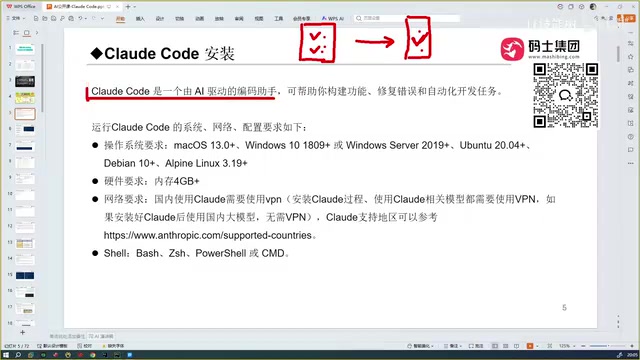
More importantly, Claude Code also features automatic debugging capabilities—it can not only generate code but also automatically detect and fix errors, ultimately delivering a ready-to-run code version. This automated debugging loop is technically called "Agentic Coding," and its workflow is: generate code → automatically execute → capture error output → analyze error causes → modify code → execute again, cycling until the code passes all tests. This pattern draws from the "Red-Green-Refactor" test-driven development philosophy in software engineering, but hands off the manual operations entirely to an AI agent. Throughout the process, Claude Code invokes compilers, interpreters, testing frameworks, and other toolchains in the terminal, feeding their output back to the large model for the next round of decision-making. This makes it a truly automated development programming tool.
The Evolution of AI Programming Assistants: From Copilot to Claude Code
To understand why Claude Code is so powerful, let's review the three stages of AI programming assistant development:
Stage One: GitHub Copilot Launches the AI Programming Era (2023)
GitHub Copilot was the first AI programming tool that felt truly revolutionary to developers. In partnership with OpenAI, it provided code auto-completion as a VS Code plugin. When it first appeared in 2023, this capability shook the entire developer community.
From a technical perspective, Copilot was based on OpenAI's Codex model (a code-fine-tuned version of GPT-3), trained on billions of lines of open-source code from GitHub to learn code completion. It employed "Fill-in-the-Middle" (FIM) technology, predicting what content should fill in based on the code context before and after the cursor. This approach excelled at single-file level code completion but had limited project-level understanding across files—which is precisely the direction subsequent tools have been pushing to break through.
Stage Two: Cursor and TRAE Deliver Intelligent Coding Experiences
Cursor's emergence further enhanced the AI programming experience. It could not only complete code but also automatically write entire code segments, a level of intelligence beyond Copilot. Cursor is a deeply customized IDE based on the VS Code open-source codebase (Electron framework). Its core innovation lies in deeply embedding AI capabilities into every aspect of the editor—not just supporting code completion, but also introducing a "Composer" mode for multi-file simultaneous editing, a "Chat" mode for code Q&A, and diff-based code review features. Cursor supports connecting to multiple large models (including GPT-4, Claude, etc.), allowing users to flexibly switch based on their needs.
Subsequently, ByteDance's TRAE joined the competition, available in both international and domestic Chinese versions. The domestic version features specialized optimization for Chinese language understanding and is completely free to use—a major advantage for attracting Chinese developers.
Stage Three: Claude Code and Codex Lead Automated Development
The two strongest AI programming tools currently are Claude Code and OpenAI's Codex. It's important to note that the Codex mentioned here is not the original Codex model released in 2021 (which was discontinued in 2023), but rather a completely new AI programming agent product launched by OpenAI in 2025. The new Codex is based on the latest GPT series models and adopts a cloud sandbox execution architecture—code runs and is tested on OpenAI's remote servers rather than in the local environment. This stands in stark contrast to Claude Code's local terminal execution model, with each approach having its pros and cons: cloud execution doesn't require local computing power but depends on network connectivity, while local execution is more flexible and keeps data on the developer's machine.
Both possess extremely powerful programming capabilities, but from actual usage experience, Claude Code particularly excels in code accuracy.
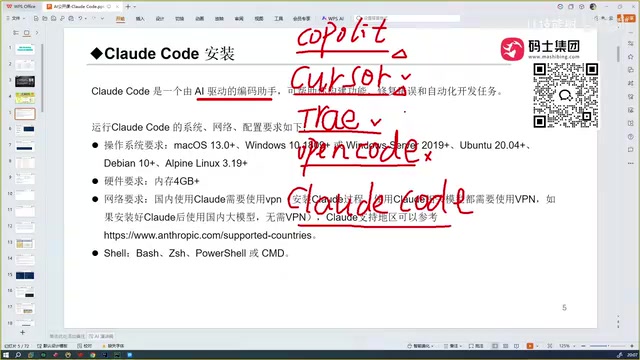
In one sentence: After using Claude Code, programmers will feel a deep sense of existential crisis. Its capabilities have reached a level that makes professional developers uneasy.
Claude Code vs. Cursor vs. TRAE: Three Core Advantages
Advantage One: Dominant Lead in Code Generation Accuracy
Claude Code, Cursor, and TRAE can all perform automated programming, but Claude Code's greatest advantage is its extremely high code accuracy. While TRAE is free and handles Chinese well, its generated code quality noticeably drops for niche technology stacks. Claude Code, backed by Anthropic's Claude Sonnet model (and the even more powerful Opus model), has a higher ceiling for code generation quality.
Anthropic was founded in 2021 by siblings Dario Amodei and Daniela Amodei, former OpenAI Research Vice President and colleagues. The company's core philosophy is building "safe and controllable" AI systems. The Claude model family employs Anthropic's proprietary "Constitutional AI" training method, using a set of explicit principles to constrain model behavior, reducing the risk of harmful outputs while maintaining powerful capabilities. The Claude model family is divided into three tiers by capability: Haiku (lightweight and fast), Sonnet (balanced choice), and Opus (flagship). Among these, Sonnet offers the best value for programming tasks, while Opus excels at complex reasoning and long-chain programming tasks.
Advantage Two: Full-Project Context Understanding
Traditional conversational AI coding (such as chatting directly on ChatGPT or DeepSeek web pages) can only give you code snippets—you need to manually tell the AI about the files and dependencies in your project. Claude Code can automatically scan the entire project directory, understand dependency relationships between files, and generate code consistent with the project's style based on this understanding.
This global understanding capability is particularly advantageous when handling large projects—you don't need to painstakingly explain the project structure; Claude Code figures it out on its own.
Advantage Three: Automated Debugging Creates a Complete Development Loop
Generating code is just the first step. Claude Code can also automatically run code, execute tests, detect errors, and fix them, forming a complete development loop. You no longer need to switch back and forth between an AI chat window and your IDE—the entire process flows seamlessly.
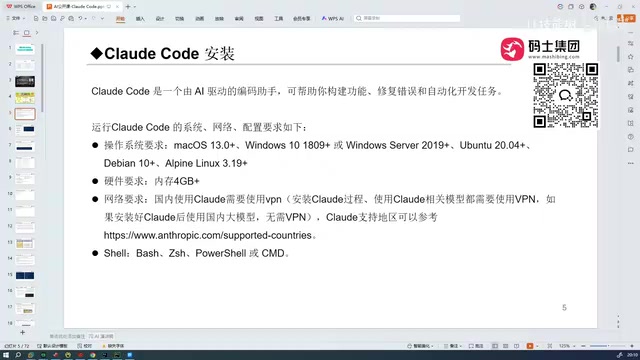
Claude Code Installation Tutorial and Environment Configuration
Claude Code Is Not an IDE—It's an Integration Tool
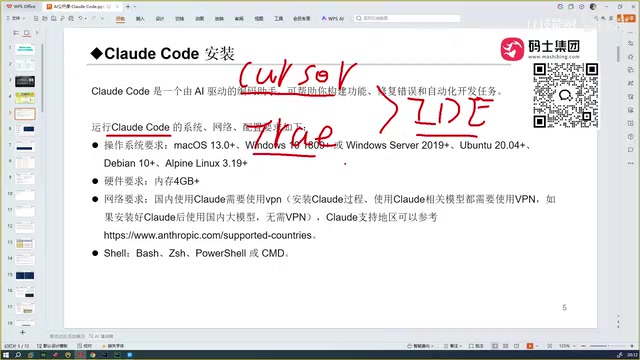
This is a point that many beginners easily confuse. Cursor and TRAE are themselves IDEs (Integrated Development Environments)—download them, double-click to install, and you're ready to go. But Claude Code is different—it's not an IDE itself, but a command-line tool that integrates into other development tools.
Claude Code integrates into IDEs as a command-line tool primarily through two technical paths: one is running Claude Code commands directly through the IDE's built-in terminal; the other is embedding it as a plugin through the Language Server Protocol (LSP) or IDE extension APIs. LSP is an open protocol proposed by Microsoft that decouples programming language intelligence features (such as code completion, go-to-definition, and error diagnostics) from editors, allowing the same language server to be reused across different editors like VS Code, Vim, and Emacs. Claude Code leverages this open ecosystem architecture to achieve broad compatibility with multiple IDEs.
It can be integrated into the following development environments:
- VS Code
- Cursor
- TRAE
- PyCharm
- All JetBrains IDEs
In other words, Claude Code works as a plugin or integrated component embedded in your existing development environment.
System and Hardware Requirements
Claude Code's hardware requirements are not demanding. It supports the following mainstream operating systems:
- macOS ✅
- Windows ✅
- Linux ✅
For memory, only 4GB or more is needed for smooth operation. The reason hardware requirements are low is that Claude Code's core computation (large model inference) doesn't happen locally—it's done through API calls to remote Anthropic servers. The local machine only needs to handle code file reading, terminal command execution, and communication with remote servers—tasks that place very low demands on hardware.
Network Configuration Tips for Users in China
This is something Chinese developers need to pay special attention to:
- Installation phase: You must use a VPN, otherwise the installation process cannot be completed. This is because Claude Code's installation package is hosted on the official npm (Node Package Manager) repository, and necessary configuration files need to be downloaded from Anthropic's servers during installation.
- Usage phase: If you're calling Claude's native models or other foreign models, you need to maintain a VPN connection; but if you've configured domestically compatible models, you can use them directly without a VPN. Claude Code supports connecting to third-party models through OpenAI-compatible API interfaces, meaning domestic large model services (such as those forwarded through API gateways) can also serve as backend drivers.
In short, once installation is complete and you've configured a domestically accessible model, the network barrier for daily use is actually quite low.
Claude Code Model Selection and Price Comparison
The capability ceiling of all AI programming assistants ultimately depends on the capabilities of their underlying large models. Claude Code uses Anthropic's Claude Sonnet model by default, which is already one of the strongest models for programming. Additionally, it supports configuring the even more powerful Opus model version.
In major authoritative programming benchmark tests (such as SWE-bench, HumanEval, MBPP, etc.), Claude series models consistently maintain a leading position. SWE-bench is a particularly noteworthy benchmark—it's not a simple code completion test but requires AI to solve real bugs in GitHub open-source projects, involving cross-file understanding, code modification, and test verification. This closely matches actual development scenarios and is precisely where Claude Code excels.
Here's a horizontal comparison of mainstream AI programming tools:
| Tool | Underlying Model | Code Accuracy | Chinese Support | Price |
|---|---|---|---|---|
| Claude Code | Claude Sonnet/Opus | ⭐⭐⭐⭐⭐ | ⭐⭐⭐⭐ | Paid |
| Cursor | Multi-model support | ⭐⭐⭐⭐ | ⭐⭐⭐⭐ | Paid |
| TRAE (China) | Domestic models | ⭐⭐⭐ | ⭐⭐⭐⭐⭐ | Free |
| Codex | GPT series | ⭐⭐⭐⭐⭐ | ⭐⭐⭐⭐ | Paid |
If you prioritize code quality and development efficiency, Claude Code and Codex are the current top tier; if budget is limited and you're mainly working on Chinese-language projects, TRAE's domestic version is a solid free option.
Summary: Which Developers Is Claude Code Best For?
The core reasons Claude Code stands out among numerous AI programming tools are three: powerful full-project context understanding, extremely high code generation accuracy, and a complete automated debugging loop. While it presents some barriers for Chinese users in terms of installation and network configuration, once set up, the development efficiency gains it delivers are substantial and real.
For professional developers, Claude Code is not just a productivity tool—it represents a new way of developing software. Regardless of whether you currently use Cursor, TRAE, or another IDE, I recommend trying Claude Code firsthand—it may very well redefine your understanding of AI-assisted programming.
Related articles
 Product Reviews
The Programmer's Desk Setup Guide: Building a Workspace That Feels Like Home
Discover how programmers build productive, comfortable workspaces. From multi-monitor setups to ergonomic design, explore the desk philosophy that drives focus and flow.
 Product Reviews
Qoder vs Cursor Real-World Comparison: Which $20/Month AI IDE Is Better?
Hands-on comparison of Qoder vs Cursor AI IDEs: Agent autonomy, human interaction count, and architecture decisions. Qoder needed only 2 interactions vs Cursor's 8.
 Product Reviews
Cursor Cloud Agent Demo: Eliminating Bottlenecks Across the Entire Software Development Lifecycle
Deep analysis of Cursor's Cloud Agent demo showing how cloud VMs, automated test artifacts, and a full-chain control plane systematically eliminate human bottlenecks across the software development lifecycle.