Claude Code in Practice: Draw a Code Map First When Taking Over an Unfamiliar Repository

Claude Code can read the whole repository; when taking over an unfamiliar project, let it draw a code map first before making changes.
Based on a Bilibili public class about Claude Code, this article introduces the locally installed coding assistant that works directly within development tools. The author points out that its essential difference from conversational tools like DeepSeek and ChatGPT lies in context handling: the latter can only provide code snippets and require users to repeatedly feed context and test on their own, while Claude Code can read all project files, automatically debug errors, and deliver usable code. The article traces the evolution from Copilot's completion to Cursor's automatic coding to Claude Code's full-project understanding, and through the creator's comparison of Copilot, Cursor, Trae, and Codex, concludes that Claude Code has the strongest accuracy, with its advantage rooted in powerful models like Sonnet. The core advice: when taking over an unfamiliar repository, first have Claude Code scan and generate a "code map," understand the structure and module relationships, then modify and debug—avoiding blind trial and error.
Claude Code in Practice: Draw a Code Map First When Taking Over an Unfamiliar Repository
When taking over an unfamiliar code repository, most people's first instinct is to open the IDE and scroll through files one by one, or just let AI modify the code directly. But a public class on Bilibili about Claude Code proposed a smarter approach: don't rush to act—first let this AI coding assistant read through the entire project and draw you a "code map." This map helps you quickly understand the project structure and contextual relationships, so that when you do start making changes, you can target them precisely.
What Is Claude Code? How Is It Different from Ordinary Conversational AI
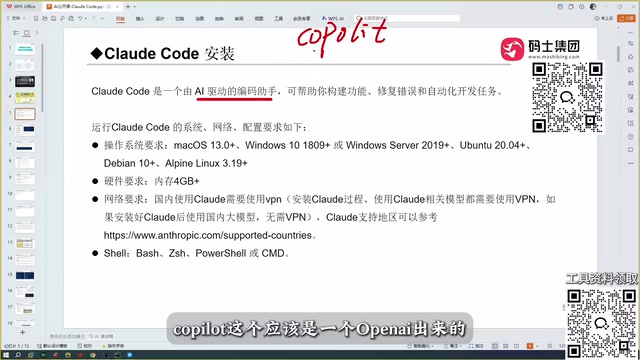
According to the Bilibili creator, Claude Code is a coding assistant that requires no website login—just install it locally and use it directly within your development tools. It supports most operating systems, and the installation barrier is low.
Its core difference lies in its context-handling capability. The creator compared it in the video: conversational tools like DeepSeekAd and ChatGPT can only give you a code snippet, and you need to take it back to your project, run tests yourself, and if it doesn't work, go back and continue the conversation—repeating this many times before getting usable code. More importantly, they can't read the hundreds of code files in your project; you have to manually feed them the context.
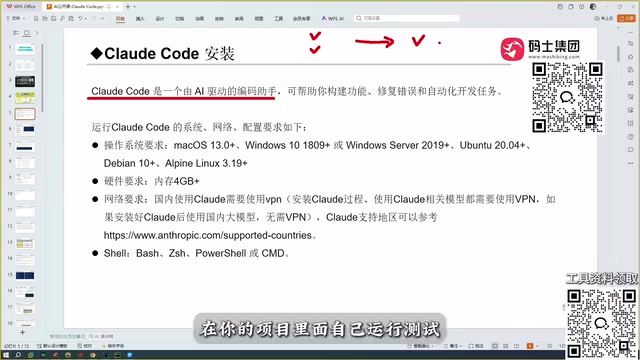
Claude Code, on the other hand, can read through all the contents of your project, pass them as context to the large model to generate business code, automatically debug errors, and ultimately deliver an accurate, error-free version of the code. This automated development capability is exactly why it has spread widely in the developer community.
Context Window refers to the total amount of text a large model can "see" at once, usually measured in tokens. Conversational AI has a limited context window and requires users to manually paste code, making it difficult to cover projects with hundreds of files; tools like Claude Code use engineering approaches (such as reading files on demand, retrieving relevant snippets, and feeding them to the model in chunks) to break through the single-window limit, organizing the structured information of the entire repository into context. Understanding this mechanism helps clarify: "reading through the entire project" doesn't mean stuffing all the code into the model at once—the tool is responsible for filtering, indexing, and assembling it. This also explains why tool-level design matters as much as model capability.
The Evolution of Coding Assistants: From Completion to Fully Automated Programming
The creator traced the development of AI coding tools during the livestream. Back in 2023, Copilot appeared as a plugin that could auto-complete code, which felt highly disruptive at the time. Then Cursor arrived, smarter than Copilot, capable of automatic coding, with similarities to today's Claude Code. After that came Trae, with an international version and a domestic version—the domestic version is free but the international one is paid; Cursor is also paid. There's also Open Code, but the creator said bluntly, "This thing is one of the harder-to-use coding tools out there," and doesn't recommend it.
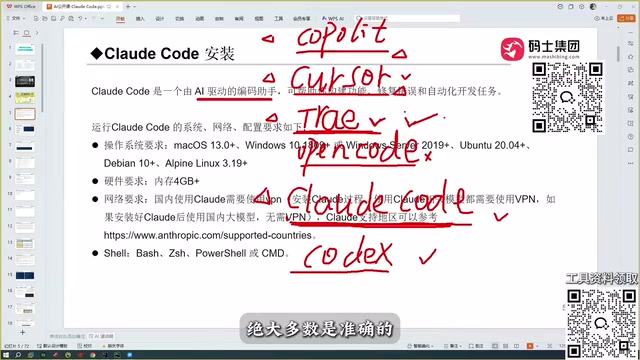
He also mentioned that Codex is quite good, acknowledging that its capabilities are comparable to Claude Code. However, from his actual experience, the creator initially used Copilot, Cursor, and Trae. He felt Trae understood Chinese well and was optimized for domestic users, and at one point considered it the most perfect coding tool. Until he encountered Claude Code, his judgment changed: "I think Claude Code is truly powerful—it's a level above Trae."
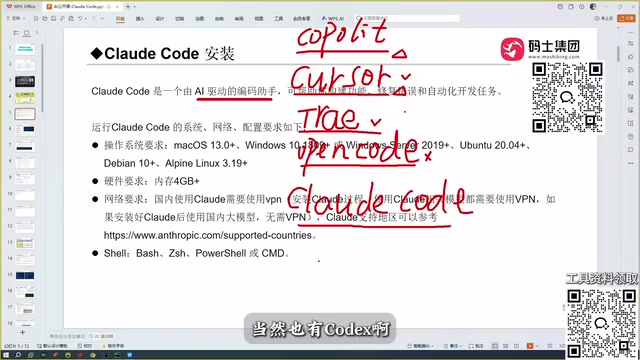
Code Completion and Agentic Coding represent two different paradigms of tools. The former, represented by Copilot, predicts the next piece of code based on the code near the cursor and a small amount of context—essentially "line-level/snippet-level" suggestions, with humans still as the execution主体. The latter, represented by Claude Code and Cursor's Agent mode, allows the model to autonomously plan steps, read and write multiple files, run commands and tests, and repeatedly correct based on errors, forming a "perception—action—feedback" loop. The difference lies not only in generation quality but in who bears the responsibility for orchestration and verification—which is why the article emphasizes that "full-project context understanding" is more noteworthy than mere code generation.
Why Is Claude Code Stronger? Model Capability Is Key
The creator offered his analysis: the capability behind all coding assistants ultimately depends on the large model. Claude Code is powered by the Sonnet model, which is already quite powerful, and there are even stronger models available. In contrast, although Trae is free and understands Chinese well, the code it produces isn't mostly accurate, and it struggles with slightly niche tech stacks.
On accuracy, the creator believes Claude Code is superior to both Cursor and Trae. He compared Claude Code's various models with domestic models like Trae, Qwen, and GLM, and his experience was that Claude Code is the best tool to use.
The Sonnet mentioned in the article is a tier in Anthropic's Claude series, positioned to balance speed and capability, typically alongside a lighter Haiku and a stronger Opus. Different tiers trade off reasoning depth, code accuracy, and response cost, and can be switched based on task complexity in practice. This also shows that "tool strength" isn't a single dimension: the same tool with different models will perform noticeably differently; and different tools, even with the same model, will differ due to context organization, tool-calling strategies, and error-retry mechanisms. When evaluating coding assistants, model tier and tool engineering capability should be viewed separately.
Getting Started Advice: Read the Project First, Then Modify Code
For developers new to Claude Code, the creator's core advice is to treat it as a coding assistant that can read through the entire project. Rather than rushing to have it modify code, first let it scan the whole repository and output the project structure, module relationships, and key file descriptions—this is the so-called "code map." With this map, subsequent modifications and debugging can be built on an accurate understanding of the project context, rather than repeated trial-and-error in the dark.
From Copilot's code completion to Cursor's automatic coding to Claude Code's full-project context understanding, AI coding tools are evolving from "helping you write a line" to "helping you understand the entire repository." For developers who frequently take over unfamiliar projects, the productivity gain from this shift may be more noteworthy than mere code generation.
A code map is essentially an AI-generated description of project structure, typically including the directory tree, each module's responsibilities, key entry files, dependency and call relationships, and configuration and build methods. It effectively front-loads and documents the process of "humans reading code." The benefits: subsequent questions and modifications can reference this structure, reducing the model's tendency to get lost in irrelevant files; at the same time, humans can use it to quickly build a mental model and spot missing documentation or structural issues. In practice, you can ask the assistant to output the map first and manually review it, then propose specific change requests based on the map—avoiding having AI make large-scale changes all at once that are hard to review.
Related articles

EUROPA: The EU's Open-Source AI Model Targets Nearly One Trillion Parameters
The EU's open-source AI model EUROPA targets nearly one trillion parameters. The Reddit community hotly debates its technical roadmap: is the first attempt too large? Can quantization solve deployment challenges? What references do DeepSeek and Qwen provide?

Bland Releases Tofu-1: A Full-Duplex Speech Model for Phone Scenarios
Bland releases Tofu-1, a full-duplex speech-to-speech model for noisy, high-stakes phone scenarios, now in enterprise research preview with no benchmarks, model size, or pricing disclosed. This article analyzes the technical value of full-duplex voice AI, the reasons behind the information vacuum, and key enterprise deployment considerations.

Anthropic S-1 Deep Dive: Is the $80 Billion Loss a Fraud or Accounting Wizardry?
Anthropic's S-1 shows an $80B net loss alongside $16B quarterly revenue, sparking fraud claims. We break down the accounting adjustments, gross revenue recognition, $900B compute commitments, and dual-class governance to judge whether this is financial wizardry or a real growth story.