Claude Code vs Codex Hands-On Comparison: What 100 Hours of Deep Testing Reveals

Claude Code vs ChatGPT Codex deep dive: customizability versus unified delivery experience
After 100+ hours of hands-on testing, Claude Code and Codex each shine in different areas. Claude Code excels with ~30 hook events, autonomous sub-agent creation, and enterprise cloud platform support, making it ideal for developers who need deep workflow customization. Codex delivers a unified experience with Git worktree isolation, a built-in browser, and computer use capabilities, suiting those who want a complete out-of-the-box development pipeline. While their feature overlap is substantial, the core difference lies in workflow design philosophy.
In the AI coding agent space, Claude Code and ChatGPT Codex have emerged as the two leading choices. Over the past month, creators conducted over 100 hours of in-depth testing on these two tools, delivering a comprehensive evaluation through feature comparisons, pricing analysis, and head-to-head tests across three real-world scenarios. The conclusion isn't simply "which one is better," but rather "which one best fits your current needs."
What is an AI Coding Agent? An AI coding agent is an autonomous software development system built on top of large language models. It can understand natural language instructions, plan task steps, invoke external tools, and iteratively execute code. Unlike earlier code completion tools (such as the original version of GitHub Copilot), coding agents have multi-step reasoning, file system manipulation, terminal command execution, and self-correction capabilities — representing a paradigm shift in AI-assisted development from "auto-completion" to "autonomous execution."
Core Positioning Differences Between the Two AI Coding Agents
Claude Code is Anthropic's coding agent, powered by the Opus model under the hood. It supports multiple usage modes including terminal, VS Code extension, desktop client, and web interface. Its core advantage lies in deep customizability — rather than just a tool, it's better described as a workflow system that integrates into a developer's personal development habits and automation pipelines.
Codex is OpenAI's coding agent (not the deprecated 2021 version), driven by GPT-series models. Its design philosophy leans more toward a unified delivery experience, with built-in Git worktrees, an in-app browser, and other features aimed at enabling the agent to go straight from task reception to code deployment.
What you may not have noticed is that the feature overlap between the two far exceeds what most comparison videos suggest: both support local editing, desktop apps, VS Code extensions, command-line execution, MCP protocol, skill formats, plugin marketplaces, cloud delegation, and hook mechanisms. The core difference isn't about "whether a feature exists" — it's about the design philosophy behind the workflow.
What is the MCP Protocol? MCP (Model Context Protocol) is an open protocol standard proposed by Anthropic in late 2024, designed to unify communication between AI models and external tools and data sources. Similar to how USB-C standardizes hardware interfaces, MCP provides AI agents with a universal "plug" specification, enabling external resources like databases, APIs, and file systems to be accessed by AI models from different vendors in a consistent way. Major players including OpenAI and Google have since announced MCP support, and the protocol is becoming an infrastructure layer for the AI tool ecosystem.
Claude Code's Unique Advantages
Deep Customization Capabilities
Claude Code currently supports approximately 30 different hook events (such as when a prompt is submitted, when a tool runs, when a session starts, etc.), while Codex offers only about 6. This means that at every stage of an automated workflow, Claude Code provides roughly 5x the granularity of control.
Hook Mechanism Explained Hooks are a classic design pattern in software engineering that allow developers to insert custom logic at specific execution points without modifying the core code. In the context of AI coding agents, hook events can be thought of as "triggers" — for example, automatically running tests before the agent commits code, loading specific context when a session starts, or logging after a tool call. Claude Code's support for approximately 30 hook events means developers can inject custom behavior at nearly every critical node in the agent workflow, which is invaluable for building enterprise-grade automation pipelines (CI/CD integration, compliance checks, multi-team collaboration).
Automatic Sub-Agent Delegation
Both tools support sub-agents, but Claude Code can autonomously create them. When you hand it a complex task, it independently decides to spin up planning agents, exploration agents, and code review agents. Codex's official documentation explicitly states that it won't proactively launch sub-agents unless the user explicitly requests it.
The Technical Logic Behind Multi-Agent Architecture Multi-agent architecture is a cutting-edge paradigm in current AI system design. Its core idea is to decompose complex tasks and delegate them to specialized sub-agents for parallel processing, with a coordinator agent aggregating the results. This architecture borrows from the microservices concept in software engineering: the planning agent handles task decomposition, the exploration agent handles information gathering, and the code review agent handles quality assurance — each with a clear division of responsibility. Claude Code's ability to autonomously decide when and how to create sub-agents reflects its "metacognitive" capability — the agent's ability to assess the complexity of its own tasks. This stands in stark contrast to Codex's "requires explicit user triggering" design. The former is better suited for open-ended tasks with ambiguous boundaries, while the latter is more controllable for predictable, structured tasks.
Standout Features at a Glance
- Ultra Plan & Ultra Review: Sends the planning phase to the cloud for multi-agent code review
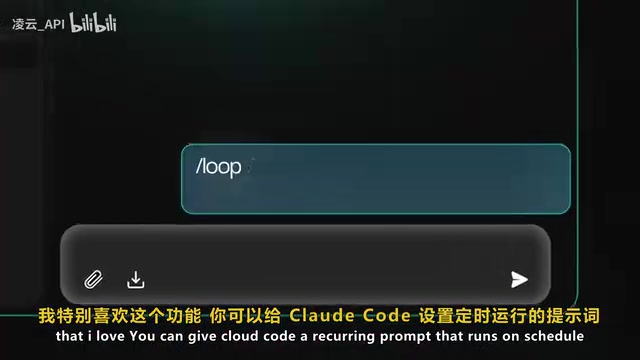
- Loop Mode: Allows setting timed prompts that automatically handle PR comments, fix merge conflicts, and more
- Channels: Supports entering a running session directly from Telegram, Discord, or even iMessage
- Cloud Agent SDK: Wraps the core engine as Python and TypeScript SDKs
- Enterprise Support: Integrates with cloud platforms like Bedrock, Vertex AI, and Microsoft Foundry
Enterprise Cloud Platform Context Amazon Bedrock, Google Vertex AI, and Microsoft Azure AI Foundry are managed AI service platforms provided by the three major cloud vendors. They allow enterprises to invoke third-party AI models within their own cloud environments while meeting enterprise compliance requirements for data residency, access control, and audit logging. For heavily regulated industries like finance, healthcare, and government, directly calling external AI APIs often faces data sovereignty and privacy compliance hurdles. Deploying through these platforms keeps data traffic within the enterprise's own VPC (Virtual Private Cloud). Claude Code's native support for all three platforms means enterprises can introduce AI coding agent capabilities without changing their existing cloud infrastructure — a significant competitive differentiator in the enterprise market.
Codex's Unique Advantages
Unified Workflow Design
Codex is built entirely around worktrees at its core, with each thread running in an independent path without interfering with the main branch. Code review, staging, committing, and pushing are all completed within the same desktop application — a single tool handles the entire delivery pipeline.
Git Worktree Technical Principles Git worktrees are a feature introduced in Git 2.5 that allows the same repository to simultaneously maintain multiple working directories at different file system paths, with each directory able to check out a different branch. In AI agent scenarios, this feature's value is significantly amplified: when Codex assigns an independent worktree to each task thread, multiple parallel tasks can proceed simultaneously in isolated environments without interfering with each other. This avoids the context confusion caused by frequent branch switching in traditional single-working-directory setups, and is a key underlying mechanism for enabling "parallel multi-task agents."
In-App Browser and Computer Use
The Codex desktop client has a built-in browser that lets you directly view the AI agent's deliverables and add visual annotations. Even more powerful is its computer use capability — simply say "help me test the app I just developed"
Related articles
 Product Reviews
The Programmer's Desk Setup Guide: Building a Workspace That Feels Like Home
Discover how programmers build productive, comfortable workspaces. From multi-monitor setups to ergonomic design, explore the desk philosophy that drives focus and flow.
 Product Reviews
Qoder vs Cursor Real-World Comparison: Which $20/Month AI IDE Is Better?
Hands-on comparison of Qoder vs Cursor AI IDEs: Agent autonomy, human interaction count, and architecture decisions. Qoder needed only 2 interactions vs Cursor's 8.
 Product Reviews
Cursor Cloud Agent Demo: Eliminating Bottlenecks Across the Entire Software Development Lifecycle
Deep analysis of Cursor's Cloud Agent demo showing how cloud VMs, automated test artifacts, and a full-chain control plane systematically eliminate human bottlenecks across the software development lifecycle.