Claude Code vs Cursor vs GitHub Copilot: How to Choose Among the Three Major AI Coding Tools

Choose AI coding tools by delegation level: Copilot for autocomplete, Cursor for file edits, Claude Code for task delegation.
Based on a short video's summary, the article compares GitHub Copilot, Cursor, and Claude Code. Copilot is a plugin for existing editors focused on autocomplete and code Q&A; Cursor is an AI-native editor built on VS Code that can modify multiple files with item-by-item review; Claude Code runs in the terminal, reading projects, executing commands, and making direct changes from natural language. The author proposes a 'degree of delegation' framework: coarser collaboration granularity raises the efficiency ceiling but reduces human control. The three are not mutually exclusive—the real trade-off is which layer of capability you're willing to pay for. Figure out how much control to hand over before deciding to pay.
AI coding tools have become so numerous that it's dizzying to choose, but picking the wrong one often means paying for features you'll never use. A short video on YouTube explains the positioning differences among three popular tools in under a minute, and its core logic boils down to one thing: how much work are you willing to hand over to AI.
The Essential Differences Among the Three Tools
According to the video's summary, GitHub Copilot, Cursor, and Claude Code each represent a different interaction paradigm. GitHub Copilot is a plugin that plugs directly into the editor you already use, offering suggestions as you type and letting you converse about code—it's more like a handy autocomplete assistant.
Cursor, on the other hand, is a complete code editor rebuilt with AI at its core, built on top of VS Code. Its distinguishing feature is the ability to modify multiple files at once and let you review each edit one by one—AI capabilities are built into the editor itself rather than bolted on.
Claude Code takes the terminal route. You describe a task in natural language, and it reads the project, executes commands, and makes changes directly—what you hand over is the entire task, not a single line of code.

VS Code (Visual Studio Code) is Microsoft's open-source code editor that only provides basic text editing capabilities out of the box; real language support, debugging, version control, and other features are all implemented through extensions. Precisely because its core is lightweight enough and its extension interfaces are open enough, third parties can rebuild entirely new product forms on top of it. Cursor is a typical example: it reuses VS Code's editor core and plugin ecosystem, but redesigns the interface and interaction layers around AI, so users can keep familiar shortcuts and extensions while gaining native AI capabilities. Understanding this helps assess migration costs—the learning curve from VS Code to Cursor is far lower than switching to a completely unfamiliar IDE.
Choosing by "Degree of Delegation"
The video's selection framework is very clear: need help while typing? Choose Copilot. Want an editor designed around AI? Choose Cursor. Want to hand over entire tasks? Choose Claude Code.

The value of this framework is that it breaks away from feature comparison tables. The capability lists of the three tools can be very long, but what really determines daily experience is the granularity of collaboration: Copilot has the finest granularity, staying at the typing level; Cursor is in the middle, making batch changes at the file level while preserving human review; Claude Code has the coarsest granularity, taking over the entire task execution chain. The coarser the granularity, the higher the efficiency ceiling—but the less control you have over the process.
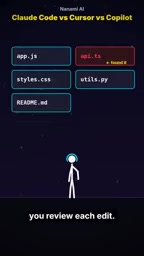
The "granularity of collaboration" mentioned repeatedly in the article can be understood as: how much autonomous decision-making scope AI is allowed within a single interaction. Fine granularity means every change must be confirmed by a human—low cost of errors, strong controllability, but humans remain the bottleneck. Coarse granularity means AI must plan steps, read context, and execute continuously on its own—the human role shifts from "operator" to "reviewer." The prerequisite for coarse granularity is that the task itself has clear boundaries and is verifiable—for example, "unify the log format for this module" is better suited for coarse-grained delegation than "optimize this project's performance." When choosing a tool, assessing the ambiguity level of your daily tasks is more valuable than comparing feature lists.
A Perspective Worth Adding
One point the video doesn't expand on is that these three are not strictly mutually exclusive. Copilot can be installed inside Cursor, and Claude Code can run in any terminal. The real trade-off is which layer of capability you're willing to pay for: if your daily needs are just autocomplete and Q&A, the plugin form of Copilot is enough; if multi-file refactoring is routine, Cursor's batch editing plus human review workflow is smoother; if tasks have clear boundaries and you want end-to-end delegation, Claude Code in the terminal is the most direct.

The video also admits at the end that there's no absolute "better"—only the one that matches your willingness to delegate. That sounds like a cliché, but it genuinely curbs the impulse to pay for redundant features—figure out how much control you want to hand over first, then open the payment page.
Terminal is the command-line interface through which developers interact with the operating system. Claude Code's choice of the terminal as its medium is no accident: terminals can naturally invoke the file system, execute build scripts, run tests, and operate Git, which enables it to chain "read code—modify code—verify results" into a complete pipeline rather than being limited to text replacement within an editor buffer. The cost is that interaction relies entirely on natural language and text output, lacking the intuitiveness of visual diffs; reviewing changes often requires checking Git diffs, which places higher demands on the user's engineering habits.
One-line Summary
Choose AI coding tools by degree of delegation: Copilot for autocomplete, Cursor for file edits, Claude Code for task delegation.
Paragraph Summary
Drawing on a short video's summary, this article compares the positioning differences among three AI coding tools: GitHub Copilot, Cursor, and Claude Code. Copilot is a plugin embedded in existing editors, staying at the level of input autocomplete and code Q&A; Cursor is an AI-native editor rebuilt on VS Code that can modify multiple files at once with item-by-item review; Claude Code runs in the terminal, where after describing a task in natural language, AI reads the project, executes commands, and makes changes directly. The author distills a "degree of delegation" selection framework: the coarser the collaboration granularity, the higher the efficiency ceiling, but the less control over the process. The article also notes that the three are not mutually exclusive—the real trade-off is which layer of capability you're willing to pay for. Figure out how much control to hand over first, then decide on payment.
Related articles

English Version of 'Thank You for Your Love' Gains Traction on Bilibili: A Cross-Cultural Rendition of a Classic Love Song
The English version of 'Thank You for Your Love,' titled 'I'll give you all my love,' trends on Bilibili with rewritten lyrics about giving all your love. This article analyzes its emotional expression, cross-cultural adaptation strategy, and differences from the Chinese original.

Behind the Viral Dynamic Comic Commentary: Deconstructing the Narrative of Family Finance and Emotional Conflict
Deconstructing a Bilibili dynamic comic episode on family financial conflict: how dense dialogue and emotional hooks retain viewers, and where AI script generation falls short in narrative coherence.

Databricks Generative AI Engineer Lesson 6: Frameworks and Prompt Engineering in Practice
Databricks Generative AI Engineer Lesson 6: how to choose LangChain, LangGraph, LlamaIndex, or DSPy based on the task, connect to the Databricks platform via AI Bridge packages, and enrich prompts with key fields and intent from the question to iteratively improve response quality.