#VS Code
24 related articles
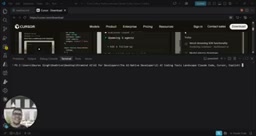
Installing Cursor CLI in VS Code and Fixing a Python Bug in Practice
A step-by-step demonstration of installing Cursor CLI in VS Code, completing agent login authentication, and using natural-language prompts to have Cursor automatically fix a division-by-zero bug in a Python bill-splitting program, generate unittest tests, and run verification.

Building AI Agents in VS Code: A Hands-On Guide to MCP Integration
A complete walkthrough for building an AI agent in VS Code: save the model to Foundry, add system instructions for a cupcake store role, create an MCP server connection, mount tools, and invoke external services in chat—all without leaving the editor.

DebugSlicer: Visualizing Tensors and Volumetric Data in VS Code
DebugSlicer is a VS Code extension that lets you right-click to visualize PyTorch tensors, MONAI MetaTensor, NumPy, and PIL data in the debugger with three linked views, segmentation label color mapping, and chunked loading for multi-GB arrays—helping quickly diagnose data issues in 3D segmentation models.

Building a VS Code Extension for Parallel AI Agents: The Stack Experience
A developer built the open-source VS Code extension Stack, letting AI agents like Claude Code and Codex CLI run in parallel in separate git worktrees while keeping code navigation, debugging, and diff review inside the editor.
 Tutorials
ESP-IDF Extension Integrates AI Agent: Complete Embedded Build, Flash, and Debug with Natural Language
ESP-IDF VS Code extension integrates Copilot Chat Agent mode, enabling natural language build, flash, and debug with AI-powered error analysis and fix suggestions.
 Tutorials
The Right Way for Beginners to Build Products with AI: The Iterative Build Loop Explained
Vibe Coding isn't just chatting with AI. Learn the Iterative Build Loop: Discuss, Document, Develop, Learn — with VS Code and Claude Code to build products from scratch.
 Tutorials
Complete Guide to Codex Installation, Registration & Usage: From Download to VS Code Integration
Step-by-step tutorial on installing OpenAI Codex, registering with overseas phone verification, choosing plans, and integrating with VS Code for AI-powered coding.
 Product Reviews
Claude Code 2.0 Complete Breakdown: Checkpoint Rollback, Context Visualization, and Other Core Features Explained
Deep dive into Claude Code 2.0's core features: checkpoint rollback, context window visualization, usage tracking, native VS Code extension, and MCP server integration, with comparisons to Cursor and Codex.
 Tutorials
The Complete Vibe Coding Workflow: A Step-by-Step Guide for Non-Developers to Build and Ship Products Independently
A complete 7-step Vibe Coding guide from requirements to deployment. Learn how non-developers can independently build and ship products using VS Code and Claude Code, with PRD writing, static Demo validation, and step-by-step development.
 Product Reviews
AI Coding Tools Keep Crashing When Building Websites? Root Cause Analysis & Practical Solutions
AI coding tools crashing when building websites? This article analyzes root causes including multi-window concurrency, API rate limiting, and network instability, with practical solutions.
 Tutorials
Getting Started with Git and GitHub in VS Code: A Beginner's Guide to Version Control
Learn how to use Git and GitHub in VS Code for version control, covering repo setup, commits, branching, Pull Requests, and best practices for beginners.
 Tutorials
Claude Code Installation Guide: Complete Setup for CLI + VS Code + Desktop
Complete guide to installing Claude Code on Windows in CLI, VS Code, and desktop modes, plus connecting to DeepSeek API via CC Switch for affordable AI coding.
 Product Reviews
VS Code Extension Antigravity Cockpit: A Practical Guide to AI Quota Monitoring & Management
A detailed guide to VS Code extension Antigravity Cockpit's core features including Webview dashboard, QuickPick queries, and quota grouping for real-time Google AI API quota monitoring.
 Tutorials
VS Code Multi-Agent Collaborative Development: A Practical Guide to Running Local, Background, and Cloud Agents in Parallel
Microsoft engineer demos three AI Agents running in parallel in VS Code—local, background, and cloud—showing a complete multi-agent collaborative development workflow with GitHub Copilot.
 Tutorials
Getting Started with AI Programming: A Practical Guide to Copilot Setup, Configuration, and Model Selection
A comprehensive guide covering AI programming tool selection, GitHub Copilot installation and configuration, Premium Request mechanics, AI model comparison, and extending models via Open Router.
 Tutorials
VS Code Claude Code + DeepSeek V4 Pro Configuration Tutorial (5 Steps)
Step-by-step tutorial: Connect VS Code's Claude Code plugin to DeepSeek V4 Pro via CCSwitch, bypassing auth limits and cutting AI coding costs to 25%.
 Tutorials
Windsurf Download, Installation & Setup Guide: Complete Workflow in 5 Minutes (2025 Latest)
2025 latest Windsurf editor download, installation & setup guide covering Windows installer download, VS Code settings import, GitHub login, theme configuration and more — get started in 5 minutes.
 Tutorials
Claude Code + CC Switch Installation & Configuration Guide (Terminal + VS Code)
Step-by-step guide to installing Claude Code with Node.js, configuring CC Switch proxy API, terminal usage tips, and VS Code integration for cost-effective AI coding.
 Tutorials
Codex App Installation & Usage Guide: Complete Tutorial for Multi-Task Parallel AI Programming
Complete guide to installing and using OpenAI Codex App: Git/Node.js setup, multi-task parallel processing, sandbox permissions, and practical tips compared to Cursor and Claude Code.
 Product Reviews
VS Code AI Toolkit 2.0 Deep Dive: Agent Builder + Free Access to GPT-5
Deep dive into VS Code AI Toolkit 2.0 major update, covering Agent Builder, MCP tool integration, batch testing, model evaluation, and a complete guide to using GPT-5 and Claude for free via GitHub Models.