Claude Opus 5 Prompt Guide: 6 Key Changes and Practical Optimization Tips

6 key prompting changes for Claude Opus 5: less instruction, more trust, better results.
Based on Anthropic's official Claude Opus 5 prompting guide, this article breaks down the model's core behavioral changes and distills 6 actionable optimization tips — including verbosity control, removing verification instructions, effort level tuning, sub-agent delegation best practices, and why simplifying system prompts actually improves performance.
Anthropic's newly released Claude Opus 5 delivers significant leaps in coding, visual understanding, and agent coordination — but its behavioral patterns are fundamentally different from the Opus 4 we're familiar with. This means that if you're still using your old prompting techniques, you likely won't be able to fully harness this new model's potential. This article is based on Anthropic's official Claude Opus 5 prompting guide, covering the core behavioral changes and distilling 6 immediately actionable practical tips.
Opus 5's Capability Upgrades: Comprehensive Improvements from Code to Vision
Compared to Opus 4, Opus 5 shows clear progress across multiple dimensions, and these improvements directly affect how prompts should be written.
In agentic coding, Opus 5 performs strongest on difficult coding tasks, particularly excelling at multi-file features, large-scale refactoring, and end-to-end feature development. Agentic Coding refers to an AI model that doesn't just generate code snippets but autonomously completes end-to-end development tasks like a full software engineer — understanding requirements, planning architecture, writing multi-file code, running tests, debugging, and iterating on fixes. Previous models often left behind TODO comments or stub functions when executing such tasks, requiring developers to manually fill them in. A key change with Opus 5 is: it completes the full task rather than leaving stubs or placeholders as before. The official guide specifically notes that the model performs best when you "provide complete task specifications upfront and let it run on its own."
In code review, Opus 5 finds real bugs with higher precision and recall, and the additional findings are mostly genuine issues rather than false positives. These two metrics deserve explanation: Precision measures the proportion of all reported issues that are actually bugs — high precision means fewer false positives. Recall measures the proportion of all actual bugs that the model successfully identifies — high recall means fewer missed bugs. These two metrics often trade off against each other — pursuing high precision tends to miss real bugs, while pursuing high recall may generate numerous false positives. Opus 5's advancement lies in improving both simultaneously. However, note that if your review prompt asks to "only report high-severity issues" or "be conservative," the model may strictly comply and miss findings. The official recommendation is to let it report everything it finds, then filter in a separate pass.
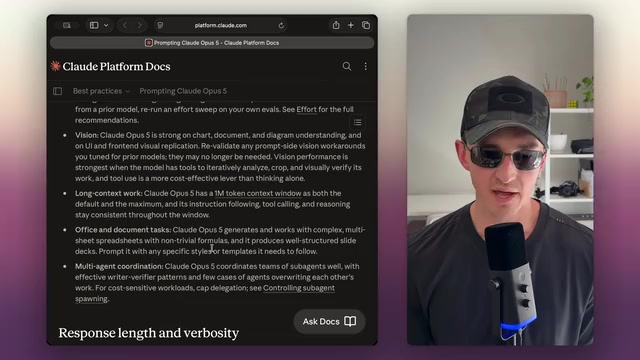
Visual capabilities are another highlight of this upgrade. Opus 5 is strong at charts, document understanding, and UI/frontend visual reproduction. You may not have realized that many "visual workarounds" you fine-tuned for older models may no longer be necessary — visual performance is strongest when the model has tools to iteratively analyze, crop regions, and visually verify its work. Using tools is more cost-effective than pure reasoning — this is a key principle running throughout the entire guide. The deeper logic behind this principle is that having the model acquire information through actual operations (like screenshot verification and region cropping/zooming) is far more accurate and efficient than having it "imagine" visual content through internal reasoning.
Additionally, Opus 5 has a 1-million-token context window, which is both the default and the maximum. A context window is the upper limit of tokens a large language model can process simultaneously — 1 million tokens is equivalent to hundreds of source code files or multiple full-length novels. While many models support long contexts, they often exhibit a "Lost in the Middle" phenomenon where retrieval and reasoning capabilities for information in the middle of the window significantly degrade. Opus 5's instruction following, tool calling, and reasoning capabilities remain consistent throughout the entire window, meaning the model can reliably utilize key information regardless of where it appears in the context.
Verbosity Control: What to Do When Opus 5 Defaults to Longer Responses
One change you must adapt to: Opus 5's default user-facing responses are longer than previous Opus models.
Here's a common pitfall: the effort parameter controls how much the model thinks, not how much it talks. Effort Level is a control parameter in the Anthropic API that adjusts the depth of internal reasoning the model invests before generating an answer, similar to the "reasoning budget" concept OpenAI introduced with their o1/o3 series. It essentially provides an adjustable tradeoff between reasoning quality and computational cost. Higher effort levels mean the model spends more tokens in its internal chain of thought analyzing problems and verifying reasoning, but this only affects the invisible internal reasoning process — it doesn't directly control the length of the final output. Lowering effort reduces thinking but won't necessarily shorten the visible response reliably. To truly control response length, you must use explicit prompting.
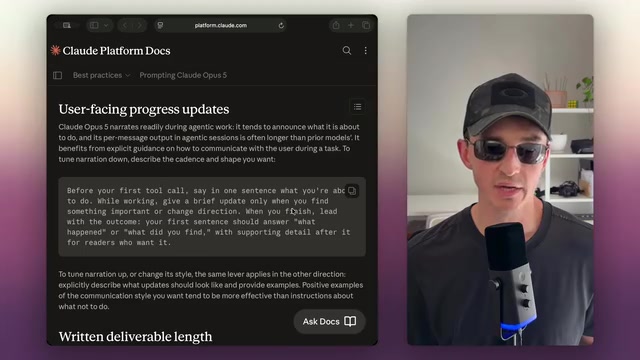
The official conciseness instruction example is practical: "Keep responses focused and concise. Keep caveats and disclaimers short, and devote most of the response to the main answer." In longer system prompts, it's best to pair conciseness instructions with a brief reminder near the end of the prompt.
Beyond conversational verbosity, Opus 5 has a particular tendency to "narrate" during agentic work — it often explains what it's about to do before taking action, and each message's output is longer than older models. To reduce narration, the official recommendation is to explicitly describe the cadence you want: "Before your first tool call, say in one sentence what you plan to do; give brief updates only when you find something important or change direction; when done, lead with the result."
It's worth emphasizing that positive examples (what you want) tend to be more effective than "don't do X" instructions. This aligns with a classic prompt engineering principle: LLMs typically follow positive instructions better than negative ones, because negative instructions require the model to first understand the prohibited behavior and then actively avoid it — cognitively more complex than simply executing a positive instruction.
The Over-Verification Trap: Remove Your Verification Instructions
This might be the most counterintuitive point when migrating from older models. Opus 5 automatically verifies its own work without additional instructions.
If your prompts still contain instructions like "require final verification for any important task" or "use a sub-agent for verification," the official guide explicitly recommends removing them. Such instructions stack on top of the model's existing verification behavior, causing Opus 5 to over-verify — wasting tokens without improving quality. Similarly, review instructions like "double-check your answer" or "re-verify before replying" should also be removed. This change reflects the evolution of frontier models from "needing external scaffolding" to "internalizing engineering best practices" — the model has learned self-checking behavioral patterns during training, and additional verification instructions only create redundancy.
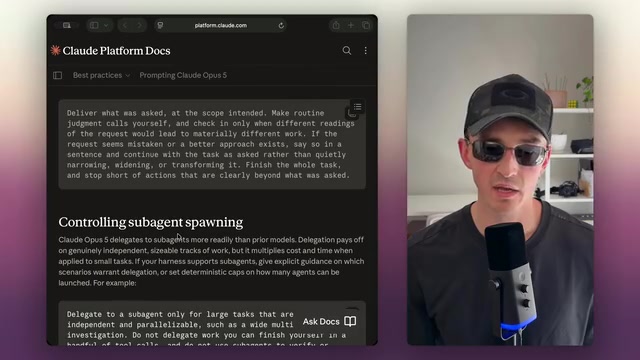
Regarding task scope, Opus 5 tends to expand tasks on its own, adding steps it considers necessary. For narrow tasks, explicitly constrain the scope to deliver only what's requested. The official principle is: only seek confirmation when different interpretations of the request would lead to substantially different work; if the request appears incorrect or there's a better approach, note it in one sentence and proceed with the original request rather than silently changing it.
Effort Levels and Sub-Agents: Keys to Token Cost Control
Effort level is the primary lever for controlling token cost and response time. The official recommendation is to start with the default high intensity and adjust based on evaluation results — when quality is satisfactory, use low to medium intensity extensively, as they produce high-quality results at far lower token consumption and latency than high settings. Only set it to max for demanding coding and agentic work. From a practical cost perspective, the token consumption gap between low and max effort levels can be several times to over ten times larger. For high-frequency production environments, choosing the right effort level directly impacts the magnitude of your monthly API bill.
Regarding sub-agent delegation, Opus 5 delegates to sub-agents more readily than previous models. Sub-agent Delegation is a pattern in advanced AI agent architectures where the main agent breaks a large task into multiple subtasks and assigns them to independent sub-agents for parallel execution. Each sub-agent has its own independent context window and tool access, returning results to the main agent for integration upon completion. The advantage of this architecture is breaking through single context window limitations and accelerating large-scale tasks through parallelization, but the cost is multiplicative cost growth — each sub-agent consumes its own independent token quota. Delegation is valuable for truly independent, substantial work, but for small tasks, it multiplies cost and time. The official principle is clear: only delegate large, independent, parallelizable tasks (such as broad multi-file investigations) to sub-agents; don't delegate work you could complete with a few tool calls yourself, and don't use sub-agents to verify your own results.
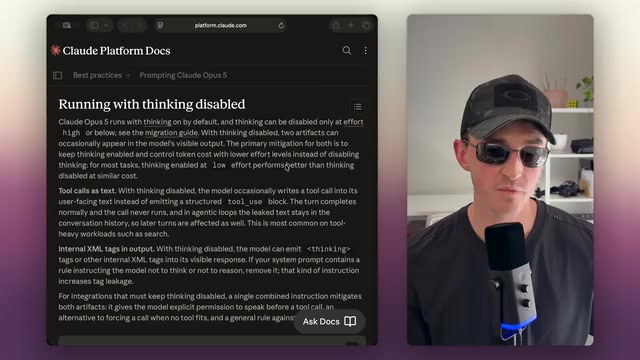
Regarding disabling thinking mode: Opus 5 has thinking (Extended Thinking) enabled by default — a feature that allows the model to perform structured internal reasoning before generating its final answer. These reasoning processes are typically wrapped in specific XML tags (such as <thinking> tags) and are normally invisible to users. Thinking can only be disabled when the effort level is set to high or below. The official guide strongly recommends against disabling thinking — at similar cost, low effort with thinking enabled performs better than with thinking disabled. Disabling thinking also introduces two side effects: tool calls may leak as text into user-facing output (meaning the calls never actually execute), and internal XML tags (like thinking tags) may appear in visible responses. The root cause of this "Tag Leakage" issue is that when the model loses its dedicated internal reasoning space, it may mix processing that should have been completed in the thinking phase into the final output. If your system prompt contains rules like "don't think" or "don't reason," they actually increase tag leakage and should be removed.
Claude Opus 5 Prompt Optimization: Summary of Six Key Takeaways
Synthesizing the entire guide, the core of writing prompts for Opus 5 can be condensed into six principles:
- Front-load complete tasks: Hand it all the work upfront, then step back and get out of the way — let the model do its thing. This parallels the software engineering management philosophy of "provide clear requirements documentation and trust the team to deliver."
- Remove all verification instructions: The model has built-in verification capabilities; explicit requests just waste tokens.
- Default to medium effort: Start at medium and only jump to high or max when the task truly demands it. For everyday Q&A, simple code generation, and similar tasks, medium effort is sufficient and significantly reduces cost.
- Aggressively simplify system prompts: Remove hand-holding guidance. According to the video author, Anthropic themselves cut 80% of the Claude Code system prompt, and the model actually performed better. This demonstrates that overly detailed system prompts aren't an asset but a distraction for sufficiently intelligent models — they consume precious context space and may conflict with behavioral patterns the model has already internalized.
- Use sub-agents sparingly: Only for large, independent, parallelizable work.
- Build reusable systems: If you frequently do something, it's better to turn it into a reusable skill rather than a one-off system prompt. This means encapsulating common workflows as tools, scripts, or standardized prompt templates, letting the model complete tasks by calling these preset capabilities instead of describing the entire process from scratch in the system prompt each time.
Final Thoughts: Less Is More
For Opus 5, the core philosophy is "less is more." It already possesses powerful autonomous verification, self-correction, and task planning capabilities. The various constraints, checks, and verification instructions we used to pile on to compensate for older models' shortcomings have mostly become dead weight.
This shift also reflects a broader trend in AI engineering practice: as foundation model capabilities rapidly evolve, prompt engineering is transitioning from "carefully crafting complex instructions to compensate for model weaknesses" to "providing clear intent and trusting the model to execute autonomously." This requires developers to shift from a "micromanager" mindset to a "delegator" mindset — just as managing a senior engineer requires a fundamentally different approach from managing an intern.
The best practice is: provide clear, complete task specifications, then let the model do its work — don't get in its way. This not only yields better results but also significantly saves token costs. For every developer looking to fully leverage this generation of frontier models, revisiting and "trimming" your prompt library is the first step to unlocking Opus 5's full potential.
Related articles

Chain of Thought Isn't Just for AI: How Humans Can Use CoT to Improve Thinking Quality
Chain of Thought isn't just a prompt trick for large models. Starting from a Hacker News discussion, this article analyzes why CoT works for human thinking too, breaks down actionable ways to transfer it, and highlights the key differences between human CoT and machine CoT.
Cloudflare Teams Up with OpenAI: Closi…
Cloudflare Teams Up with OpenAI: Closing the Loop from Vulnerability Discovery to Defense with AI
Cloudflare uses OpenAI Daybreak to investigate security vulnerabilities and generate reviewable remediation plans, while developers use Codex to boost coding efficiency and quality.

Orca Multi-Agent Orchestration in Practice: A Guide to Parallel Collaboration with Claude and Codex
Orca is Stable AI's free open-source agent workbench supporting 34 agents like Claude Code and Codex in parallel. Learn its Git worktree isolation, multi-model orchestration, and mobile management.