Cline Releases @cline/shared 0.0.93: AI Coding Tool SDK Update Breakdown

Cline auto-publishes @cline/shared 0.0.93 via GitHub Actions, warning developers about 0.x compatibility risks.
Cline's shared module package @cline/shared was automatically released as version 0.0.93 via GitHub Actions, with commit hash 1a5c3f8. The package carries the project's core common logic and type definitions, and its standalone publication reflects Cline's engineering maturity. However, the 0.x phase means the API is not yet stable, and minor updates may introduce breaking changes—developers should pin versions and verify before upgrading. The article also analyzes the value of automated CI/CD pipelines and recommends following changelogs and engaging with the community.
The AI coding assistant space continues to heat up, and every move from the open-source project Cline keeps developers on edge. Recently, Cline automatically published version 0.0.93 of the @cline/shared package via GitHub Actions.
What Is @cline/shared?
Cline is an AI coding tool that has drawn significant attention in the developer community. It integrates directly into editors like VS Code, allowing AI agents to help with tasks such as writing, refactoring, and debugging code. @cline/shared is the project's shared module package, carrying core common logic and type definitions.
From an architectural standpoint, extracting shared logic into a standalone npm package is a mature approach. It means that Cline's various submodules—whether editor plugins, command-line tools, or standalone applications that may be released in the future—can all reuse the same underlying capabilities, avoiding code duplication while ensuring behavioral consistency.
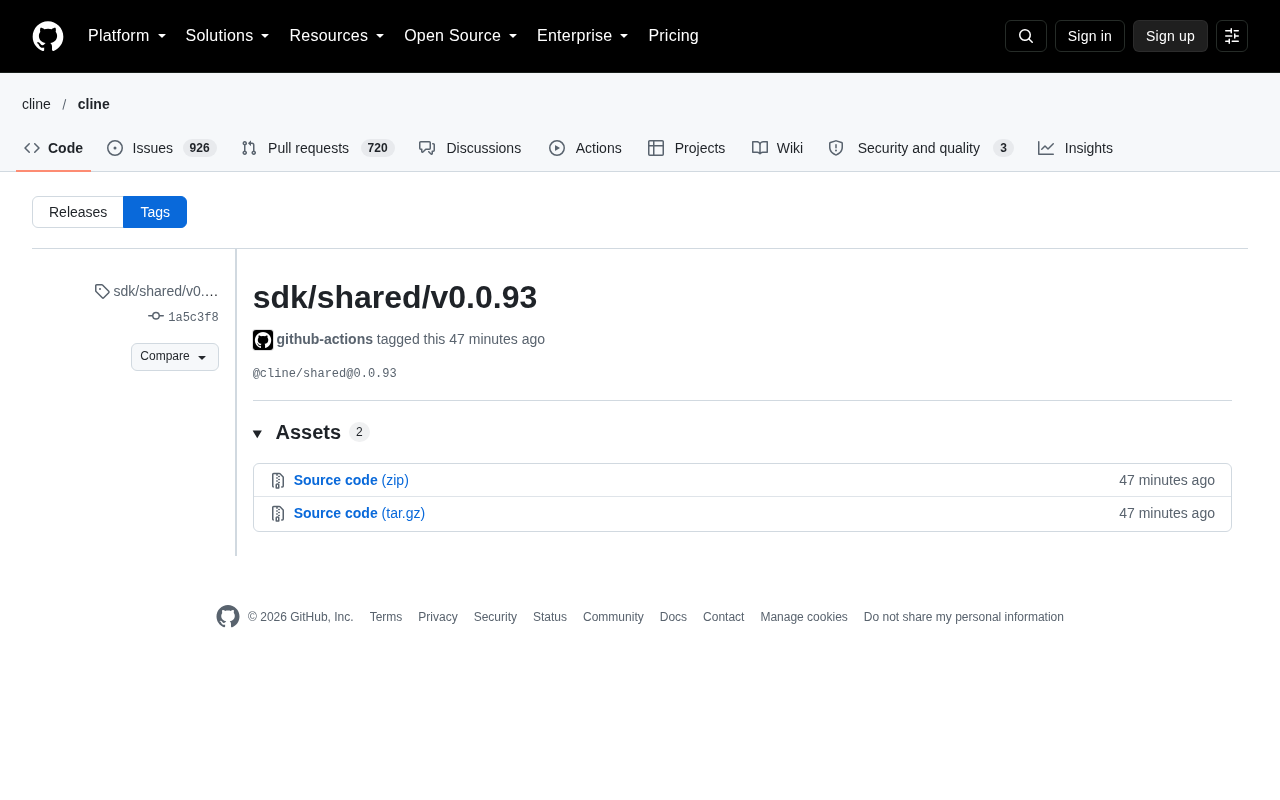
This 0.0.93 release was automatically triggered by the github-actions bot, with commit hash 1a5c3f8. The fully automated release process reflects the Cline team's engineering maturity.
The Signal Behind the Version Number: Rapid Iteration in the 0.x Phase
@cline/shared is still in the 0.x version phase, which is itself an important signal. Under semantic versioning conventions, 0.x means the API is not yet fully stable, and breaking changes may be introduced in minor version updates.
For teams currently using Cline or planning to integrate it into their workflows, this means:
- Upgrade with caution: Every minor version bump may bring interface changes. It's advisable to pin specific versions and verify in a test environment before upgrading production.
- Stay actively engaged: Rapid iteration also signals high project activity, with new features and fixes landing quickly.
- Watch the changelog: Since this release was completed through an automated process, detailed change descriptions need to be found in the repository's commit history and release notes.
Competition in the AI coding tool space is fierce. Cline's choice to iterate its shared module in high-frequency, small steps allows it to respond quickly to user feedback while advancing underlying refactoring without compromising the stability of the main product.
Semantic Versioning (SemVer) is currently the most widely used versioning convention in the npm ecosystem, with the format MAJOR.MINOR.PATCH (e.g., 1.4.2). The MAJOR position increments on incompatible API changes, the MINOR position on backward-compatible feature additions, and the PATCH position on backward-compatible bug fixes.
The special case is the 0.x.y phase: the specification explicitly states that the public API during initial development should not be considered stable, and any release may introduce breaking changes. In other words, 0.0.93 → 0.0.94 could also bring interface incompatibilities, not necessarily only when the MINOR position changes (i.e., 0.1.0).
This explains why the article repeatedly emphasizes "pinning specific versions." When using a range declaration like ^0.0.93 in package.json, npm allows automatic upgrades to any higher version within 0.0.x, making the risk uncontrollable. A safer approach is to use an exact version number (0.0.93) or the ~ prefix combined with a lock file (package-lock.json), and to verify each change through npm audit and the changelog.
Engineering Lessons from the Automated Release Process
This release was automatically completed by github-actions at 08:26 on the 13th—a detail that itself deserves attention.
More and more mature open-source projects are adopting CI/CD pipelines to handle npm package version releases. When code is merged into a specific branch, GitHub Actions automatically executes a series of operations: building, testing, tagging, and publishing to the npm registry. The benefits are obvious: fewer human errors, shorter release cycles, and guaranteed traceability for every release.
For developers looking to learn engineering practices from open-source projects, Cline's release process is a solid reference sample. You can find the relevant automation configuration in the .github/workflows directory of its GitHub repository.
GitHub Actions is GitHub's continuous integration and continuous delivery (CI/CD) platform, where developers define workflows through .github/workflows/*.yml files in the repository root. A typical npm publishing workflow usually includes the following stages: checkout code → install Node.js environment → npm ci to install dependencies → run tests → execute npm version to tag → publish to the registry using the NPM_TOKEN secret.
The key lies in secrets management and trigger conditions: release tokens are stored in encrypted form in repository settings and only injected as environment variables during workflow execution to prevent leaks. Trigger conditions commonly use on: push: branches: [main] or on: release: types: [published] to ensure publishing only happens at controlled moments.
Pipelines like the one Cline uses are also often paired with tools such as Changesets or semantic-release, which automatically infer version numbers from commit messages, generate changelogs, and submit PRs. This pattern has been validated by numerous mainstream open-source projects including Vite, Vitest, and Turborepo, making it worth studying as a template for engineering practices.
What Should Developers Pay Attention To?
If you are using or evaluating Cline, here are a few things worth noting:
Dependency management: Check whether your project directly or indirectly depends on @cline/shared. If so, confirm the currently pinned version and assess whether a newer version is needed for fixes or new capabilities.
Compatibility verification: Updates in the 0.x range may contain incompatible changes. Before upgrading, be sure to read the release notes and commit history, focusing on commits marked as breaking changes.
Engage with the community: As an open-source project, Cline's issue tracker and discussion forums are important channels for getting firsthand information and providing feedback. If you run into problems, communicating directly with maintainers and other users is often more efficient than figuring things out on your own.
AI coding assistants are shifting from "nice to have" to "daily essential." Every iteration of the underlying SDK may be paving the way for the next important feature. Staying informed and upgrading at the right time is the key to making the most of these tools.
One-line Summary
Cline automatically publishes @cline/shared 0.0.93 via GitHub Actions, reminding developers to watch for compatibility risks in the 0.x phase.
Paragraph Summary
Cline's shared module package @cline/shared was automatically released as version 0.0.93 via GitHub Actions, with commit hash 1a5c3f8. The package carries the project's core common logic and type definitions, and its standalone publication reflects Cline's maturity in multi-platform reuse and engineering architecture. However, the 0.x phase means the API is not yet stable, and minor version updates may also introduce breaking changes—developers need to pin versions and verify before upgrading. The article also analyzes the value of automated CI/CD release processes: fewer human errors, shorter release cycles, and improved traceability, and recommends that developers follow changelogs and engage with the community to use rapidly iterating AI coding tools more safely.
Related articles

Felix Rieseberg Personal Homepage
Felix Rieseberg's personal homepage sparks attention on Hacker News. This article covers the Slack engineer's technical background, the rise and fall of nativefier, and the value of a developer homepage as a tech calling card.

@ai-sdk/vue 3.0.306 Patch Release Syncs with [email protected] Update
@ai-sdk/vue 3.0.306 released, synced with [email protected]. A routine patch release for the Vercel AI SDK ecosystem with no public API changes; the Vue adapter layer stays version-aligned with the core package.

Gemini 4 Argon API Launches: The Era of Million-Token Output Begins
Google launches Gemini 4 Argon with sparse MoE architecture, up to 1M output tokens, and a 68.90% Vals Index score, available across API, AI Studio, and the Gemini app.