Codex Practical Guide: From Installation to Enterprise-Level Project Development

A walkthrough of the Bilibili Codex practical tutorial, analyzing its three forms, spec-driven development, and enterprise implementation path.
This article systematically reviews the Codex practical tutorial released by a Bilibili creator. Codex has evolved from an early CLI tool into a complete system spanning CLI, desktop App, and IDE plugins, with core capabilities including cross-project multi-task parallelism, GitWorkTree isolated parallel development, remote control, and Chrome plugin extensions. The tutorial emphasizes Codex's engineering design philosophy: replacing prompt engineering with spec-driven development, providing structured input of "goals + boundaries + acceptance criteria" through AGENTS.md and Harness Engineering; in context engineering, it employs streamlined vector retrieval, AST awareness, and external tool collaboration. The learning path sequentially covers AGENTS.md configuration, the LULUS system, MCP protocol integration, Sub-agents collaboration, and enterprise-level plugin packaging and distribution, ultimately landing a RAG intelligent customer service system. Official documentation and the open-source repository are the recommended core resources.
OpenAI's Codex has evolved from an early command-line tool into a complete AI programming system spanning CLI, desktop App, and IDE plugins. Recently, a creator on Bilibili released a remarkably detailed Codex practical tutorial, covering everything from installation and configuration all the way to enterprise-level plugin development and RAG-powered intelligent customer service system construction. The information density of this content is high, and for developers who are evaluating or preparing to get started with Codex, it's worth systematically working through.
Codex's Three Usage Forms and Core Scenarios
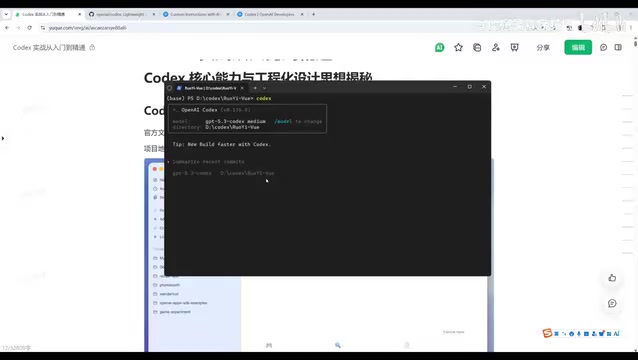
According to the tutorial, Codex currently has three mainstream usage modes: CLI command line, standalone App, and installing the Codex plugin in Cursor or VS Code. Early Codex only had a CLI version, where users entered commands in the terminal for AI programming; now the App version has been released and features a command-line interaction page, offering a more user-friendly experience.
The plugin form is better suited for developers who need to call AI while writing code, with the lowest switching cost within the IDE. The tutorial suggests mixing CLI and App usage, flexibly choosing based on the scenario.
In terms of application scenarios, the tutorial lists several areas where Codex excels: generating code and building project architecture, reading and understanding open-source projects or legacy code, automated code review, online issue troubleshooting, and full-process automated development from zero to one. The code review scenario is particularly noteworthy — Codex has a built-in review slash command that can quickly analyze uncommitted code or submitted PRs and provide modification suggestions.
Core Capabilities: Multi-tasking and GitWorkTree Parallel Development
One of Codex's most prominent capabilities is cross-project multi-tasking. Users can have Codex develop multiple projects simultaneously, launch multiple threads working in parallel, and ultimately aggregate the output. The tutorial mentions that even when facing analysis tasks for three different projects, Codex can process them separately through its multi-threading mechanism and generate a summary table.
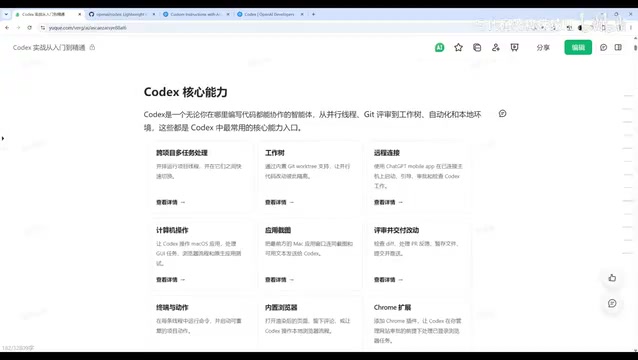
Another noteworthy built-in mechanism is GitWorkTree. In traditional development, parallel development by multiple people requires branch isolation, and feature integration requires merging branches. After integrating GitWorkTree, Codex can add multiple WorkTrees under the same branch to achieve parallel development with code isolated from each other. This means multi-person collaboration effects can be achieved without creating multiple branches.
Remote connection is also a practical Codex feature: users can remotely control Codex on their computer from a mobile device to execute tasks, and can even invoke MacOS applications, operate browsers, take screenshots to recognize images, and generate and edit images. Codex can also add Chrome plugins to manage browser tasks, execute terminal commands, and extend capabilities through the plugin system.
What is Git WorkTree: Since version 2.5, Git has provided the git worktree command, allowing the same repository to check out multiple working directories simultaneously, with each working directory corresponding to an independent branch or commit, but sharing the same .git object database. Compared to traditional multiple copies via git clone, WorkTree saves disk and network overhead, and branch switching requires no stashing or committing. Codex encapsulates this mechanism as a built-in capability, assigning an independent WorkTree to each parallel task, thereby achieving file-system-level isolation — multiple Agent threads reading and writing code simultaneously won't overwrite each other or cause conflicts, and tasks can be merged back to the main branch as needed upon completion. This is also the underlying guarantee that enables Codex to handle multiple project analyses simultaneously and batch-generate code while maintaining result consistency.
Engineering Design Philosophy: From Prompt Engineering to Spec-Driven Development
The tutorial spends considerable space explaining Codex's engineering design philosophy, which is key to understanding the difference between Codex and earlier AI programming assistants.
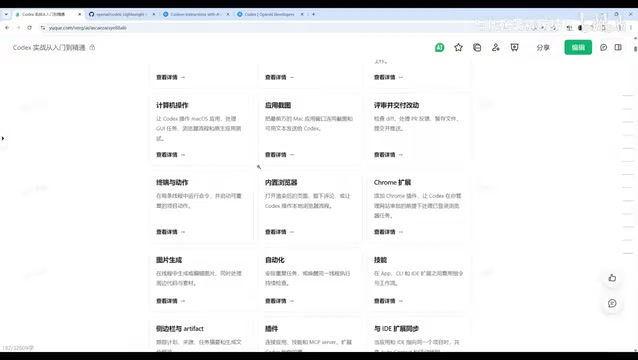
According to the Bilibili creator's analysis, Codex's core design philosophy is replacing prompt engineering with spec engineering. Specifically, developers need to first write specification files such as AGENTS.md and LULUS, and then AI generates code based on the specifications. This approach provides structured input of "goals + boundaries + acceptance criteria," resulting in higher code quality and clearer boundaries compared to vague natural language expressions. Codex has also officially published articles on Harness Engineering, and OpenAI internally used this method to launch a project exceeding one million lines within five to six months, with humans not writing a single line of code, only responsible for defining specifications.
Intent decomposition and the Agent task loop is another key design. Codex simulates the development process of a human engineer through the Agent loop mechanism: first formulate a plan, execute step by step after user confirmation, refine down to each function and module during coding, then conduct rigorous review combined with context to analyze potential bugs, security issues, and performance bottlenecks.
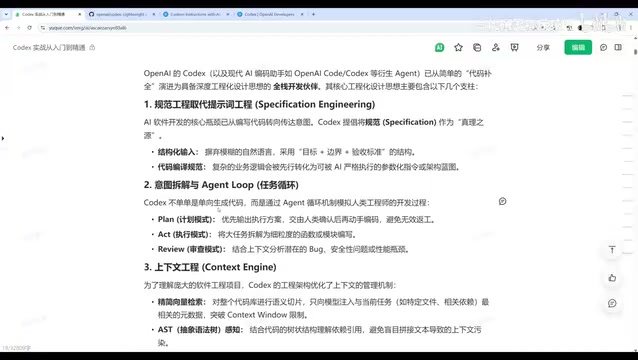
In terms of context engineering, Codex has made several optimizations: streamlined vector retrieval, injecting only code snippets and metadata relevant to the current task to avoid context overflow; AST (Abstract Syntax Tree) awareness, understanding dependency references between code to reduce compilation errors and missing modules; external tool collaboration, giving Codex terminal control to invoke compilers, debuggers, and package managers, automatically reading logs, locating causes, and fixing when code errors occur.
Harness Engineering and Spec-Driven Development (SDD): This philosophy advocates that developers no longer polish prompts line by line, but instead write structured specification files (such as AGENTS.md), decomposing tasks into three parts: goals, constraint boundaries, and acceptance criteria, based on which AI autonomously plans and executes. Harness originally referred to testing scaffolding, and here it extends to a set of "engineering skeletons" that constrain AI behavior: it defines the file scope AI can read and write, the tools it can invoke, and the checks it must pass. Compared to prompt engineering's reliance on vague natural language descriptions, spec-driven development solidifies tacit experience into reusable, version-controllable assets; team members sharing the same specification can achieve consistent output. OpenAI is said to have delivered a project exceeding one million lines within five to six months using this method internally, with zero human coding, only maintaining specifications and reviewing results.
The Complete System from AGENTS.md to Enterprise-Level Plugins
The tutorial's content coverage is quite broad, sequentially covering AGENTS.md architecture design and configuration methods, LULUS system construction and code nullability governance, MCP core protocol configuration and business system integration, enterprise-level Skill development, Sub-agents multi-agent collaboration and complex task distribution, advanced plugin integration and R&D workflow connection, scheduled development and packaging distribution of enterprise-exclusive plugins, and the full-process development of a RAG intelligent customer service system from requirements to deployment.
This course structure actually outlines the complete implementation path for Codex in enterprise scenarios: from specification definition to toolchain integration, then to multi-agent collaboration and final business system delivery. For developers hoping to introduce Codex into their teams, writing AGENTS.md and configuring the MCP protocol are the two areas that most need to be mastered first.
MCP Protocol and AGENTS.md: MCP (Model Context Protocol) is an open protocol proposed by Anthropic for standardizing the connection between large models and external tools and data sources, comparable to a "USB-C for the AI world." Through MCP Servers, Codex can securely invoke enterprise assets such as databases, internal APIs, and ticketing systems without writing separate adapter code for each system. AGENTS.md, on the other hand, is Codex's agreed-upon project-level documentation file, typically placed in the repository root, covering project architecture, coding standards, build and test commands, directories that must not be modified, etc. Codex prioritizes reading this file when starting tasks, injecting it as system-level context. Together they form the two main lines for enterprise implementation: AGENTS.md addresses "how AI understands this repository," while MCP addresses "how AI reaches this enterprise's systems."
Learning Recommendations
If you plan to systematically learn Codex, the tutorial recommends two core resources: OpenAI's official developer documentation and Codex's open-source repository. The former is suitable for understanding concepts and consulting guides, while the latter is suitable for studying CLI implementation details and specific AGENTS.md specifications.
From the content of this tutorial, Codex is transitioning from a mere AI coding assistant to a full-stack development partner. Its value lies not only in generating code but also in reorganizing developers' ways of working through standardized processes, multi-task parallelism, and Agent automation loops. For teams, this means establishing new engineering standards; for individual developers, it means shifting the mindset of using AI tools — from "having AI help me write code" to "having AI complete development tasks according to specifications."
One-line Summary
A walkthrough of the Bilibili Codex practical tutorial, analyzing its three forms, spec-driven development, and enterprise implementation path.
Paragraph Summary
This article systematically reviews the Codex practical tutorial released by a Bilibili creator. Codex has evolved from an early CLI tool into a complete system spanning CLI, desktop App, and IDE plugins. Its core capabilities include cross-project multi-task parallelism, GitWorkTree isolated parallel development, remote control, and Chrome plugin extensions. The tutorial emphasizes Codex's engineering design philosophy: replacing prompt engineering with spec-driven development, providing structured input of "goals + boundaries + acceptance criteria" through AGENTS.md and Harness Engineering; in context engineering, it employs streamlined vector retrieval, AST awareness, and external tool collaboration. The learning path sequentially covers AGENTS.md configuration, the LULUS system, MCP protocol integration, Sub-agents collaboration, and enterprise-level plugin packaging and distribution, ultimately landing a RAG intelligent customer service system. Official documentation and the open-source repository are the recommended core resources.
Related articles

Chain of Thought Isn't Just for AI: How Humans Can Use CoT to Improve Thinking Quality
Chain of Thought isn't just a prompt trick for large models. Starting from a Hacker News discussion, this article analyzes why CoT works for human thinking too, breaks down actionable ways to transfer it, and highlights the key differences between human CoT and machine CoT.
Cloudflare Teams Up with OpenAI: Closi…
Cloudflare Teams Up with OpenAI: Closing the Loop from Vulnerability Discovery to Defense with AI
Cloudflare uses OpenAI Daybreak to investigate security vulnerabilities and generate reviewable remediation plans, while developers use Codex to boost coding efficiency and quality.

Orca Multi-Agent Orchestration in Practice: A Guide to Parallel Collaboration with Claude and Codex
Orca is Stable AI's free open-source agent workbench supporting 34 agents like Claude Code and Codex in parallel. Learn its Git worktree isolation, multi-model orchestration, and mobile management.