Codiclens: A Local AI-Powered Mac Launcher and File Finder
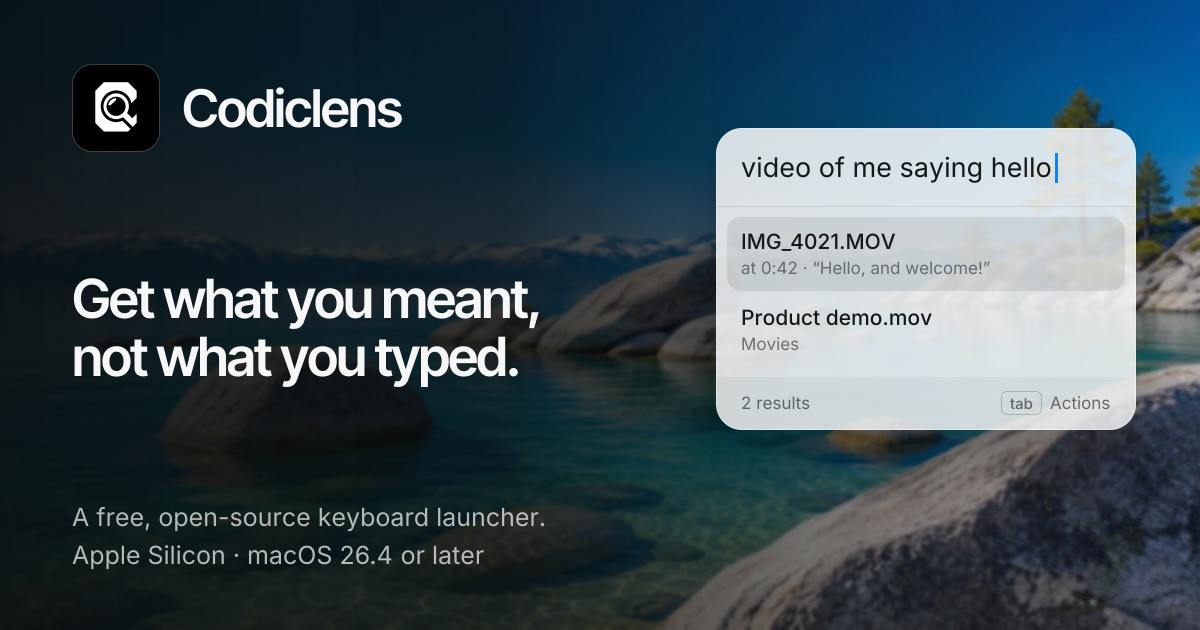
Codiclens is a local AI-powered Mac launcher that finds files, apps, and clipboard history by content semantics.
Codiclens is a free, open-source Mac launcher that uses local AI to understand descriptive queries, finding apps, files, and clipboard history by content rather than filename. All AI inference runs locally, keeping data on-device for privacy. It received 63 votes on Product Hunt but has only 2 comments, so accuracy remains to be validated. Local AI has hardware requirements that may strain older Macs.
Finding files on a Mac often relies on filenames or paths, but the content you actually need is frequently buried inside the file. Codiclens is a free, open-source launcher that uses local AI to understand your descriptions and directly find applications, files, and even clipboard history—no internet connection required, running 100% locally.
Core Feature: Search by Description, Not Filename
The core of Codiclens is "search by content." You can describe what you want—for example, "that design mockup I copied last time" or "the spreadsheet containing the project budget." It uses a local AI model to analyze file contents and clipboard records, understanding semantics rather than just matching filenames. The launcher itself is lightweight and can quickly summon apps, files, or clipboard entries.
According to its Product Hunt page, it supports three types of targets: applications, files, and content you've copied. This "content-aware" search approach makes scenarios where you forget the filename but remember the content far more efficient.
Semantic search is fundamentally different from traditional filename/metadata search. Traditional search (such as Spotlight) mainly relies on exact matching or fuzzy string matching, indexing structured fields like filename, extension, and creation time. Semantic search, by contrast, uses an embedding model to map text (file contents, clipboard snippets) and query statements into the same high-dimensional vector space, then finds "similar-meaning" results through measures like cosine similarity. This allows "the spreadsheet containing the project budget" to hit an Excel file whose filename offers no hint. Local semantic search typically requires pre-building a vector index of file contents; at query time, it only needs to compute the distance between the query vector and index vectors, so the initial indexing time and storage overhead are the main costs.
Local Execution and Open Source: Balancing Privacy and Freedom
Codiclens emphasizes "100% local," meaning all AI inference is completed on your Mac and data never leaves the device. For users handling sensitive files, this avoids the privacy risks of cloud services. At the same time, it is fully open source, its code is auditable, and developers are free to modify or contribute.
On Product Hunt, it received 63 votes and 2 comments, ranking 16th for the day, categorized under Productivity, Open Source, and Developer Tools. Although the number of comments is small, the combination of "local AI + open source" is attractive to privacy-conscious users.
Local AI inference means model weights and computation are entirely completed on the user's device, without relying on remote APIs. On a Mac, this is typically accelerated using Apple's Metal Performance Shaders (MPS) or the Core ML framework, and cross-platform runtimes such as llama.cpp and Ollama can also be used. The advantages of local inference are zero network latency, data never leaving the device, and offline availability; the cost is that model size is limited by device memory and compute, usually requiring smaller quantized models (such as 4-bit quantization). For semantic search tasks, lightweight embedding models (tens to hundreds of MB) already provide usable retrieval quality, so local execution is feasible in terms of user experience.
Design Philosophy and Potential Scenarios
This tool was developed by Emil Lykke Grann and targets the everyday "finding" pain points of Mac users. Traditional Spotlight excels at filename and metadata search but has limited understanding of content semantics. Codiclens attempts to fill this gap with local AI, making it especially suitable for developers, designers, and others who frequently switch among large numbers of files.
For example, developers can describe "the config file containing the API key," and designers can search for "the brand image with blue tones." Clipboard history search can quickly retrieve text or links you copied earlier.
Limitations and Outlook
Currently, Codiclens has low discussion volume on Product Hunt, with only 2 comments, and its actual experience and recognition accuracy await validation from more users. Local AI models have certain hardware requirements, and older Macs may face performance pressure. In addition, as a nascent open-source project, its ecosystem and update frequency remain to be seen.
However, it represents a trend: AI is moving from the cloud to local devices, and from general-purpose to personalized tools. For Mac users who value privacy and efficiency, Codiclens is worth a try.
Clipboard history management is not a native macOS feature; third-party tools need to capture copied content by polling NSPasteboard or listening for related events, and persist it themselves. This means the coverage of clipboard search depends on the entries captured while the tool is running, and storage security when sensitive information (passwords, tokens) is involved requires additional design. By bringing the clipboard into the scope of semantic retrieval, Codiclens effectively adds a type of unstructured text source beyond file contents, imposing higher requirements on indexing strategy and privacy boundaries.
One-line Summary
Codiclens is a local AI-powered Mac launcher that finds files, apps, and clipboard history by content semantics.
Paragraph Summary
Codiclens is a free, open-source Mac launcher whose core capability is using local AI to understand users' descriptive queries, finding applications, files, and clipboard history by content rather than filename. All AI inference is completed locally on the device, data never leaves the device, making it suitable for handling sensitive files; the code is open source and auditable, allowing developers to customize it. Developed by Emil Lykke Grann, the tool received 63 votes on Product Hunt and ranked 16th for the day, but with only 2 comments, its actual recognition accuracy remains to be verified. Local AI has certain hardware requirements, and older Macs may face performance limitations. It represents the trend of AI moving from the cloud to local devices and from general-purpose to personalized tools.
Related articles
 Tech Frontiers
Gemini Omni 1.2 Flash: AI Video Moves Toward Draft-Style Editing
Google's Gemini Omni 1.2 Flash update enables conversational, draft-style editing of the same video—swap scenes while keeping products, adjust lighting while keeping characters. Clips up to 15s, 720p costs 30% less than the previous Flash—ideal for e-commerce ads, previs, and short-asset production.

Codex Tutorial: One-Command Install and Run Your First Task
Codex tutorial: one-command install and run your first task. Covers the four Codex forms, sandbox and approval guardrails, AGENTS.md and MCP configs, cloud network policy, and the iron rule of human review—everything you need to get started with this autonomous coding agent.
 Tech Frontiers
Localix: An Open-Source Agentic Development Environment with Multi-Model and Local AI Integration
Localix is an MIT open-source Agentic Development Environment (ADE) supporting seamless Claude Code plugin loading, multi-model cloud and local execution, Mini Apps extensions, and agent context management—an open AI collaboration workbench for developers.