Coding by Voice: Blogger Uses Codex Voice Mode to Ship a New Blog Feature While Cooking Dinner

Simon Willison used voice to drive an AI agent and built a blog Newsletters page in half an hour while cooking dinner.
Simon Willison launched a Newsletters page on his blog, indexing his free Substack weekly newsletter and sponsor monthly newsletter. Using ChatGPT desktop Codex voice mode while cooking dinner, he dictated requirements and within about half an hour had the agent build Django models and migrations, four import mechanisms, public archive pages, and site search integration. Even though the voice transcript was full of pauses and self-corrections, the model correctly understood his intent and independently found the pagination method for Substack's undocumented API. But for private repository imports, API key creation, and import mechanism choices, he still had to switch back to the keyboard.
Simon Willison shipped a new feature for his blog today: a Newsletters page that brings together an index of his free Substack weekly newsletter and his sponsor-only monthly newsletter. The remarkable part? The feature was built almost entirely by voice—he stood at the stove cooking dinner while talking to his laptop, directing an AI agent to write the code.
Pair Programming in the Kitchen
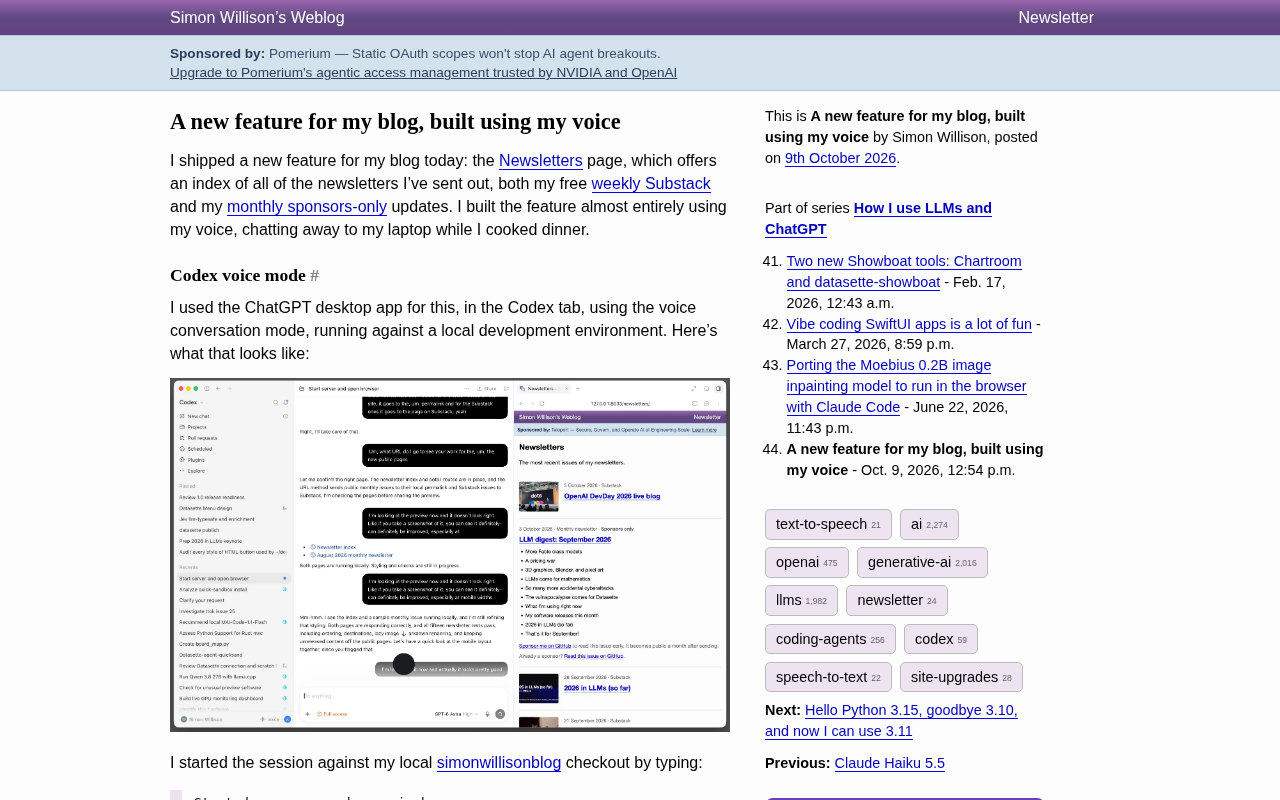
Willison used the voice conversation mode in the Codex tab of the ChatGPT desktop app, running against his local dev environment. The workflow was straightforward: first, he asked the agent to "start the dev server and open it in the browser" so he could see the local blog preview on the right side of the screen and track progress visually. Then he clicked "Start new voice chat" (not the microphone button—the one to its right), carried his laptop into the kitchen, and started talking through requirements while cooking.
His descriptions were extremely conversational, full of filler words and interruptions. When explaining the new content type, for example, he said:
"Um, they won't... this is a new content type. Um, it won't show up in... oh wait. Yeah, no—I don't want it in my tags and date archives... actually, no, I want... I don't want it on the tags page. I don't want it on the blog homepage. But I think I do want it on the date-based pages. You know, if you navigate to September 19th and I published a newsletter that day, I want it to show up. So... I think we might need a new model."
According to Willison's retrospective, the model correctly understood this rambling, self-correcting speech. The full transcript (including all the disfluencies) is available in a Gist. The conversation lasted about half an hour—just the right amount of time to cook a meal.
Codex's voice mode refers to OpenAI's real-time voice conversation capability in the ChatGPT desktop client, allowing users to interact continuously with the model in natural language while the model simultaneously executes code generation, file operations, and other tasks. Unlike the traditional turn-based approach of "type a prompt—wait for output," voice conversation lets you speak and revise on the fly, with the model maintaining context and adjusting its approach based on verbal corrections. Willison used exactly this mode, connecting it to his local dev server so that every code change the agent made was immediately reflected in the browser preview. This "voice + visual feedback" combination was the key precondition that made the experiment work—without the preview, verifying verbal descriptions of code would have been nearly impossible.
What Voice Mode Built in One Sitting
What surprised Willison was just how much progress pure voice could drive. Within half an hour, the agent had:
- Created a new Django model and migration to represent imported newsletter content, with Admin backend configured
- Built four working import mechanisms: pulling the latest Substack entries via RSS; fetching the rest of the historical entries through Substack's undocumented API; importing published monthly newsletters from a GitHub repository; and importing the most recent sponsor-only newsletter from a private repository
- Shipped
/newsletters/and public year-based archive pages - Made newsletters appear in date and month archive pages but not on tag pages or the homepage
- Linked weekly newsletters back to Substack, with archived monthly newsletters getting their own standalone pages
- Wired up site search
The Substack undocumented API is worth noting. The model went straight for the /api/v1/archive endpoint, then searched for the pagination method and even cited a technical article by Karen Spinner. This shows that current code agents have some ability to "look things up when they hit an unknown interface."
Substack's undocumented API refers to interface endpoints that Substack hasn't published in official documentation but that the frontend actually calls—for example, /api/v1/archive, which paginates through a publication's historical posts by date. Such endpoints are typically discovered through packet capture or community reverse engineering. There's no stability guarantee, but in the absence of an official API, they're a common way to bulk-fetch historical content. Willison's agent, upon encountering this API, independently searched for the pagination parameters and cited a third-party technical article to confirm usage. This detail suggests that modern code agents have developed a degree of "interface reconnaissance" capability: when facing an unknown service, they no longer just throw an error—they try searching, inferring, and verifying usable call methods.
The Limits of Voice: Imports and Review Still Need a Keyboard
Almost done doesn't mean done. The remaining problems were in the import step. The model proposed exporting data locally and then importing it into production, but Willison wanted the import approach to be consistent with his other scripts. Since some of the data was in a private GitHub repository, this required creating a new API key—the kind of operation that has to be done sitting at a keyboard.
So he asked Codex to create a branch and open a Pull Request, then switched to the GitHub PR interface for code review. During review he found a problem: the agent had chosen to use subprocess to call Git for the import, whereas he preferred going through the API. Back at the keyboard, he asked Codex to replace that section, then spent another half hour typing adjustments to the public pages' display details before finally merging and deploying.
Willison left the extra commits from the review in the PR, where you can see several corrections he made to the import mechanism and page display.
Pull Request (PR) is a collaboration mechanism on code hosting platforms like GitHub: a developer pushes changes to a separate branch, then opens a merge request, and others can review the diff line by line in the web interface, comment, and decide whether to merge. Willison had Codex automatically create the branch and open the PR, then switched to the GitHub interface himself for code review—using this mechanism to separate "AI-generated" from "human-verified." During review he found the agent had chosen to use subprocess to call the Git command line for the import, whereas he preferred going directly through the API—this kind of architectural choice requires understanding long-term maintenance costs, which often exceeds the granularity that voice interaction can effectively express, so it had to be corrected back at the keyboard.
The Final Newsletters Page
The new Newsletters index page mixes recent Substack weekly newsletters and GitHub sponsor monthly newsletters in reverse chronological order, with year-based archive links below. The page design was done by the model, adjusted based on Willison's verbal feedback after glancing at the local preview from across the kitchen.

The page structure is relatively restrained: recent content first, archives tucked below, subscription entry on the right. This layout is clear enough for a content-focused blog.
A Multitasking Power Tool, But Not Yet a Daily Driver
OpenAI clearly loves showing off voice-driven development demos at events like DevDay, and the effect is genuinely impressive. But Willison is explicit that this won't become his daily primary way of working.
He's written before about using ChatGPT voice mode on his phone while walking his dog for research and brainstorming, and occasionally having AI write small code snippets. But this experience was different: adding visual preview and the ability to switch back to the keyboard to paste content at any time made voice interaction far more practical for a coding agent.
Once he got into details, though, he'd still switch back to typing. Pasting examples, error messages, or directly highlighting code that needs changing is still more efficient than describing it verbally. He also noted that he mainly works from home, so he can talk to his computer like this—in a shared office space, it would be absolutely impossible.
For him, the real killer feature is multitasking—normally he'd listen to a podcast or watch TikTok while cooking, but now he can get things built at the same time.
Takeaways for Developers
This experiment reveals several realistic characteristics of current voice coding agents. Voice is well-suited for rapidly advancing through early stages where requirements are fuzzy but structure is clear. Visual preview significantly improves the accuracy of verbal feedback, and disfluent spoken input no longer poses a comprehension barrier for modern models.
But when it comes to key management, private repository access, and interface design choices—things that require precise context—the keyboard remains irreplaceable. Switching between voice and typing isn't a step backward; it's the most pragmatic collaboration method at this stage.
For developers who want to try it, the barrier to entry isn't high: a local dev server, an agent interface that supports voice conversation, and a relatively uninterrupted chunk of time—say, the time it takes to cook a meal.
One-line Summary
Simon Willison used voice to drive an AI agent and built a blog Newsletters page in half an hour while cooking dinner.
Paragraph Summary
Simon Willison launched a Newsletters page on his blog, indexing his free Substack weekly newsletter and sponsor monthly newsletter. Using ChatGPT desktop Codex voice mode while cooking dinner, he dictated requirements and within about half an hour had the agent build Django models and migrations, four import mechanisms, public archive pages, and site search integration. Even though the voice transcript was full of pauses and self-corrections, the model correctly understood his intent and independently found the pagination method for Substack's undocumented API. But for private repository imports, API key creation, and import mechanism choices, he still had to switch back to the keyboard, spending another half hour typing review and page detail adjustments. Willison sees voice's real value in multitasking, but it won't become his daily primary development method—the future trend is hybrid voice-and-keyboard collaboration.
Related articles

How Big Can Stars Really Get? The Physical Limits of the Largest Stars
Red supergiants are the largest stars by volume, with radii up to 2,000 times the Sun, engulfing the inner solar system. But there is no precise upper limit on stellar size—models predict up to 15,000 solar radii. The most massive blue stars are far smaller than red supergiants—biggest and heaviest are two different things.

Apple HomeView Smart Display Full Feature Breakdown: Wall-Mount or Desktop, $299
Apple launches HomeView, a $299 smart display with wall-mount and desktop options, 12MP camera for facial recognition, smart home control, music playback, and recipe step-by-step cooking. Full breakdown of watch faces, apps, privacy, and cooking integration.

Where Did the Promised New Studio Go? Craft Computing Answers After Five Years
Craft Computing's host responds to viewer questions: the new studio promised five years ago was shelved as construction costs soared from $30,000 to $75,000, and was replaced by a 168-square-foot garage conversion.