CoIsland: The Engineering Monitoring Hub That Lives in Your Mac's Notch

CoIsland packs 35+ engineering monitors into the Mac notch, staying silent until something breaks — then hands alerts to AI.
CoIsland is a lightweight monitoring aggregator for Mac developers that funnels CI/CD, deployments, error tracking, incidents, and database status from 35+ sources into the screen notch, surfacing only when something actually fails. Monitors are defined as SQL queries or Shell scripts, making them version-control-friendly and team-reusable. Its standout feature is one-click handoff of alerts to AI coding assistants like Claude Code or Codex, bridging the gap from detection to resolution. Launched on Product Hunt with 85 upvotes, it targets solo developers and small teams dealing with monitoring overload.
A Monitoring Center Hidden in the Notch
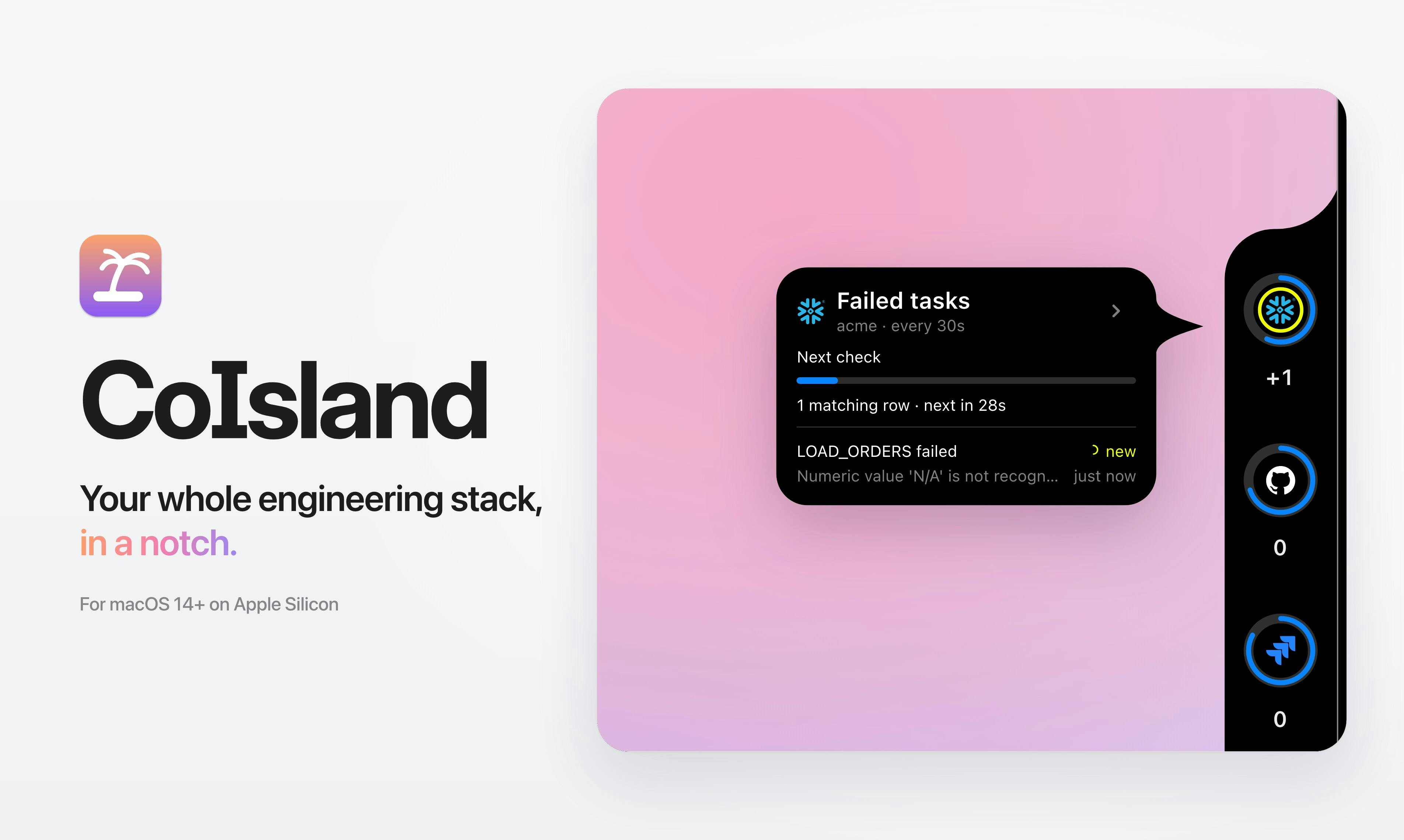
In the often-overlooked notch at the top of a Mac screen, CoIsland has far bigger ambitions than just displaying notifications. This developer tool, which made its debut on Product Hunt, consolidates CI builds, deployments, errors, production incidents, and database status into a small island at the edge of your screen — all governed by one restrained design principle: only show up when something goes wrong.
For engineers who spend their days bouncing between a dozen monitoring dashboards and alert channels, this "silence means everything's fine" interaction model is genuinely appealing. You don't need to stare at a wall of green dials to confirm things are healthy — the island only surfaces when something actually breaks.
35+ Connectors Covering the Modern Engineering Stack
CoIsland claims support for over 35 connectors, spanning CI/CD pipelines, deployment platforms, error tracking, incident management, and databases — the common infrastructure that most engineering teams rely on. Developers can funnel signals scattered across GitHub Actions, monitoring platforms, databases, and alerting systems into a single entry point.
The aggregation idea itself isn't new, but CoIsland's differentiator is its form factor — it's not yet another Web console you have to open or a standalone app window to manage. It lives permanently in the system-level notch, consuming virtually no workspace. For developers who prefer full-screen focus while coding, this "always present but never intrusive" approach dramatically reduces context-switching costs.
Monitoring Rules Are Just SQL or Shell Files
Another design choice worth highlighting is how CoIsland defines monitoring checks: monitors are plain SQL queries or Shell script files.
This is a pragmatic, developer-first decision. Engineers don't need to click through graphical interfaces or fill out forms. Instead, they use the tools they know best — write a SQL query to count anomalous rows in a table, or a Shell script to check a service's health endpoint — to define what "broken" means.
The benefits are clear: monitoring logic can be checked into version control, reviewed like any other code, and easily shared or migrated across teams. It transforms monitoring from a "black box maintained by ops in a UI" into "a readable, editable text file that lives alongside your code" — a philosophy that aligns naturally with Infrastructure as Code.
Infrastructure as Code (IaC) is the practice of managing infrastructure configuration as code, with tools like Terraform and Ansible as prime examples. Its core value: configuration files can be stored in a Git repository for version tracking, with every change auditable; team members can review infrastructure changes the same way they review application code, reducing human error; and configs can be replicated across environments (dev, staging, production), eliminating the "works on my machine" problem. CoIsland's use of SQL/Shell files to define monitoring logic is essentially bringing monitoring rules into this same practice — what to monitor and what triggers an alert is no longer buried in some SaaS platform's database, but exists as a text file alongside your project code, readable by anyone who opens the folder.
One Click to Hand Off Alerts to an AI Coding Assistant
The feature that best reflects the current moment is CoIsland's direct integration with AI coding tools. When a monitor fires, you can hand off the alert to Claude Code, Codex, or Cortex Code with a single click, letting the AI assistant take over triage and resolution.
This sketches out a genuinely compelling workflow: monitoring detects an anomaly → the island surfaces an alert → one click sends it to an AI coding assistant → the AI reads the context and attempts to diagnose and fix the issue. It bridges the gap between "monitoring found a problem" and "AI is working on a fix" — a timely integration that rides the current wave of AI coding assistants.
Of course, the real-world effectiveness of one-click handoff depends heavily on how much context the AI assistant can access and how well it reasons in complex production environments — something that still needs real-world usage data to validate.
Claude Code, Codex, and Cortex Code are among today's leading AI coding assistant products, all supporting conversational code writing, debugging, and refactoring in the terminal or IDE. Claude Code is Anthropic's command-line AI coding tool that can read local codebase context directly; Codex is OpenAI's family of code models and was the original engine powering GitHub Copilot; Cortex Code is an AI coding platform aimed at enterprise engineering teams. These tools share a common capability — "generate or modify code after understanding the code context" — but also share similar limitations: in complex distributed production environments, relying solely on alert data and limited context means AI judgment accuracy remains significantly uncertain, and any automated fix in production still requires careful human review.
Positioning and Takeaways
CoIsland was built by Elyes Rayane Melbouci and is categorized on Product Hunt under Mac, Productivity, and Developer Tools. It launched with 85 upvotes, 5 comments, and a #19 ranking — solid attention, though not yet a breakout hit.
Its core value proposition comes down to three things: minimal system-level presence (notch island, only shows failures), developer-friendly configuration (SQL/Shell as monitoring), and seamless integration with AI coding tools. Together, these set it apart from conventional monitoring aggregators.
For solo developers and small teams, CoIsland offers a lightweight, low-distraction, code-native monitoring experience. Whether it can compete with mature observability platforms in enterprise settings remains to be seen — but the idea of "fitting your entire engineering stack into a notch" squarely addresses the very real pain of developer information overload.
Related articles

Workbuddy for Absolute Beginners: How a Desktop AI Agent Fits Into Real Workflows
A beginner's guide to the Workbuddy desktop AI agent: installation, claiming credits, file management, and building automated workflows—compared with CodeX for fit and cost, helping professionals shift from AI question-askers to AI managers.

OpenAI's New Agent Stack: Computer Use, Decisions API, and Ultra-Fast Workflows
OpenAI Dev Day unveiled a new agent stack: Computer Use outperforms humans, Decisions API delivers ultra-low-latency classification via Luna, Agents API opens the same Computer Use capabilities, and GPT-6.1 Sol costs only one-seventh of Astra. Core updates, benchmark data, and developer insights.

Liang Wenfeng Open-Sources DeepInfo Inference Framework, Takes On U.S. Ban
DeepSeek open-sources its DeepInfo inference framework after its models, featuring GPU/CPU cross-pipelining, small-model prediction with large-model verification, and full Huawei Ascend and NVIDIA chip support—facing the U.S. federal ban head-on. This article analyzes its significance for AI deployment and open-source strategy.