ComfyUI Integration with MiniMax H3: Complete Video Generation Workflow Deployment and Optimization Guide

A practical guide to deploying and optimizing MiniMax H3 video generation workflows in ComfyUI.
This article provides a comprehensive guide to integrating MiniMax H3 video generation into ComfyUI, covering six core workflows (text-to-video, image-to-video, first/last frame animation, reference-to-video, audio sync, and image editing), along with environment setup, Sage Attention acceleration, VRAM management strategies for different NVIDIA GPUs, and prompt optimization techniques for higher quality output.
Introduction: A New Option for Local AI Video Generation
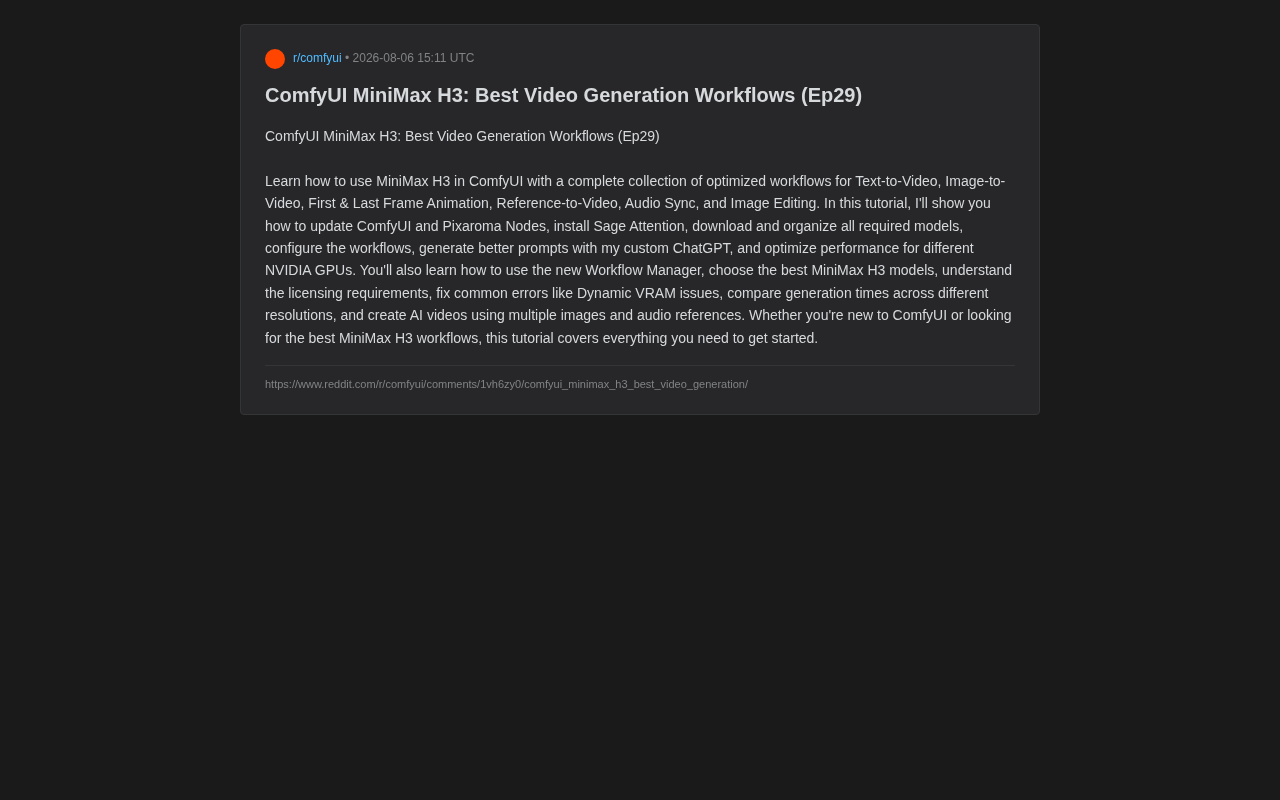
As AI video generation technology rapidly evolves, more and more creators want to integrate powerful video models into their local workflows, breaking free from the limitations and costs of cloud-based services. Recently, a tutorial posted on Reddit (Pixaroma Series Ep29) systematically introduced how to deploy and use the MiniMax H3 video generation model in ComfyUI, covering the complete pipeline from environment configuration to multiple generation scenarios.
ComfyUI is an open-source image and video generation interface based on node-based workflows. Unlike traditional WebUIs, it allows users to combine different AI models, preprocessors, and post-processing tools through visual connections, forming highly customizable generation pipelines. Its core advantage lies in its modular design—each function is an independent node, and users can build complex multi-step workflows like building blocks. This architecture makes it the preferred tool for AI creators conducting experiments and production work.
MiniMax is a company focused on multimodal AI technology, and its H3 video generation model represents the cutting edge of open-source/locally deployable video generation models. Unlike closed-source cloud services such as Sora and Runway Gen-3, MiniMax H3 allows users to run the complete inference pipeline on local GPUs, meaning data privacy is guaranteed, there's no per-use fee, and generation parameters can be deeply customized. The H3 model adopts the Diffusion Transformer (DiT) architecture, which is the mainstream technical approach in the video generation field, generating temporally coherent video frames by simultaneously modeling across both temporal and spatial dimensions.
This article will organize the capabilities, deployment essentials, and practical tips for MiniMax H3 in ComfyUI based on the tutorial content, helping readers quickly get started with this local video generation solution.
What Video Generation Modes Does MiniMax H3 Support?
MiniMax H3 is not a single-function model but rather a capability set covering multiple video generation paradigms. After integration into ComfyUI, users can utilize the following six core workflows:
Six Core Workflows Explained
- Text-to-Video: Directly generates video clips from text prompts—the most basic and commonly used mode. The model encodes text descriptions into semantic vectors that guide the diffusion process to progressively denoise and generate coherent video frame sequences in latent space.
- Image-to-Video: Uses a static image as a starting point to bring the scene to life, ideal for injecting dynamic effects into existing assets. Technically, the input image is encoded into latent space as a first-frame condition, and the model predicts subsequent frame motion and changes from this basis.
- First & Last Frame Animation: Specify the starting and ending frames, and the model automatically fills in the transitional animation between them, offering stronger control. This conditional video interpolation technique is fundamentally different from traditional optical flow frame interpolation—traditional methods only handle pixel-level motion estimation, while diffusion model-based first-and-last-frame animation can understand semantic-level changes. For example, transitioning from a person standing to sitting, the model automatically infers reasonable intermediate motion trajectories rather than simple pixel blending. This capability comes from motion priors learned by diffusion models on large-scale video data.
- Reference-to-Video: Leverages reference images to guide video style and content, supporting multiple reference images. This approach is similar to extending IP-Adapter technology from image generation to the video domain, constraining the generation process by extracting visual features from reference images.
- Audio Sync: Combines audio references with video generation to achieve visual-audio synchronization. The model can extract rhythm, energy, and semantic information from audio, mapping them to corresponding visual motion patterns.
- Image Editing: Directly edits images within the generation pipeline.
This combination covers the vast majority of creator needs from pure text creativity, asset reuse, to audiovisual synchronization, reflecting MiniMax H3's positioning as a complete video generation solution.
Environment Deployment: From Updates to Model Organization
To run MiniMax H3 locally, environment configuration is the first hurdle. Here are the key deployment steps:
Base Environment Updates
First, update both ComfyUI itself and Pixaroma Nodes to the latest versions to ensure node compatibility. Version mismatches are a common source of errors in local workflows, often causing nodes to fail to load or parameters to misalign. ComfyUI's node ecosystem develops extremely rapidly, and version dependency relationships between custom node packages are complex. Using tools like ComfyUI Manager for unified dependency management is recommended.
Installing Sage Attention for Inference Acceleration
The tutorial specifically emphasizes installing Sage Attention. Sage Attention is an optimization technique targeting the attention mechanism in Transformer models. Standard self-attention computation has O(n²) complexity, which creates enormous VRAM overhead and computational burden when processing high-dimensional sequential data like video. Sage Attention reduces this bottleneck by quantizing Key-Value Pairs in the attention matrix and optimizing memory access patterns—similar technologies include Flash Attention and xFormers. For consumer-grade GPUs (such as RTX 4070/4080), these optimizations can reduce VRAM usage by 30-50% while maintaining virtually lossless generation quality, making them key enabling technologies for local deployment of large video models.
Model Download and Directory Organization
MiniMax H3 involves multiple model files, and it's recommended to download and organize these models according to a standardized directory structure. A typical video generation model contains multiple components: the UNet/DiT backbone network (responsible for denoising generation), VAE encoder-decoder (responsible for conversion between latent space and pixel space), text encoder (such as T5 or CLIP, responsible for understanding text prompts), and potentially motion modules. These components each have independent weight files that need to be placed in corresponding model subdirectories within ComfyUI. Disorganized model storage is another major cause of workflow loading failures, and planning paths in advance can save significant troubleshooting time. Additionally, pay attention to model licensing requirements—extra care regarding compliance is needed in commercial use cases.
Performance Optimization and VRAM Management Strategies
Local video generation places far greater hardware pressure than image generation, making performance tuning a critical aspect of practical use. Video generation's VRAM requirements grow by orders of magnitude compared to image generation because video models need to simultaneously process information across the temporal dimension. Taking a typical video diffusion model as an example, generating a 512×512 resolution, 25-frame video has a latent tensor size 25 times that of a single image at the same resolution. When resolution increases to 1080p, the growth in spatial dimensions combined with the temporal dimension can cause VRAM usage to jump from the 8GB level to 24GB or even higher.
Configuration Recommendations for Different NVIDIA GPUs
The tutorial provides differentiated optimization strategies for different tiers of NVIDIA graphics cards. Video generation's VRAM consumption grows non-linearly with resolution, and users need to choose appropriate model specifications and output resolutions based on their GPU performance. Generally speaking, the RTX 4090 (24GB VRAM) can run smoothly at higher resolutions; the RTX 4080/3090 (16-24GB) requires partial model offloading and attention optimization; the RTX 4070 and below (12GB or less) may need extreme optimization—including full model offloading to CPU, reduced generation resolution, fewer generated frames, and other compromises. This is why the RTX 4090 is considered the entry-level recommended GPU for local video generation, while GPUs with less VRAM require extensive optimization tricks to barely run.
Fixing Common Dynamic VRAM Errors
Dynamic VRAM is a core mechanism in ComfyUI for running large models with limited GPU memory. It works by dynamically scheduling different parts of the model between GPU memory (VRAM) and system memory (RAM)—only loading a layer's weights into VRAM when inference reaches that layer, then freeing space for the next layer after processing. This strategy is also known as Model Offloading. Common errors typically occur during VRAM fragmentation when switching models, when peak VRAM exceeds physical limits, or when multiple models reside in VRAM simultaneously, manifesting as CUDA Out of Memory errors or artifacts in generated results. Mastering troubleshooting methods—such as adjusting offload levels, clearing VRAM cache, or properly setting model loading order—can significantly improve stability in practical use.
Generation Time Comparison Across Different Resolutions
Understanding generation times at different resolutions is valuable for creators' trade-off decisions—using low resolution (such as 480p) for rapid iteration of composition and motion effects during the preview stage, then switching to high resolution (such as 720p or 1080p) output during the final stage, is a practical strategy that balances efficiency and quality. This progressive workflow is widely adopted in professional creation, and it's a natural advantage of ComfyUI's node-based architecture—users only need to modify the resolution parameter node to switch between different quality levels without rebuilding the entire pipeline.
Practical Tips for Improving MiniMax H3 Generation Quality
Beyond getting the pipeline working, how to generate better results is equally worth attention.
Using Customized Prompt Tools
The author provides a customized ChatGPT for generating higher-quality video prompts. Video generation is often more sensitive to prompts than static images because video prompts need to convey not only scene content but also motion information, camera movement, temporal rhythm, and other dynamic characteristics. A well-structured video prompt typically contains the following elements: scene description (what), motion instructions (how it moves), cinematographic language (camera behavior), temporal progression, and style/mood. This multi-dimensional description can significantly improve motion coherence and visual quality, avoiding the common "static scene + random jitter" problem.
Workflow Manager for Efficient Multi-Pipeline Management
The new Workflow Manager helps users efficiently switch between and manage numerous workflows. For users simultaneously maintaining multiple pipelines for text-to-video, image-to-video, audio sync, and more, this tool significantly reduces management overhead. In actual creation, a project may need to call different workflows at different stages—first using text-to-video to explore creative directions, then image-to-video to refine key shots, and finally audio sync to complete the final piece—Workflow Manager makes this cross-workflow iteration smooth.
Multimodal Creation with Multiple Images and Audio
Combining multiple images and audio references to create AI video, this multimodal input approach provides creators with more precise content control. The core idea of multimodal conditional generation is encoding information from different modalities (visual, text, audio) into a unified conditioning space to jointly guide the diffusion model's generation process. For example, users can simultaneously provide character reference images (controlling appearance), scene reference images (controlling environment), text descriptions (controlling actions), and audio clips (controlling rhythm), and the model will synthesize all these constraints to generate video satisfying all requirements. This is also where MiniMax H3 differentiates itself from basic text-to-video solutions, representing the technical direction of video generation evolving from "single input" to "precise controllability."
Conclusion: A Complete Solution for Local Video Generation with ComfyUI
The value of this tutorial lies not only in introducing the MiniMax H3 model but also in providing a complete methodology spanning environment setup, model management, performance tuning, and quality optimization. For creators who want to control the entire video generation pipeline locally, the ComfyUI + MiniMax H3 combination offers a flexible, customizable solution independent of cloud services.
From a broader perspective, local AI video generation is transitioning from "getting it to run" to "using it well." Since 2024, with the maturation of the DiT architecture, the proliferation of attention optimization techniques, and the gradual increase in consumer GPU VRAM, the usability threshold for local video generation has been rapidly decreasing. As the core hub of this ecosystem, ComfyUI's node-based, composable design philosophy enables it to quickly adapt to emerging models and technologies, serving as a bridge between model research and actual creation.
Whether you're a ComfyUI beginner or an advanced user seeking optimal MiniMax H3 workflows, this tutorial covers the key knowledge points needed to get started. Of course, local deployment always comes with hardware requirements and configuration complexity—users still need to evaluate their GPU capabilities and compliance needs before practice to achieve an ideal experience.
Key Takeaways
Related articles

Building a Home Lab for Free: Turn Retired Hardware into a Private Cloud and Media Server
A Reddit user scored 3 AMD FX PCs, 32GB RAM, and 12 HDDs for free from a friend's company. Learn how to build a Jellyfin media server and Nextcloud private cloud with retired hardware, including HBA expansion and storage planning.

Needle2: How a 14MB On-Device Agentic LLM Could Transform Edge AI
Needle2 is a 14MB on-device agentic LLM designed for phones, wearables, smart homes, and robots. This article analyzes its compression techniques, architecture, and the cloud-to-edge AI paradigm shift.

Claude vs GPT Knowledge Cutoff Dates Explained: How to Determine AI Knowledge Boundaries
A deep dive into knowledge cutoff dates for LLMs like Claude and GPT, covering pre-training data endpoints, how to verify AI knowledge boundaries, and how RAG overcomes time limitations.