Complete Grok Bot Refund Guide: Cursor, X, and App Store Rules Explained
Grok Bot has no standalone subscription; refunds must be handled per payment channel (Cursor, X, app stores, SuperGrok).
Grok Bot itself has no standalone subscription, so refunds depend entirely on which channel you paid through. Based on a YouTube tutorial, this article outlines the refund paths for four channels: legacy Cursor plans require payment within 14 days and no further Grok Bot use, with on-demand usage non-refundable; X subscriptions have invoices on grok.com, with prorated refunds to the original card and consumed prepaid credits non-refundable; App Store/Google Play purchases require contacting Apple or Google; SuperGrok is applied for via the xAI form and arrives in 5-10 business days. Key reminders: identify the bill source first, keep invoices, and distinguish cancellation from refund.
Grok Bot does not have a standalone subscription, so there is no separate "Grok Bot refund." Whether you can get a refund and who you apply to depends entirely on the channel through which you originally paid—whether that's a Cursor subscription plan, an X subscription, the App Store/Google Play, or SuperGrok. Based on the practical guidance from a YouTube tutorial video, this article helps you clarify the refund paths and key restrictions for each channel.
First, Confirm: Who Is Charging You?
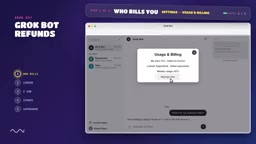
The first step in requesting a refund is not to rush to fill out a form, but to figure out where the bill comes from. Open your account settings, go to the "Usage and Billing" page, and check which plan is shown under "My plan."
There is an easily overlooked detail here: if you have also linked SuperGrok, it is billed independently and will not stop just because you cancel on the Cursor side. Another common misconception is that canceling a subscription only prevents future charges—completed charges will not be automatically refunded. To get your money back, you must go through the refund process separately.
The relationship between SuperGrok and Cursor: SuperGrok is an independent subscription service launched by xAI, offering higher usage quotas and priority access to the Grok model; Cursor is an AI programming editor whose subscription plans integrate model invocation capabilities such as Grok Bot. The two billing systems are completely independent: even if a user cancels their subscription or requests a refund in Cursor, as long as the SuperGrok subscription remains active, xAI will still charge monthly. Therefore, when checking bills, be sure to log in to the Cursor dashboard and the xAI account (accounts.x.ai) separately to verify charge records and avoid omissions.
Legacy Cursor Plans: 14-Day Window and Usage Restrictions
If you are on a legacy Cursor plan, refunds must be handled by logging into the Cursor dashboard through a browser (Chrome, Firefox, or Safari all work).
According to the video, you have a chance to recover your most recent payment if two conditions are met: the payment was made within 14 days, and you have not used Grok Bot since.
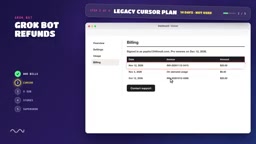
When applying, contact customer support and prepare the following information: registered email, amount and date, invoice, and payment method. Also verify the invoice ID and explain what you believe went wrong. It should be clear that fees incurred from on-demand usage are non-refundable.
On-demand usage: refers to the portion automatically billed by the system based on actual invocation volume after exceeding the quota included in the subscription plan, usually measured in tokens or number of requests. Such fees are often aggregated and charged at the end of the month and are not covered by the subscription refund policy. Users can view the details of on-demand usage on the "Usage" page of the Cursor dashboard. If a refund request involves on-demand usage, customer support will explicitly refuse it, so it is recommended to export your bill before applying to distinguish subscription fees from on-demand usage fees.
X Subscriptions: Invoices on grok.com, Prorated Refunds to the Original Card
For users who paid through an X subscription, invoices are stored in the billing dashboard on grok.com. Here too there are two hard rules: prepaid credits already consumed are non-refundable; if you switched from a legacy plan, the refund is calculated on a prorated basis and returned to the original payment card, not as account credit.
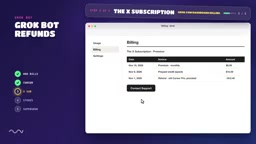
If you believe a charge is incorrect, contact the support team directly. Compared with Cursor's 14-day rule, the X channel's wording leans more toward "error correction" rather than "no-questions-asked refunds," so the reason you provide when applying becomes more important.
In-App Purchases on Mobile: Cursor Can't Handle It—Go to Apple or Google
If you paid within an iPhone or Android app, Cursor cannot issue a refund directly; it must be handled by the platform.
Apple users should go to reportaproblem.apple.com, select "Request a Refund," find the corresponding Grok Bot purchase record, and submit it. Google Play users should use Google Play's refund page.
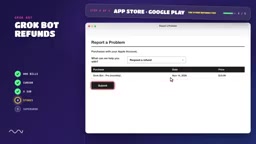
The takeaway from this path is: the funds from in-app purchases flow to the platform rather than the service provider, so a refund dispute is essentially a transaction dispute between you and Apple/Google. Having your order receipt ready can speed up processing.
The flow of funds for in-app purchases: For payments made through the App Store or Google Play, the funds first enter the platform account, and the platform deducts its share before settling with the service provider. Therefore, the refund authority lies with the platform, and the service provider cannot directly process refunds. Apple's refund process usually requires 24-48 hours for review, while Google may process it instantly or request additional information. Keeping the purchase receipt (including the order number) can greatly improve the success rate.
SuperGrok and X Premium Plus: Use the Dedicated Forms from xAI and X
SuperGrok is not billed by Cursor. If you purchased SuperGrok on grok.com or Google Play, you need to open xAI's refund request form (accounts.x.ai/refund), log in with the account used for the purchase, fill in the reason, and submit.
The video mentions that approved refunds usually arrive within 5 to 10 business days. As for X Premium Plus users, they should use X's own refund form.
X Premium Plus: is a premium subscription service on the X platform (formerly Twitter) that includes access to the Grok model. Its refund policy is set independently by X and is not interchangeable with xAI's SuperGrok refund form. X Premium Plus users need to submit refund requests through X's Help Center, usually requiring a specific reason (such as unused service or duplicate charges), and refund approval may take longer.
Three Reminders Before Requesting a Refund
First, identify the source of the bill before looking at the rules—window periods and restrictions differ significantly across channels, and using the wrong form will only waste time. Second, keep invoices and payment records—almost all channels' customer support processes require the amount, date, and invoice ID. Third, distinguish between "cancellation" and "refund"—cancellation addresses the future, while a refund addresses the past, and the two cannot substitute for each other.
The Grok Bot refund issue is essentially a billing topology problem: once you figure out which pipe the money flowed out of, you'll know who to ask to get it back.
Related articles
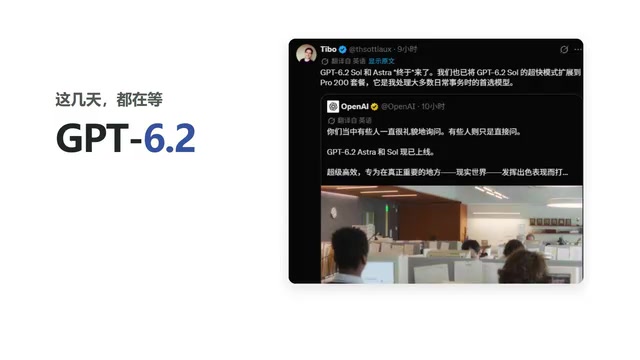
GPT-6.2 and Astra Launch Together: OpenAI Has Finally Figured Out Its Release Cadence
OpenAI releases GPT-6.2 Sol and Astra together, with Plus users able to try them in ChatGPT Work and Codex. This article breaks down the positioning differences between the two models, Astra's practical use in long-document retrieval and rewriting, and how the simultaneous dual-model launch affects user workflows.

GPT-6.2 Dual-Model Hands-On: How Big Is the Gap Between Astra and Sol in Clock-Making and Game-Building?
GPT-6.2 Astra vs Sol hands-on: Blender clock, neon shooter, and Formula racing compared. Astra spends $419 with strong execution; Sol costs $197 but drops to 2 FPS. Both still trail Fable and Opus in games and aesthetics.

GPT-6.2 Astra and Sol Released: A Big Cost Drop, and How to Choose Between the Two Models
OpenAI releases GPT-6.2 Astra and GPT-6.2 Sol: Astra tackles professional tasks, Sol targets low-cost everyday use, with cost per task cut to under a third.