Complete Guide to Deploying Dify Locally: Docker + Ollama + RAG Setup Tutorial
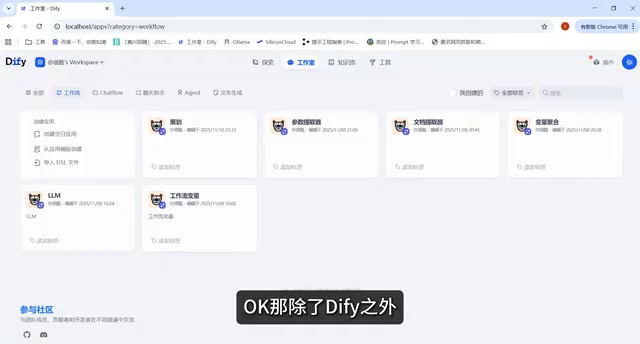
A complete guide to deploying Dify locally with Docker, Ollama + DeepSeek, workflows, and RAG.
This tutorial walks through the full process of deploying Dify locally: configuring the Docker environment, integrating Ollama with the DeepSeek local LLM, orchestrating workflows and managing variables, and building a RAG knowledge base—helping developers create fully private, offline AI applications.
Why Choose Local Deployment for Dify
Dify is currently one of the most popular open-source LLM application development platforms, enabling developers to rapidly build agents, workflows, and RAG applications in a low-code manner. Founded by former ByteDance engineers in 2023 and open-sourced under the Apache 2.0 license, Dify quickly accumulated tens of thousands of stars on GitHub, becoming one of the most closely watched open-source projects in the LLMOps (Large Language Model Operations) domain.
LLMOps is an emerging engineering field that evolved from MLOps. MLOps arose from the need to industrialize the deployment of machine learning models, addressing issues such as data pipelines, model training, version management, and production monitoring. With the rise of large language models like GPT-4, Claude, and Llama, traditional MLOps toolchains struggled to handle LLM-specific challenges such as "prompt version management," "multi-model routing," and "conversation history tracking," giving birth to LLMOps as a specialized direction.
Worth noting is that the core difference between LLMOps and traditional MLOps lies not only at the tooling level but also in a shift in engineering mindset: the iteration unit of traditional machine learning is "model weights," whereas the iteration unit of LLM applications is often "prompt strategies" and "tool invocation chains." This refines version management granularity from gigabyte-scale model files down to prompt changes of just a few hundred bytes, and expands the subject of A/B testing from hyperparameters to the phrasing of system prompts. It is against this cognitive backdrop that Dify designed its functional modules—features like the prompt orchestrator, version history, and model comparison evaluation are all direct responses to the engineering needs unique to LLMs.
Dify is precisely the representative of the "application layer" within the LLMOps toolchain, forming a complete large-model engineering ecosystem alongside tools such as LangChain (orchestration framework), LangSmith (observability), and Weights & Biases (experiment tracking). Its core positioning is to engineer and visualize complex AI application development, filling the gap between "directly calling APIs" and "building a fully custom AI platform in-house."
Compared to using the cloud SaaS version directly, deploying Dify locally offers core advantages such as data privacy, controllable costs, and the freedom to integrate local large models. It is especially suitable for enterprises with high data security requirements and developers who want to deeply customize AI applications.
This tutorial series revolves around the goal of "setting up Dify on a local computer," progressing from basic environment configuration to feature implementation. It covers Docker deployment, Ollama integration, DeepSeekAd model configuration, as well as core modules such as workflow orchestration, variable management, and RAG knowledge bases, forming a complete learning path from beginner to advanced.
Docker: The Foundation for Local Dify Deployment
The first step in setting up a local Dify instance is configuring the Docker environment. Dify officially recommends a one-click deployment via Docker Compose—an official Docker tool for orchestrating multi-container applications, which defines the relationships among all services, networks, and data volumes through a single YAML configuration file (docker-compose.yml).
The design philosophy of Docker Compose stems from the microservices architecture concept—breaking down complex systems into service units that each have a single responsibility and can be deployed independently. Dify separates its API service, frontend, PostgreSQL database, Weaviate vector store, Redis cache, and asynchronous Worker tasks into independent containers, each maintaining its own lifecycle and communicating through Docker's internal network. This architecture brings horizontal scalability (bottleneck services can be scaled independently) and fault isolation (a crash in a single service does not affect the whole), but it also means local deployment requires sufficient memory resources—the full Dify service stack consumes roughly 2-4GB of RAM when idle.
Understanding this architecture from an operations perspective has practical value: when Dify responds slowly, the problem could stem from excessive CPU usage in the API service, insufficient query efficiency in PostgreSQL, or latency in Weaviate's vector retrieval—each container can be independently monitored for resource usage via the docker stats command, allowing precise bottleneck identification without restarting the entire system. Commands like docker compose logs -f worker also make viewing logs for a specific service intuitive—a concrete benefit that the microservices architecture brings to operations and debugging.
Dify's full operation depends on at least six independent services working in concert, including the API service, Web frontend, database, vector store, Redis, and other container components. Manually starting each one and configuring inter-service networking is highly error-prone. Compose abstracts this complex process into a single command, making the entire deployment process simple and controllable.
The tutorial points out that the prerequisite for deploying Dify locally is having basic Docker operation skills. Beginners are advised to focus on understanding the following three core concepts:
- Image: A packaged snapshot of an application
- Container: A runtime instance of an image
- Volume: Persistent storage for a container
At the same time, familiarize yourself with common commands like docker compose up -d. Many beginners' deployment failures often result not from Dify itself, but from misconfigured Docker environments or port conflicts—this is the first hurdle of local deployment, and once cleared, subsequent steps become much smoother.
Ollama + DeepSeek: Building the Local Large Model Foundation
After deploying the Dify application framework, you still need to equip it with a "brain"—the large language model. The tutorial recommends using Ollama to run local large models, with DeepSeek as the specific model choice.
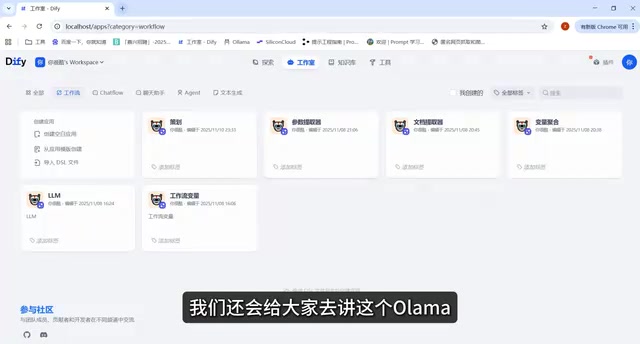
Ollama is currently one of the most mainstream tools for running local large models. Its underlying implementation is built on the llama.cpp inference framework—developed by Georgi Gerganov, llama.cpp is deeply optimized for CPUs and consumer-grade GPUs and supports quantized models in the GGUF format. GGUF (GPT-Generated Unified Format) is the standard model format of the llama.cpp ecosystem, evolved from the earlier GGML format, supporting richer metadata storage and more efficient memory-mapped loading.
Quantization levels range from Q2_K to Q8_0; higher numbers indicate higher precision but also greater VRAM usage. Take a 7B model as an example: Q4_K_M is the most commonly used balance point—in benchmark tests, its performance gap from the FP16 full-precision version is typically within 1-3%, while VRAM usage drops from 14GB to about 4.5GB. Understanding the logic behind quantization level selection helps developers make sound decisions in specific scenarios: for applications with higher tolerance for precision loss, such as customer service Q&A and document summarization, even more aggressively compressed versions like Q3_K_M or Q2_K can handle the job, further lowering the VRAM threshold; whereas scenarios sensitive to fine-grained precision, such as code generation and mathematical reasoning, are better suited to Q5_K_M or Q6_K.
Quantization technology compresses model weights from 32-bit floating-point numbers to 4-8 bit integers, dramatically reducing VRAM usage at the cost of a slight precision loss, enabling ordinary consumer-grade hardware to run large models with billions of parameters. Running the command ollama run deepseek automatically pulls and launches the model, hiding away the complex configuration of the underlying inference framework.
DeepSeek is a series of large language models released by the company DeepSeek, renowned for delivering performance that surpasses comparable models at the same parameter scale. The core breakthrough of the DeepSeek-R1 series lies in introducing Reinforcement Learning into the training of the reasoning process, specifically employing the GRPO (Group Relative Policy Optimization) algorithm, allowing the model to learn "when deep thinking is needed" through self-play and reward signals. This is highly similar to the technical approach of OpenAI's o1 series, but DeepSeek published the full technical details in a paper and open-sourced the model weights, sparking widespread industry attention.
Another noteworthy innovation of DeepSeek in engineering efficiency is its application of the MoE (Mixture of Experts) architecture. DeepSeek-V3 has 671B total parameters, but only about 37B are activated per inference—meaning the model possesses an ultra-large-scale knowledge capacity while its inference cost approaches that of a medium-scale dense model. This architectural design, combined with efficient training strategies, is one of the core technical reasons it achieved competitive performance at a training cost of roughly $6 million (far below comparable Western models), and it demonstrates the feasibility of the "efficient training" approach amid the AI compute arms race. Its open-source strategy allows developers to obtain the model weights for free, and combined with the 4-bit quantized version provided by Ollama, the 7B parameter model requires only about 4GB of VRAM to run.
By combining Ollama with Dify, the entire system can achieve fully offline operation, without relying on external APIs such as OpenAI—guaranteeing data privacy while completely avoiding the ongoing cost of per-token billing. Interestingly, Dify does not force you to bind to a local model. Developers can flexibly choose based on actual scenarios:
- Prioritizing data security or cost control → Integrate a local Ollama model
- Prioritizing model performance or rapid deployment → Connect directly to a cloud API
This "local + cloud" dual-channel model integration design is precisely one of Dify's important advantages for enterprise deployment.
Core Features: Workflows, Variable Management, and LLM Nodes
Environment setup is just the starting point; Dify's core value lies in its visual application orchestration capabilities. The tutorial focuses on the following three modules:
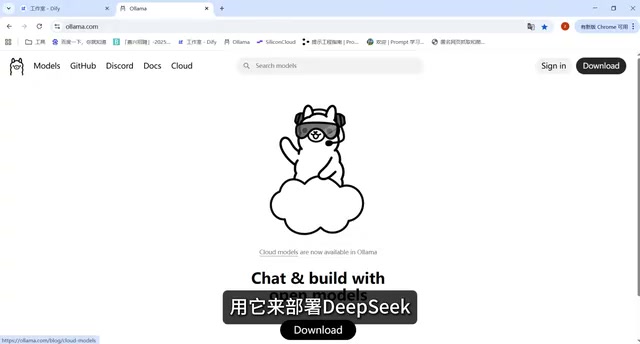
Workflow Design
Workflow is the core mechanism through which Dify orchestrates complex business logic. Developers connect multiple functional nodes on a drag-and-drop canvas to implement logic such as conditional branching, loops, and parallel processing. This design philosophy draws on the interaction paradigms of automation workflow platforms like n8n and Zapier—n8n is an open-source workflow automation tool developed by a German team, whose node-based orchestration model allows non-engineer users to visually chain together logic such as API calls, data transformations, and conditional judgments. Building on this foundation, Dify deeply integrates LLM-specific nodes such as "question classifier," "intent recognition," and "document retrieval," forming a dedicated workflow DSL (Domain-Specific Language) for AI applications.
From a practical engineering perspective, Dify workflow's "parallel node" feature deserves special attention. In scenarios that require simultaneously calling multiple tools or retrieving from multiple knowledge bases, serial execution causes latency to accumulate linearly; whereas parallel nodes allow multiple branches to execute synchronously and then merge results, compressing the overall response time to that of the slowest single node rather than the sum of all node times. This detail significantly impacts user experience when building applications that aggregate multi-source information. Compared to pure-code solutions, visual workflows can compress the development cycle from days to hours during rapid prototyping and validation, but for handling highly complex business logic they still require code nodes to compensate for their lack of flexibility. This enables even people without a pure-code development background to build AI applications with a certain degree of business depth.
Variable Management
Variables are the fundamental carriers of data flow within a workflow. Clear variable naming and management conventions make data transfer between nodes intuitive and controllable, directly affecting the application's maintainability and future extensibility. This aspect may seem basic, but it is often the detail most easily overlooked by beginners.
Dify's variable system supports multiple data types, including strings, numbers, arrays, and JSON objects. The output of different nodes can be passed to a downstream node's prompt or conditional logic through the variable reference syntax {{variable_name}}. One habit worth cultivating is to establish clear naming conventions for key intermediate variables (such as "user intent classification result" or "retrieved document fragments") early in the workflow design process. This not only makes the flowchart itself a readable document, but also allows you to quickly pinpoint at which node data underwent an unexpected transformation during later debugging via the "variable tracking" feature.
LLM Node Configuration
The LLM node is responsible for invoking large model capabilities and is the core decision-making stage of the entire agent. In this node, you need to complete the following configurations:
- Designing the System Prompt
- The method of passing in context information
- Selecting the specific model to integrate (local DeepSeek or a cloud model)
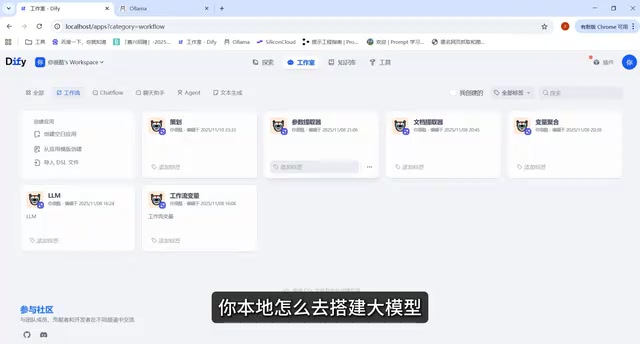
RAG: Giving Agents Domain-Specific Knowledge
The advanced part of the tutorial focuses on the principles and practice of RAG (Retrieval-Augmented Generation). RAG was formally proposed by the Meta AI research team in 2020 in the paper "Retrieval-Augmented Generation for Knowledge-Intensive NLP Tasks," initially used to address the knowledge-updating problem in open-domain question answering tasks. With the proliferation of large models, RAG has evolved from an academic method into a standard architectural pattern for enterprise AI deployment.
Current RAG practices have evolved to the "Advanced RAG" stage, introducing optimizations such as hybrid retrieval (dense vectors + sparse BM25), reranking models (Reranker), and HyDE (Hypothetical Document Embeddings). Among these, HyDE is a counterintuitive but practically effective technique: before retrieval, the large model first "fabricates" a hypothetical answer based on the user's question, then uses the vector of this hypothetical answer to retrieve real documents from the document repository. The logic is that the hypothetical answer is semantically closer to the real documents and provides a stronger retrieval signal than the short user question. Dify's knowledge base module natively supports hybrid retrieval and reranking configuration, achieving near-engineering-grade retrieval quality while maintaining deployment convenience.
RAG vectorizes and stores an enterprise's private documents, retrieves matching content when a user asks a question, and then hands it to the large model to generate an answer. This gives general-purpose large models the ability to answer questions in specialized domains and private data areas, effectively solving the two core pain points of large models: the "knowledge cutoff date" and the "private data blind spot."
The retrieval efficiency of a RAG system heavily depends on the implementation quality of the vector database. HNSW (Hierarchical Navigable Small World) is currently the most mainstream ANN (Approximate Nearest Neighbor) indexing algorithm, achieving logarithmic-level retrieval complexity by constructing a multi-layer graph structure—in a million-scale vector store, a single retrieval typically completes in milliseconds. Vector databases use ANN algorithms to quickly locate semantically similar document fragments in high-dimensional vector space; compared to traditional full-text search, they can understand relevance at the semantic level rather than merely matching keywords.
Local Dify deployment integrates Weaviate as the vector storage backend by default (written in Go, natively supporting hybrid retrieval and multi-tenant isolation, suitable for small-to-medium-scale local deployments), while also supporting switching to mainstream vector databases such as Qdrant, Milvus, and PGVector. The applicable scenarios for each vector database differ significantly: PGVector, as a PostgreSQL extension, allows projects already using PostgreSQL to introduce vector capabilities at zero additional operational cost, but its performance begins to show bottlenecks beyond the million-vector scale; Qdrant, written in Rust, excels in memory efficiency and single-machine performance, making it a strong choice for medium-scale self-hosted scenarios; for production scenarios requiring the handling of billions of vectors, Milvus is the preferred choice thanks to its distributed architecture and more mature enterprise-grade features.
It is worth noting that the choice of Embedding model is just as important as the vector database—using a local Embedding model (such as nomic-embed-text) instead of OpenAI's text-embedding-3 can further achieve complete data isolation, and Ollama likewise supports pulling and running dedicated Embedding models.
In local deployment scenarios, the value of RAG is particularly prominent: enterprises can upload internal materials to a local Dify knowledge base and, combined with a local large model, build a fully offline intelligent Q&A system where data never leaves the premises.
Understanding the complete RAG pipeline helps developers optimize retrieval effectiveness in a targeted manner and address common problems such as "irrelevant answers" and "model hallucination":
- Document chunking: Breaking long text into fragments (chunks) suitable for retrieval; the chunking strategy directly affects retrieval precision
- Vectorization: Using an Embedding model to convert text into high-dimensional vectors on which semantic similarity can be computed
- Similarity retrieval: Based on the vector representation of the user's question, finding the document fragments with the highest cosine similarity in the vector store
- Context assembly: Assembling the retrieval results into structured context, then feeding it to the large model to guide it toward fact-based answer generation
Be mindful of RAG's limitations—for tabular data, multimodal documents, and scenarios requiring cross-document reasoning, a pure RAG solution often needs to be paired with structured database queries or Agent planning capabilities to achieve ideal results.
Summary: The Complete Learning Path for Local Dify Deployment
This entire tutorial maps out a clearly structured learning path, progressing step by step from the underlying environment to upper-layer capabilities:
| Stage | Content |
|---|---|
| Underlying environment | Docker containerized deployment |
| Model foundation | Ollama + DeepSeek local large model |
| Application orchestration | Workflows, variable management, LLM nodes |
| Advanced capabilities | RAG knowledge base setup and retrieval optimization |
For developers who want to get started with Dify or systematically master AI application development, this progressive structure of "basic environment → feature implementation" effectively lowers the learning barrier.
One final reminder: running large models locally has certain hardware requirements, especially GPU VRAM. Using GGUF Q4 quantization as a baseline: a 7B parameter model requires about 4-6GB of VRAM, 13B requires about 8-10GB, and 70B requires over 40GB or parallel processing across multiple GPUs. For devices with insufficient VRAM, Ollama supports CPU inference mode, but generation speed will plummet from the GPU's 30-80 tokens per second to just 2-8 tokens per second, resulting in a significant difference in actual usage experience.
It is worth mentioning that Apple's M-series chips (M1/M2/M3/M4) hold a uniquely advantageous position for running local large models due to their Unified Memory Architecture—the CPU and GPU share the same physical memory pool, meaning a MacBook Pro with 32GB of unified memory can theoretically dedicate all of its memory to model loading, equivalent to having a discrete graphics card with 32GB of VRAM—something a similarly priced Windows laptop cannot achieve. Ollama has full support for Metal acceleration, so M-series Mac users can run 13B or even larger models at speeds approaching those of a discrete GPU.
It is advisable to assess your device's configuration before diving into hands-on practice. If VRAM is insufficient, you can prioritize cloud models as a transitional solution, then switch to fully local deployment once you are familiar with the environment.
Key Takeaways
Related articles

Cursor AI in Practice: Weighing Efficiency Gains Against Costs in an AI IDE
An in-depth look at Cursor AI IDE's interface layout, four modes (Agent/Plan/Debug/Ask), model selection, and Git context integration, with hands-on demos weighing subscription costs against going direct to Claude.

Free Landing Page Design Rules Library: A Practical Guide for Claude Code and Cursor
A free landing page design skill for Claude Code and Cursor: MIT licensed, nearly 9,000 stars, asks about offer/audience/action before planning 12 sections with hard font and spacing constraints.

Cursor Keeps Writing Wrong Code? The Problem May Be Context, Not Prompts
Cursor keeps writing wrong code? The problem may be context, not prompts. Learn how to supply relevant files, full error messages, and expected results, plus a plan-first, small-step, test-driven workflow to reduce AI coding errors—while remembering code review remains the developer's job.